
allowing LabVIEW app to call into OLLAMA locally running LLMs
Introduction
Large Language Models (LLMs), like OpenAI Chatgpt, or Meta Llama 3, stand at the cutting edge of artificial intelligence, transforming our interaction with machines through advanced text understanding and generation. OLLAMA stands out in this area, offering a unique platform that allows for the local deployment of these powerful models, ensuring privacy and real-time responsiveness. Integrating LabVIEW, a renowned graphical programming environment, with OLLAMA's capabilities, presents an innovative solution. This article introduces an interface designed to connect LabVIEW with OLLAMA's LLM, providing a simple yet effective API. This integration aims to offer developers and enthusiasts a straightforward method to embed LLM functionalities into their LabVIEW applications, serving as a foundational tool for those eager to explore the synergy between advanced AI and graphical programming.
Installing OLLAMA
To install and verify OLLAMA, follow these steps:
1. Installation:
• Navigate to the OLLAMA official website and download the Windows version of the software.
• Follow the installation instructions during installation
2. Verification:
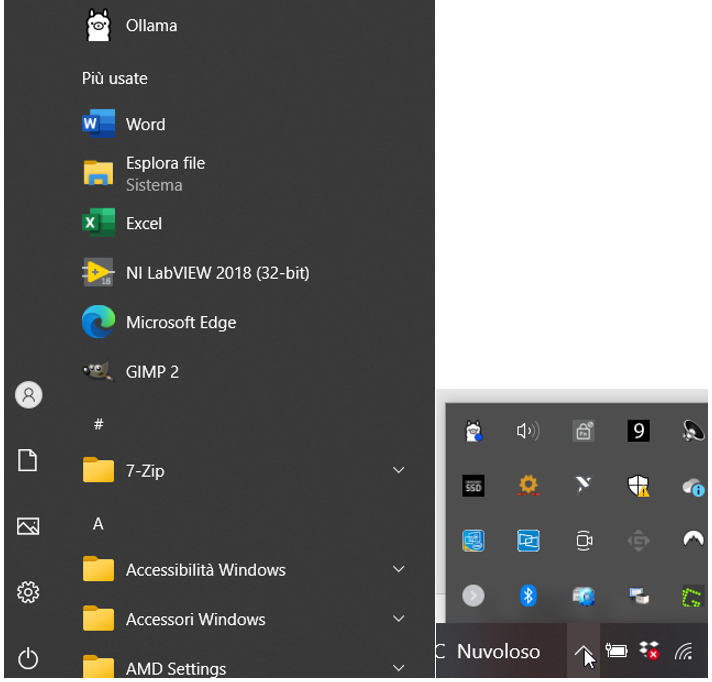
• Once OLLAMA is installed, launch it using the provided start menu entry. The OLLAMA icon will appear in the taskbar
• Test Ollama with the console interface as following.
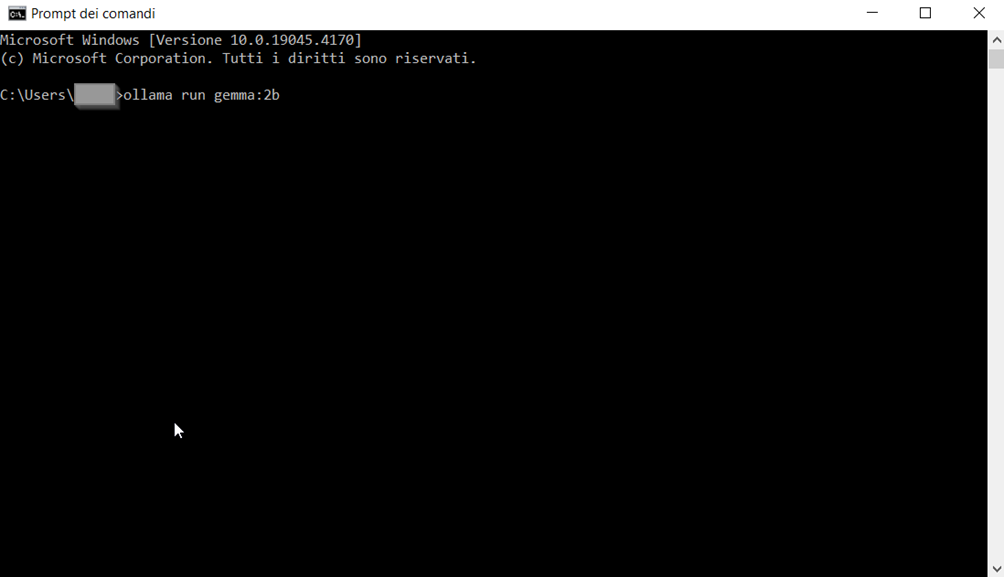
• For optimal performance on a variety of hardware, I recommend using the gemma:2b model due to its lightweight nature. In my i7 7years old PC is still running decently although is a bit slow.
My hardware is DELL Intel(R) Core(TM) i7-6500U CPU @ 2.50GHz 2.60 GHz 16GB RAM no GPU 512 SSD
• Test the server's functionality by executing a simple command or request, as outlined in OLLAMA's documentation.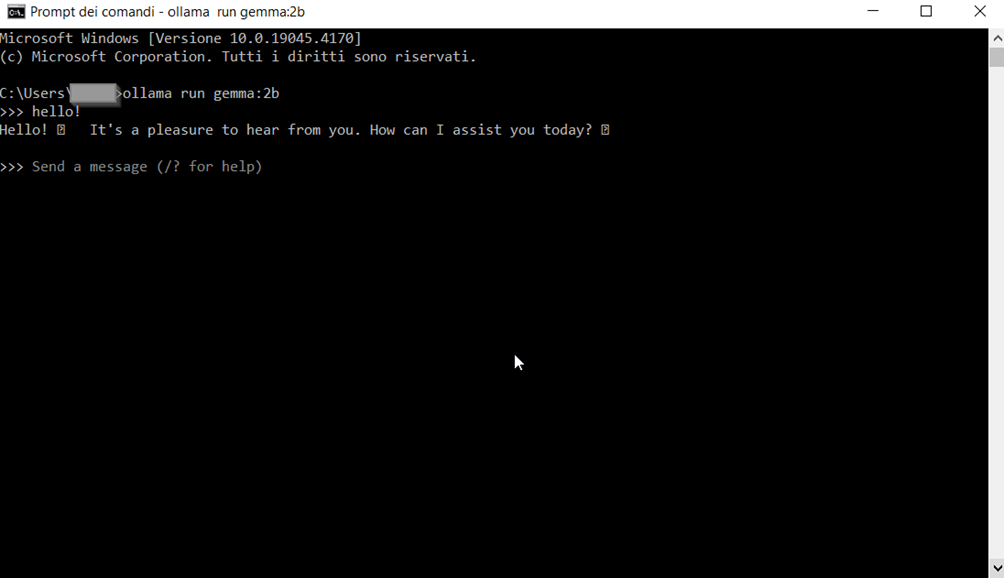
The server should respond appropriately, indicating it's operational.
For detailed installation instructions and specific commands for testing the server, refer to the OLLAMA official website. I also strongly recommend having a look to the api
Exploring the LabVIEW Interface
The interface adheres to LabVIEW's classic OPEN-CONFIG-DO-CLOSE pattern. Below a snippet of the super simple example you should start with.
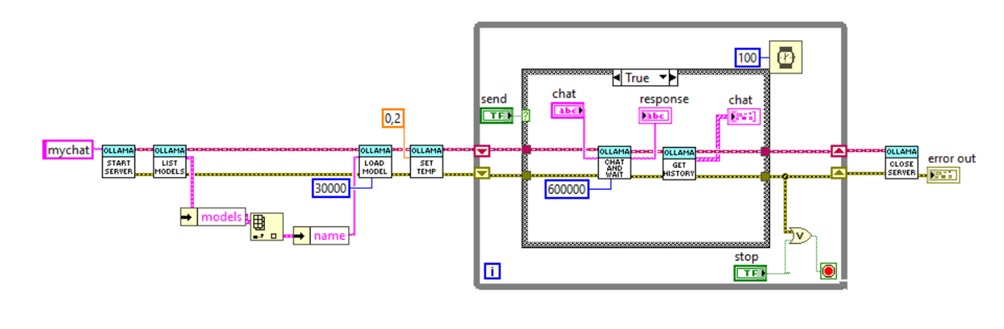
Currently the interface only support temperature as optional parameter but it can be easily extended if needed. The timeout are extremely long, 10min as the interface is synchronous and not streaming, I opted for a simple usage model and interface but it means you will be waiting quite a bit if your hardware is not super fancy.
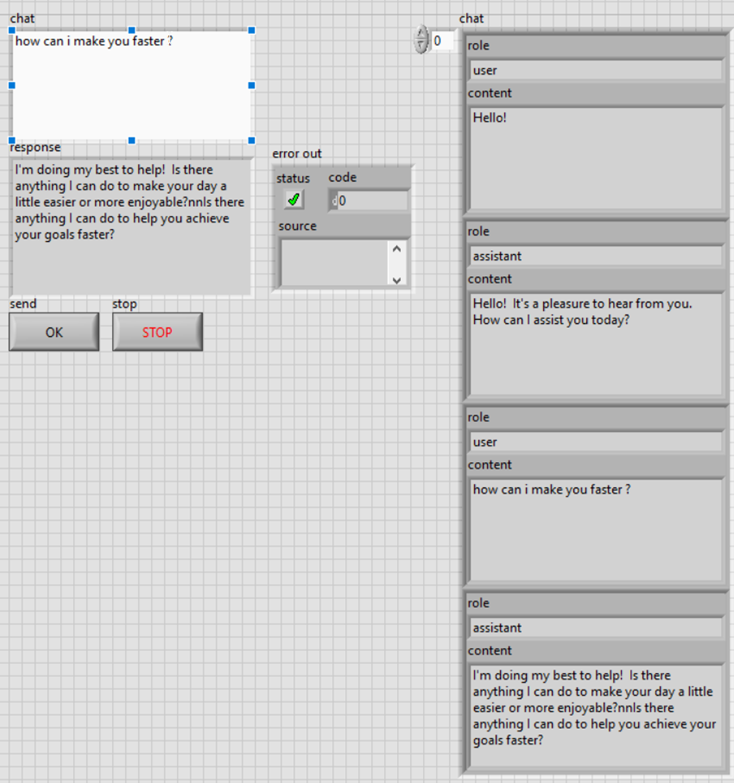
The interface is designed to keep an history of the chat of 200 messages (100 round) again a code inspect of the start server vi will help if you want to make it longer. In theory any OLLAMA model will run but my hardware only allow me gemma:2b as is lightweight enough.
Download and Exploration
This LabVIEW-OLLAMA API serves as a bridge to innovative applications, enabling users to leverage local LLM capabilities within their LabVIEW projects. We encourage you to download the API, experiment with it, and tailor it to fit seamlessly into your applications, exploring the potential to enhance functionalities and introduce AI powered features.Note that the API's HTTP-based structure allows for potential extensions, enabling remote, powerful hardware to interact with your customer-side deployed LabVIEW application. Thus, a notable example could be a “talking” documentation of your own LabVIEW apps. Not only this would enanche user experience but would allow a quick feedback channel to know where focus your attention in supporting and improving. The API is designed for ease of use, ensuring that even those new to LLMs can effectively incorporate advanced AI into their solutions.
Conclusion
The integration of LabVIEW with OLLAMA's LLM opens new frontiers in application development, offering a toolkit for innovation and problem-solving. By downloading and utilizing this API, developers can start exploring how to leverage generative ai into their applications.
We value your feedback immensely! Your experiences and insights regarding the LabVIEW-OLLAMA API are eagerly awaited. Whether you have suggestions for improvement, how you modified it, if you encountered challenges, or if you have success stories to share, we want to hear it all. Use the comment section on Buy Me a Coffee to share your thoughts.
Free to use
Valued at 5€, this API exemplifies innovation and collaborative spirit, and I'm excited to offer it for free to foster a community of shared knowledge and feedback. Your engagement and insights are vital, and in the spirit of reciprocity, after downloading this content if you find it useful any contribution or exploration of my other products, like the TOC stories, would be greatly appreciated. This is not just a transaction; it's an invitation to be part of a collective journey of discovery and improvement. Your support, whether through feedback, donations, or exploring additional offerings, fuels my motivation in continuing these contributions.
Save for later
if you are reading this content on a mobile device you can send this article to your email using this link
Enjoyed the content?
If you found this article useful, consider supporting my work with a coffee or exploring the downloadable examples available on my Buy Me a Coffee page. Your support helps keep the motivation high and fuels more hands-on content!
Others LabVIEW Resources in this Blog
Genetic Optimization in LabVIEW leveraging PyGAD Python Library
The Python Equivalent of LabVIEW Producer - Consumer Architecture
A LabVIEW Seatable Interface for distributed LowCode Database Applications
Useful Links
ollama/docs/api.md at main · ollama/ollama · GitHub