


Introduction
In this article, I'll show you how to use PyGAD, a Python library for genetic algorithms (GA), to optimize PID control parameters by interfacing with a LabVIEW VI through the VI Server. This approach allows you to leverage the powerful genetic algorithm capabilities of PyGAD for tuning your PID controller implemented in LabVIEW.
Core Motivation
The core motivation is showcasing a working use case of PyGAD, a flexible genetic optimizer already available in Python, with a LabVIEW optimization problem. While using a GA for PID tuning might seem overkill, it’s a simple and understandable scenario perfect for being a reference of the technique. You will be able to reuse this learnings and ideas with potentially any complex optimization problem.
GA Optimization in Practice
GA optimization is extensively used in literature for NP-Complete problems, where an approximate solution in a reasonable timeframe is preferable to an exact solution that might take a seemingly infinite amount of time. This method has shown substantial benefits in various fields, from scheduling to complex system optimizations. (Solving NP-Complete Problems with Genetic Algorithms)
Key Challenges
PID tuning, although well-documented, is tedious when done manually. Many people end up performing manual adjustments that could be more efficiently handled by an optimizer. Our solution automates this process, leveraging the strengths of genetic algorithms to achieve optimal tuning with less effort.
Unique Features
To the best of my knowledge, this is the first example available on the internet that couples PyGAD and LabVIEW. This integration demonstrates how flexible PyGAD is and how it can be used to solve real-world optimization problems in conjunction with LabVIEW.
Content Overview
The content is divided into three examples, each progressively building on the previous one to demonstrate the capabilities of PyGAD and LabVIEW integration.
Example 1: Simple Sum.vi
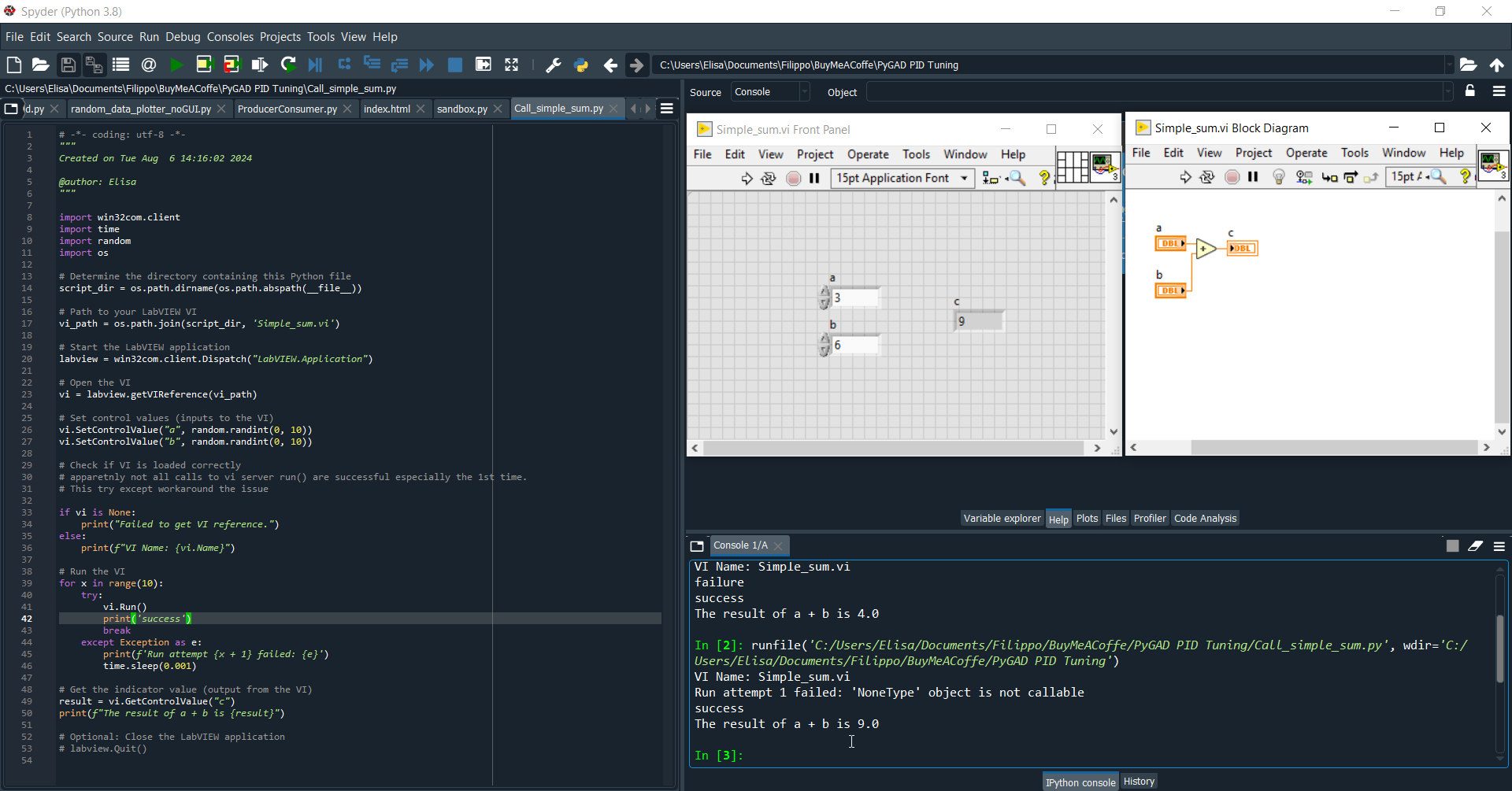
The first example involves a simple sum.vi that is called from Python. This example is designed to verify that the communication between Python and LabVIEW via the VI Server is functioning correctly. It serves as a foundational step to ensure that the setup is properly configured before progressing to more complex scenarios.
Example 2: Single PID Control Optimization
The second example demonstrates the optimization of a simple PID control system using a genetic algorithm. The fitness function in this example is designed to balance two objectives: the quadratic distance between the setpoint wave (SP) and the process variable wave (PV), and the energy expended by the control variable (MV). The goal is to achieve the closest possible adherence of the PV to the SP while minimizing the energy consumption of the MV. This example highlights how genetic algorithms can be effectively used to fine-tune PID controllers for optimal performance.
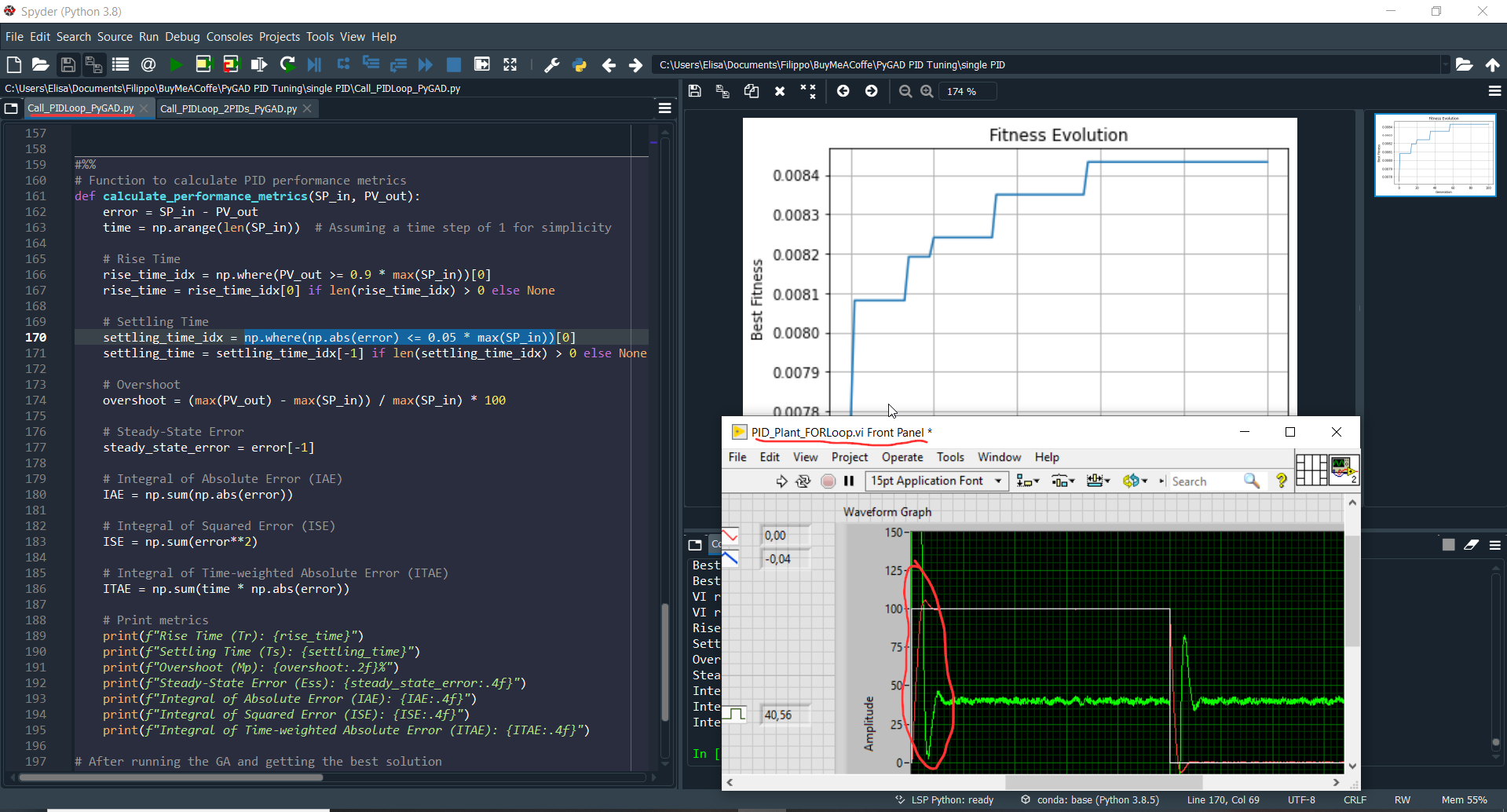
in the picture
The SP, setpoint, in white, square wave 0-100-0
The PV, process variable, in red shows some overshoot.
The MV, driving variable, in green, swings clearly show overshoot and extense of bounceback control
Example 3: Dual PID Control Optimization
The third example introduces a more advanced scenario with a dual PID control system. Here, two PID controllers are utilized: one for "big errors" and the other for "small errors." The genetic algorithm leverages the additional degree of freedom to optimize the "big error" controller for rapid response and the "small error" controller for energy efficiency low overshhoot at steady state. This approach not only balances quick response times with minimal energy usage but also serves as a reference for implementing handshaking techniques in scheduling PID controllers. In this case, a simple hard handshaking method with a threshold is used. It’s crucial to incorporate hysteresis into the threshold to ensure that the switch between controllers is stable and that the "entering" controller has sufficient time to converge.
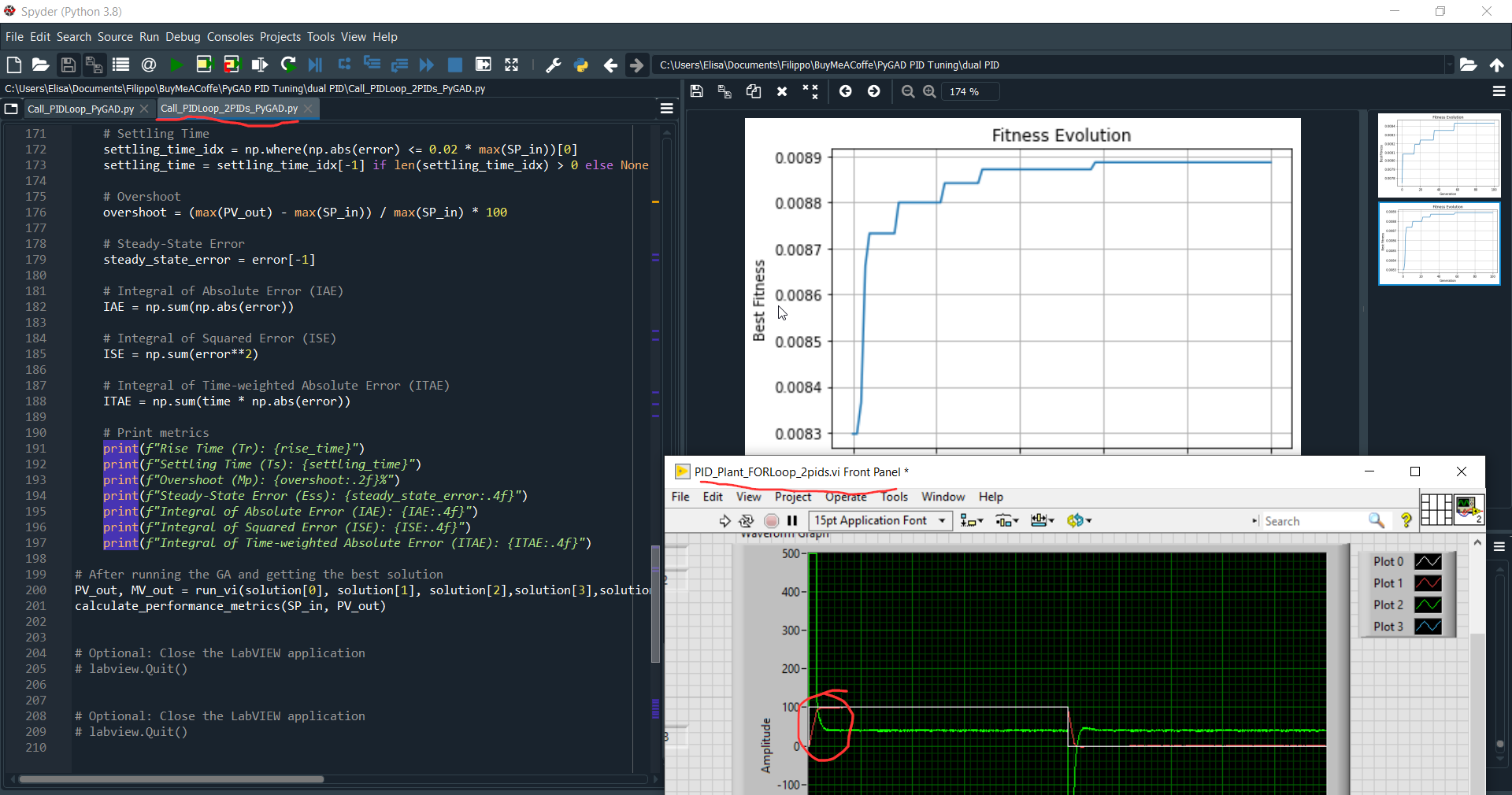
in the picture
The setpoint in white, square wave 0-100-0
The PV in red shows no overshoot.
The MV in green, swings clearly no overshoot and no bounceback control. the intensity of control at steady state is much less noisy.
Overall the dual PID approach shows much better performances even with a simple rigid handshaking rule.
Implementation Details
The two optimization problems (single PID and dual PID control) are presented in two versions:
PyGAD Integration: The optimization is called by PyGAD and inserted into a
FORloop to provide finite execution over a desired setpoint. This method runs the optimization for a specified number of iterations, demonstrating how the genetic algorithm evolves solutions.Interactive Optimization: The same code is proposed in a
WHILEloop to allow the user to play with the reached solutions interactively. This version provides a more hands-on approach, enabling users to observe and tweak the optimization process in real-time.Vi Server Handshaking: I preferred to add an explicit control if the Vi is running or not as the Vi server behavior left me a bit puzzled. Before explicit handshaking I had the feeling python was pulling out data "mixing" the previus and the next execution.
Next Steps
In the future, I plan to explore more advanced optimization examples, including Fuzzy controllers and Model Predictive Control (MPC). These examples will further illustrate the versatility of genetic algorithms and their potential applications in more complex control systems.
Conclusion
This approach effectively combines the strengths of both LabVIEW and Python to optimize PID control parameters using a genetic algorithm. By interfacing PyGAD with LabVIEW through the VI Server, we can efficiently discover optimal solutions that balance responsiveness and stability, while avoiding overly aggressive control actions. Moreover, this example serves as a practical starting point for applying GA optimization to any control or identification problem you may encounter in LabVIEW, leveraging the capabilities of a well-documented and readily available GA optimizer in Python.
Download and Play
At the price of 5 euros, you can download a zip file with all 3 examples and detailed explanation of the implementation.
Save for Later
If you are reading this content on a mobile device you can send this article to your email using this link: MAIL TO ME
Enjoyed the content?
If you found this article useful, consider supporting my work with a coffee or exploring the downloadable examples available on my Buy Me a Coffee page. Your support helps keep the motivation high and fuels more hands-on content!
Bibliography
