
An Easy Solution to Vision Acquisition for LabVIEW Community
Introduction
LabVIEW is a cornerstone of automation and experimentation, even more so with the recent introduction of LabVIEW Community Edition, free for non commercial use, but the NI Vision Development Module’s licensing costs pose challenges for hobbyists and small-scale developers. This cost barrier conflicts with the open and free nature of LabVIEW Community Edition, leaving many looking for alternatives.
To solve this, we’ve created a simple, cost-effective solution for vision acquisition in LabVIEW, combining:
A Python server powered by OpenCV to stream webcam data. Nicely packaged in a PyInstaller executable
A lightweight TCP protocol for image transfer.
A LabVIEW API to integrate this into your projects seamlessly.
And the best part? All source code for both Python and LabVIEW is included, empowering you to learn, adapt, and expand the solution.
How It Works
Our solution consists of three components:
Python Server: Streams webcam data via a TCP connection, encoding images as BMP files for easy parsing in LabVIEW.
TCP Protocol: Uses simple commands like
IMG?to request images, ensuring compatibility with LabVIEW's TCP tools.LabVIEW Wrapper API: Simplifies communication with the Python server, providing functions to open a connection, acquire images, and close the server.
The Python Server
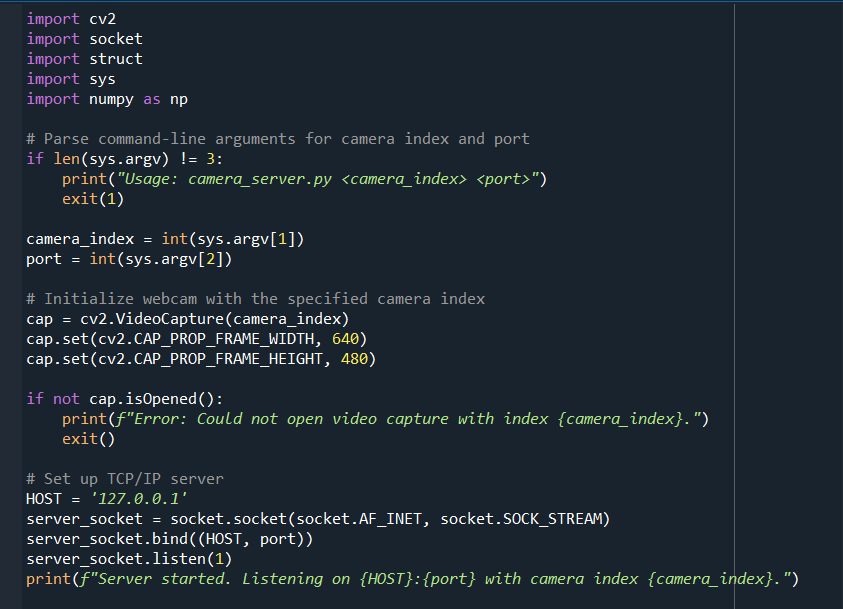
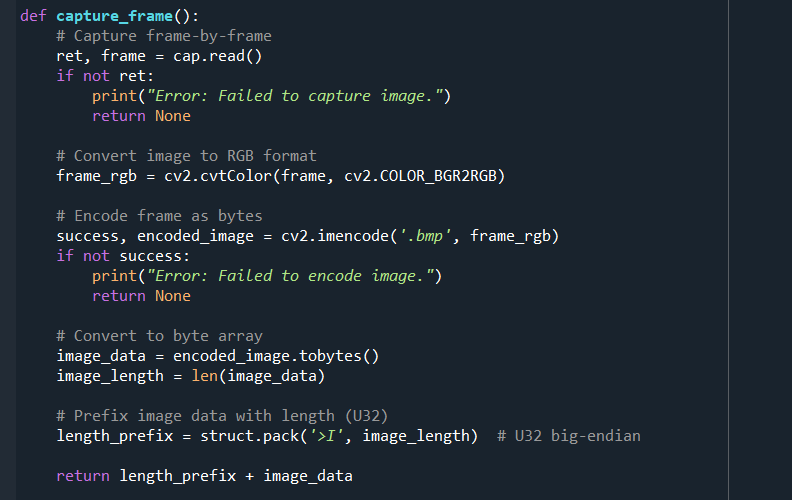
Here’s the Python script that powers the system. It streams webcam frames as BMP files over a TCP connection, using a lightweight protocol.
Server Initialization using information from command line
Function to capture frame from webcam
Server "While 1" structure wating on commands and with single client connection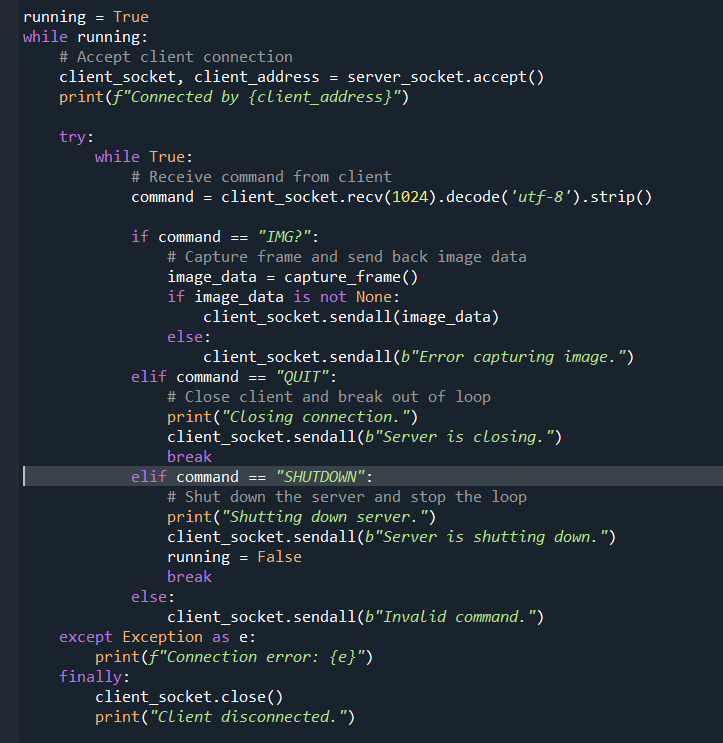
server shutdown

LabVIEW Integration
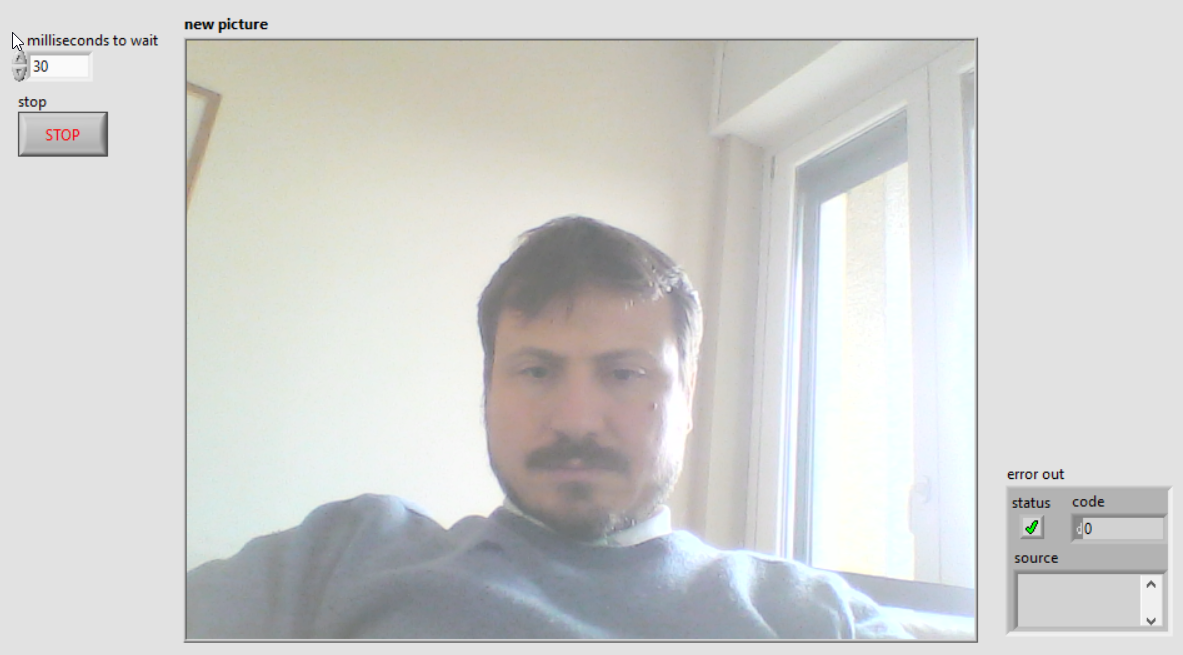
The Python server streams images in response to TCP commands, making it easy to integrate with LabVIEW. The LabVIEW wrapper API provides three main functions:
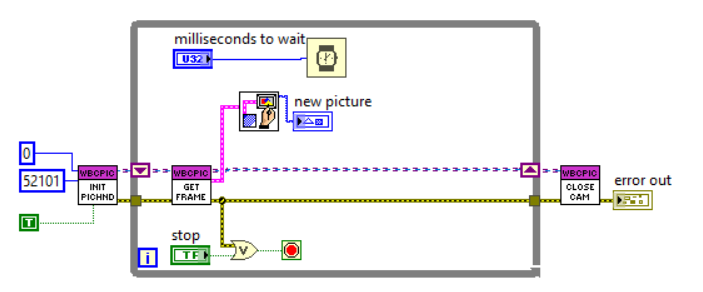
Open Connection: Launch the server executable and Establishes a TCP connection to the Python server.
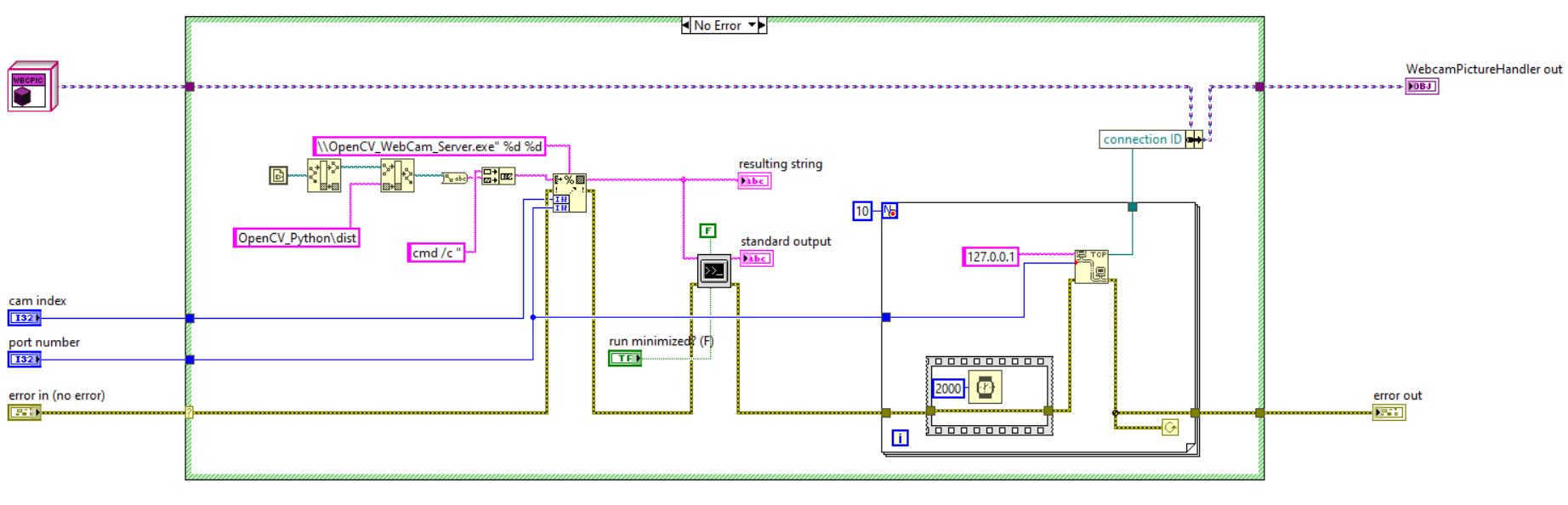
Acquire Image: Sends the
IMG?command, reads the image size, and fetches the BMP image.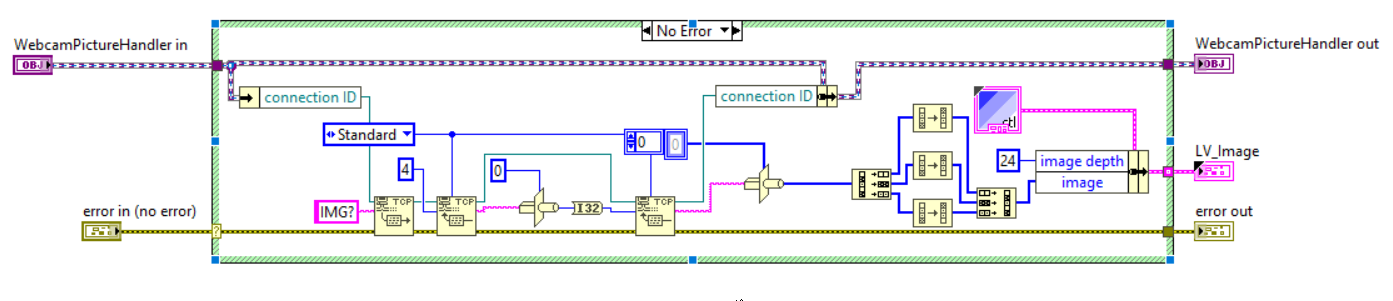
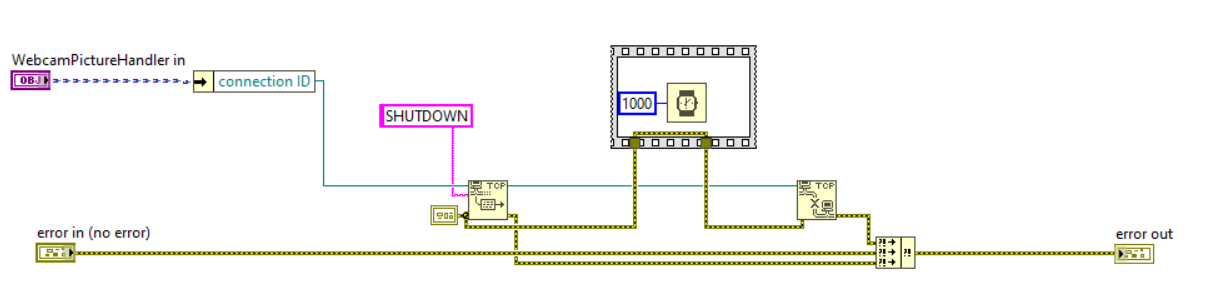
Close Connection: Closes the TCP connection and shuts down the server.
Why This Solution Stands Out
Affordable: At just €19, it eliminates the high cost of vision modules if the intent is just capturing images. Clearly the IMAQdx is more feature rich but in many case the scope is just getting multiple pictures.
Educational: Includes complete Python and LabVIEW source code to help you learn and expand the solution.
Simple Protocol: Easy-to-use commands (
IMG?,QUIT,SHUTDOWN) ensure seamless integration.Lightweight: Works with any webcam and requires no additional software licenses.
What’s Included?
Full Python source code for the server.
Full LabVIEW wrapper API source code with example VIs.
A step-by-step setup guide.
Get Started Today
Download the full module, complete with source code, for just €19 and start integrating vision acquisition into your LabVIEW projects today.
Download the Vision Acquisition Module
Save for Later
If you are reading this content on a mobile device you can send this article to your email using this link: MAIL TO ME
Related Content
Race Timing and Photo Finish System with LabVIEW and Arduino
Arduino-Based Distance Measuring System with a DAQ-like Interface to LabVIEW
AI in LabVIEW with the OLLAMA API
Enjoyed the content?
If you found this article useful, consider supporting my work with a coffee or exploring the downloadable examples available on my Buy Me a Coffee page. Your support helps keep the motivation high and fuels more hands-on content!
