

Setting up a proper lab environment is a critical first step for performing iOS application penetration testing. A well-configured lab allows you to analyze applications safely, emulate real-world attack scenarios, and uncover vulnerabilities efficiently. Below are the key components and steps to set up your iOS pentesting lab.
Universal Requirements
To set up an iOS pentesting environment, certain universal tools and components are essential, regardless of the operating system or specific configuration.
Below are the core requirements:
Java and JDK
Java is a widely used programming language and platform that powers many development tools, frameworks, and applications. Whether you're working on software development, reverse engineering, or running advanced tools, having Java and the Java Development Kit (JDK) properly installed is essential.
Installation Steps:
Official Source: Oracle JDK
SSH (Secure Shell)
SSH, or Secure Shell, is a cryptographic network protocol that allows secure communication between systems. It is widely used for remote login, command execution, and secure file transfers, making it a critical tool in system administration, development, and penetration testing.
SSH is installed by default on recent operating systems
Python3
Many pentesting tools and scripts, such as Frida, Objection, and MobSF, are written in Python and require Python3 for installation and execution.
Windows:
Install Python3 from the official website.
Linux:
sudo apt-install python
Mac:
brew install python
Frida-Tools
Frida is a powerful dynamic instrumentation toolkit that allows security testers, developers, and reverse engineers to inspect and modify the behavior of running applications on various platforms, including iOS.
Key Features:
Runtime Code Injection: Inject custom scripts into running processes to manipulate their behavior in real time.
Cross-Platform Support: Works on iOS, Android, Windows, macOS, and Linux.
APIs for Custom Scripts: Allows creation of scripts in JavaScript or Python to analyze app internals.
Memory Inspection: Access memory regions, dump them, or search for sensitive data in memory.
Method Hooking: Intercept and modify function calls, including private or undocumented APIs.
Use Cases in Pentesting:
Bypassing SSL Pinning.
Manipulating app logic on the fly.
Analyzing how sensitive data is handled.
Hooking methods to observe interactions with APIs or libraries.
Installation in all systems:
pip install frida-tools
Objection
Objection is built on top of Frida and is designed for penetration testers to explore and analyze mobile applications without needing to write custom scripts.
Key Features:
Pre-Built Commands: Provides an easy-to-use CLI for common pentesting tasks.
File System Interaction: Explore app file systems to identify sensitive files.
Runtime Modification: Inject and modify code during runtime without writing JavaScript.
Security Bypass:
Bypass jailbreak detection.
Bypass SSL Pinning.
Data Analysis:
Dump SQLite databases.
Extract credentials or sensitive information stored locally.
Use Cases in Pentesting:
Quickly assess security mechanisms like SSL Pinning or Jailbreak Detection.
Analyze app storage for sensitive files or improperly secured data.
Test runtime behavior without needing a full jailbreak in some cases.
Installation in all systems:
pip install objection
Node.js
Node.js is an open-source, cross-platform JavaScript runtime built on Chrome's V8 JavaScript engine. It allows developers to execute JavaScript code server-side, making it a popular choice for building scalable, event-driven applications. Node.js is commonly used in server-side development but can also be useful for building command-line tools and scripts, especially in security testing environments.
Windows:
Install nodejs from the https://nodejs.org/en/download/prebuilt-installer.
Linux:
sudo apt-install nodejs
Mac:
brew install nodejs
Burp Suite
Burp Suite is a leading tool for intercepting and analyzing network traffic between the mobile app and backend servers.
It helps identify insecure communication and other network-related vulnerabilities.
Setup:
Download from https://portswigger.net/burp/communitydownload.
Set Up Burp Proxy
Launch Burp Suite:
Open Burp Suite on your computer.
Go to Proxy > Options.
Confirm that a listener is active on 127.0.0.1:8080 or another port of your choice.
Configure Burp to Listen on All Interfaces:
In the Proxy Listeners section, select your listener and click Edit.
Check "Bind to address" and select "All interfaces".
Click OK.
Configure Proxy on iOS Device
Connect to the Same Wi-Fi:
Ensure your iOS device is connected to the same Wi-Fi network as your computer.
Set Up Manual Proxy:
Go to Settings > Wi-Fi on your iOS device.
Tap the information icon (ℹ️) next to your connected Wi-Fi network.
Scroll down to HTTP Proxy and select Manual.
Enter your computer's IP address as the Server and the Burp Suite listener port (e.g., 8080) as the Port.
Install Burp CA Certificate
Open your browser on the iOS device and navigate to
http://burp.Tap the link to download the Burp CA certificate.
Install the Certificate:
After downloading, go to Settings > General > VPN & Device Management (or Profiles & Device Management).
Tap the Burp certificate and install it.
Trust the Certificate:
Go to Settings > General > About > Certificate Trust Settings.
Enable trust for the Burp CA certificate.
Physical Device or Emulator
Testing on a physical device allows for real-world conditions, including jailbreak-based tests.
Emulators are suitable for basic testing when a physical device is unavailable.
Physical Device
Use a jailbroken iPhone or iPad for advanced testing. See more in the section Jailbreaking iOS Devices
Emulator
iOS emulators like those included with Xcode (requires macOS).
Third-party options on Windows/Linux a example corellium. It's limited, you need a business account, they give only one week of trials, and you can only install apps from the appstore.
Jailbreaking iOS Devices
Jailbreaking is the process of removing the restrictions imposed by Apple on iOS devices, allowing users and developers to gain root access and bypass the security constraints of the operating system. This enables the installation of unauthorized apps, tweaks, and extensions, as well as full access to the iOS file system.
Types of Jailbreaking:
Tethered Jailbreak:
Requires the device to be connected to a computer each time it reboots to reapply the jailbreak.
Without tethering, the device will not function properly after a restart.
Untethered Jailbreak:
Does not require a computer connection after rebooting. The jailbreak is persistent across device restarts.
Semi-Tethered Jailbreak:
Allows the device to reboot without a computer, but the jailbreak functionality will be disabled until it is re-enabled manually.
Semi-Untethered Jailbreak:
Similar to semi-tethered but uses an app on the device to reapply the jailbreak after a reboot.
Popular Jailbreaking Tools:
Dopamine:
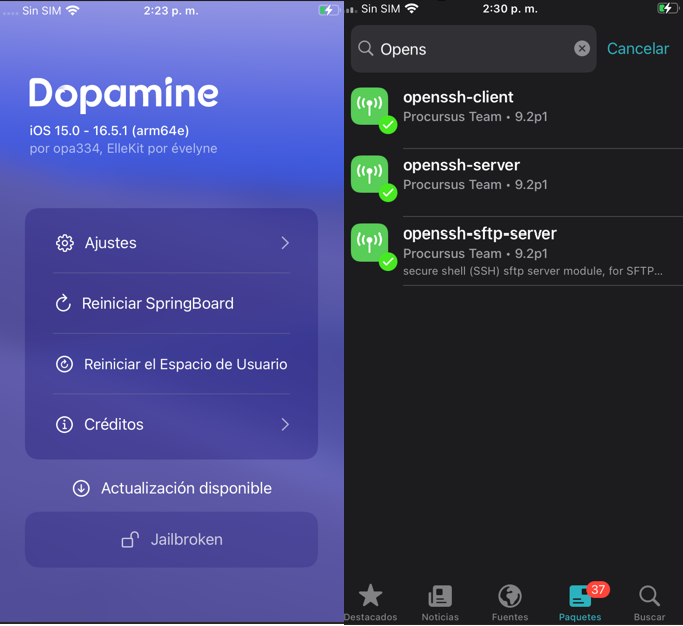
A rootless semi-untethered jailbreak for iOS 15.0 - 16.5.1 (arm64e) and iOS 15.0 - 16.6.1 (arm64). More details will follow here soon.
URL: https://github.com/opa334/Dopamine/releases
Soon, we will see how to install an IPA file based on our operating system.
palera1n
Is a developer-oriented jailbreak for checkm8 devices (A8-A11) on iOS 15.0 and above

URL Linux/MAC: https://docs.website-msw.pages.dev/docs/intro/
Windows Option: https://winra1n.net/
Currently, the Palera1n version supports iOS 18, and Winr1an supports iOS 17. Please read the documentation to jailbreak your device if it is among the compatible ones.
iOS Package Managers
When a device is jailbroken, package managers are essential tools that allow users to browse, install, and manage tweaks, apps, and extensions that aren't available on the official App Store.
These functionalities are installed by default when using some of the previously mentioned jailbreak alternatives. During this process, the user is prompted to set a custom password for the default mobile account. This step is essential to secure the device, as a weak or easily guessable password could expose it to unauthorized access.
Sileo
Sileo is a modern, fast, and user-friendly package manager developed as an alternative to Cydia. It was created with a focus on speed, efficiency, and support for newer jailbreaks.
Zebra
Zebra is a lightweight, open-source package manager designed to be fast, reliable, and simple to use. It offers more control to advanced users while maintaining ease of use for beginners.
URL: https://getzbra.com/
iOS Tweaks
Tweaks are custom modifications or enhancements applied to jailbroken iOS devices. These tweaks allow users to unlock features, customize their devices, or add functionality not available on stock iOS.
Once the jailbreak is completed on your device, it is necessary to install some essential tools, such as OpenSSH to gain access to your device, ElleKit, Frida, among others.
Here’s a brief overview of these tools:
OpenSSH
Provides secure remote access to your device via an SSH client.
Installation: Can be installed from your package manager (Sileo, Zebra).
Usage: Use an SSH client like PuTTY (Windows) or the ssh command (macOS/Linux) to connect.
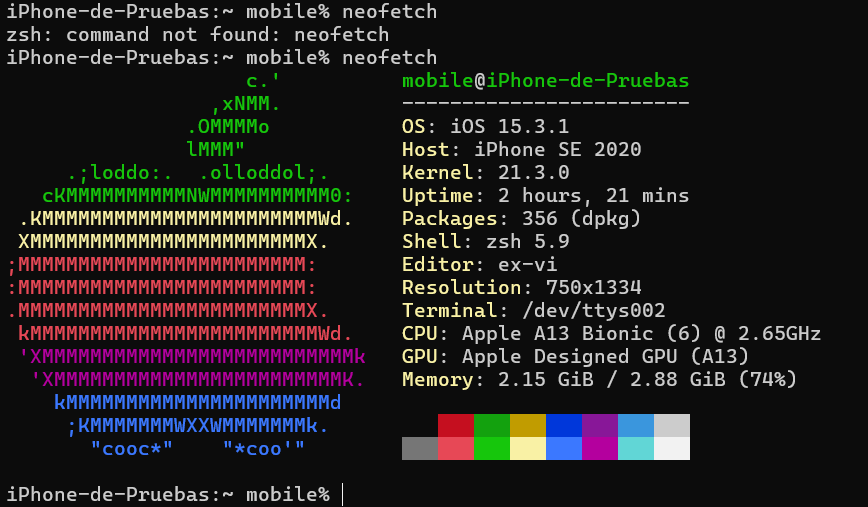
Login:
ssh mobile@IP
The password is configured during the jailbreak process.
ElleKit
A modern tweak injection library used for running and managing jailbreak tweaks on the latest iOS versions.
Often installed automatically by modern jailbreak tools, but can be updated via your package manager.
Frida
A dynamic instrumentation toolkit for developers, security researchers, and ethical hackers.
Allows you to inspect, modify, or debug applications in real-time.
Installation: Can be added via a compatible repository in your package manager https://build.frida.re. Or se more in my post: https://www.linkedin.com/pulse/using-frida-server-rootless-jailbreak-ios-15-c%25C3%25A9sar-calder%25C3%25B3n/?trackingId=CKj4glclTo6eSisNIeLiWA%3D%3D
Usage: Works with a companion tool on your computer to interact with your device.
Filza File Manager
A comprehensive file management tool for accessing and editing the filesystem.
Installation: Can be added via a compatible repository in your package manager.
PreferenceLoader
Is a core package for jailbroken iOS devices. It is essential for managing the settings of installed tweaks within the Settings app. Without PreferenceLoader, tweaks that add configuration options to the Settings app will not display their preferences or function correctly.
Installation: Search tweak via package managers like Sileo, or Zebra.
SSL Kill Switch 3
Next Generation of iOS Tweak SSLKillSwitch (https://github.com/nabla-c0d3/ssl-kill-switch2) with much more functionality to bypass SSL Pinning without frida!
Installation: Login ssh y and download your version from: https://github.com/NyaMisty/ssl-kill-switch3/releases/tag/v1.4
In my case I use rootless version
wget https://github.com/NyaMisty/ssl-kill-switch3/releases/download/v1.4/moe.misty.sslkillswitch31.4+rootlessiphoneos-arm64.deb

Use dpkg for install, PreferenceLoader is required

Note: This is just a list of basic tweaks; there are countless more available.
Jailbreak Bypass
Refers to techniques or tools used to hide the jailbreak status of a device from applications. Many apps, especially banking, streaming, and secure work-related applications, implement jailbreak detection to prevent unauthorized access or potential security risks.
Use hide jailbreak in dopamine options
Use tweaks for example: shadow https://github.com/jjolano/shadow
Install IPA file using TrollStore in the divice
TrollStore is a powerful utility for iOS devices that allows the installation of IPA files (iOS application packages) permanently without requiring a jailbreak. It uses a system exploit to bypass App Store restrictions and enables users to sideload apps that persist across reboots. TrollStore works on iOS versions compatible with the CoreTrust bug, typically between iOS 14.0 and 17.
Installation: See more in https://trollstore.app, and select your iOS version.
Cycript have not worked in my environment, but they are tools that allow us to analyze and interact with iOS applications at a deeper level.
Cycript: A powerful tool that combines JavaScript and Objective-C, enabling runtime analysis and modification of iOS applications. It allows injecting code, inspecting objects, and debugging apps directly on a running device.
This is a list of applications I use on my device after jailbreaking it. Now, let’s look at some applications for the most common desktop operating systems. There is a wide variety, and these are some that I use.
Tools for iOS Pentesting on Windows
When setting up your pentesting environment on Windows, specific tools are indispensable for managing iOS devices, sideloading apps, and performing security assessments. Below are the key tools and their purposes:
iTunes
iTunes is essential for establishing communication between your iOS device and your Windows machine. It provides the necessary drivers for device recognition and data transfer.
Download: Apple iTunes
3uTools
3uTools is an all-in-one tool for managing iOS devices, offering advanced features for jailbreaking, firmware management, and system diagnostics.
Download: 3uTools
Sideloadly
Sideloadly is used for sideloading unsigned or custom apps onto your iOS device without requiring the App Store.
Download: Sideloadly
Grapefruit: Runtime Application Instruments for iOS
(WIP) Runtime Application Instruments for iOS. Previously Passionfruit.
Install execute in console:
npm install -g igf
igf
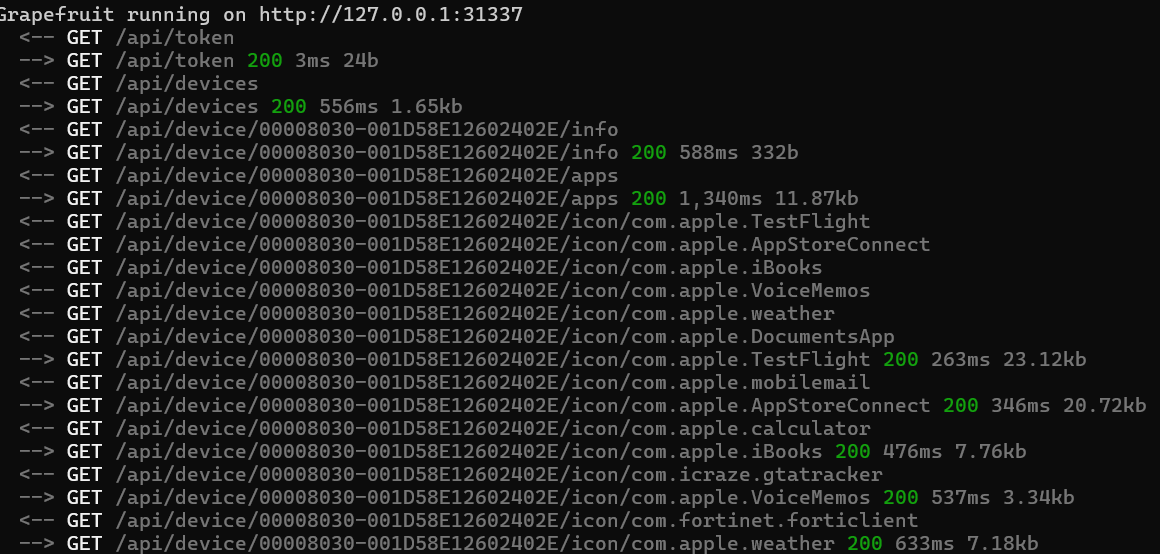

Note: Nodejs and frida required
Ghidra
Ghidra is an open-source software reverse engineering (SRE) framework developed by the NSA. It provides tools for analyzing binary files, including disassembly, decompilation, and scripting capabilities, making it useful for malware analysis and vulnerability research.
Install: https://ghidra-sre.org/
IDA Free - Hex-Rays
See IDA in action and get to know the most powerful disassembler and decompiler at no cost.
Install: https://hex-rays.com/ida-free
Tools for iOS Pentesting on Linux
A cross-platform protocol library to communicate with iOS devices
URL: https://github.com/libimobiledevice/libimobiledevice/
Install: Read github documentation
Grapefruit: Runtime Application Instruments for iOS
(WIP) Runtime Application Instruments for iOS. Previously Passionfruit.
Install execute in console:
npm install -g igf
igf
Note: Nodejs and frida required
Hopper Disassembler
Is reverse engineering tool that lets you disassemble, decompile and debug your applications.
URL: https://www.hopperapp.com/
Note, the trial version only allows us to run it for 30 minutes, if you want an alternative install ghidra.
Ghidra
Ghidra is an open-source software reverse engineering (SRE) framework developed by the NSA. It provides tools for analyzing binary files, including disassembly, decompilation, and scripting capabilities, making it useful for malware analysis and vulnerability research.
Install: https://ghidra-sre.org/
iblessing
Is an iOS security exploiting toolkit, it mainly includes application information gathering, static analysis and dynamic analysis. It can be used for reverse engineering, binary analysis and vulnerability mining.
install: https://github.com/Soulghost/iblessing
Runtime Mobile Security (RMS)
Is a powerful web interface that helps you to manipulate Android and iOS Apps at Runtime
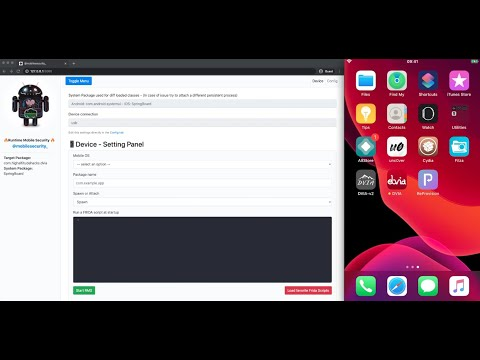
Install: https://github.com/m0bilesecurity/RMS-Runtime-Mobile-Security
Tools for iOS Pentesting on MAC
Xcode:
Apple’s official IDE for iOS and macOS development.
Includes simulators for iOS devices, necessary for app testing and debugging.
Installation:
xcode-select --install
Alternatively, download from the Mac App Store.
Homebrew:
A versatile package manager for macOS that simplifies installing tools like Python, OpenSSL, and more.
Installation:
/bin/bash -c "$(curl -fsSL https://raw.githubusercontent.com/Homebrew/install/HEAD/install.sh)"
Example usage:
brew install python3
brew install openssl
iTunes:
Necessary for device recognition and synchronization with macOS.
Also used for accessing device backups and managing applications.
Sideloadly
Sideloadly is used for sideloading unsigned or custom apps onto your iOS device without requiring the App Store.
Download: Sideloadly
A cross-platform protocol library to communicate with iOS devices
URL: https://github.com/libimobiledevice/libimobiledevice/
Install: Read github documentation
Grapefruit: Runtime Application Instruments for iOS
(WIP) Runtime Application Instruments for iOS. Previously Passionfruit.
Install execute in console:
npm install -g igf
igf
Note: Nodejs and frida required
Hopper Disassembler
Is reverse engineering tool that lets you disassemble, decompile and debug your applications.
URL: https://www.hopperapp.com/
Note, the trial version only allows us to run it for 30 minutes, if you want an alternative install ghidra.
Ghidra
Ghidra is an open-source software reverse engineering (SRE) framework developed by the NSA. It provides tools for analyzing binary files, including disassembly, decompilation, and scripting capabilities, making it useful for malware analysis and vulnerability research.
Install: https://ghidra-sre.org/
iblessing
Is an iOS security exploiting toolkit, it mainly includes application information gathering, static analysis and dynamic analysis. It can be used for reverse engineering, binary analysis and vulnerability mining.
install: https://github.com/Soulghost/iblessing
Runtime Mobile Security (RMS)
Is a powerful web interface that helps you to manipulate Android and iOS Apps at Runtime
Install: https://github.com/m0bilesecurity/RMS-Runtime-Mobile-Security
Simulator
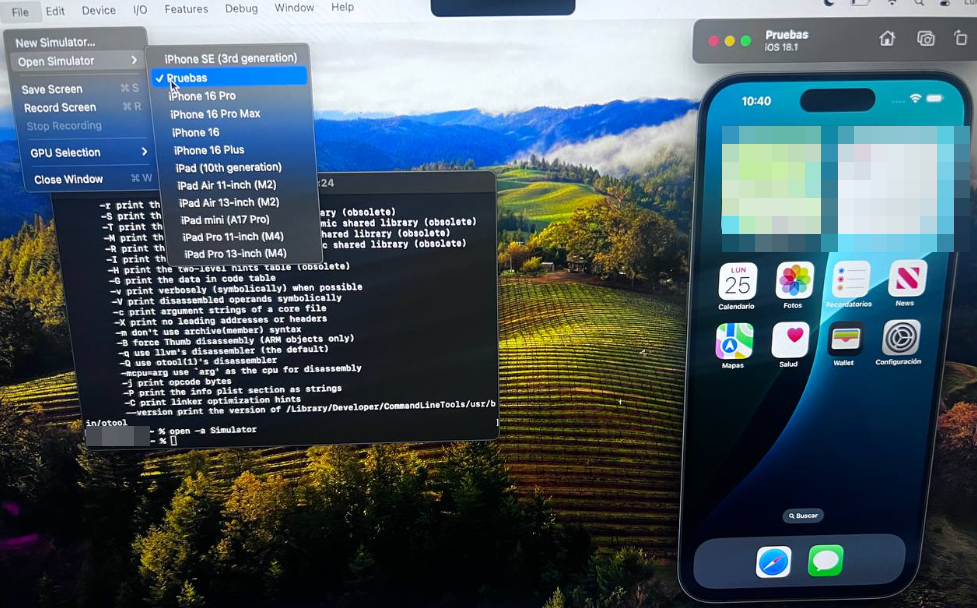
Xcode provides the ability to create and manage simulators programmatically using the simctl command, which is part of Xcode's command-line tools. This is particularly useful for automating workflows, setting up environments, or scripting simulator-related tasks.
open -a Simulator
Additional Commands
List All Simulators:
xcrun simctl list devices
Rename a Simulator:
xcrun simctl rename <uuid> "<new_name>"
Delete a Simulator:
xcrun simctl delete <uuid>
Install an App on the Simulator:
xcrun simctl install booted /path/to/your_app.app
Launch an App on the Simulator:
xcrun simctl launch booted <appbundleidentifier>
otool
is a powerful command-line utility in macOS, specifically designed to inspect and analyze Mach-O binaries, which are the executable format used by iOS and macOS applications. It's commonly used in reverse engineering and security assessments to gain insight into the structure and dependencies of applications or libraries.
Key Features of otool
Display Mach-O Header Information:
Analyze the structure of the binary, such as segments, sections, and load commands.
List Linked Libraries:
Identify dynamically linked libraries (DLLs) or frameworks used by the application.
Show Symbol Table:
View exported and imported symbols, which can reveal functions and APIs.
Disassemble Code:
Disassemble executable code within the binary to understand its functionality.
Inspect Dependencies:
Examine shared libraries or frameworks the binary depends on.
otool -h
Automated Tools for iOS Application Penetration Testing
Automating tasks during iOS penetration testing can significantly speed up the process and ensure consistent results. Below are some widely used tools tailored for iOS application security assessment:
MobSF (Mobile Security Framework) - OFFLINE
An open-source, all-in-one framework for static and dynamic analysis of mobile applications.
URL: https://mobsf.github.io/docs/#/runningmobsfdocker?id=static-analysis
AppSweep - ONLINE
AppSweep is a free, cloud-based mobile application security testing tool developed by Guardsquare. It specializes in identifying security vulnerabilities, misconfigurations, and privacy issues in mobile applications, particularly for iOS and Android platforms.
URL: https://appsweep.guardsquare.com/
ImmuniWeb Mobile Suite - ONLINE
ImmuniWeb is a comprehensive, AI-powered platform offering security and privacy testing for mobile applications. It specializes in identifying vulnerabilities and ensuring compliance with security standards and regulations.
URL: https://www.immuniweb.com/mobile/
Mobexler
Is a comprehensive, easy-to-use toolkit designed for mobile application penetration testing. This virtual machine image is pre-configured with all the necessary tools for performing mobile security assessments on iOS and Android apps, including tools like Frida, Objection, Burp Suite extensions, and more.
URL: https://www.mobexler.com/set-up
Here is a list of the tools I use depending on the operating system I'm working on. If you know of any others, please feel free to share them.