

Because Digital Memories Deserve Better Than Digital Amnesia

Photo by Lisa Fotios
In an age where our most precious memories live in the cloud (which is really just someone else’s computer, let’s be honest), it’s time to talk about keeping your digital treasures safer than that cookie jar you think your kids haven’t discovered yet. Mmm, cookies.

Why Cloud Security Matters
Remember when the most sophisticated form of photo theft was your sibling cutting you out of the family portrait? Those were simpler times. Now your entire life story is floating somewhere between servers, probably sharing space with someone’s cat video collection. Let’s make sure your memories don’t end up starring in “Stranger’s Greatest Hits: The Unauthorized Collection.”
Essential Security Steps

Image by Robert Owen-Wahl from Pixabay
1. Password Protection: Your Digital Moat
Your password should be treating your account like an introvert treats their personal space — keeping everyone at a comfortable distance. It bears repeating to bring attention to Avoid using:
Your pet’s name (Mr. Fluffles deserves better than to be your security weakness)
Birthday combinations (Because nothing says “hack me” like advertising your credentials on Facebook)
The word “password” (At this point, you might as well leave your digital front door wide open with a “Welcome Hackers” mat)
2. Two-Factor Authentication: The Bouncer Your Data Deserves
Think of two-factor authentication as your account’s personal bodyguard, but instead of sunglasses and an earpiece, it wears algorithms and sends you texts. It’s like having a overprotective parent for your data, but this one you actually want around. Here’s the last article on this, in case you missed it.
3. Regular Security Check-Ups
Much like those mysterious leftovers in your fridge, your security settings need regular inspection. Schedule quarterly reviews to:
Update passwords (Yes, “Password123!” wasn’t clever the first time, and it hasn’t aged well)
Review connected devices (Because that old tablet you forgot about shouldn’t still have VIP access)
Check account activity (Spot suspicious login attempts faster than your teenager spots your attempts to be “cool”)

Image by Ryan McGuire from Pixabay
4. Backup Your Backups
If your backup strategy is “hope for the best,” you might as well write your memories in disappearing ink. Create multiple backups like you’re preparing for a digital apocalypse — because in the world of technology, sometimes Monday mornings feel exactly like that.
Pro Tips for Peace of Mind
Encrypt sensitive documents: Because some files deserve to wear a digital invisibility cloak
Use expiring share links: Like Cinderella’s carriage, but for your tax returns
Audit shared folders: Your ex doesn’t need eternal access to “Summer Vacation 2019” (especially since they spent it looking at their phone)
The Bottom Line
Your digital memories deserve better protection than your attempt to hide snacks from yourself. With these steps, your cloud storage can be more secure than that gym membership you swear you’ll use next week.
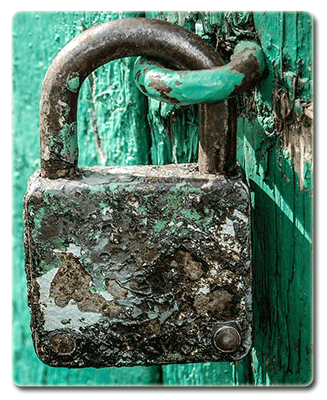
Image by Michal Jarmoluk from Pixabay
Coming Up Next: “Down the Policy Implementation Rabbit Hole” — Follow us through the looking glass as we explore step-by-step guides for rolling out new policies. Join the Mad Hatter’s tea party of process management, where “impossible things” become possible before breakfast, and every policy rollout is an adventure in Wonderland.

Looking to bring your story to life? I’m a professional writer and ghostwriter available for creative and commercial projects. Let’s collaborate on making your vision a reality. Learn More About Me, I’d love to know how I may help you with your current or next project.