Instagram is a gold mine for creators. It’s quite something to see how the platform has gone from a place to share a few photographs with friends and family to somewhere people can actually make a living from what they create.
And it’s not hard to see why. There are so many people on Instagram, all following different interests, discovering new things and keeping up with creators they like. This has opened up quite a few ways for people to earn from the content they make. You don’t need to be a celebrity or have millions of followers to get started, either. Creators with smaller, more focused audiences have opportunities, too.
Instagram offers several ways for creators to earn money. Some depend on working with brands, while others involve selling products or receiving support directly from an audience.
Here are three common approaches:
- Brand partnerships: A brand pays you, either in money or products, to feature something it sells in your posts, Reels, or Stories.
- Affiliate marketing: You share a unique link to a product and receive a commission when someone makes a purchase through it.
- Direct audience support: You give followers a way to support your work through contributions, memberships, or purchases.
The third option can be useful for creators who have a small but interested audience. Someone who regularly reads your posts, watches your videos, or follows your creative projects may want to support your work.
With Buy Me a Coffee, you can create a page, add its link to your Instagram bio, and share it whenever you have something relevant to show your audience. People can visit the page to make a contribution, join a membership, or browse your Shop.
How to Promote Your Buy Me a Coffee Page on Instagram
1. Add Your Buy Me a Coffee Link to Your Bio
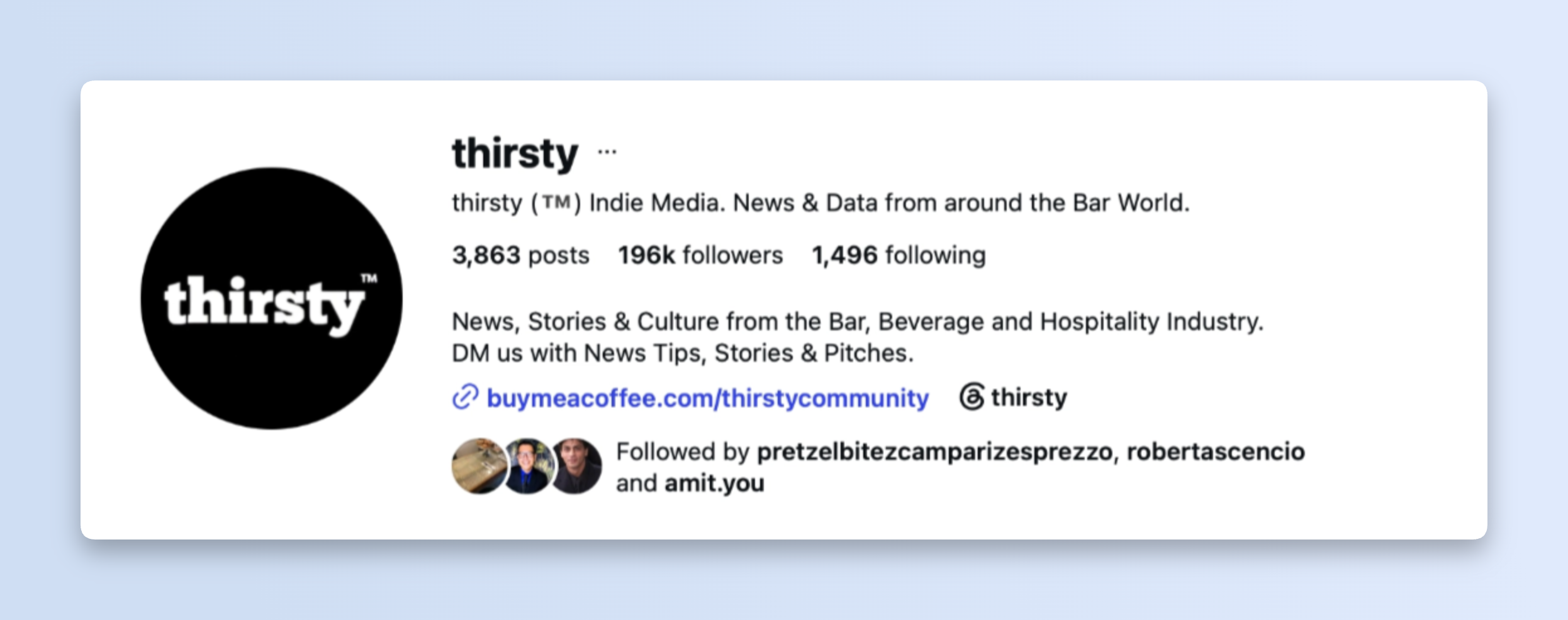
Your Instagram bio is one of the first places visitors look when they open your profile. Adding your Buy Me a Coffee link makes it easier for them to find your page.
Consider using a link label that explains where it leads. For example:
- Support my work
- Shop my prints
- Join my community
- Find my exclusive content
A clear label gives visitors an idea of what they can expect before they click. If you share several links, you can organise them through a link-in-bio page. Keep your Buy Me a Coffee link easy to identify.
2. Introduce Your Buy Me a Coffee Page
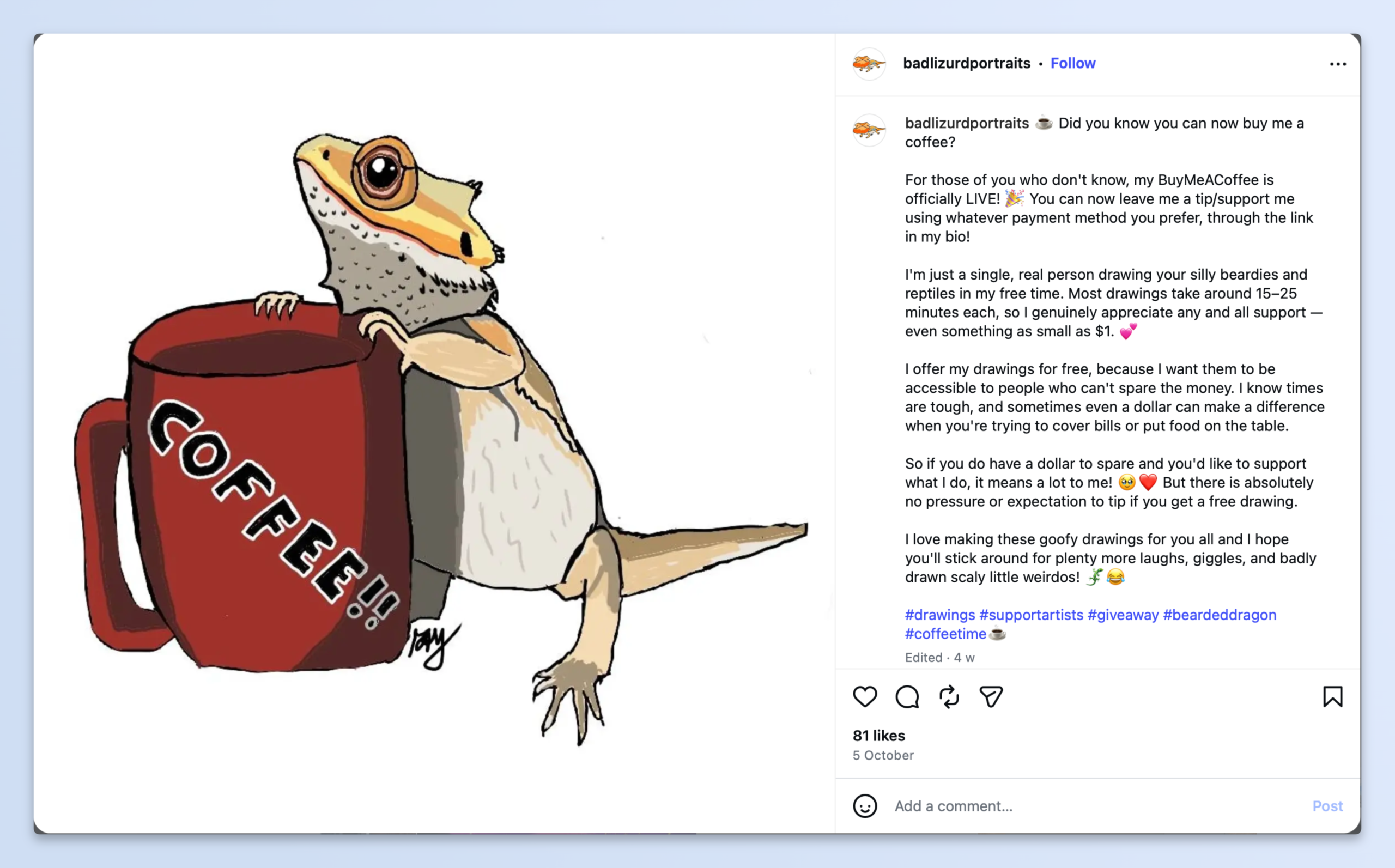
Your followers may know about your work without knowing that you have a Buy Me a Coffee page. A post introducing the page gives you an opportunity to explain what they can find there.
Create a Reel or carousel showing your page. Explain whether visitors can make a one-time contribution, join your membership, or purchase something from your Shop. You can also include a short screen recording that shows how the page works.Pin the post to your Instagram profile so visitors can find it without scrolling through older content.
3. Share Your Work Through Reels
Reels give you a way to show your work in a short video. They can also introduce your creations to people who do not already follow your account.
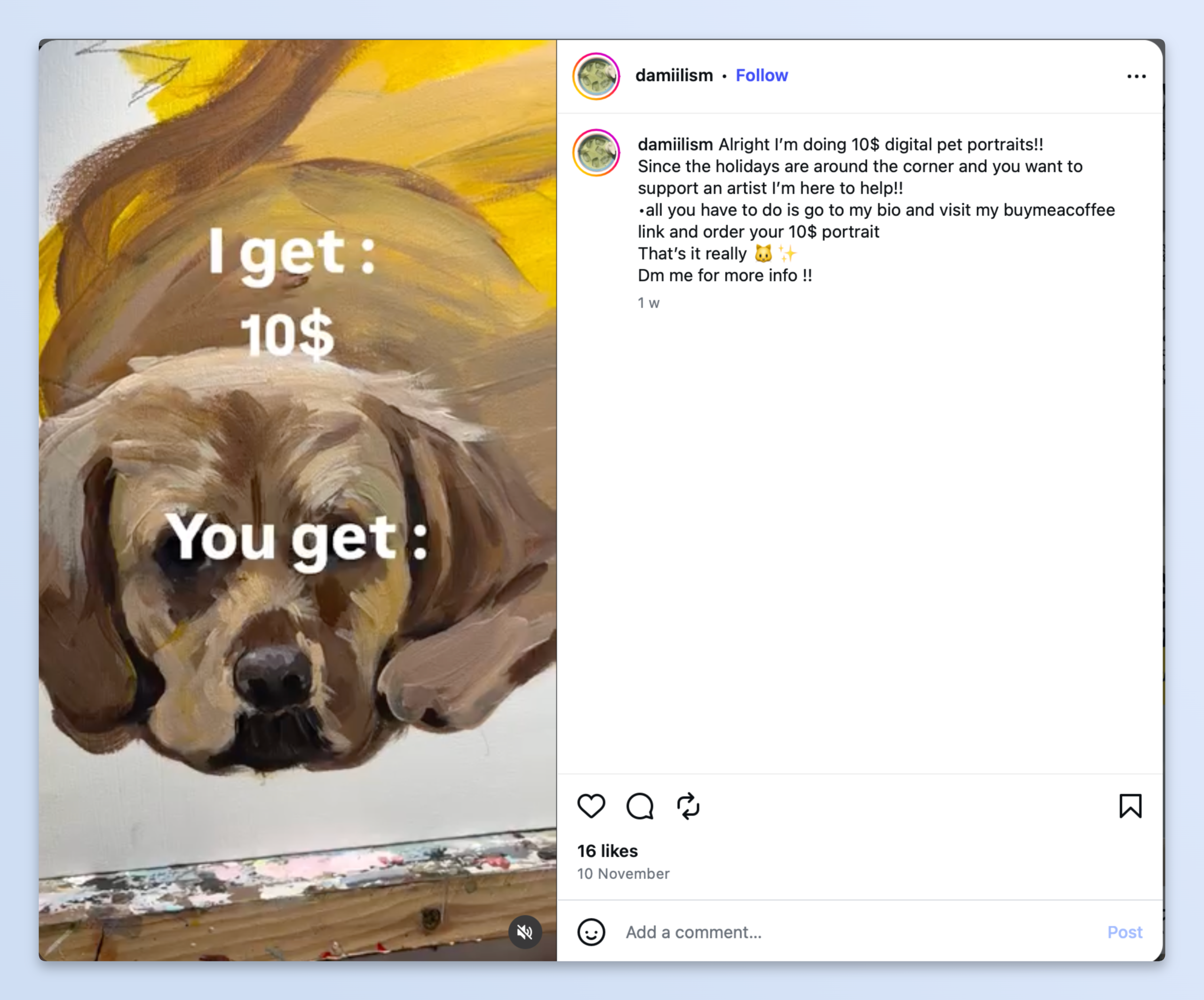
Think about the kind of content your audience would find interesting. You could show part of your creative process, share a finished project, or explain how you made something.
Here are a few examples:
- Artists: Share a timelapse of a drawing or painting. Direct interested viewers to the finished print in your Buy Me a Coffee Shop.
- Writers: Post an excerpt from a recent article or story and let viewers know where they can read more.
- Musicians: Share a short performance or a preview of a new recording.
- Photographers: Post a selection of photographs and link to prints or other products available in your Shop.
Each video can introduce your work to a new audience. When you have something related to the video available on Buy Me a Coffee, include a link or explain where viewers can find it.
4. Use Stories to Share Updates
Instagram Stories are useful for sharing updates that do not need a permanent place on your profile. You can use them to announce a new product, show a work in progress, or let followers know about recently published content.
The Link sticker can direct viewers to a specific page on Buy Me a Coffee. For example, if you have added a new digital product to your Shop, share an image of it in your Story and include a link to the product.
You can also save relevant Stories to your Highlights. A Highlight dedicated to your Buy Me a Coffee page can help new visitors understand what you offer.
5. Start a Broadcast Channel
Instagram broadcast channels allow creators to send updates to followers who choose to join them. If you regularly share new work or announcements, a channel can give you another place to communicate with your audience.
You could use it to announce new products, share progress on an ongoing project, or let followers know when you have published something new.
When you add a product to your Buy Me a Coffee Shop or release new membership content, you can share an update in your channel. Include a relevant link so interested followers can find it.
6. Give Close Friends a Sneak Peek
Instagram’s Close Friends feature lets you share Stories with a selected group of followers. You can use it to show works in progress, early previews, or other content related to your creative projects.
These previews can also introduce the kind of content available through your Buy Me a Coffee memberships. If you offer exclusive tutorials, downloadable resources, or behind-the-scenes updates, you can show a preview and direct interested followers to your membership page.
7. Run a Giveaway
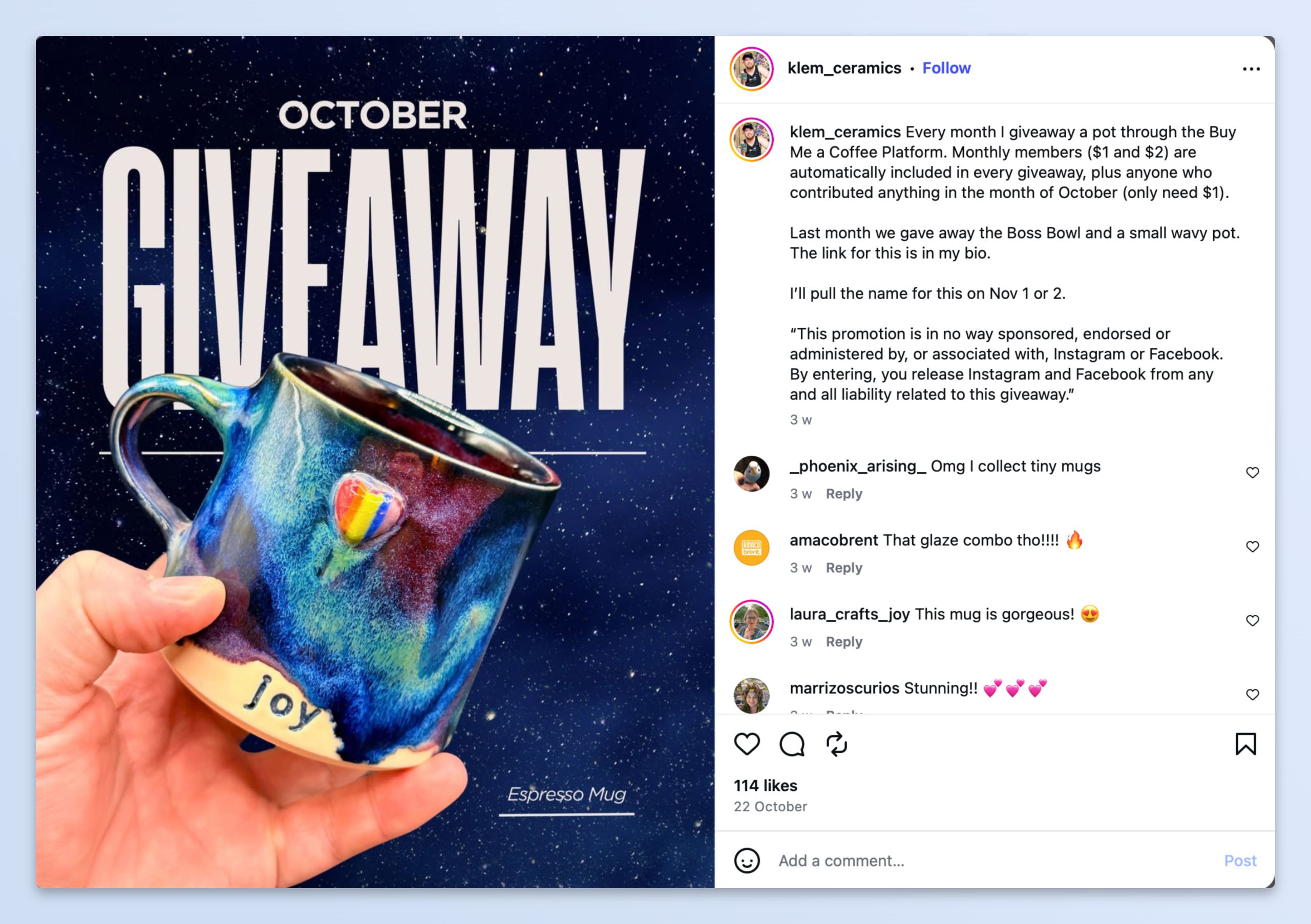
A giveaway can introduce people to your work and give them a reason to visit your Instagram profile.
Announce the giveaway in a post or Reel. Explain what the prize is, how people can enter, and when you will announce the winner.
8. Ask Your Audience What They’d Like to See
Your followers can help you understand which parts of your work interest them most. Instagram has several features you can use to ask for their opinions. Try using polls, question stickers, or comments to collect feedback.
You can use these responses when planning future products, posts, or membership content on Buy Me a Coffee.
9. Share Your Milestones
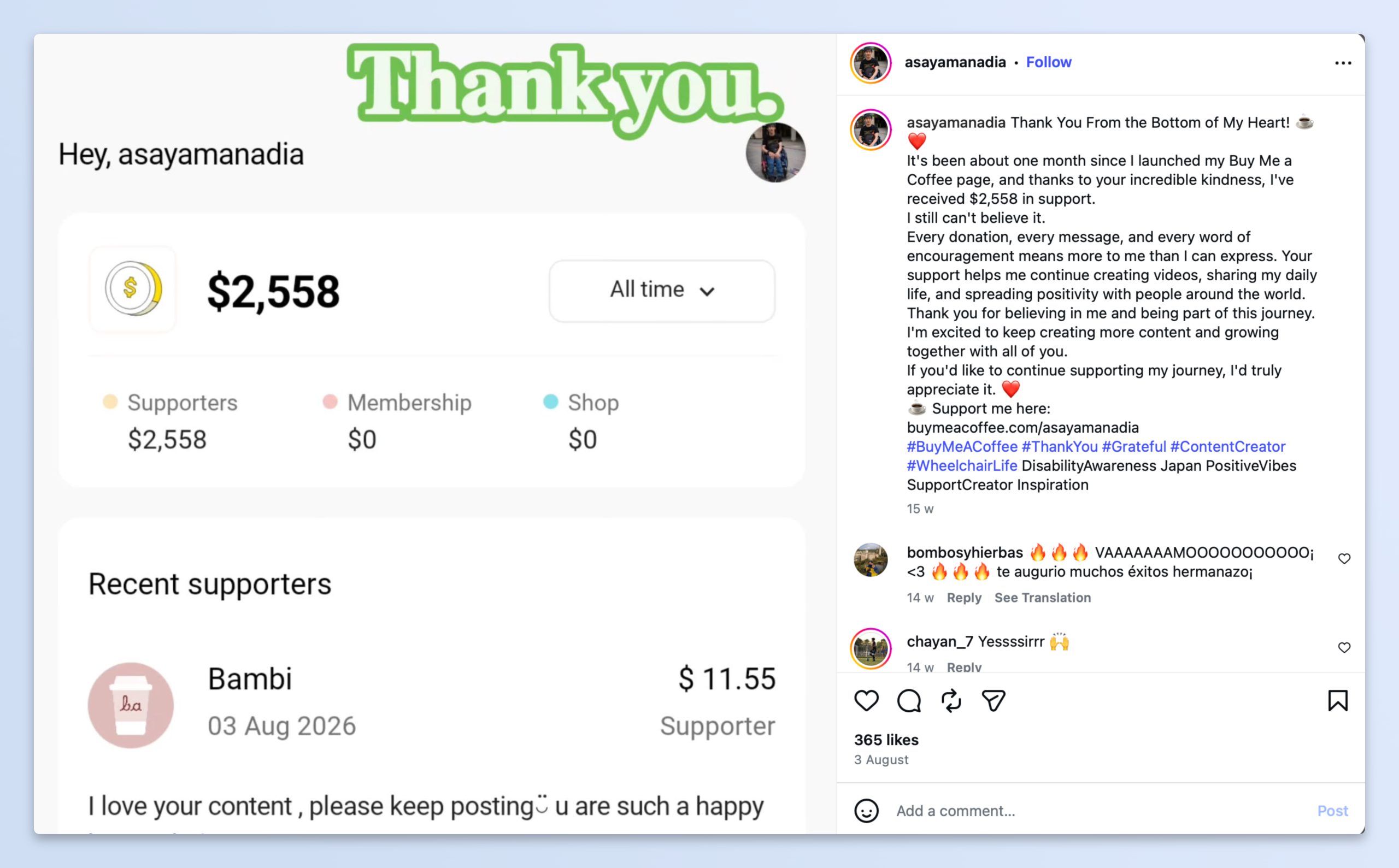
If you have finished a project, released a new collection, or reached a personal goal, consider sharing the update on Instagram.
You can also use these posts to acknowledge the people who have supported your work through Buy Me a Coffee. Explain what you have been working on and, where relevant, how their contributions have helped you continue.
10. Share Your Buy Me a Coffee QR Code
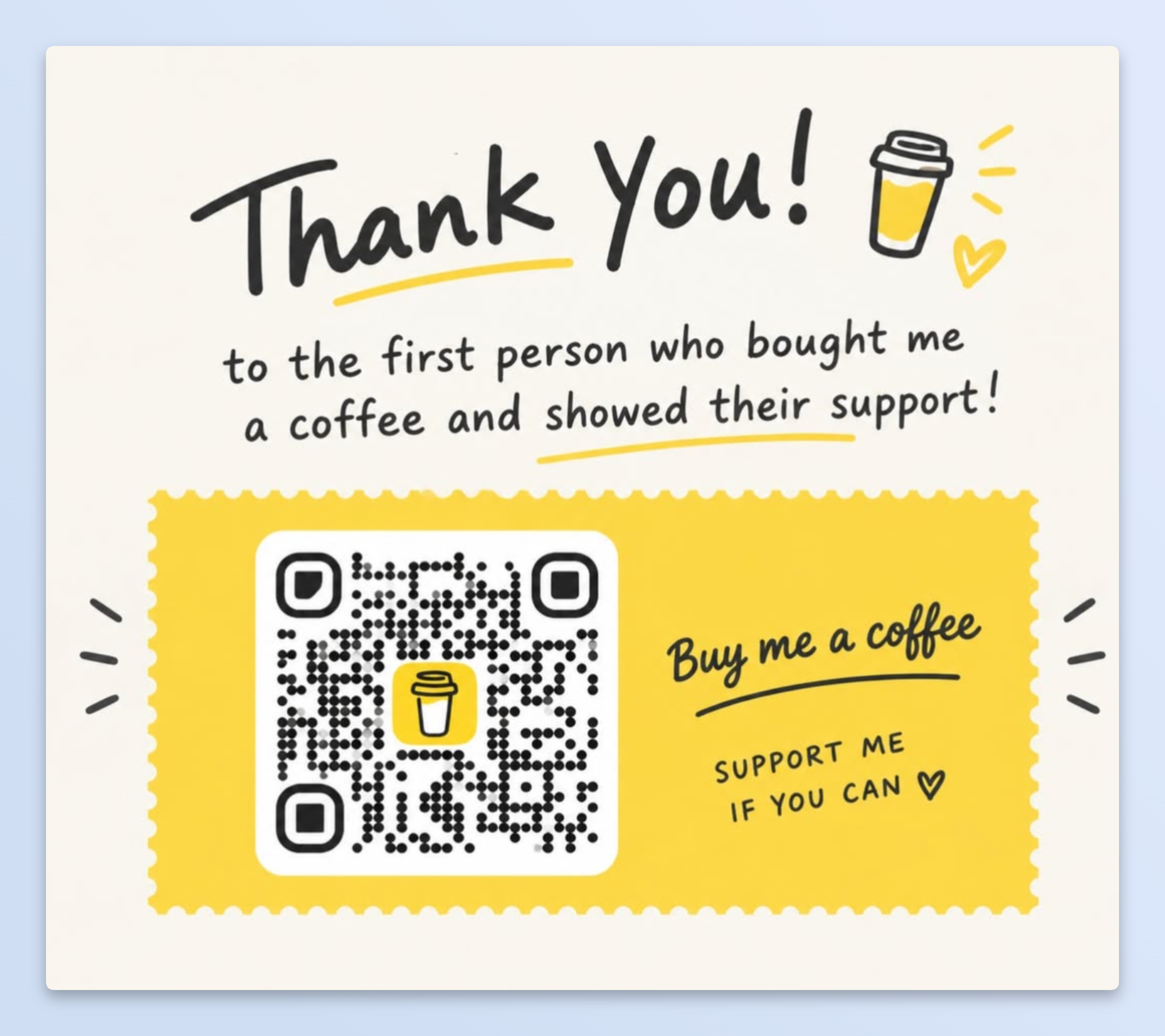
Buy Me a Coffee also provides a QR code that people can use to access your page.
You can download and customise it from Buttons & Graphics → Customize QR Code in your Buy Me a Coffee account.
Once you have the code, you can add it to an Instagram post or Story. Pair it with a short explanation of what visitors can find on your page.
11. Link to Products Featured in Your Videos
If you feature one of your products in an Instagram video, give viewers a way to find it.
You can share a direct product link through an Instagram Story using the Link sticker. Alternatively, direct viewers to the link in your bio.
12. Tag Buy Me a Coffee in Your Posts
When you share something related to your Buy Me a Coffee page, you can tag @buymeacoffee in your Instagram post or Story.
For example, you might share a screenshot of your Shop, introduce a new membership, or post an update about a recent project.
Tagging the account makes it easier for the Buy Me a Coffee team to find your post and see how you use the platform.
Ready to Get Started?
Promoting your Buy Me a Coffee page on Instagram starts with making it easy for people to find. Add your link to your bio, mention your page when sharing relevant work, and use Stories and Reels to direct interested followers to your products or memberships.
You do not need a large following to begin. Start with the audience you already have and give people a clear way to support your work.