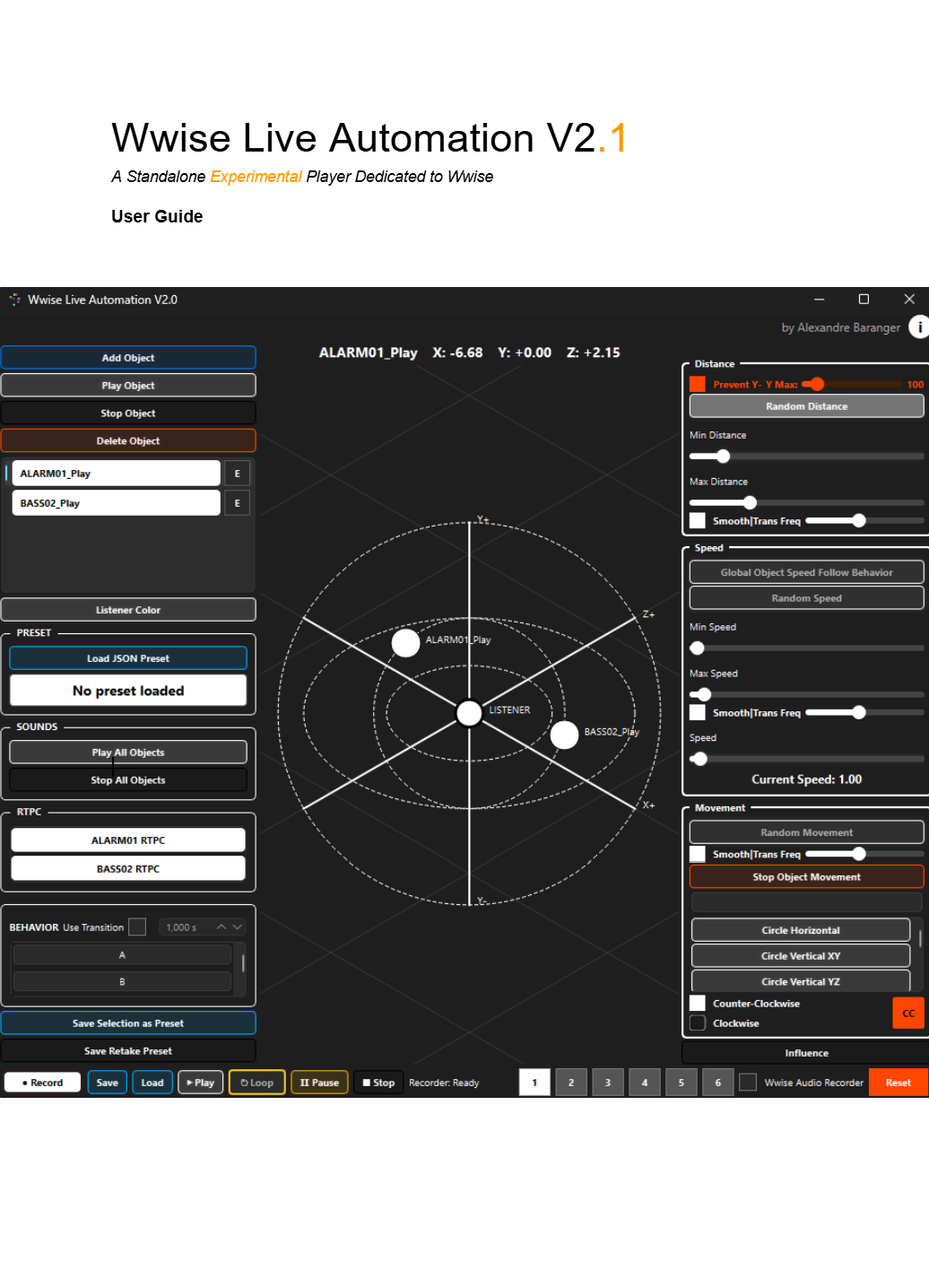
Play Speed Threshold
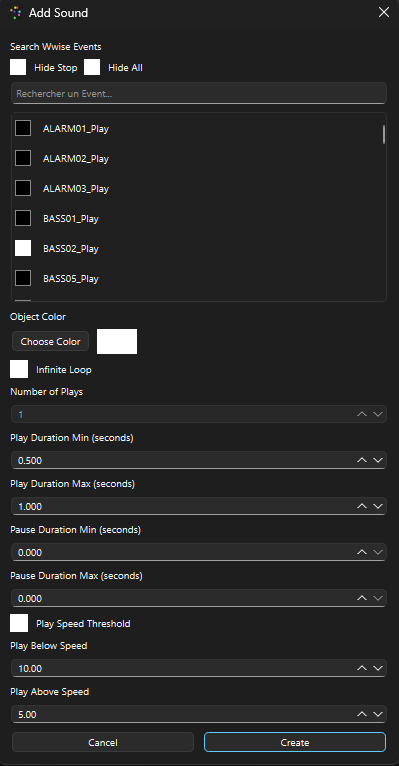
OneShot and Loop events can now be controlled using a dedicated Play Speed Threshold.
You can define a minimum and maximum speed range in which the event is allowed to play. The event automatically stops when the object's speed leaves the allowed range and can restart when the object enters the range again.
The threshold works independently for each layer and supports both OneShot and Loop configurations, including their play and pause durations.
Speed Threshold settings are also preserved when saving and loading presets and Recorder sessions.
RTPC Velocity
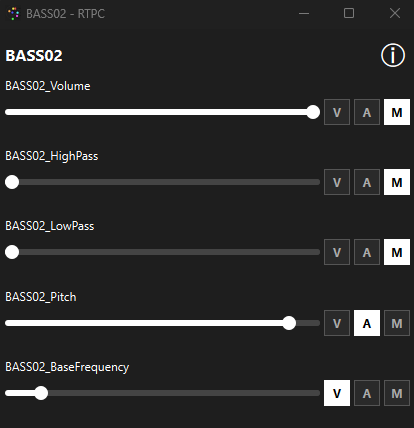
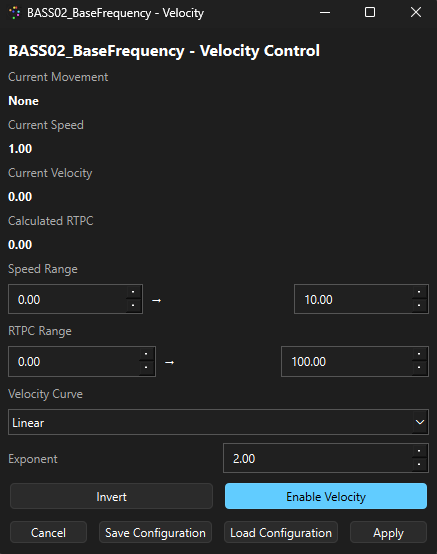
The E button has been replaced by a new V button, dedicated to Velocity.
You can now drive an RTPC directly from an object's movement and velocity, with a dedicated Velocity configuration.
The Automation configuration is now directly accessible through the A button, making it easier to switch between RTPC control modes.
Random Speed Fix
Random Speed has been fixed and now works correctly when used alongside Random Movement.
Random Movement Frequency Fix
The Random Movement frequency slider has also been fixed. The frequency control now correctly affects how quickly the random movement changes, with higher values producing faster changes.
Update V2.1 available for free here: https://buymeacoffee.com/alexandrebaranger/e/582200
Documentation is available here: https://drive.google.com/file/d/1g-GXFLyEXgk1GXr1ZXfKCaVjMxVX9j-8/view?usp=drive_link