

A lightweight Chrome extension that automatically detects and hides sponsored posts on Facebook.
It works by reconstructing obfuscated "Sponsored" labels, so even when Facebook scrambles the letters, this extension still catches them.
✨ Features
🔍 Detects sponsored posts by reconstructing hidden "Sponsored" text.
🚫 Hides sponsored posts from your feed (default behavior).
🟨 Debug Mode: highlight sponsored posts instead of hiding them.
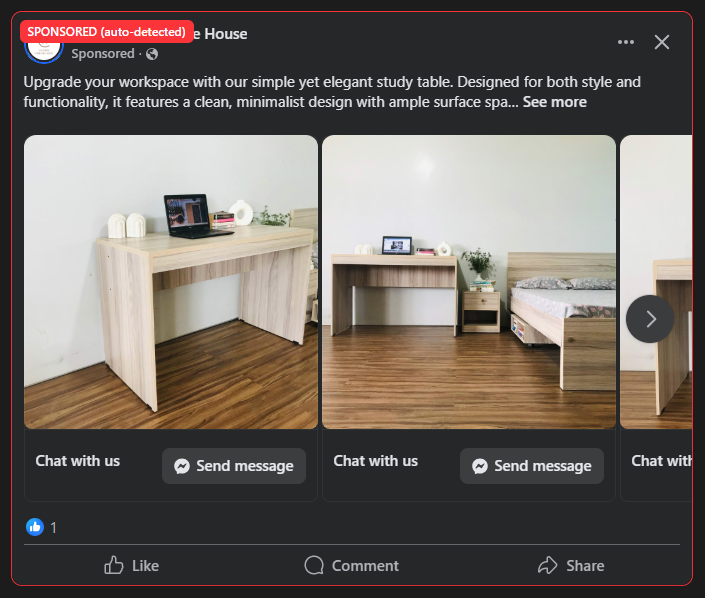
📌 Optional banners: show a placeholder banner where the post was hidden.

⚙️ Installation (Developer Mode)
Clone or download this repository.
Open Chrome → go to
chrome://extensions/.Enable Developer mode (top-right).
Click Load unpacked and select the project folder.
The extension will appear in your toolbar.
🔧 Usage
By default, sponsored posts are hidden.
Click the extension icon to open the pop-up:
Enable/Disable – master switch to toggle functionality.
Debug Mode – highlights posts instead of hiding them.
Show Banner – places a placeholder for the hidden sponsored posts.
⚠️ Disclaimer
This extension is for educational purposes only.
Facebook may change its DOM structure at any time, which could break detection.