

Download Link: https://civitai.com/models/236648?modelVersionId=266817
For Windows Tool.
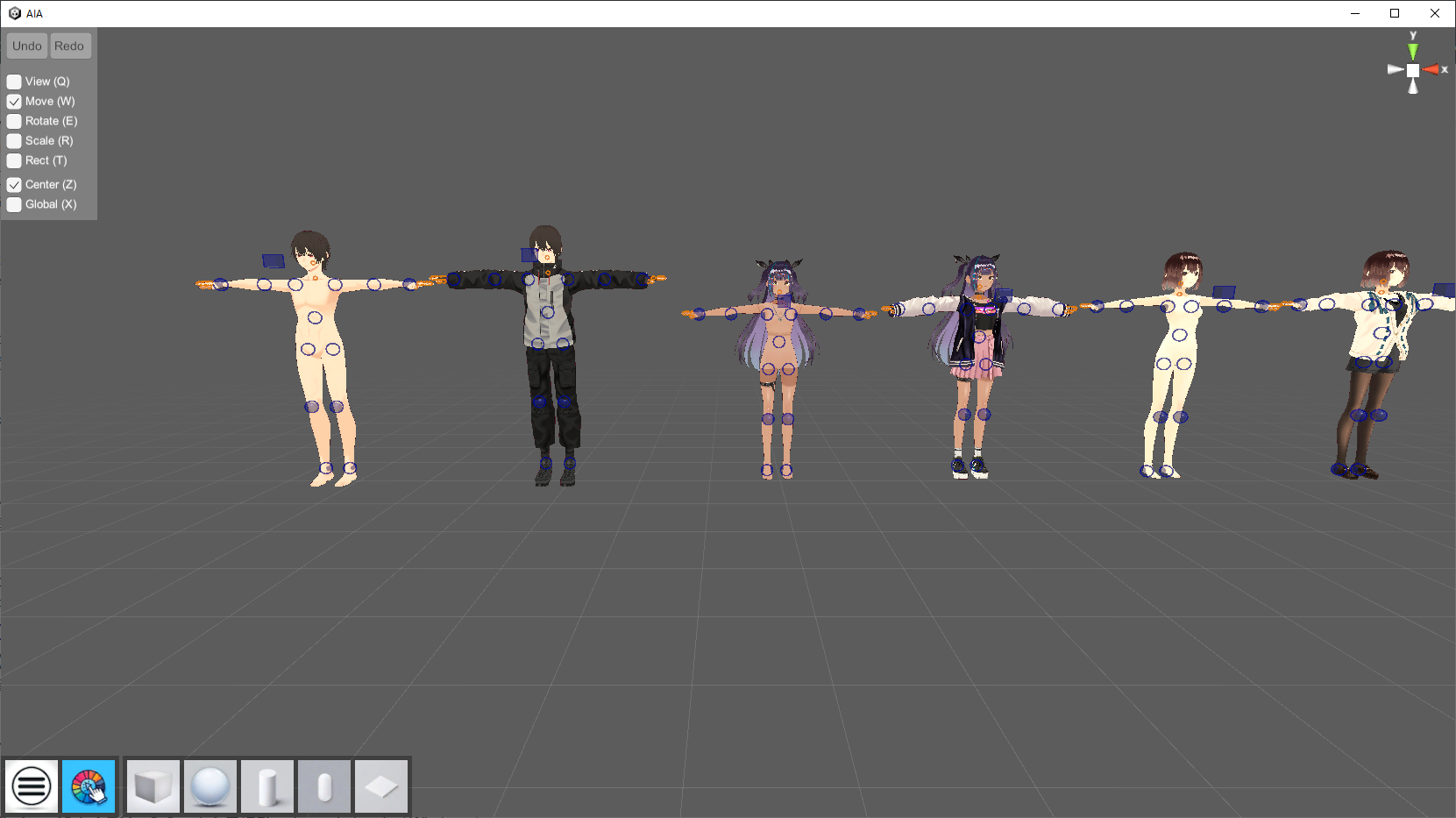
This is a tool that can take depth and normal maps using vrm, glb, and gltf models. The models in the images are sample models that exist in the scene from the beginning.
It is not very easy to use because it is a prototype that I am creating with the idea of making it usable for now.
There are some problems, especially with the finger operation, and there are many areas where functions are implemented in a simplified manner. Also, the save function has not been implemented.
If there is a demand for it, we will continue development.
Function description
Mouse right drag, wheel up/down, wheel click plus drag to move the viewpoint. 1 key for blue shapes, 2 keys for orange shapes, 3 keys to hide each UI.Ctrl+P for screenshot.
Icon click:
hamburger→hide menu in upper left corner
Color picker→change background color
Shape→generate basic objects (delete with delete key while object is selected)
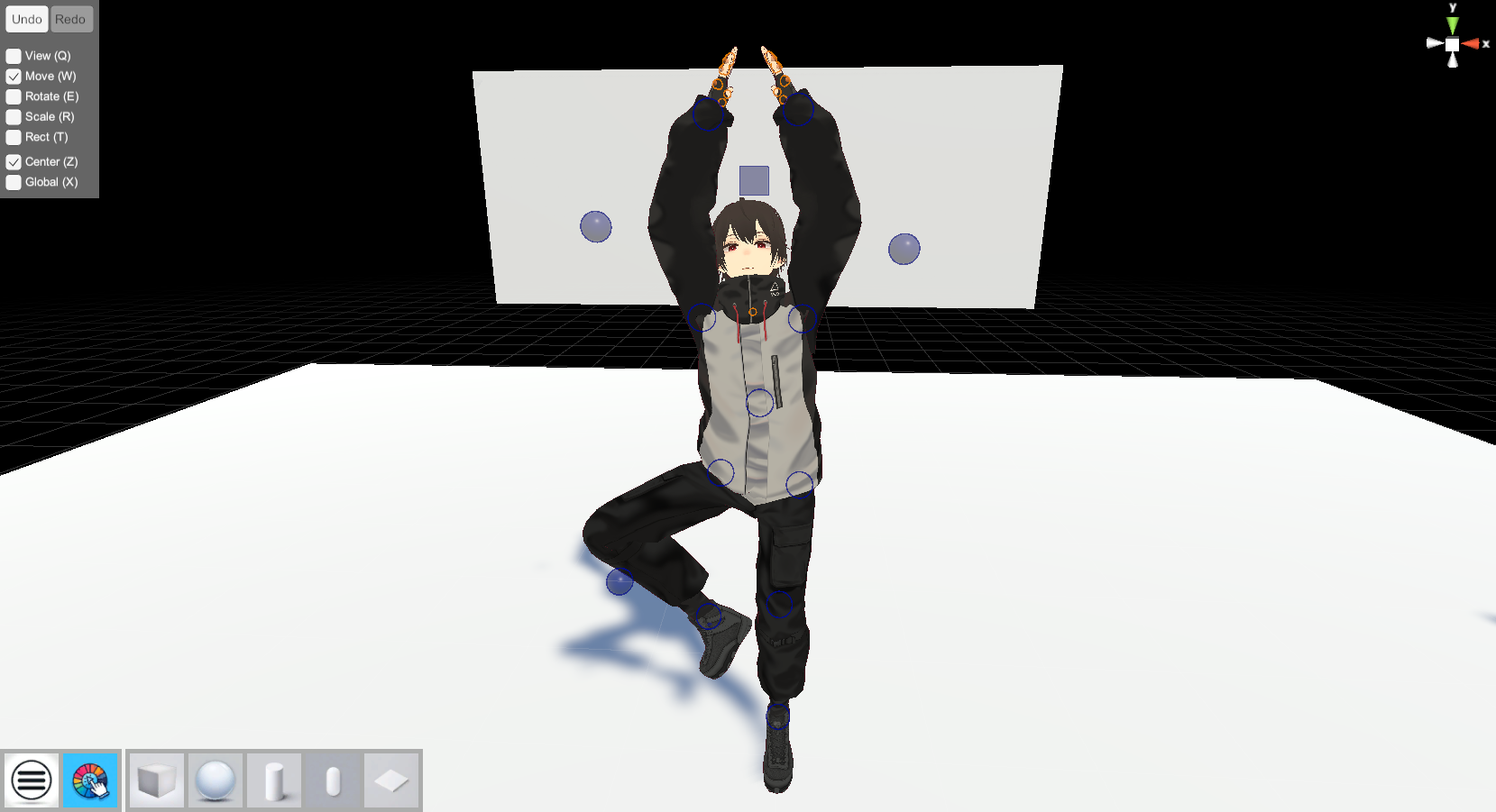
Poses can be changed using IK and rotation.
Blue circles indicate IK for body joints, and rotation is supported for hands and feet only.
Orange circles can be used to control the neck and fingers. Only rotation is possible.
Clicking and dragging on each point can be used.
Shift or Ctrl, and left/right keys can be used to zoom in and out.
VRM model(humanoid) can be selected by clicking on the feet, and can be moved and rotated.
Handle Description
There are several types of handles during object selection. This can be changed from the menu in the upper left corner or by pressing the corresponding key.
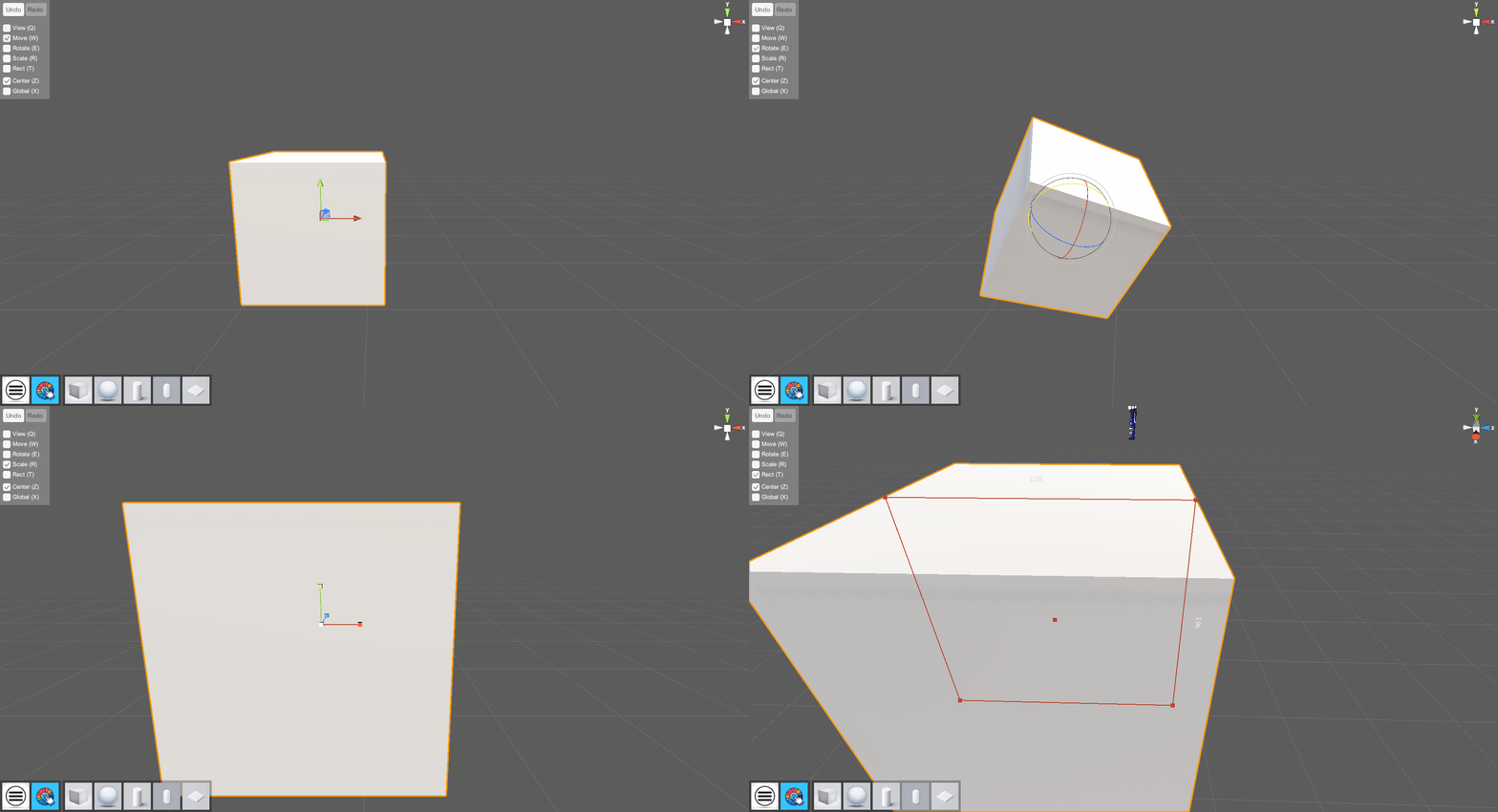
Q key: Viewpoint move handle
W key: Object movement handle
E key: Object rotation handle
R key: object expansion/contraction handle
T key: object select handle (for both moving and scaling)
Movement, rotation, and scaling by handles can be undone (Ctrl+Z) and redone (Ctrl+Y).
Depth Acquisition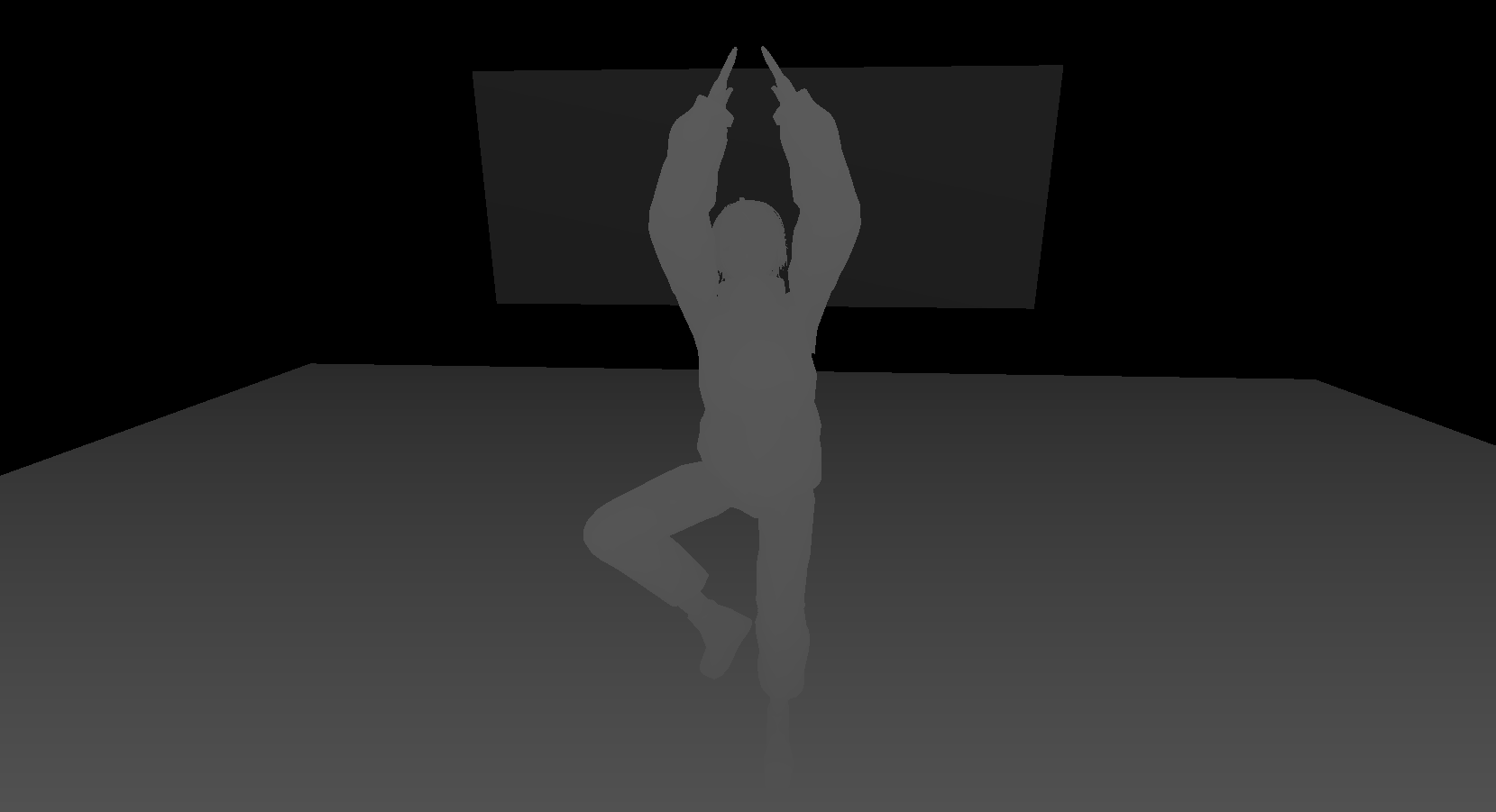
Press Ctrl+D to get the depth of each model.
While acquiring depth, the left and right keys can be used to change the intensity of the depth, but the unevenness of objects will be emphasized and the white color will fade.
Normal map acquisition
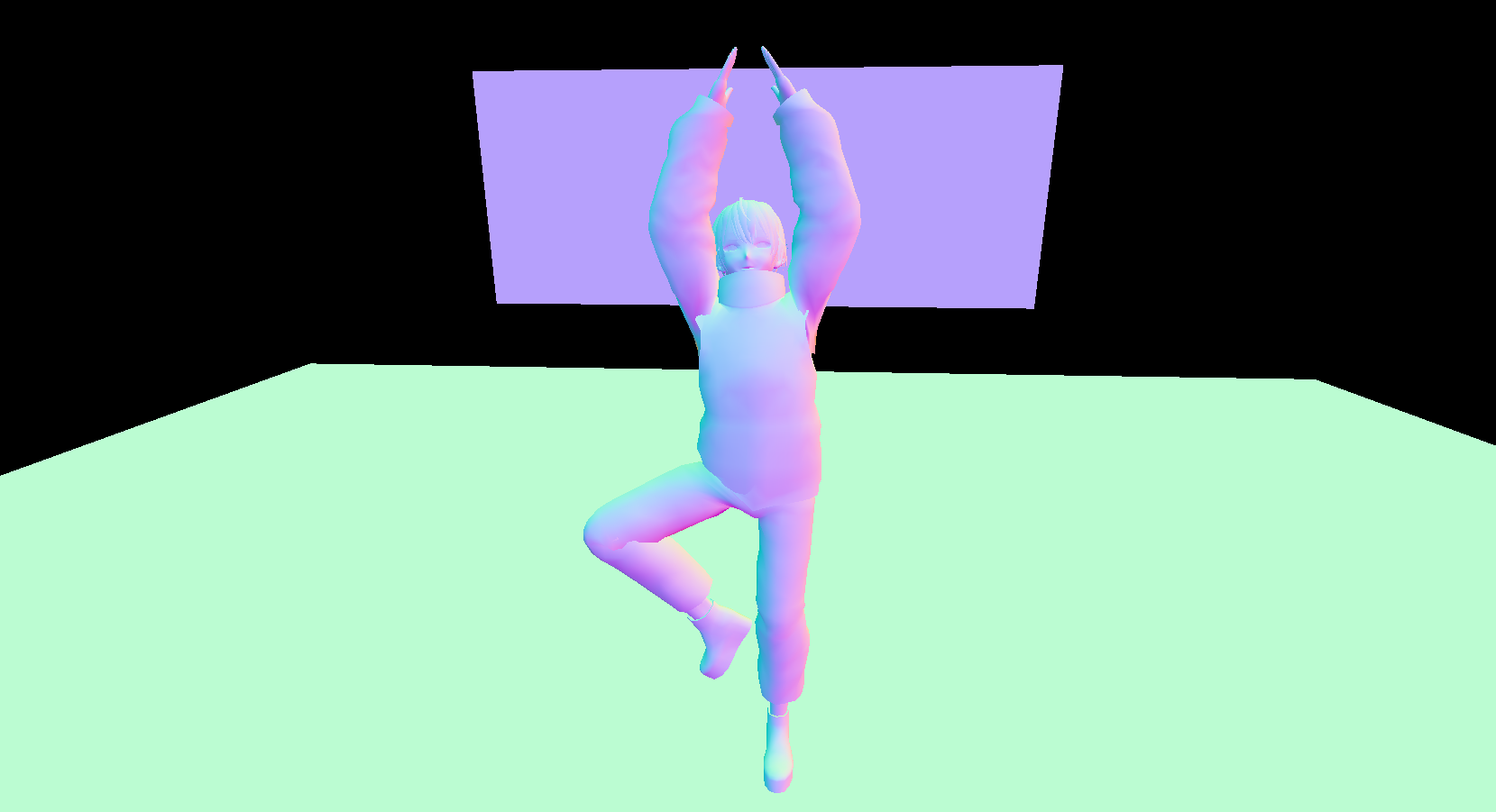
Press Ctrl+N to get normal map
Model Import
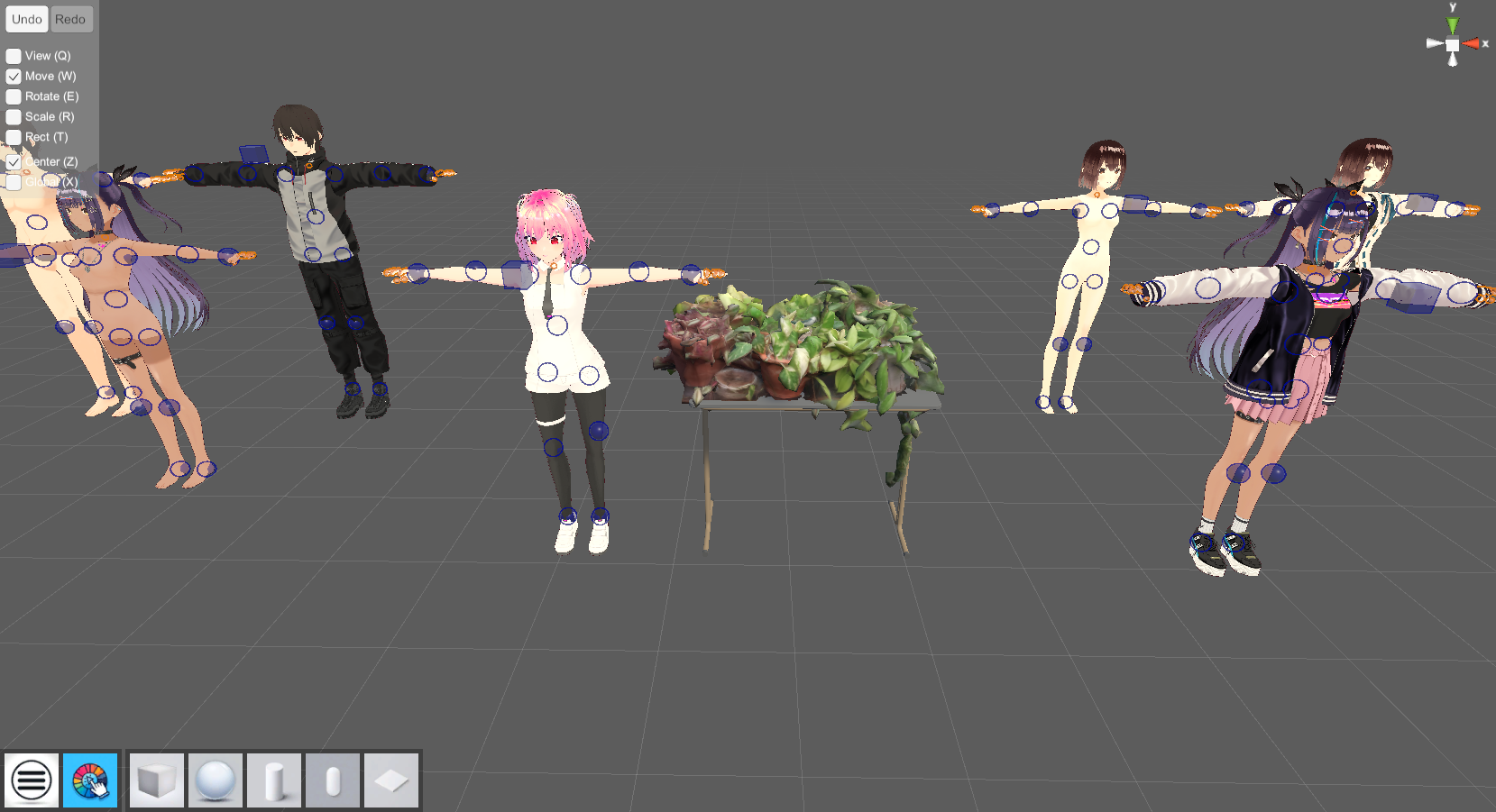
The image shows a vrm with pink hair and a plant shelf imported.
Ctrl+I key to import vrm, glb, and gltf models in the (AIA\AIA_Data\Import) folder.
For simplified implementation, models cannot be selected, and all model files in the folder are imported at once.
日本語文章
vrm、glb、gltfモデルを使用して、depthとノーマルマップを撮影することのできるツールです。
画像に写っているモデルは、はじめからシーン内に存在しているサンプル用モデルです。
とりあえず使えるものにしようという考えで作成しているプロトタイプのため、あまり使いやすくはありません。
特に指の操作に問題がありますし、簡易的に機能を実装している箇所も多いです。また、セーブ機能も実装していません。
もし需要があるようなら、開発を継続しようと思います。
機能説明
マウス右ドラッグ、ホイール上下、ホイールクリックプラスドラッグで視点移動。1キーで青い図形、2キーでオレンジの図形、3キーで各UIを非表示にできる。
Ctrl+Pでスクリーンショット(保存先→AIA\AIA_Data\Capture)。
アイコンクリック:
ハンバーガー→左上のメニュー非表示
カラーピッカー→背景色変更
図形→基本的なオブジェクト生成(オブジェクト選択中にデリートキーで削除)
IKや回転を利用してポーズを変更することができます。
青い丸は体の関節に対応したIK。手と足限定で回転にも対応
オレンジの丸は首と指を操作できる。回転のみ可能
各ポイントをクリックとドラッグをすることで操作できる
ShiftやCtrlと左右キーで図形を拡縮できる
VRMモデル(humanoid)は足元をクリックするとモデル自体を選択でき、移動や回転をすることができる
ハンドル説明
オブジェクト選択中のハンドルにはいくつか種類があります。これは左上のメニューか対応するキーを押すことで変更できます。
Qキー:視点移動ハンドル
Wキー:オブジェクト移動ハンドル
Eキー:オブジェクト回転ハンドル
Rキー:オブジェクト拡縮ハンドル
Tキー:オブジェクトレクトハンドル(移動と拡縮両対応)
ハンドルによる移動・回転・拡縮は、アンドゥ(Ctrl+Z)とリドゥ(Ctrl+Y)で戻すことができます。
デプス取得
・Ctrl+Dキーで各モデルの深度を取得
・深度取得中に左右キーで深度の強度を変更できるが、ものの凹凸は強調さるれる代わりに白い色が薄まる
ノーマルマップ取得
・Ctrl+Nキーでノーマルマップを取得
モデルインポート
※画像はピンクの髪のvrmと植物棚をインポートしたもの
Ctrl+Iキーで、(AIA\AIA_Data\Import)フォルダ内にある、vrm・glb・gltfモデルをインポート。
簡易的な実装のためモデルを選択することはできず、フォルダ内のモデルファイルをすべて一括でインポートする。