

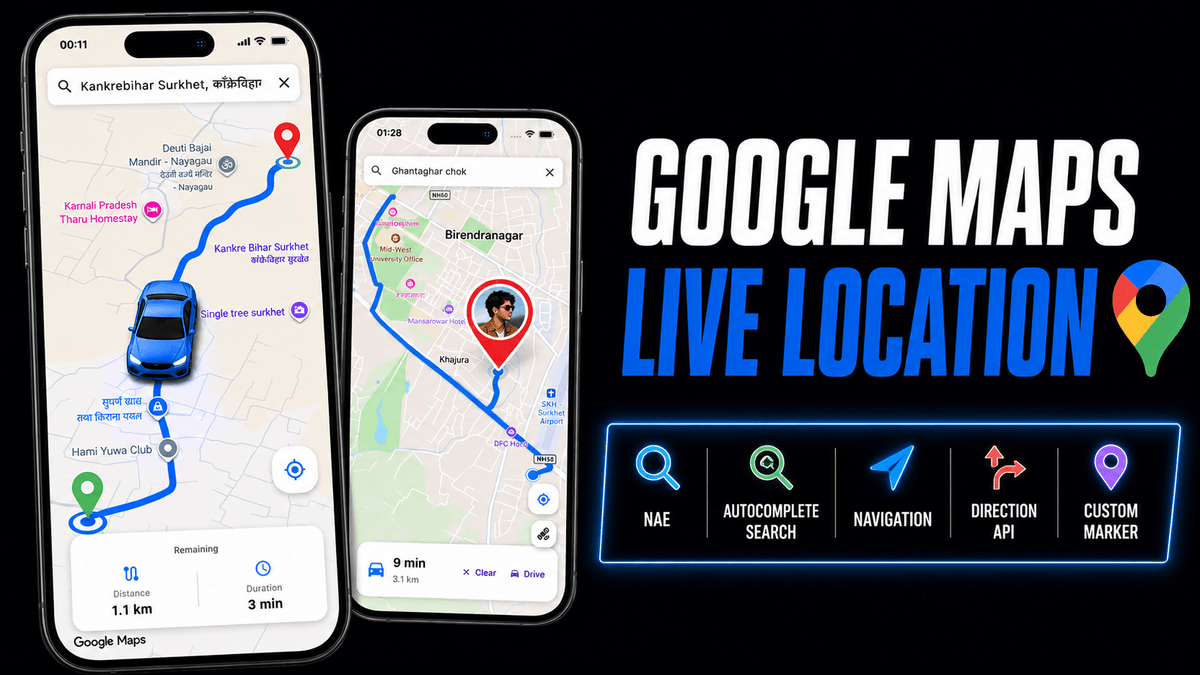
Google Map Flutter - Navigation, Live Location, Route Drawing, Autocomplete & Drive Simulation
$3
🗂️ Get the complete source code files for implementing different features of Google Maps Flutter. The zip file contains all the necessary code and assets.
⭐ Google Map Flutter:
You'll learn how to integrate Google Maps Flutter into your Flutter app. We'll cover:
✅ Real Google Maps integration with custom styling
✅ Place autocomplete search with location details
✅ Live route drawing along actual roads (not straight lines)
✅ Smooth animated car marker that follows every curve
✅ Camera zoom + tilt + rotation synchronized with car movement
✅ Real-time remaining distance & duration countdown
✅ Distance-based camera behavior (zoom for short routes, pull back for long ones)
✅ Custom canvas-drawn markers & car icon
✅ Clean architecture with Riverpod state management
✅ Directions API integration for real routing
✅ Location services with permission handling
By the end of this tutorial, you'll have a fully functional map integration, perfect for location-based apps. Whether you're a beginner or an experienced developer, this guide will help you get started with Google Maps Flutter step by step! 🚀
▶️ Watch the video tutorial
https://youtu.be/nA2ZvQ-EHBI?si=8japO9Ou8xUZttHH
💬 Need assistance or encountered a problem?
No worries! I’m here to help you after your purchase. Feel free to reach out.
Thank you for your purchase!
$3
Gratuit pour les membres
Devenez membre pour bénéficier d'une réduction et d'autres avantages exclusifs.
$3