

https://github.com/wikilift/CandleLight_ESP32-firmware
GS-USB ESP32 Firmware (CandleLight Compatible)
This project is a clean and fully working ESP32‑S3 port of the CandleLight / GS‑USB CAN interface, compatible with Linux SocketCAN tools (cangaroo, candleLogger, slcan utilities, etc.).
It exposes a USB Vendor Interface (WinUSB/libusb) and uses the ESP32‑S3 TWAI (CAN) peripheral with a standard external transceiver.
✨ Features
Fully compatible with gs_usb Linux kernel driver
Works with cangaroo, candump, cansend, etc.
Clean separation into modules:
gsusb_usb– USB protocol, control transfers, bulk endpointsgsusb_can– CAN hardware handling, RX/TX tasks
Accurate echo frames so Linux sees CAN TX confirmations
Reconfiguration of CAN bitrate on the fly (BITTIMING command)
LED RGB status support
🧩 Hardware Requirements
1. ESP32‑S3 board
Examples:
ESP32‑S3 DevKit
ESP32‑S3 MINI
Any board with USB native (USB‑OTG pins)
2. CAN Transceiver (mandatory)
You must connect an external CAN transceiver.
Recommended models:
SN65HVD230 / SN65HVD231 / SN65HVD232 (3.3V compatible)
TJA1050 (5V, requires level shifting)
MCP2551 (5V, requires level shifting)
3. Required Signals
ESP32‑S3 PinSignalCAN Transceiver PinTX_CANCANTXTXDRX_CANCANRXRXDGNDGroundGND—CANHCANH (to bus)—CANLCANL (to bus)
The TX/RX pins are configured in board_pins.h.
Example:
// board_pins.h
#pragma once

// CAN transceiver connection
#define TX_CAN  GPIO_NUM_42
#define RX_CAN  GPIO_NUM_41
Modify these pins to match your hardware.
🎨 RGB Status LED
The firmware includes a small service to drive an RGB LED:
Green – USB connected
Blue – CAN active
Red – Error state
You must map your LED pin in board_pins.h:
// RGB LED (WS2812 / addressable RGB)
#define LED_RGB_PIN GPIO_NUM_38
If your LED is common‑anode or common‑cathode, adapt the driver accordingly.
🛠️ IDF Menuconfig Settings
Before building, ensure these IDF settings:
Enable TinyUSB stack
Component config → TinyUSB
    [*] Device (USB OTG) support
    [*] CDC, Vendor, and Custom classes
USB Device settings
Component config → ESP System Settings
    USB Device Support: Enabled
Disable CDC / ACM if using only Vendor class
TinyUSB → Device stacks
    Disable: CDC
    Enable: Vendor
    GS-USB / Vendor 1D50 / Product 606F
📦 Windows Driver Setup
Windows does not ship a gs_usb driver.
You must install WinUSB or libusbK driver manually.
Using Zadig
Download Zadig:
https://zadig.akeo.ieRun Zadig → Options → List All Devices
Select your device:
GS-USB / Vendor 1D50 / Product 606FChoose driver:
WinUSB (recommended)
If Cangaroo still does not detect it → select libusbK
Click Install Driver
Cangaroo should now detect the device.
🧪 Linux Usage
List CAN interfaces:
ip linkBring interface up:
sudo ip link set can0 up type can bitrate 125000Read messages:
candump can0🔧 Building the project
idf.py set-target esp32s3
idf.py menuconfig
idf.py build
idf.py flash monitor
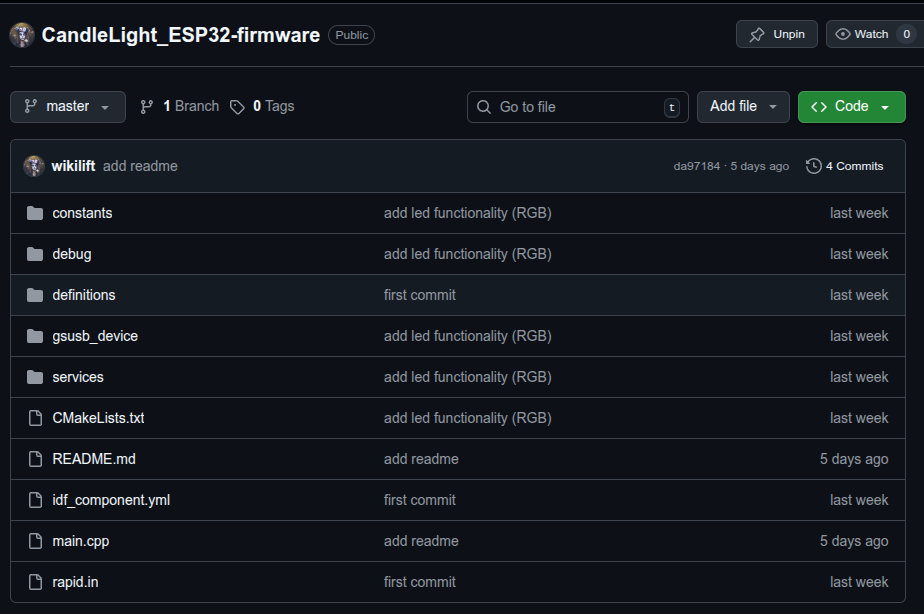
📁 Firmware Architecture
/components/gsusb/
    gsusb_usb.cpp     → USB control, Vendor IN/OUT, TinyUSB callbacks
    gsusb_can.cpp     → TWAI init/reconfig/RX/TX
    gsusb_device.h    → Shared protocol structs
    board_pins.h      → CAN pins + RGB LED pin
🧩 Known Working Tools
ToolLinuxWindowscangaroo✔️✔️ (with libusbK)candleLogger✔️✔️candump/cansend✔️—
📌 Notes
This firmware behaves exactly like a CandleLight device (1D50:606F).
Linux works out‑of‑the‑box with no extra drivers.
Windows requires Zadig to install WinUSB/libusbK.
The TWAI peripheral cannot operate without an external transceiver.
📌 TODO:
Integrate a wifi socket with Cangaroo or other programs.
Improve the firmware.
📜 License
MIT License – feel free to modify, improve, or integrate into your projects.