

If you’ve ever wondered what is actually running inside the applications on your Mac, from hidden telemetry frameworks to bloated binaries eating up your SSD, then Revok is for you.
Here is a closer look at some of Revok’s most powerful capabilities: app framework reporting, clickable HTML exports, in-place app compression, and seamless integration with exclusive tools like Signcheck and Mach-O Inspector.
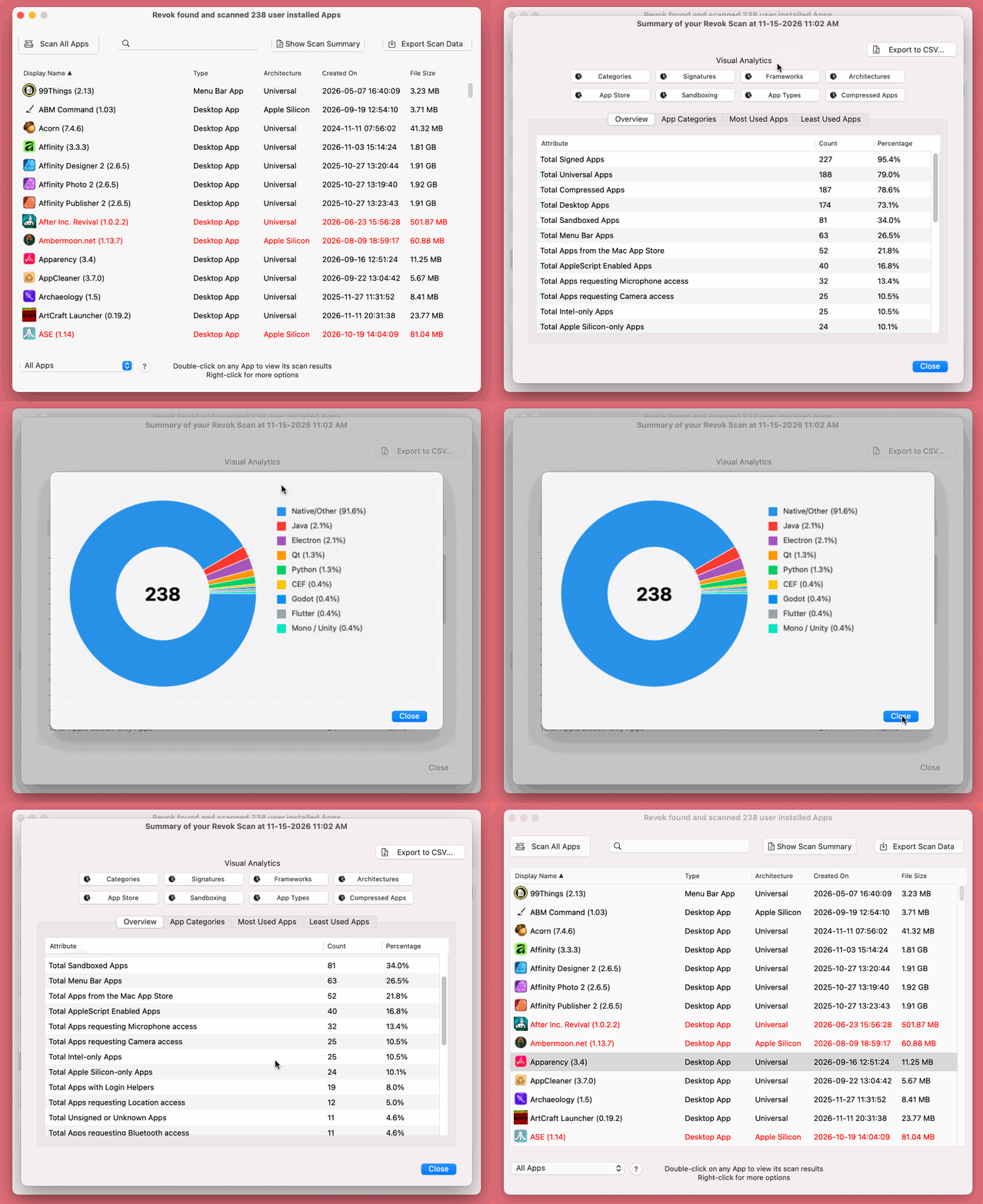
Framework reporting: Know what your Apps are built with
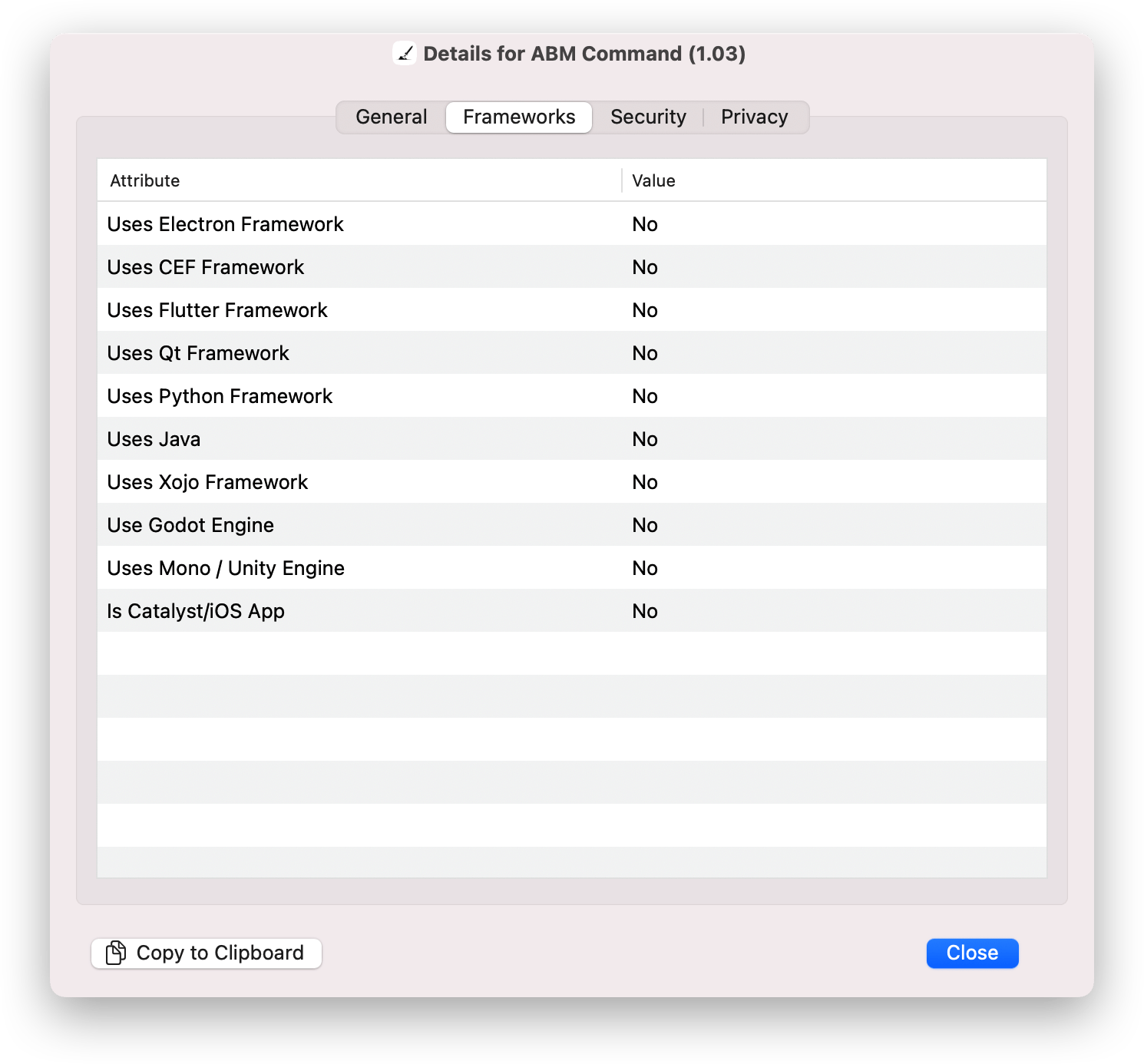
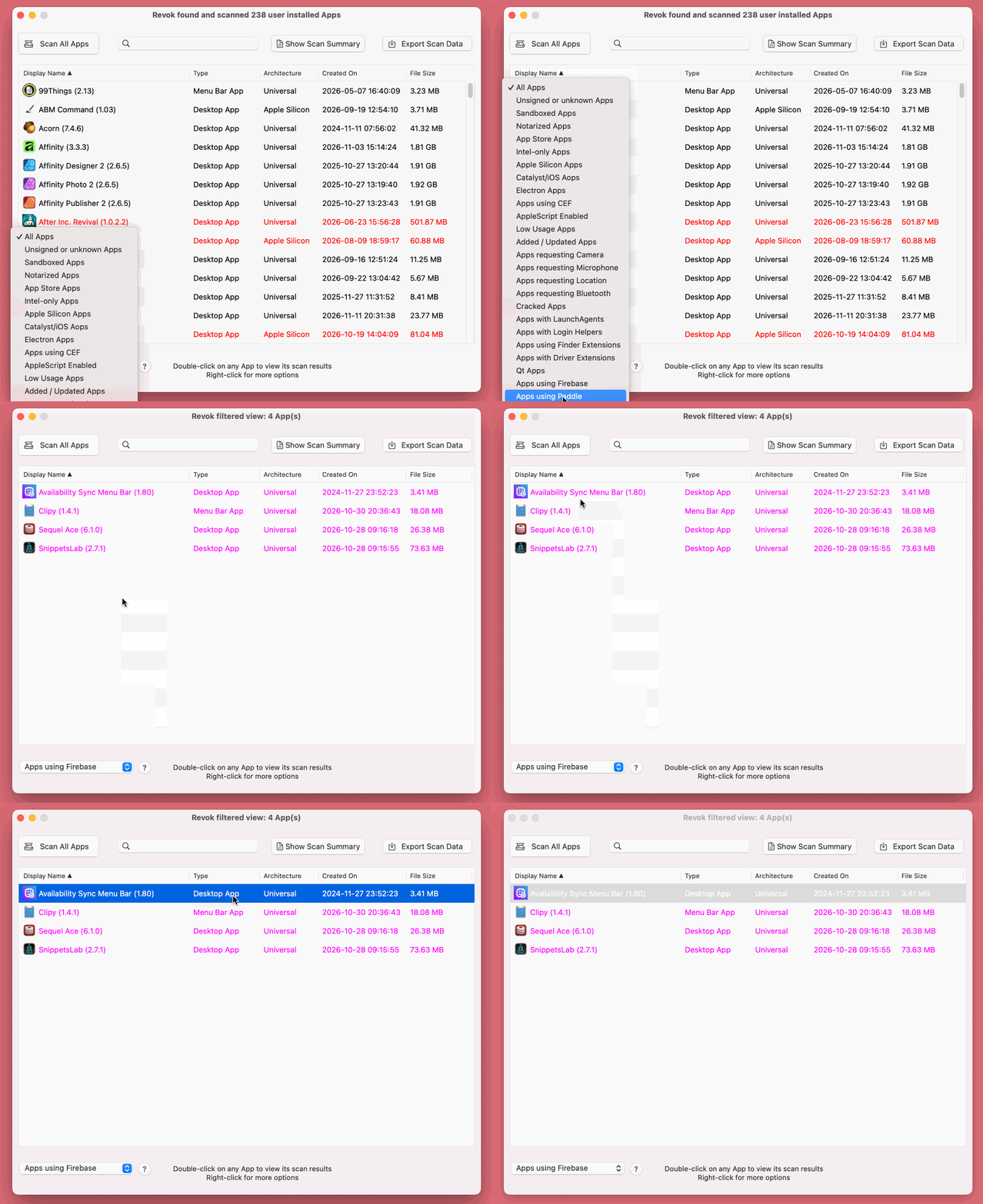
Not all Mac apps are created equal. While apps built with Swift or Objective-C tend to be fast and lightweight, some developers use cross-platform frameworks and third-party telemetry tools that can impact both your system performance and privacy. Using Revok’s built-in Filter Menu, you can quickly identify Electron apps or audit which apps embed telemetry SDKs.
Web & Cross-Platform UIs: Helps you spot browser-wrapped apps (e.g., Electron/Chromium Embedded Framework) that consume more RAM and disk space compared to their native macOS counterparts.
Runtimes & Engines: Identifies non-native language runtimes and game engines. For example, Java-based apps, games built with Godot, etc.
Telemetry: Revok flags apps in magenta text that may send diagnostic, billing / payment, or other analytics data to third-party servers.
Clickable HTML exports: Create portable App audits
Tracking dozens or even hundreds of apps over time is much easier when you can save and review snapshots of your installed apps. Alongside CSV and JSON exports, Revok now supports a dedicated HTML Export feature:
Complete Attribute Dumps: Use it to export all supported metadata, including Bundle IDs (useful for locating preference files), architectures, signatures, security, and framework details, into a clean, easy-to-navigate HTML report.
Automatic Timestamps: Every exported HTML file is automatically date-and time-stamped, allowing you to track how your collection of installed apps changes after updates or new additions.
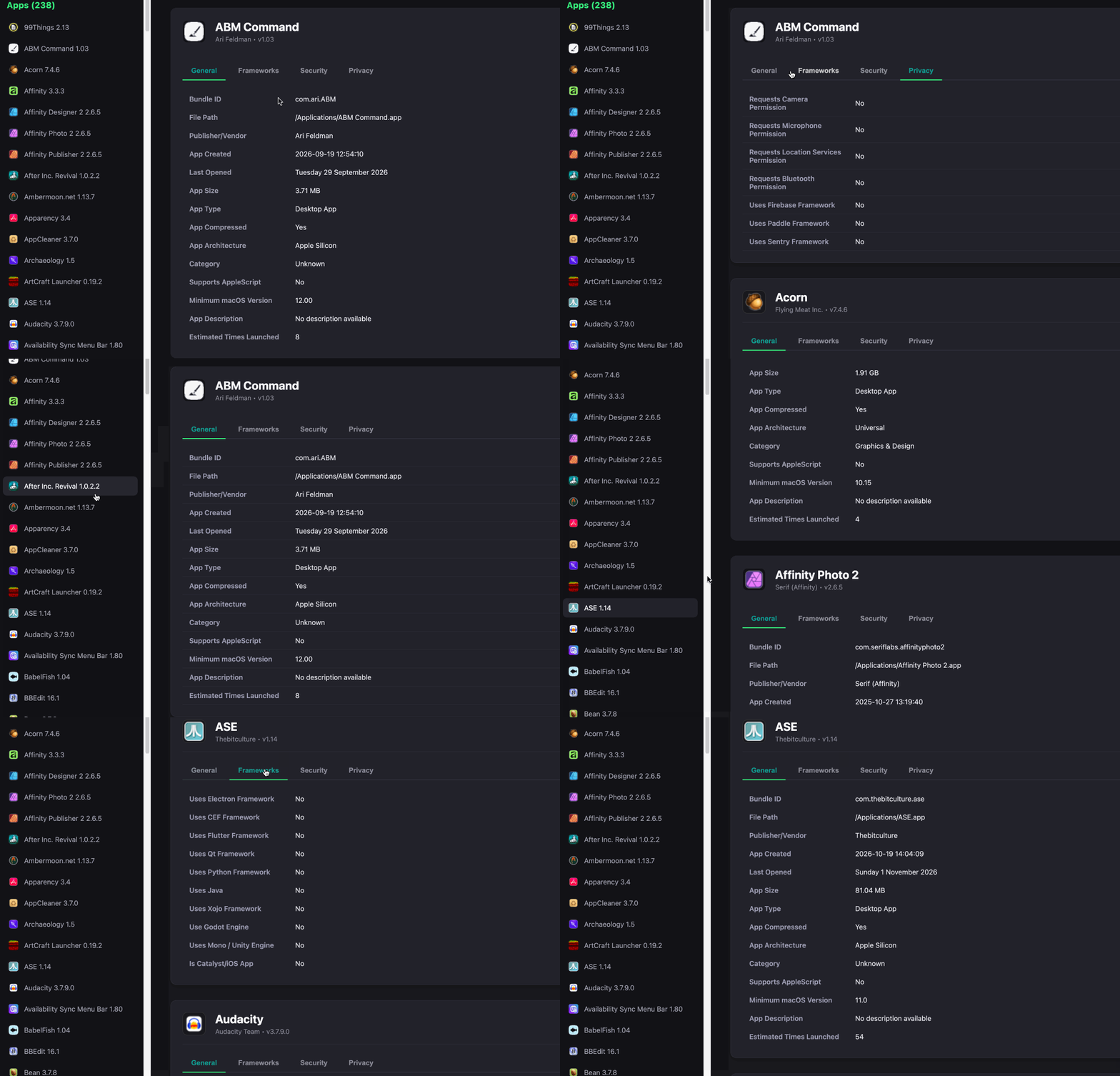
NOTE: The HTML export option is only available to licensed Revok users.
In-place App compression: Put your bloated Apps on a diet
Modern macOS applications, especially Universal binaries containing both Intel and Apple Silicon code, can consume a significant amount of disk space. Revok’s Compress the selected App feature leverages the little-known APFS file-level compression capability that's built right into macOS since the days of OS X Snow Leopard (that's 2009 folks!) to cut down on app bloat:
Enjoy 20% to 50% Disk Space Savings: Revok can compress application binaries right where they sit, potentially saving hundreds of megabytes of precious disk space.
Transparent Decompression: Compressed apps automatically decompress on-the-fly when launched, introducing only a tiny, if even noticeable, delay.
True Physical Size Reporting: Unlike macOS Finder, which displays logical file sizes and often masks compression gains, Revok also reports the true physical size on disk along with a post-compression summary showing exact megabytes and percentages savings.
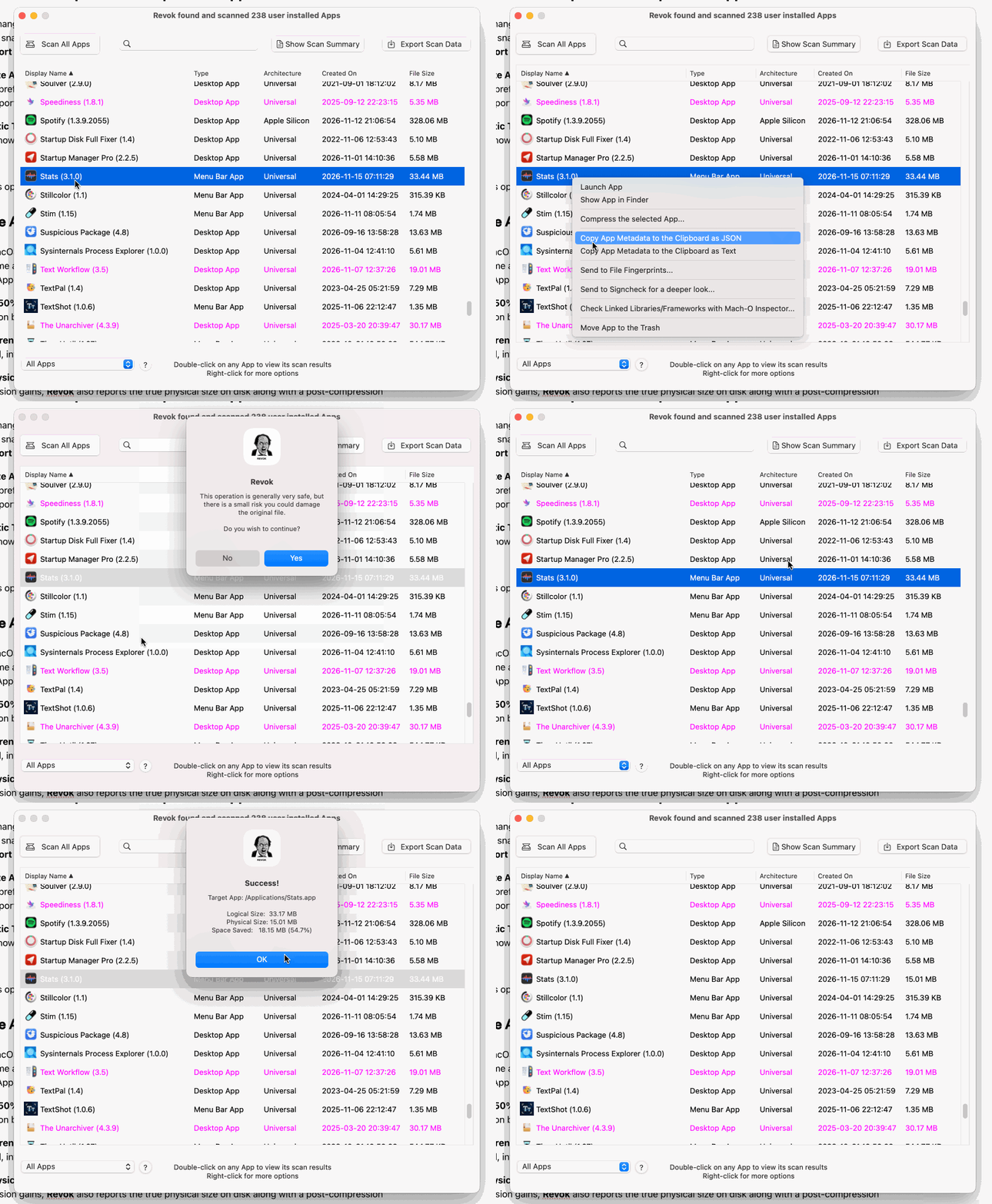 NOTE: This option is only available to licensed Revok users. Also, system apps, Mac App Store apps, and root-installed apps cannot be compressed, so Revok does not allow them to be selected. Compressing an app also resets its launch count, and if a rare compatibility issue arises, apps can be usually be uncompressed via the macOS Terminal.
Signcheck & Mach-O Inspector integrations for deeper inspections
To keep initial scans fast, Revok performs a high-speed "shallow" signature scan; flagging unsigned or unknown apps in red text. When you need to investigate a suspicious app further, Revok integrates directly via its right-click context menu with two companion utilities: Signcheck and Mach-O Inspector, which Revok users get download links to when they receive their license details.
Signcheck: Perform deep signature verifications
The Send to Signcheck option passes a selected application directly to Signcheck for a thorough cryptographic signature audit. Rather than a simple pass/fail, Signcheck categorizes risk levels and explains why an app may be untrusted or tampered with:
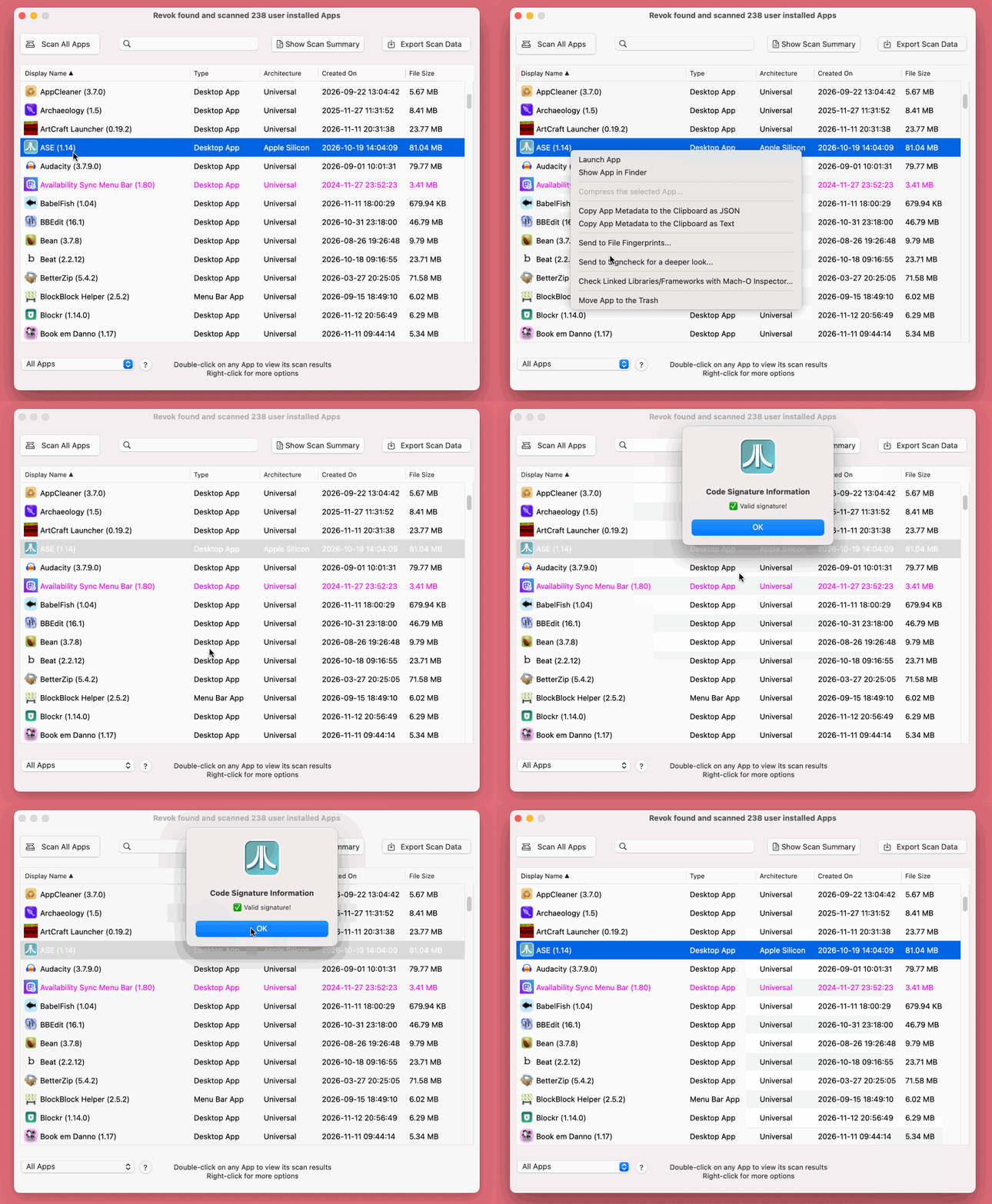
Valid Signature! - The app is authentic, untampered, and trusted by macOS.
Ad-hoc (Self-signed) - Indicates anti-tamper validation, though not backed up by a verified Apple Developer ID.
The signature expired! - The developer certificate has passed its end-of-life date; the app may still run but is technically out of date.
Invalid or corrupted signature - Indicates the Info.plist or other internal resources were modified after signing; often seen in cracked or tampered software.
Resources changed / modified - A post-signing modification was detected; commonly seen in cracked or tampered software.
Unsigned! - Contains no signature and will not run on Apple Silicon without a manual Gatekeeper bypass.
Mach-O Inspector: Understand linked libraries and API frameworks
For users who want to see every low-level dependency an executable relies on, Revok’s Check Linked Libraries/Frameworks with Mach-O Inspector option hands the target app straight to Mach-O Inspector. With a single click, you can dump all dynamic libraries and macOS API frameworks linked to that specific application, making it easy to view hidden dependencies.
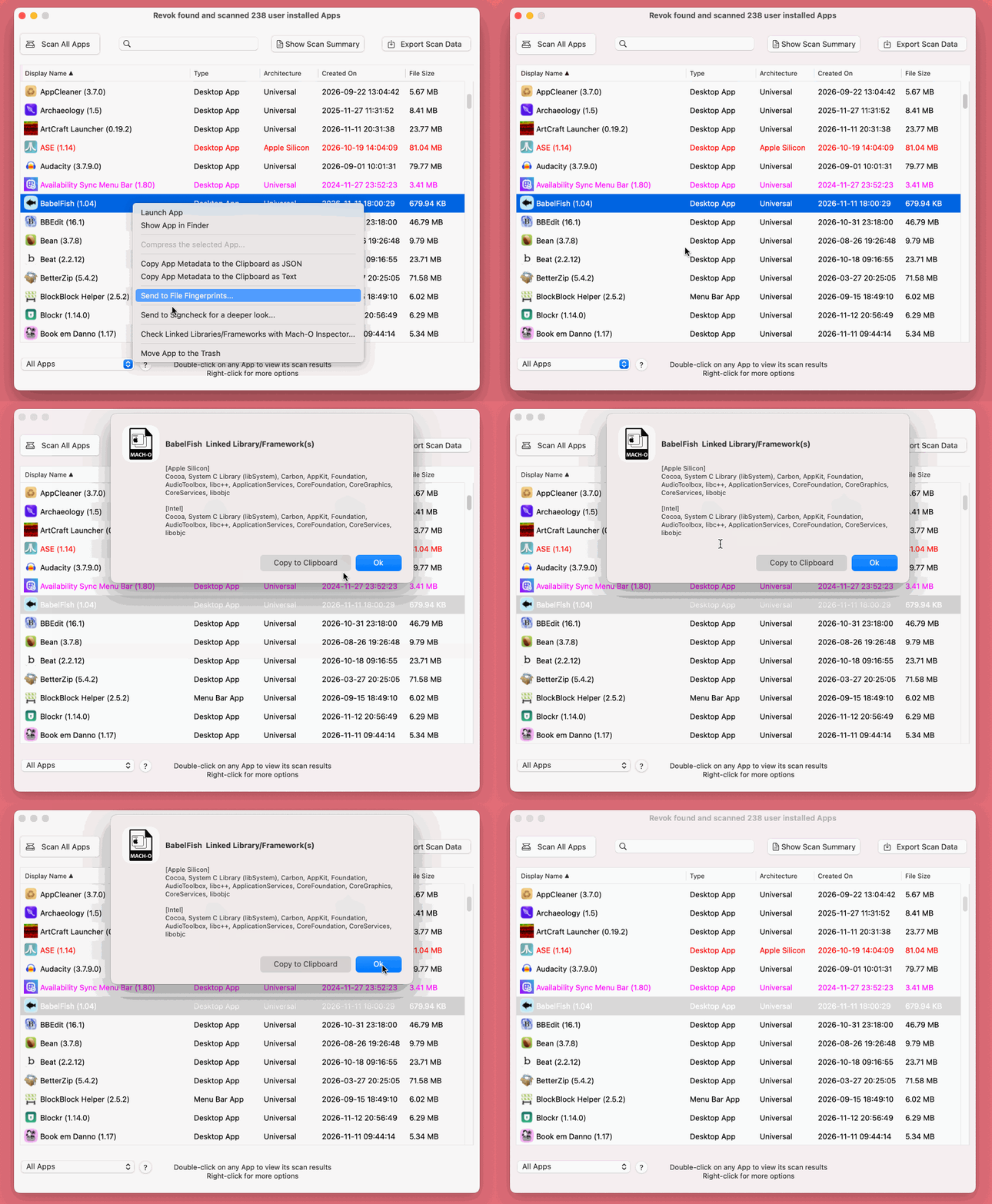
NOTE: Both of these apps have special integrations with Revok and are these features are only available to licensed Revok users.
Final Thoughts
Whether you are trying to reclaim SSD space through APFS transparent compression, audit app bloat and third-party telemetry, export timestamped HTML system snapshots, or verify binary integrity, Revok provides a number of powerful tools that makes macOS application inspection easy.