

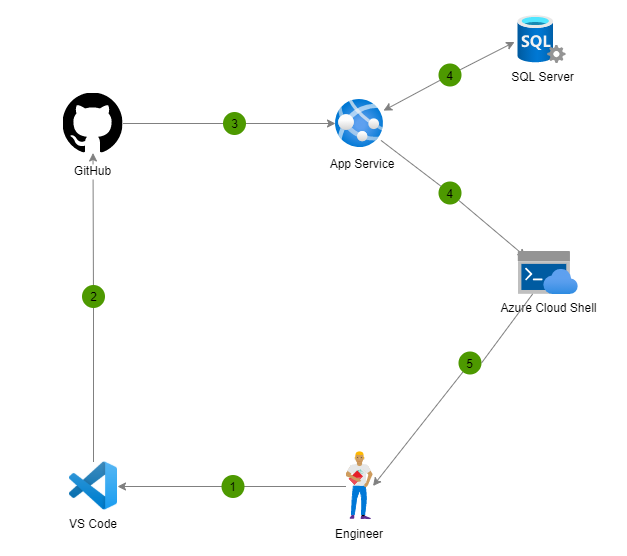
GitHub integration
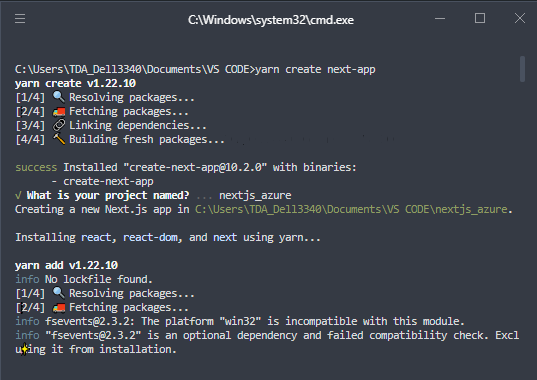
For sample purposes a template of next.js has been created with:
yarn create next-app
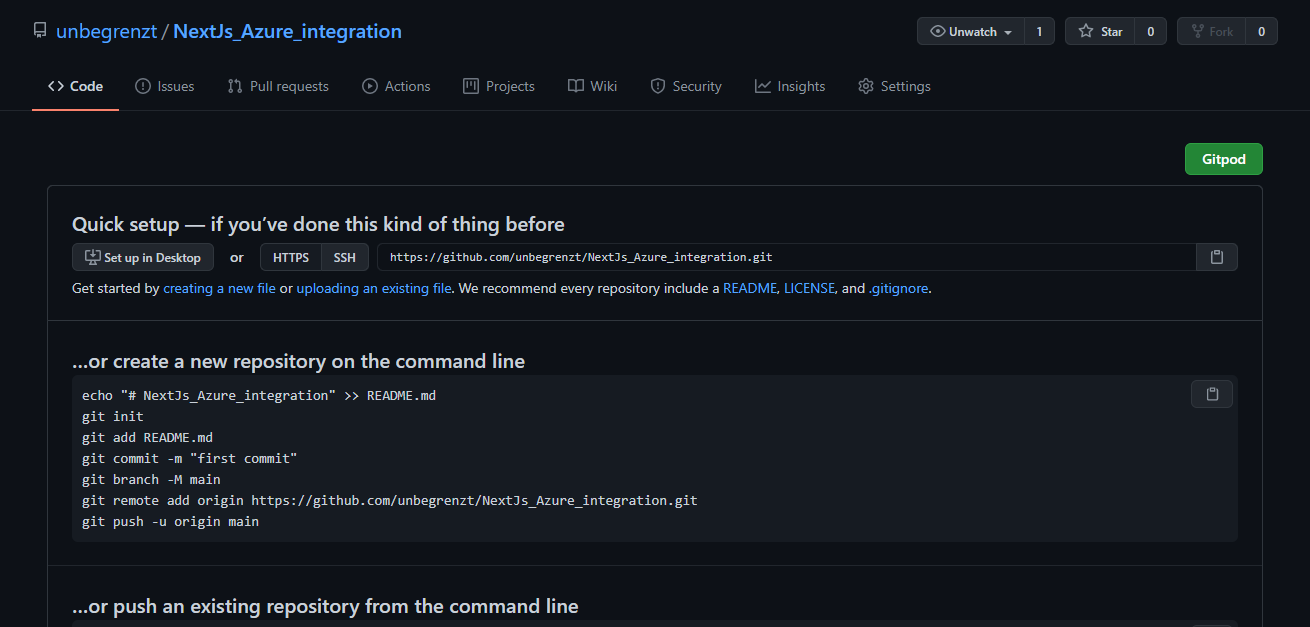
 Uninitialized GitHub repository created unbegrenzt / NextJs_Azure_integration
In our project we must serve the application with Express for its correct operation and adapt the package.json file, for this we create a file called server.js
//SERVER JS FILE
const express = require("express");
const next = require("next");
const port = parseInt(process.env.PORT, 10) || 3000;
const dev = process.env.NODE_ENV !== "production";
const app = next({ dev });
const handle = app.getRequestHandler();
const server = express();
app.prepare().then(() => {
server.all("*", (req, res) => {
return handle(req, res);
});
server.listen(port, (err) => {
if (err) throw err;
console.log(
> Ready on http://localhost:${port});});
});
{
"name": "nextjs_azure",
"version": "0.1.0",
"private": true,
"scripts": {
"dev": "next dev",
"build": "next build",
"start": "node server.js"
},
"dependencies": {
"express": "^4.17.1",
"next": "10.2.0",
"react": "17.0.2",
"react-dom": "17.0.2"
}
}
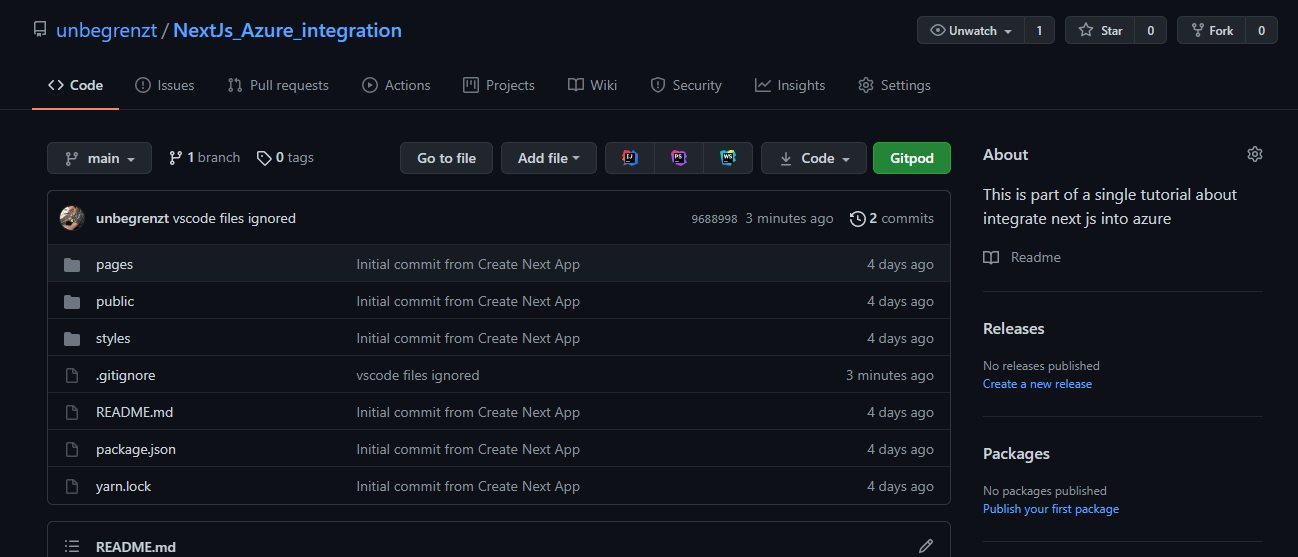
local git repository should be uploaded to GitHub
git remote add origin https://github.com/unbegrenzt/NextJsAzureintegration.git
git branch -M main
git push -u origin main
Integration with Azure
I have created a new app service
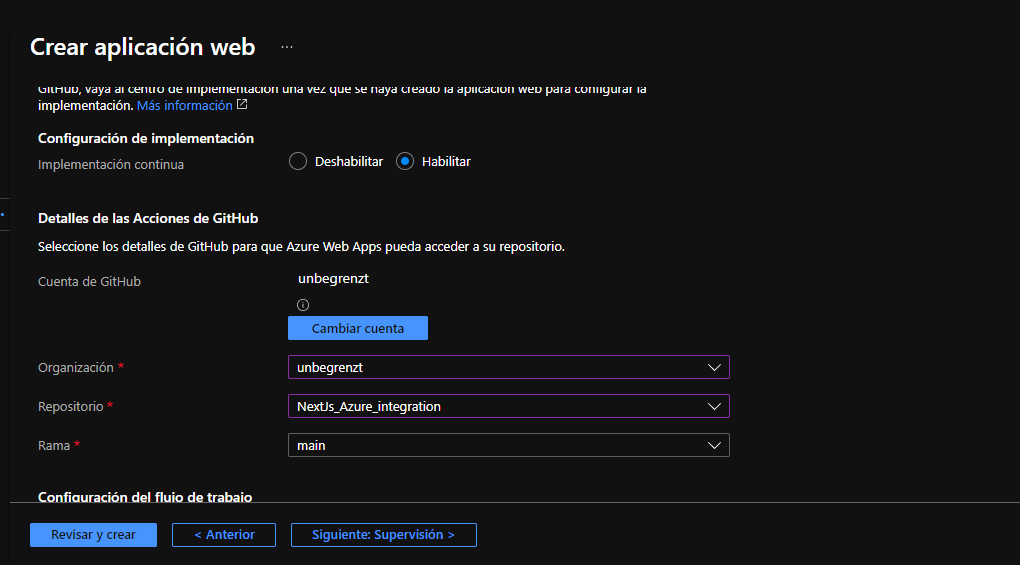
In the implementation section we enable the continuous implementation option and we choose the repository and the destination branch, the changes will be implemented every time we upload to the chosen branch, through GitHub Actions
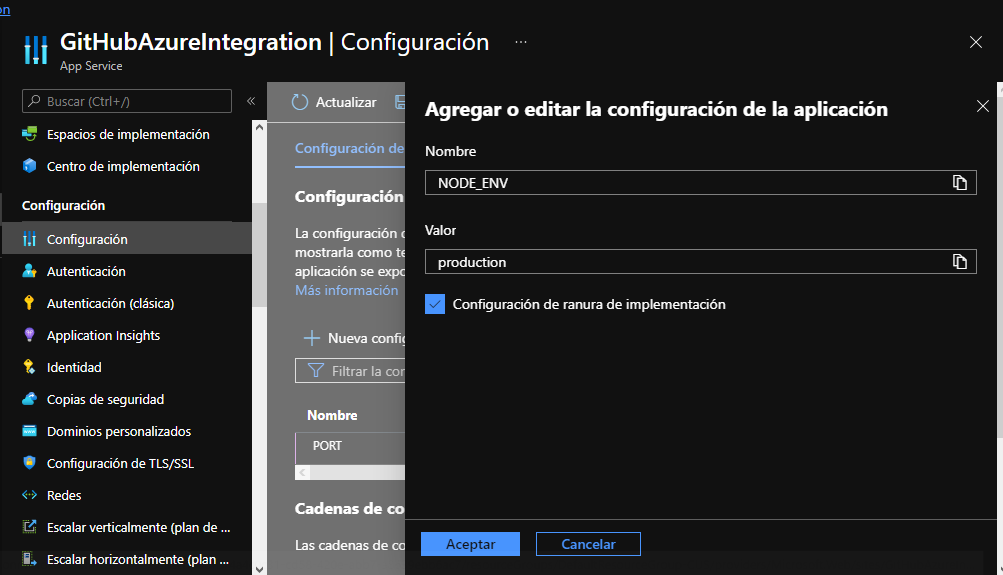
It is necessary to configure the environment variables necessary for the application
Once you have run the action in GitHub Actions In the URL provided by Azure we can see that our website has already been uploaded