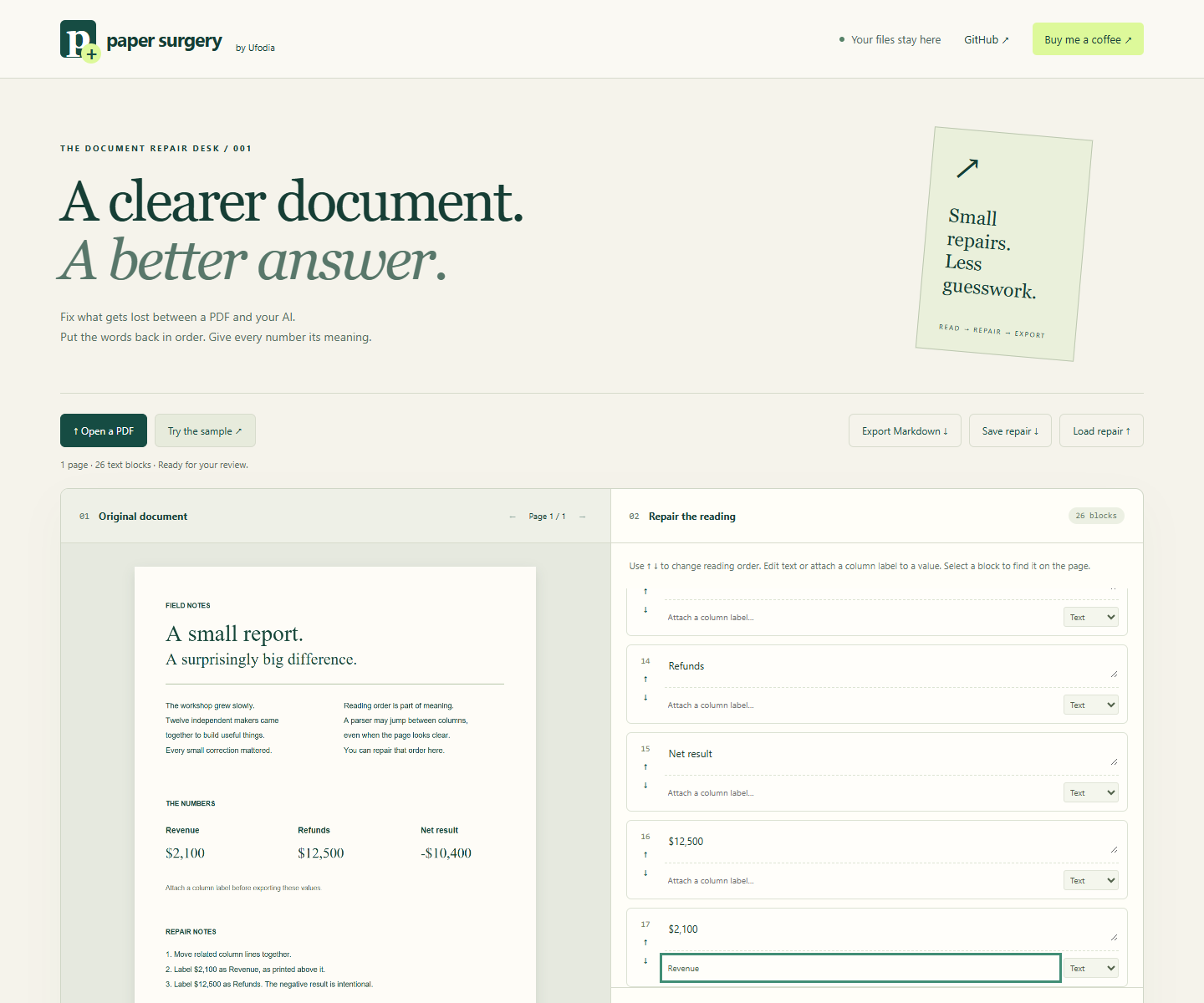

A PDF can look perfectly clear while its extracted text reads the second column first—or leaves a number far from the heading that explains it.
Paper Surgery is a ufodia workbench for repairing that input before you pass it to an AI assistant. The original page stays beside editable text blocks, so you can check every change against the document.
Try it in three steps
Open the live app and choose Try the sample to load the synthetic two-column workshop report.
Select a block to highlight its original location. Restore the reading order, edit text, or attach the correct column label to a value.
Export the corrected Markdown and save a repair file. Reload that repair with the same PDF to reproduce your edits.
The included workflow processes files locally and needs no account or API key. It handles selectable text; scanned PDFs need OCR elsewhere first. Labels reflect your interpretation: the tool does not verify arithmetic or automatically understand tables. Export your work before refreshing.
Try Paper Surgery · Explore the MIT-licensed source
If this saves you a frustrating document cleanup, one optional coffee helps support ufodia’s compatibility work, examples, and documentation. Thank you.
Screenshot below: the real Paper Surgery workbench using its synthetic workshop report; figures are fictional.