
A classroom puzzle or an evening’s escape game becomes more interesting when a player can pick up the key, move it across the table, and change what happens on screen.
Paper Portal lets you author that connection with printable marker cards and small story stages. Card presence, hiding, left-to-right order, and rotation become rules you can inspect and change.
Open the midnight observatory
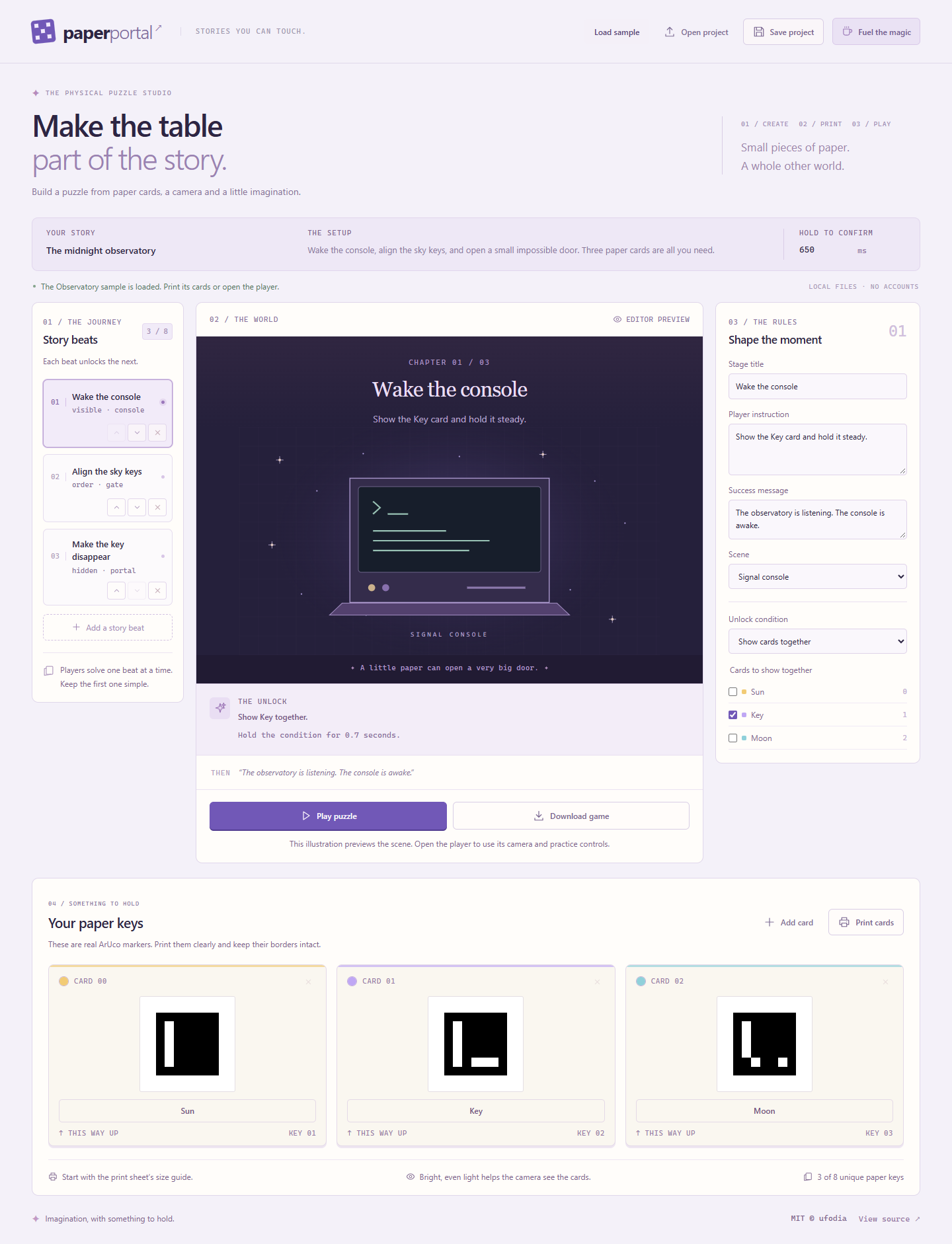
Open the included sample, choose Play puzzle, then Use simulator. Show Key and keep it visible until the console wakes.
Show Sun, Key, and Moon together at positions 1, 2, and 3. Hold that left-to-right order until the next stage completes.
In the final stage, first establish Key as visible. Then hide it while Sun stays visible continuously, and watch the authored portal scene open.
From there, build a deck of 3–8 cards and 1–8 stages, edit the instructions and scenes, print A4 cards, and download a standalone HTML player with its runtime embedded. Save the project JSON to keep your authoring work.
Then bring the paper to the table
The simulator controls observations; it does not establish physical recognition. Real camera play requires your permission, a supported secure context such as an HTTPS page, and clearly printed markers. Lighting, focus, glare, card size, and intact borders matter. Test the actual deck and camera before an activity.
Explore Paper Portal · Read the MIT-licensed source
If this sparks a puzzle worth sharing, an optional coffee supports ufodia’s detector integration, authoring tools, and reproducible tests.
Screenshot: the included observatory project in the authoring studio. Its scene is an editor preview, not evidence of a printed-card or physical-camera test.