
A fluent transcript can still put a sentence over silence, repeat a phrase, or point to the wrong moment in a recording.
GhostWords is a ufodia workbench for bringing audio back into transcript review. Pair an existing recording with an SRT, VTT, or supported JSON transcript, inspect the queue, and listen before deciding.
Try it in three steps
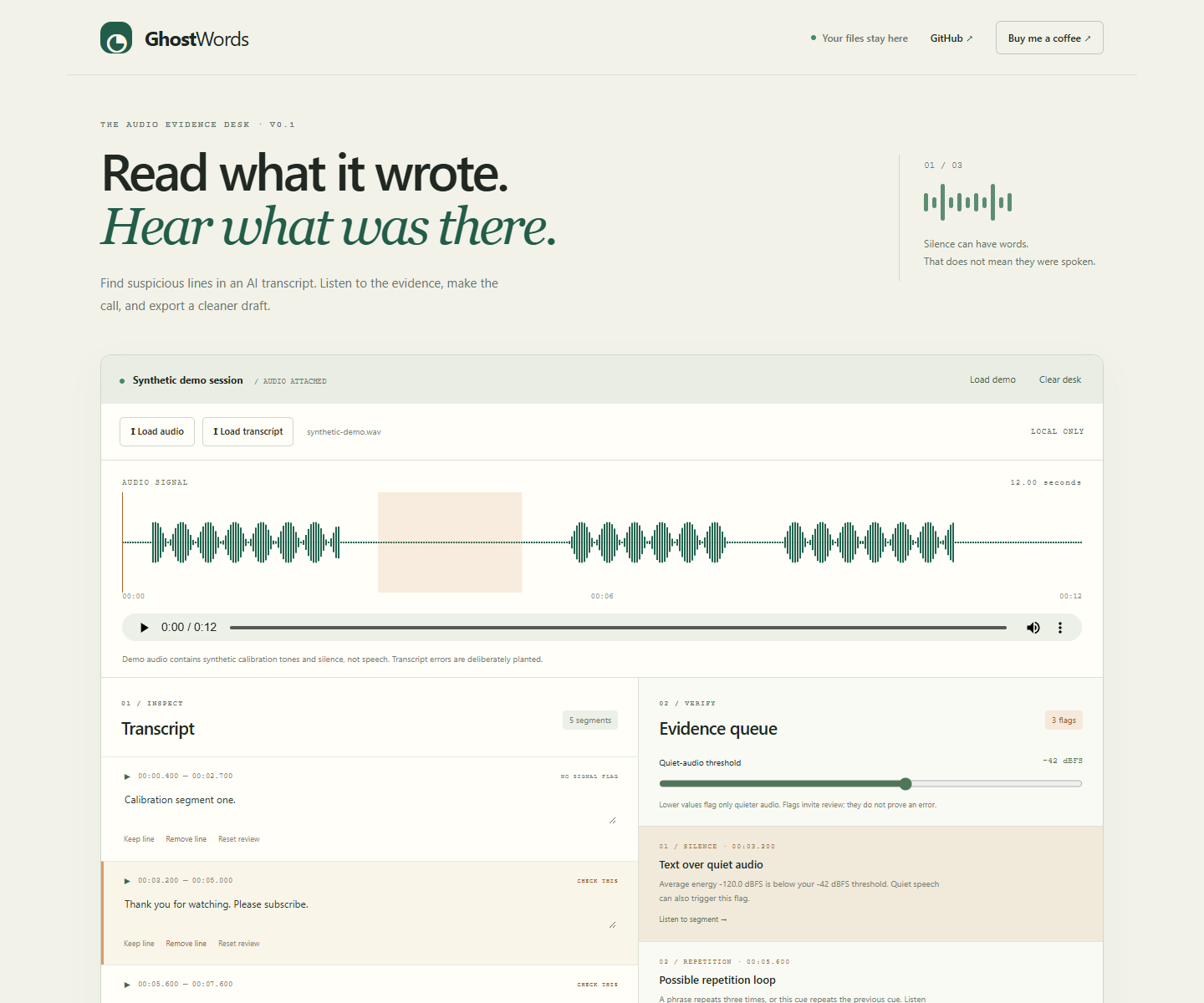
Open the live app and load the synthetic demo. It uses calibration tones and silence, not real speech, with deliberately planted transcript cues.
Select Text over quiet audio and listen to the marked interval. Explore repetition and timing flags beside the waveform.
Edit a cue, choose Keep line or Remove line, and export the reviewed SRT plus evidence JSON.
Files are processed locally in your browser. No account, API key, model download, or backend is required.
GhostWords does not transcribe audio or prove that words were spoken. Quiet speech and legitimate repetition can trigger flags; other errors can be missed. You decide, and pending lines remain in the export.
Try GhostWords · Explore the MIT-licensed source
If this makes a transcript review easier, one coffee helps support ufodia’s compatibility work, tests, and documentation. Thank you.
Screenshot below: the synthetic calibration demo, with planted transcript errors. The recording contains tones and silence, not speech.