
You asked an AI to replace a plant with a lamp. The result looks good—but what changed elsewhere?
Edit Creep is a ufodia workbench for comparing an original image with an edited version. Mark the area you intended to change, then inspect measurable differences outside it. It is useful when reviewing product images, design assets, or client revisions.
Try it in three steps
Open Edit Creep and choose Try the demo pair. The fictional example starts with a plant-to-lamp request.
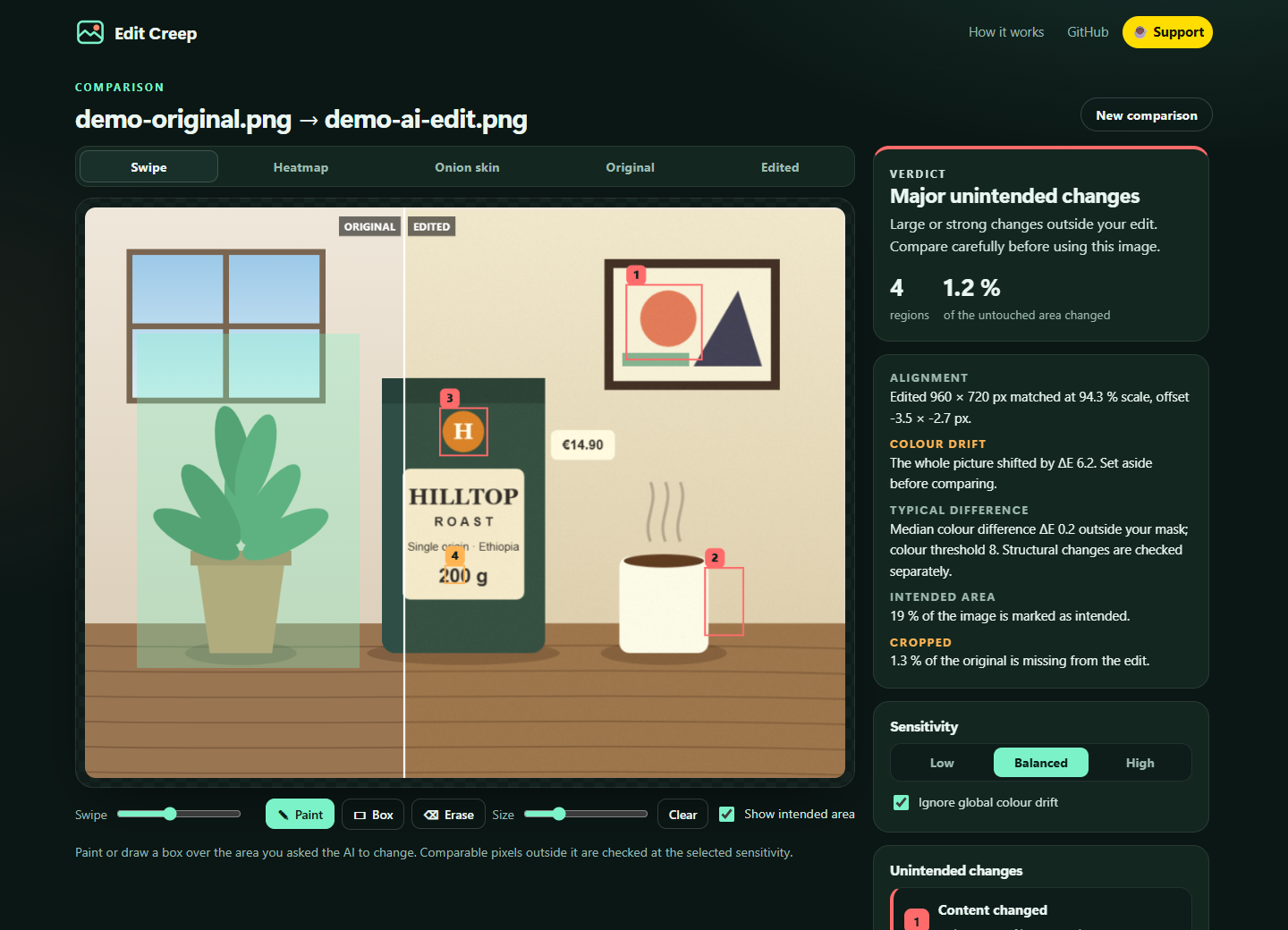
Mark the intended edit area. Explore the remaining numbered regions and compare the before-and-after crops.
Review each difference, mark accepted regions as intended, and export a comparison sheet, heatmap, or JSON report.
Images are processed in your browser. The included workflow needs no account, API key, model download, or GPU. You can inspect the MIT-licensed source and run your own copy.
Edit Creep measures image differences using transparent heuristics. It does not perform OCR, understand what an object means, or certify that a product image is accurate. Thresholds, alignment, and the available comparison area affect the findings; a clean result is not a guarantee that every meaningful change was caught.
Try Edit Creep · Explore the MIT-licensed source
If this makes a visual review clearer, one coffee helps support ufodia’s testing, compatibility work, and documentation. Thank you.
Screenshot below: the built-in synthetic demo, showing the marked intended area and numbered differences elsewhere.