
That awkward piece of material might still have a useful project inside it: two shelves, a side panel, a few braces. A missing corner and a damaged patch make the answer harder to see.
CutOnce starts with the shape you actually have. Trace a local photograph, exclude unusable regions, set a measured scale, and ask a rectangular parts list to find a home inside those boundaries.
Give the sample board a second chance
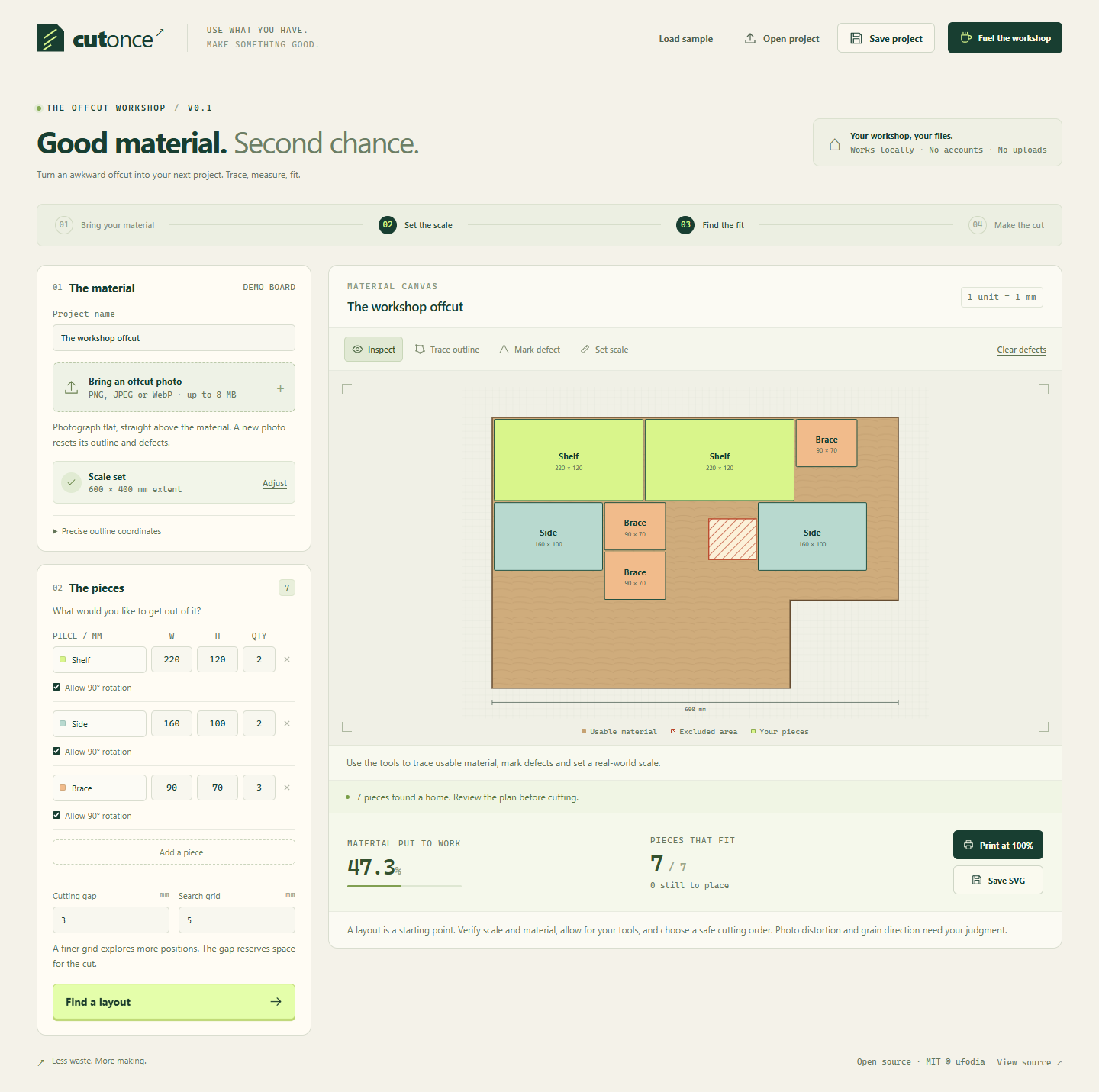
Open the app and choose Load sample. Inspect the irregular outline, hatched defect, and Shelf, Side, and Brace pieces. The sample already has measured coordinates.
Choose Find a layout, then change a dimension or quantity and run it again. Inspect both placed pieces and anything left unplaced; try rotation and cutting-gap settings deliberately.
Keep the result with Save project, export a dimensioned SVG, or prepare the tiled A4 plan through Print at 100%.
Planning and photo processing happen in your browser, without a workshop-photo upload or an account. The source is open under MIT.
A layout still needs your measurements
The bounded, greedy search does not prove the best possible yield. Photo perspective, grain direction, defects, printer scale, and tool access need your judgment. Verify dimensions on the material and measure the printed 100 mm ruler. A placement diagram does not specify a safe cutting sequence or CNC toolpaths.
Explore CutOnce · Read the MIT-licensed source
If this helps you see another use for leftover material, an optional coffee supports ufodia’s geometry tests, fixes, and workshop documentation.
Screenshot: the included measured sample board with its excluded defect and planned rectangular parts; this is a browser workspace, not a physically verified cutting result.