
A small outage, made visible
A page can return HTTP 200 while its map, styling, or useful content disappears. The server is responding. The experience has changed. Which external service did the page actually need?
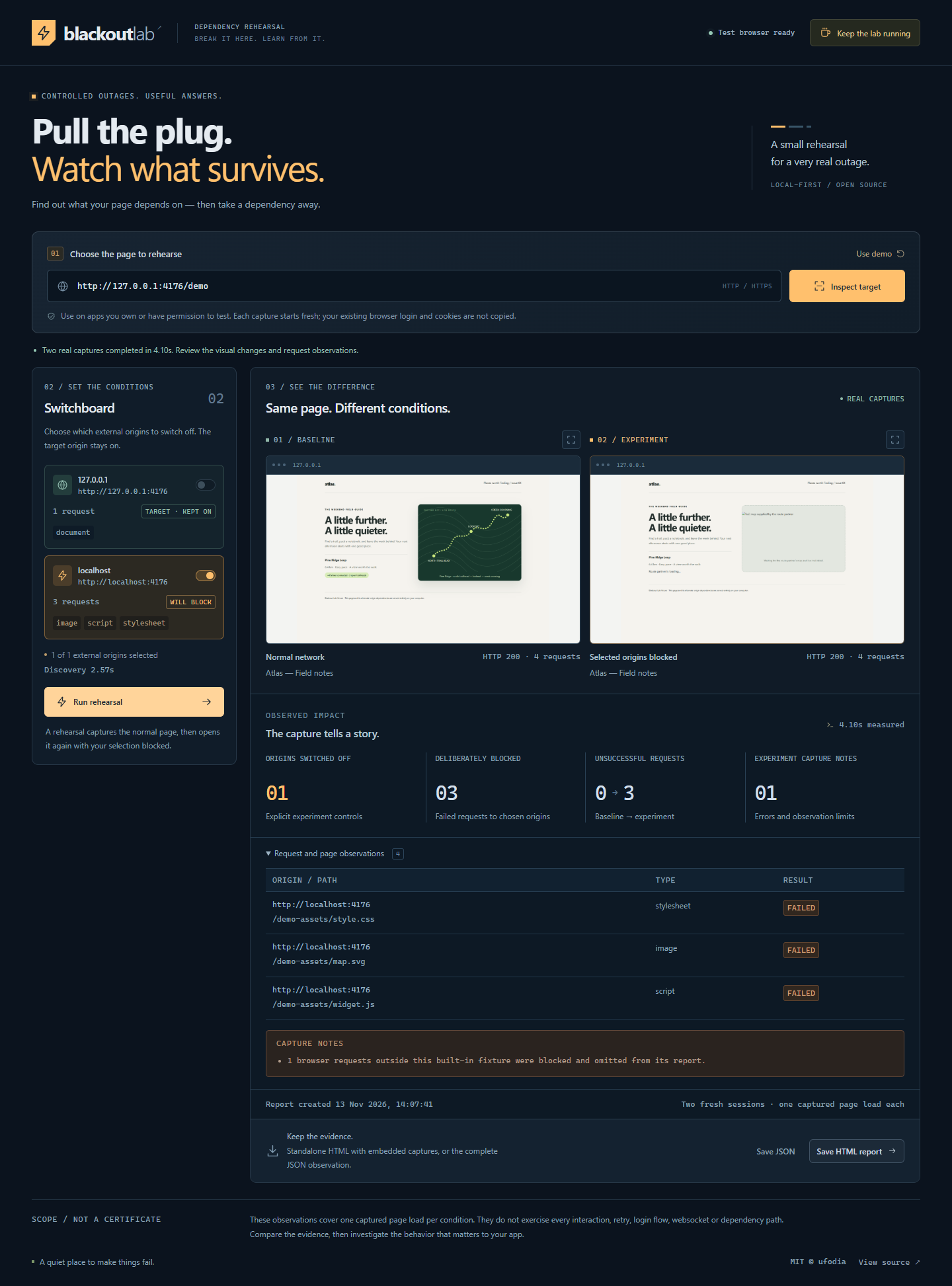
Blackout Lab turns that question into a bounded experiment. Its local Playwright runner opens a fresh Chromium session, observes requested origins, and captures the page again with selected external origins blocked. Real screenshots sit beside request outcomes.
Try one useful rehearsal
Inspect. Start the local application, choose Use demo, then Inspect target to see the included page's dependencies.
Switch off. Select the external demo origin in the Switchboard and run the rehearsal. The target's own origin stays protected.
Compare. Inspect both captures and the failed requests, then save the HTML or JSON report.
The public website provides installation instructions; experiments run on your computer. The tool does not reuse your everyday browser's login profile or upload a cloud audit report.
Each condition covers one navigation and a short observation window. It does not exercise every interaction, login, retry, or WebSocket path. Differences deserve investigation: they do not prove causality or certify resilience. Reports may contain private page content, so review them before sharing.
Start here: Project and installation guide · MIT-licensed source.
If this helps you find a useful failure, an optional coffee supports ufodia's browser compatibility work, tests, and documentation.
Actual Blackout Lab workspace using the included local demo: baseline and blocked-origin captures beside their request evidence.