

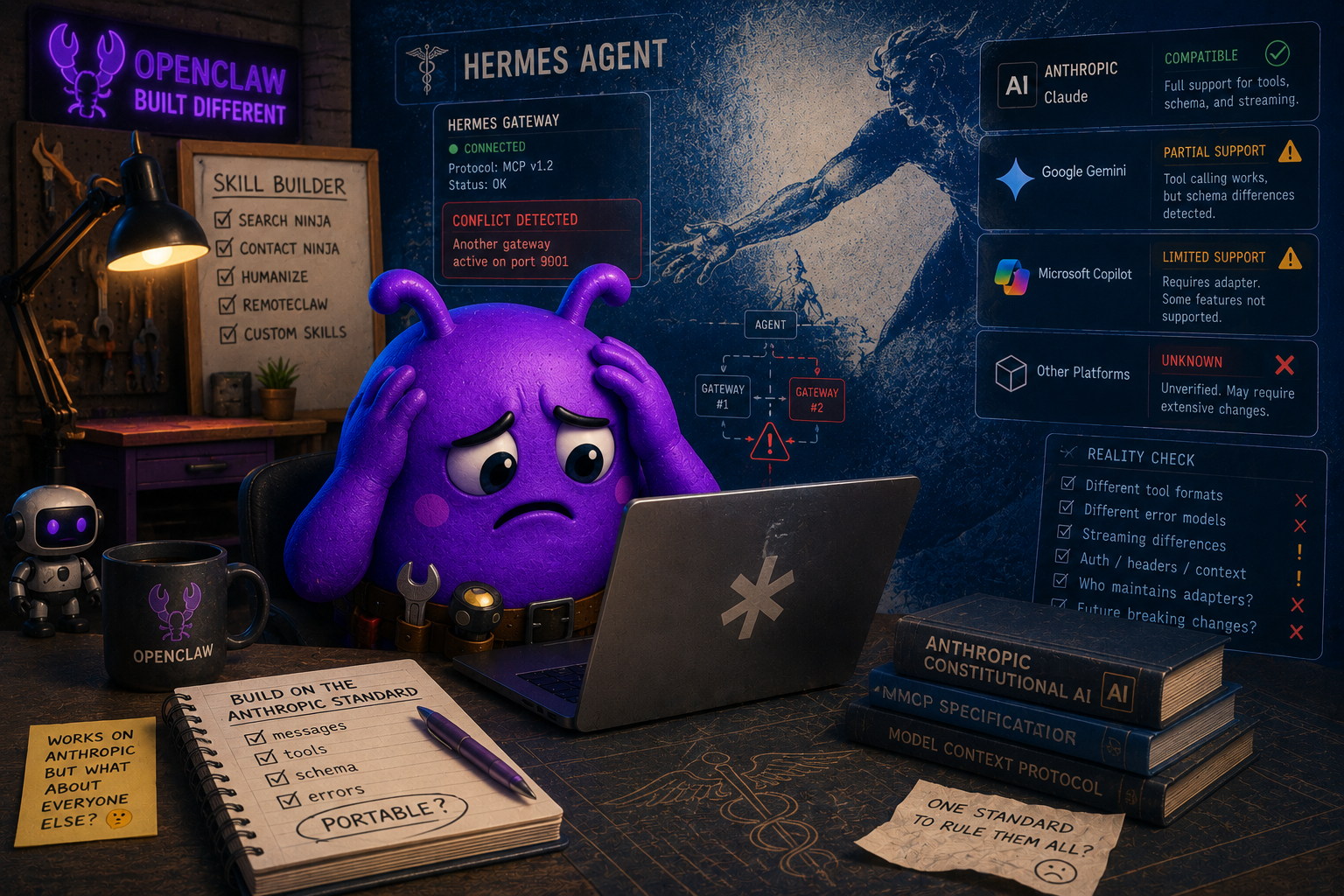
This past weekend I started working on turning my Contact Ninja skill which is currently a custom Samaritan skill, an open source skill anyone could install on any agent platform that follows the Anthropic skill standard.
The way it works on Samaritan is simple: Give it partial information about a person, it runs OSINT enrichment in the background, and writes a clean structured contact record to Google Contacts. Useful for investigators, sales or anyone who ends up with messy contact data and wants it cleaned up automatically.
The skill format is a real standard. A SKILL.md file with activation triggers, a bundled Python script for the write logic, OAuth credentials handled cleanly, the works. I built it, tested it on Hermes agent and it worked...kinda.
The First Sign of Trouble
After I installed the skill, Hermes agent had to do some custom troubleshooting to get it to install properly. That was the first bad sign, but it eventually installed and I ran a test. Success! It found missing details for one of my Google Contacts that was just an email address.
Then I opened Google Contacts to verify.
The contact was there. Just the name. No email, no phone, no company, no title. Every structured field I had carefully extracted and mapped didn't work. The agent showed me that it found the information, and showed me the data, the data just went somewhere else...dumped into a generic notes field or dropped entirely during a field mapping the agent did on its own without telling anyone.
What Was Actually Happening
Hermes Agent has its own built-in Google Contacts integration. When I called the skill, instead of routing through the Python script I had bundled, the agent reasoned its way to a different decision. It saw that the skill wanted to write to Google Contacts, noticed it already had a native tool that wrote to Google Contacts, and used the native one instead. Faster, no shell-out, no OAuth handshake. From the agent's perspective this was the right call. From my perspective it was broken.
The skill format defines what a skill is. It does not define how an agent has to execute it. Those are platform implementation decisions, not spec decisions. But it means I cannot assume my script will work universally across all Anthropic skill standard platforms because the platforms all handle Google integration differently.
The Three Bad Options
Once I understood what was happening, I attempted to rework the skill to fix the issues and make the experience universal.
The first was to strengthen the SKILL.md language until it forced agents to use the bundled script. I found out that does not work. You cannot force compliance through instructions alone. Agents that prefer their native tools will keep preferring their native tools no matter how strongly the documentation is worded.
The second was to strip out the write logic entirely and let every host handle the actual write using whatever it had. That trades one bad experience for another. Platforms without native Google Contacts integration wouldn't be able to use the skill because it wouldn't have included directions on how to write to Contacts.
The third was to build a hybrid that detected at runtime whether or not the platform already had the existing functionality or not. That created a huge quagmire (giggidy) . It's difficult to reliably detect what tools an agent has. Self-assessment is unreliable. The skill becomes bloated trying to handle every possible scenario, and the more scenarios you handle, the more ways there are for the whole thing to fall apart.
Every option led to a worse product and a terrible experience for everyone.
The Honest Solution
I had to accept that trying to be everything for everyone was not going to work regardless of whether or not they all used the same skill standard.
Contact Ninja is genuinely useful for agent platforms that do not have native Google Contacts write capability. On those platforms, the bundled script runs, the field mapping works, the OSINT enrichment lands in structured fields the way it should. On platforms with native integration, the skill loses every time because it is competing with tools the agent considers native and faster.
So I narrowed the audience. The skill documentation now leads with a three part capability check. If your agent already has a Google Contacts write tool that accepts structured field data and handles photo uploads through the People API, you do not need this skill. Use what your agent already has. I
If your agent does not have all of that, this skill is for you.
That is not a list of platforms, because those change too fast. It is a list of capabilities. The skill stays accurate even as platforms add and remove integrations.
How things ended up
Contact Ninja now serves two audiences instead of trying to serve everyone poorly.
The free public skill is for agents that need the capability. Clean, focused, open source on GitHub, fully functional on the platforms where it is the right tool.
Paid custom deployments are for users who want the per-field conflict detection and OSINT workflow on platforms that already have native Google Contacts. On those platforms, the skill becomes a layer on top of the native tool instead of competing with it. Same value, different integration point, deployed per customer.
Narrowing the audience made the product useful to many instead of broken for everyone.
Advice for Other Skill Builders
If you are building skills meant to run on multiple agent platforms, three things to think through before you publish.
Survey native capabilities first. Before you build a skill that talks to a service, audit which platforms already have that service integrated natively. If most of your potential users already have it, you are building a redundant tool that will lose to native integrations every time, often silently.
Define the silent failure mode explicitly. What happens when an agent has both your script and a native equivalent for the same job? Does it pick the wrong one? Does it pick yours but mishandle the data? Test this on real platforms with real native capability before you publish. The 200 OK that does not actually do what you expected is worse than an error message, because nobody knows to look for it.
Position by capability, not platform. Saying "this works on Platform A but not Platform B" ages badly. Saying "this is for environments that lack capability X" remains accurate as the ecosystem changes around you.
The Bigger Picture
A shared standard format is not the same as uniform behavior. The Anthropic skill spec is a good standard. It is the right level of consistency for the ecosystem. But every platform that implements it makes execution choices that affect how skills actually run, and those choices are not always documented or predictable.
If you are building skills today, do not assume your code will be called the way you expect. Test on platforms you did not develop on. Look for silent failures, not just loud ones. And when the architecture forces a choice between universal but broken and narrow but reliable, it's better to be useful for some than crappy for everyone.
You can check out Contact Ninja on Github.
--------
Github - https://github.com/SamaritanOC
X - https://x.com/samaritanv1