

Get it from here. Free for members.
What you get back
Scenes and prefabs, as a working VRChat Worlds project
Meshes, textures, materials, audio and animations
Baked lighting and light probes, so the world looks lit the way it was
Udon programs, decompiled back into UdonSharp scripts
Shaders. The app looks for the real source first: in your own shader folders, in packages it finds online, and on public shader download pages. If none of those has it, the shader is decompiled from the world file. As a last resort it uses a stand-in that keeps the material's colors and textures.
VRChat packages the world was built with, such as shader or prefab packages. A package is added only when the app can confirm the world really used it.
Older SDK2 worlds: triggers are turned into components that do the same job
Before a run counts as finished, the app opens the project in Unity and checks that it compiles and passes the SDK's checks. If a package breaks the project, the app removes it and builds again.
What can't come back
A world file only holds what the game needs to run the world. Anything that existed only in the creator's Unity project is gone:
the original script source. Decompiled scripts do the same thing, but names, comments and layout are lost
source art files such as PSD, BLEND and Shader Graph files. You get the finished textures and meshes instead
editor-only tools and scripts
the lighting bake cache. The baked lighting itself is recovered, but changing it means baking again
anything stored on a server or downloaded at runtime
Getting started
1. Install Unity 2022.3.22f1 through Unity Hub. The app finds it; it never downloads Unity for you.
2. Open VRCW-Recovery and accept the agreement.
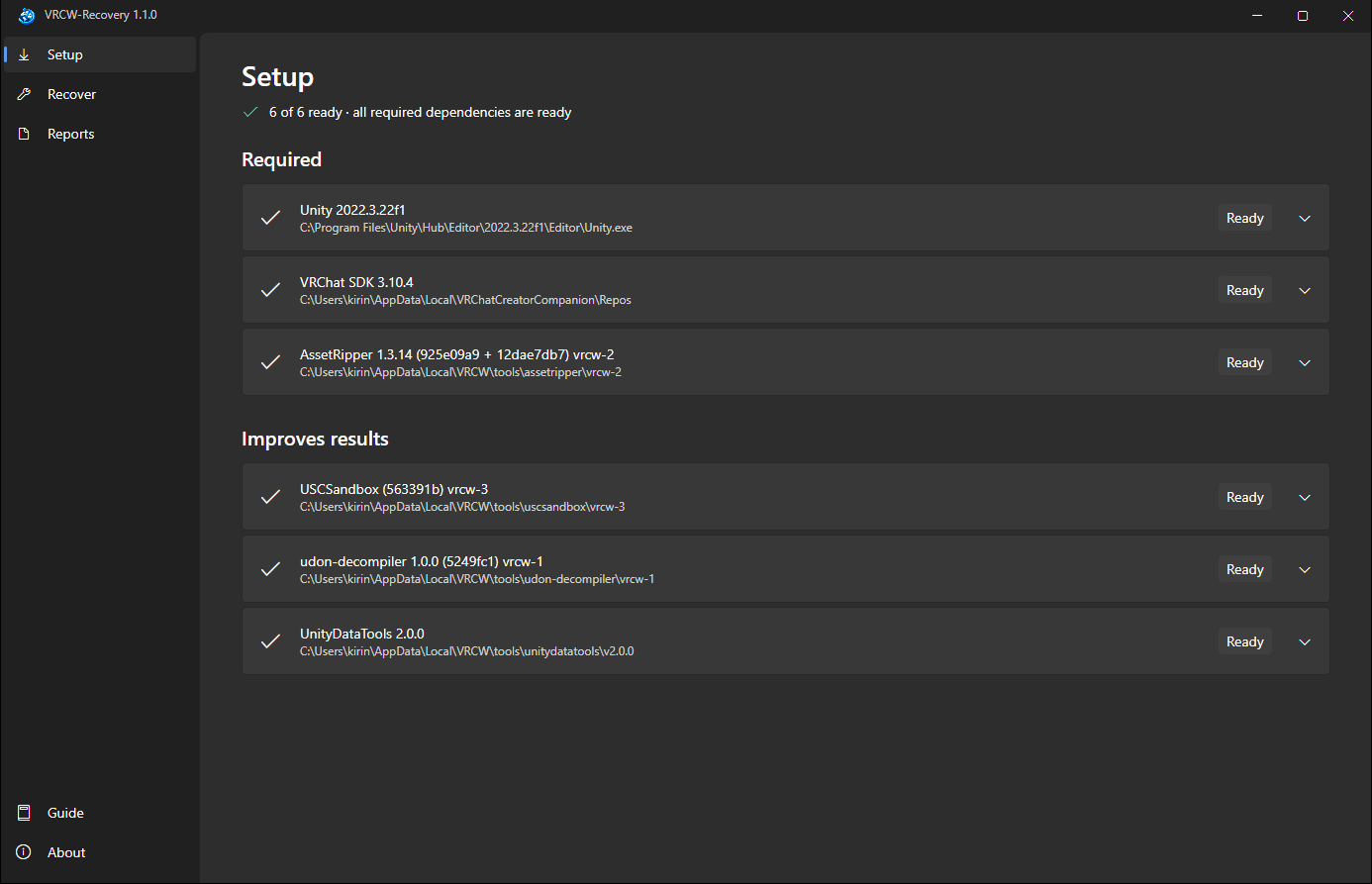
3. Setup: click Get everything. It downloads and verifies the VRChat SDK and the recovery tools. If you already have one of them, you can point Setup at your copy instead.
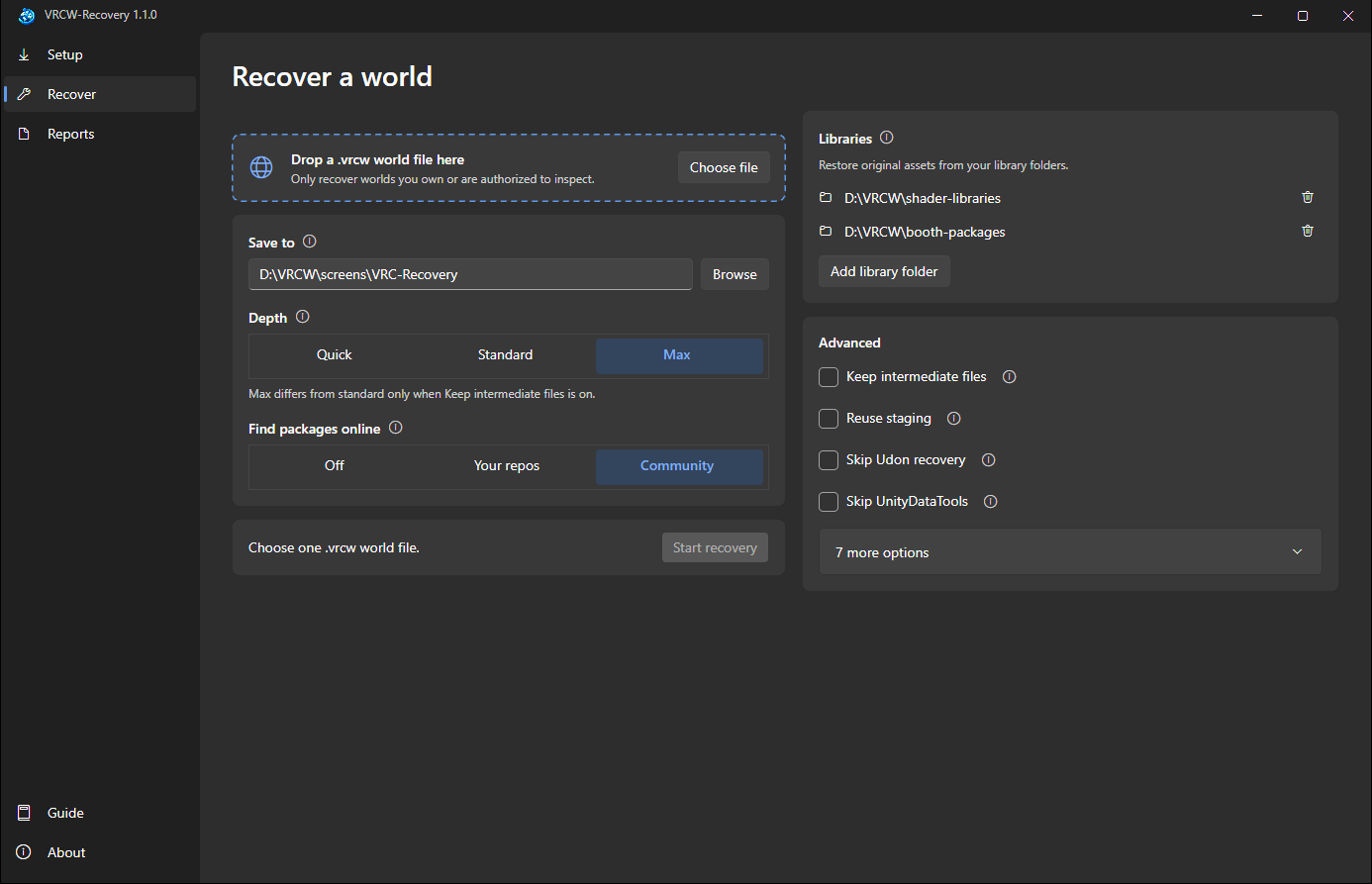
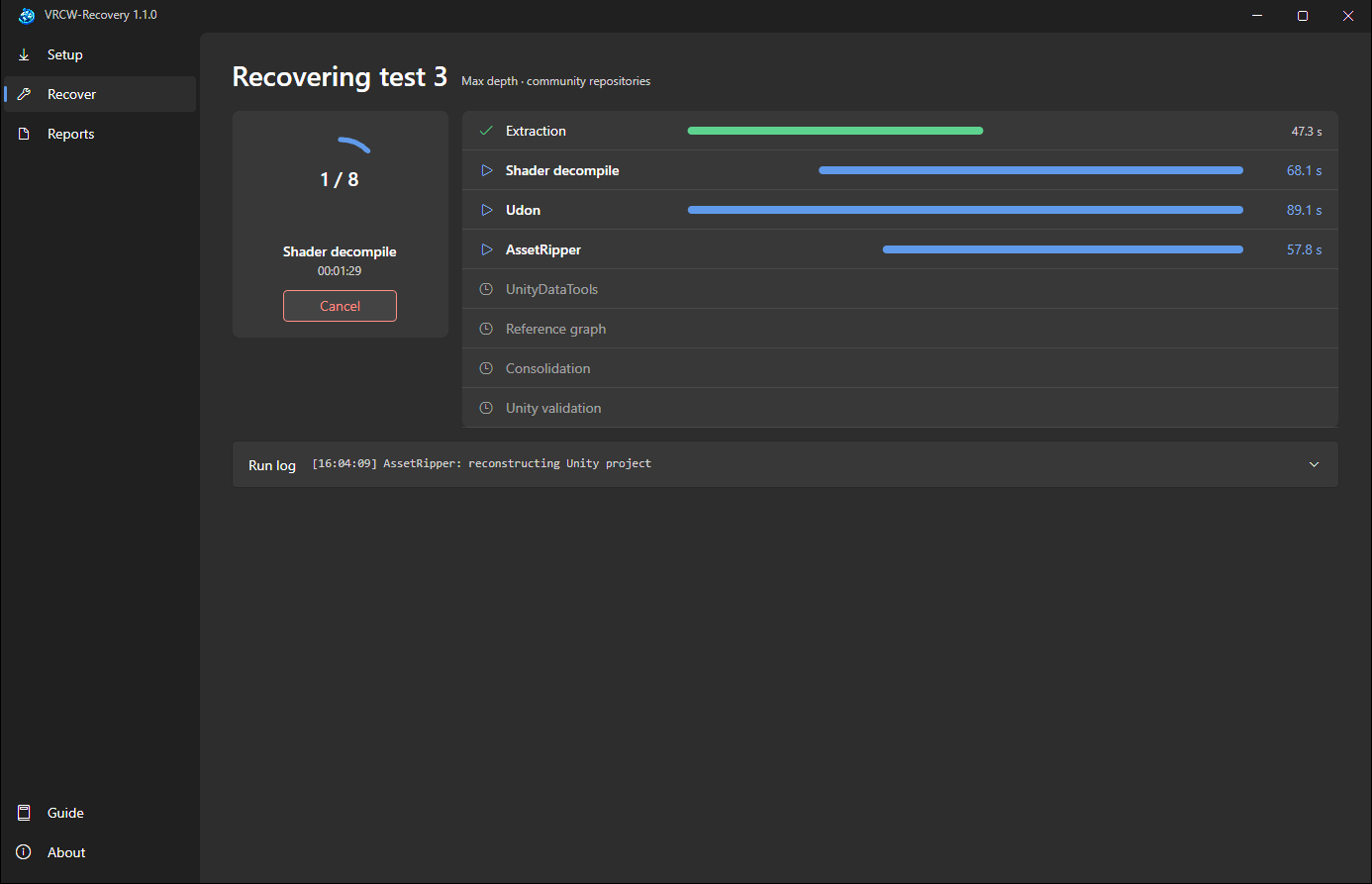
4. Recover: drop in your .vrcw file, choose where to save the project, and click Start. Each step shows its progress live, and you can switch pages while it runs.
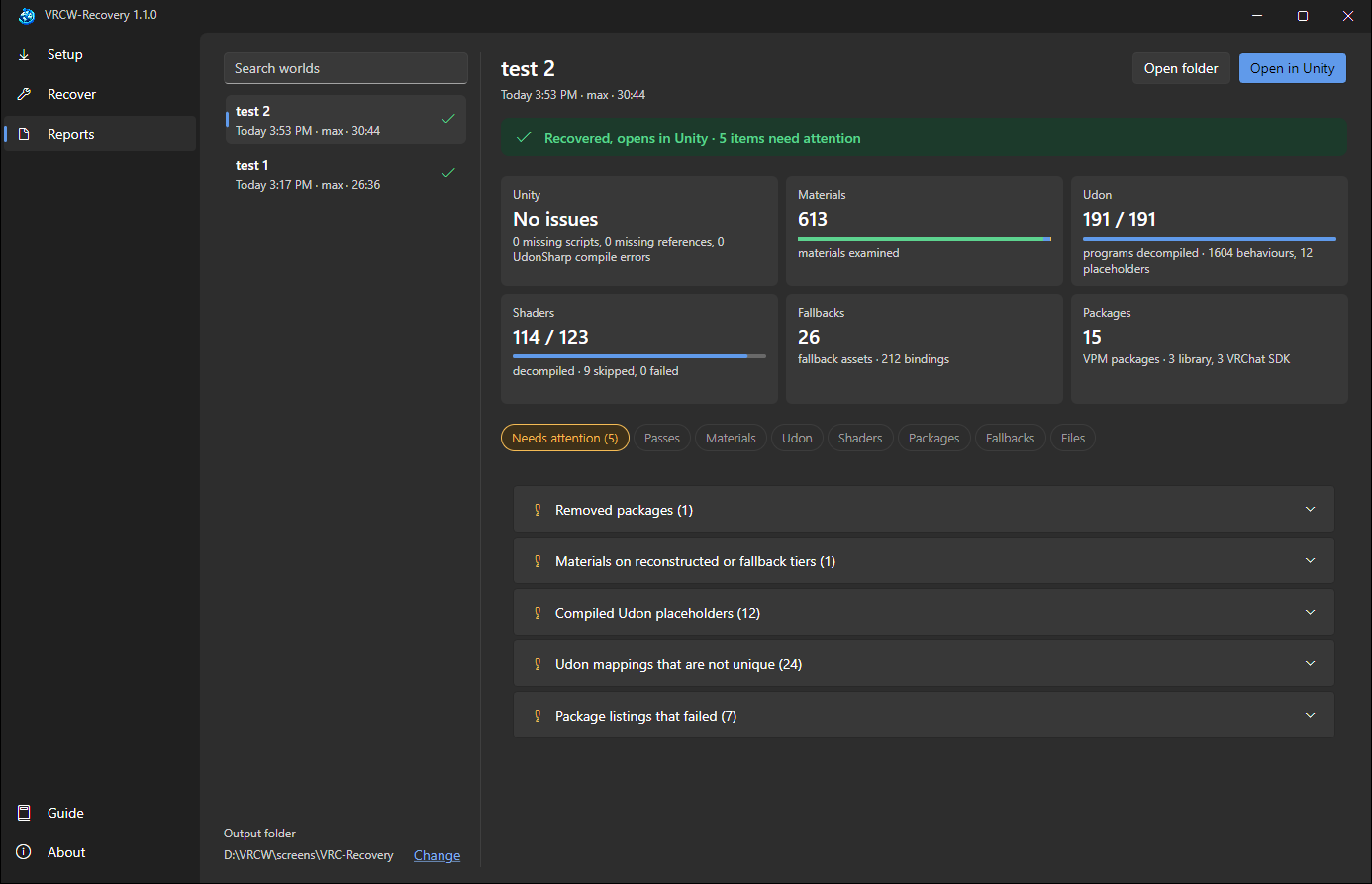
5. Reports: see what was restored and what needs attention. Each material is listed with how close its shader is to the original.
Tip: if the world uses paid shaders or Booth packages you own, put them in one folder and add it under Libraries. The app checks each one against the world and uses only what the world really used, so you get the real shaders instead of rebuilt ones.
Good to know
Only recover worlds you own or are authorized to inspect. You're responsible for what you do with recovered content.
Read
RECOVERY-AUDIT.mdin the recovered project before you publish anything. It lists what was rebuilt, approximated or left out.The app doesn't check for updates, and links open only when you click them.
VRCW-Recovery is not affiliated with or endorsed by VRChat Inc., and is provided as is, without warranty.