

If helping an aging parent has quietly turned you into the person who has to remember everything, here’s a look inside the system designed to take some of that information out of your head and put it somewhere usable.
 Hello, dear ones,
I don’t want you to have to buy a family care organizer based on a cover and a list of promises.
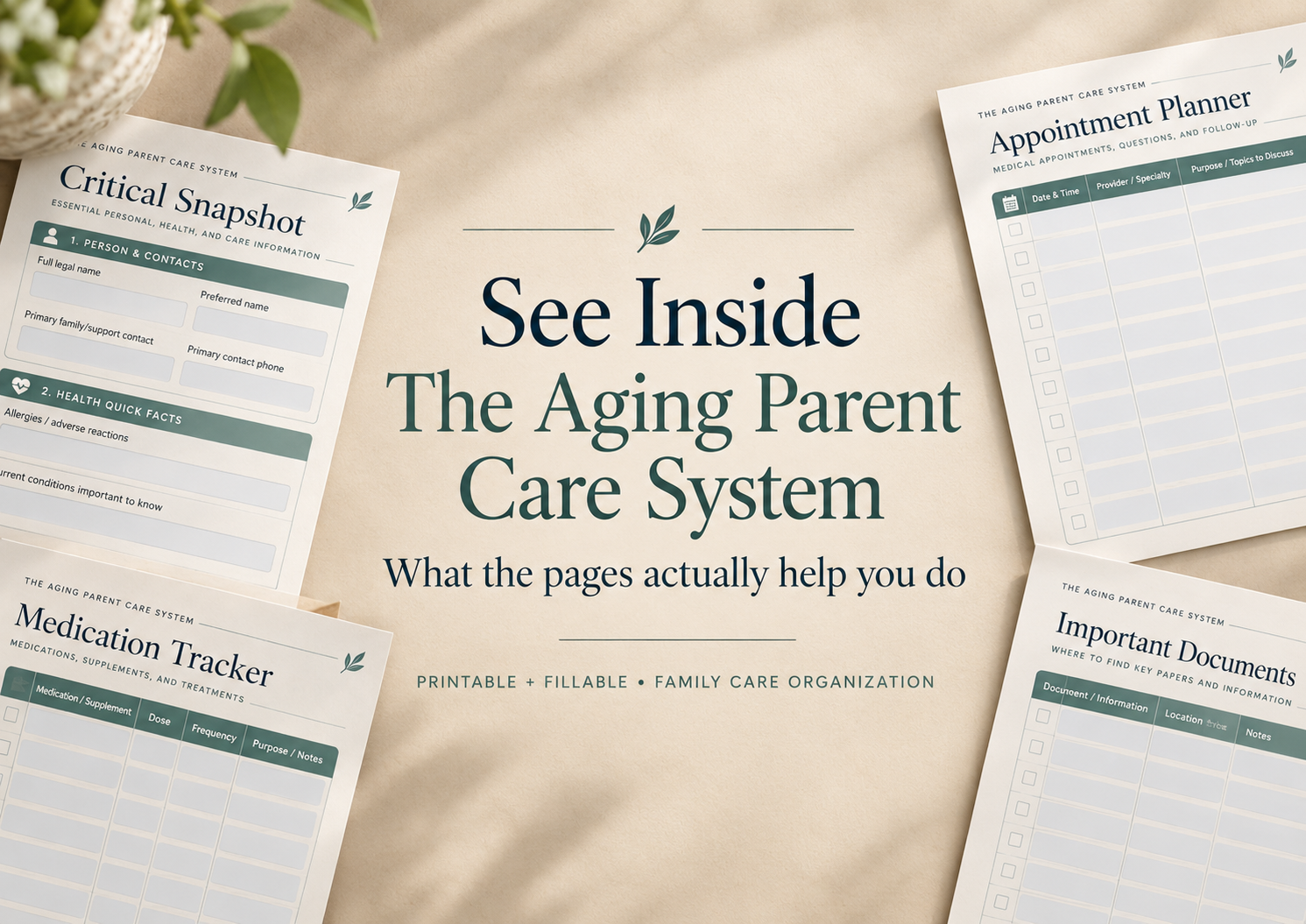
So today, I’m opening up The Aging Parent Care System and showing you some of the actual pages — and, more importantly, what each one is there to solve.
The system follows one simple idea:
START → MAINTAIN → HAND OFF
You don’t need to complete everything at once.
You start with the information that matters most, build the rest when it becomes useful, and keep the essentials clear enough that another trusted person can understand what is happening if they ever need to step in.
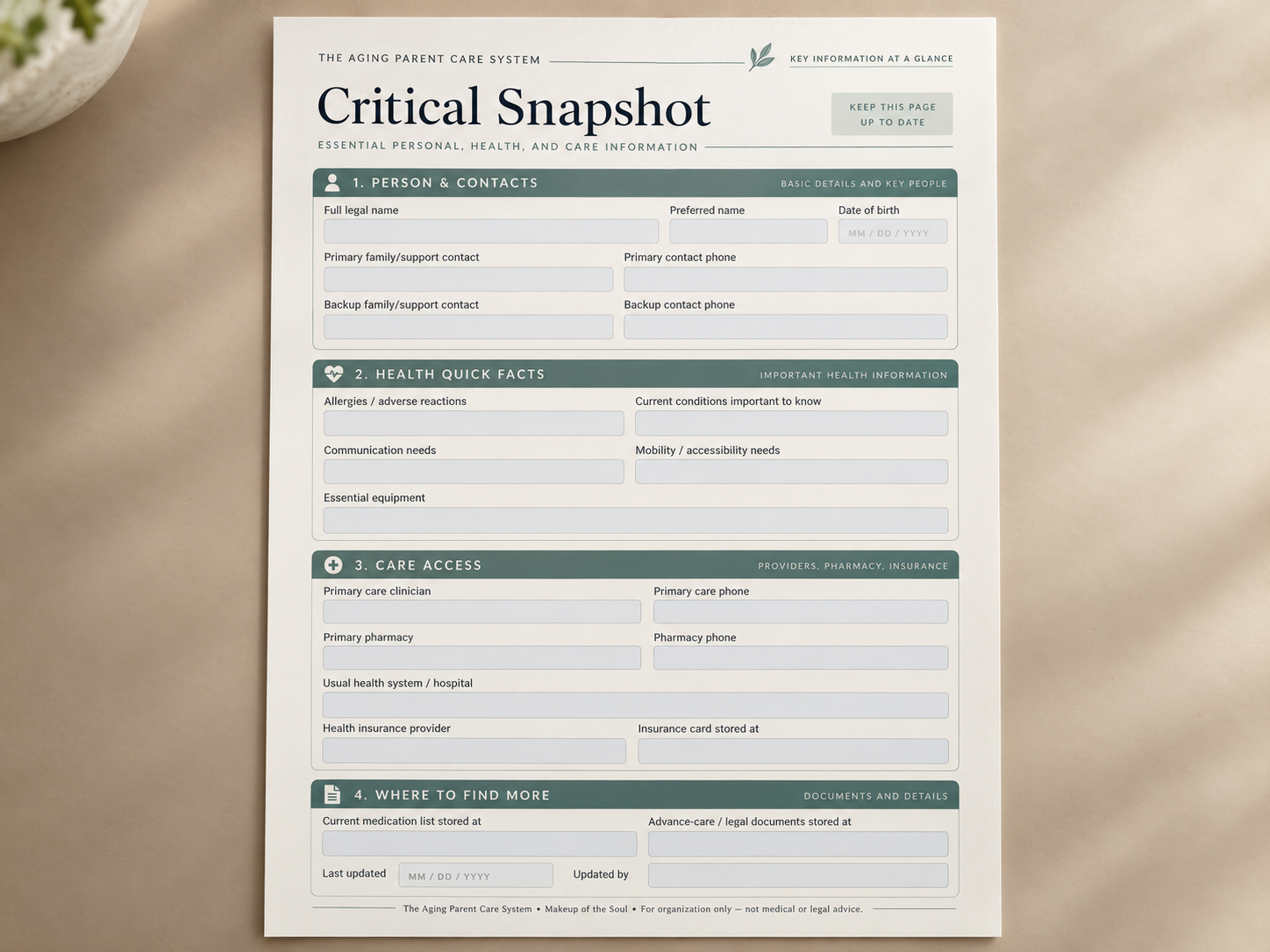
1. Critical Snapshot
This is one of the first pages I would complete.
It brings important information into one quick-reference place: key family contacts, allergies and documented conditions, communication or mobility needs, primary care information, pharmacy, insurance location, medication-list location and important-document locations.
Instead of hunting through messages, folders and pieces of paper, you have one place to start.
2. Current Medications
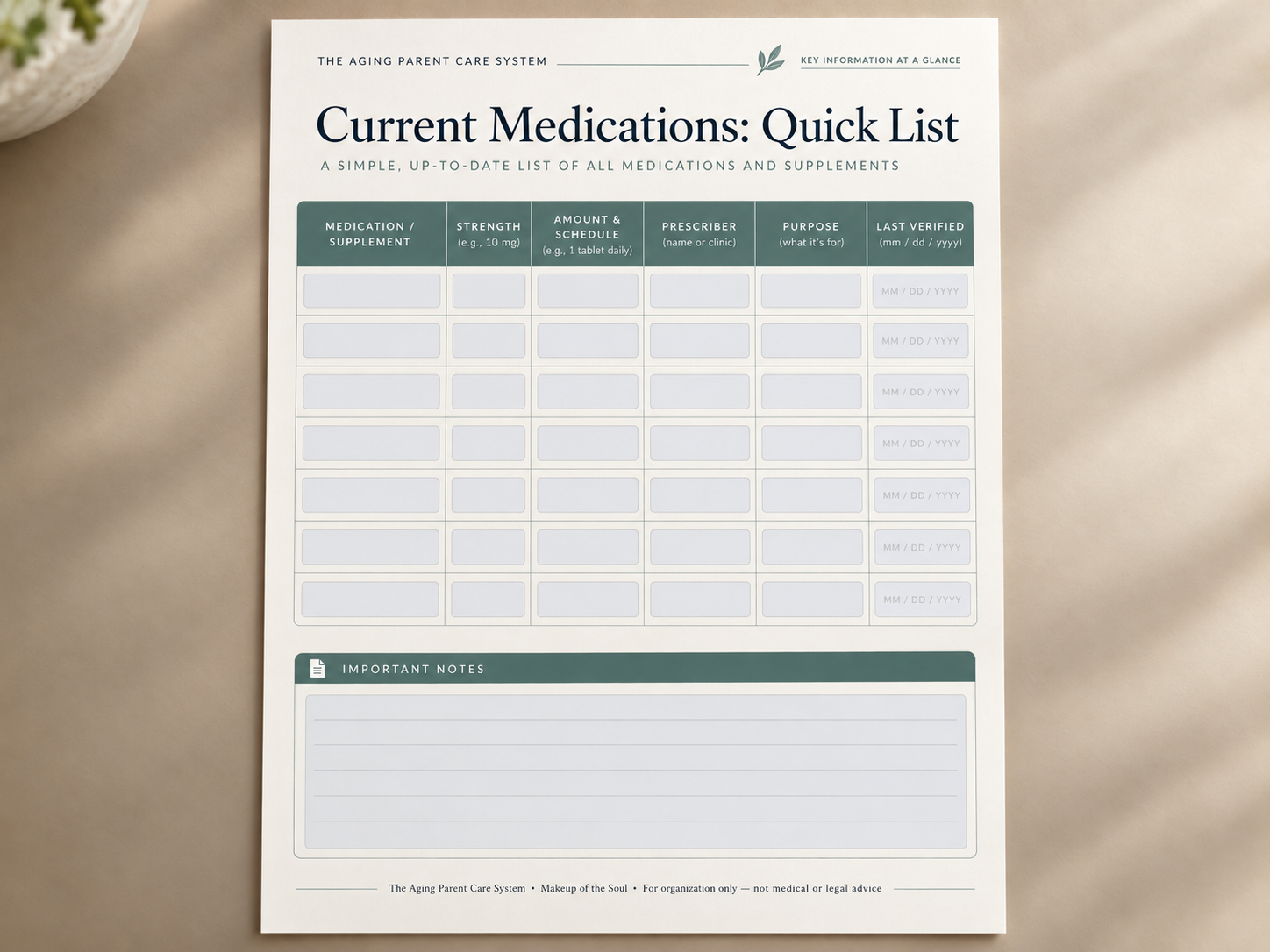
Medication information can change, so a list is only useful if it is current.
This page gives you a simple quick-reference view of medications and supplements, including strength, schedule, prescriber, purpose and when the information was last checked.
It is not there to give medication advice.
Its job is much simpler: help the family keep current information easier to find and easier to bring to the right conversation.
The system intentionally separates this quick-access page from the more detailed Medication Master List so you can have both speed and context without trying to cram everything onto one form.
3. Appointment Prep
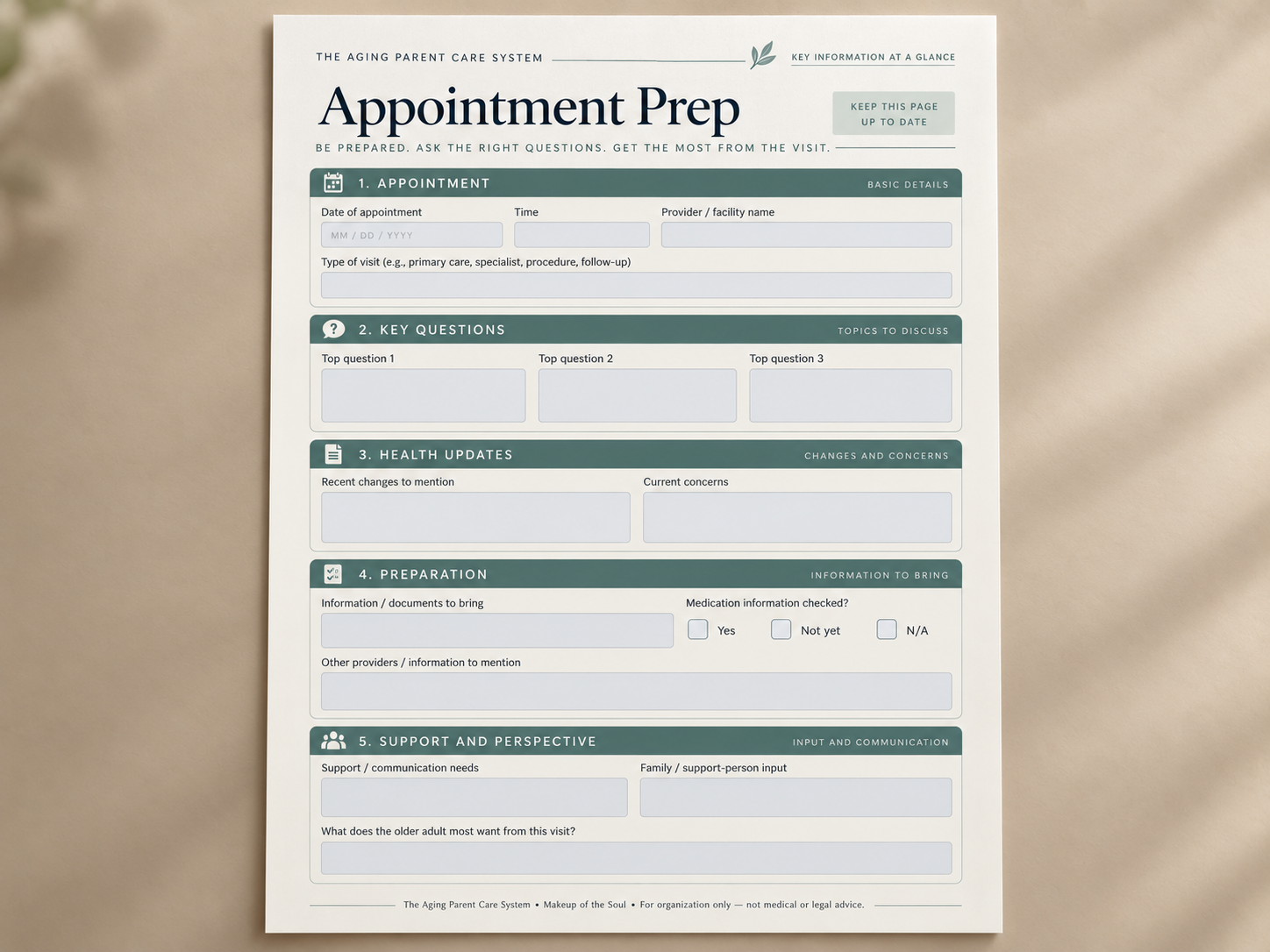
Appointments can create their own little cloud of questions, recent changes, paperwork and things you meant to mention.
This page gives those details somewhere to go before the visit.
You can collect:
the main reason for the appointment
your top three questions
recent changes
current concerns
information or documents to bring
communication or support needs
what the older adult most wants addressed
The system then carries that information forward through visit notes, follow-up actions, tests or referrals and appointment history instead of letting everything disappear into another notebook or phone note.
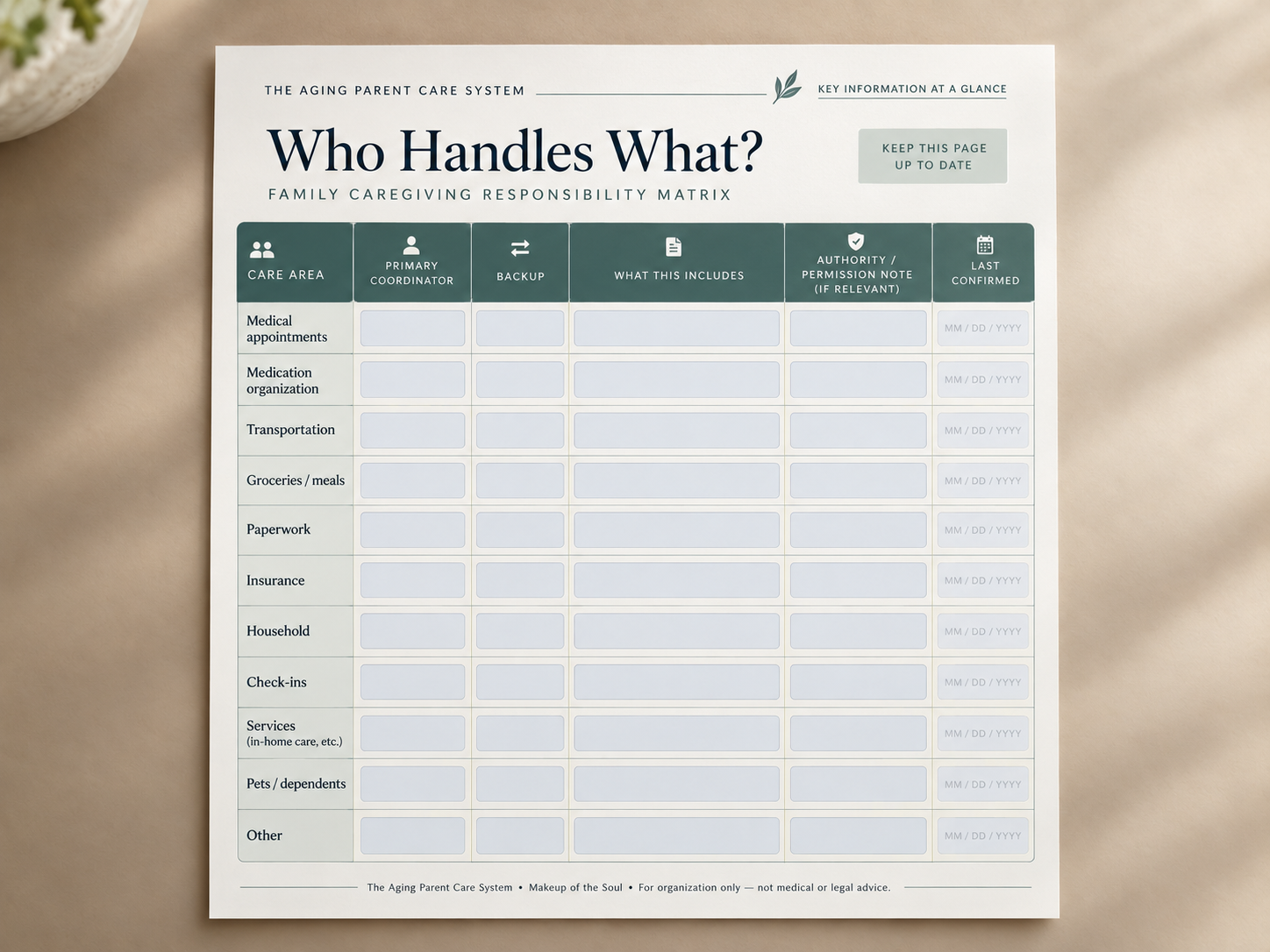
4. Who Handles What?
This may be one of the most useful pages in the whole system.
Because family care rarely becomes overwhelming all at once.
One person starts handling appointments.
Then prescriptions.
Then insurance.
Then paperwork.
Then transportation.
And eventually everyone simply assumes that person “knows.”
This page makes the invisible work visible.
For each care area, you can see who currently coordinates it, who can act as backup and what that responsibility actually includes.
That clarity matters because a vague “my sister handles the medical stuff” is very different from knowing exactly who schedules appointments, who follows up and who can step in if she is unavailable.
5. Important Documents Map
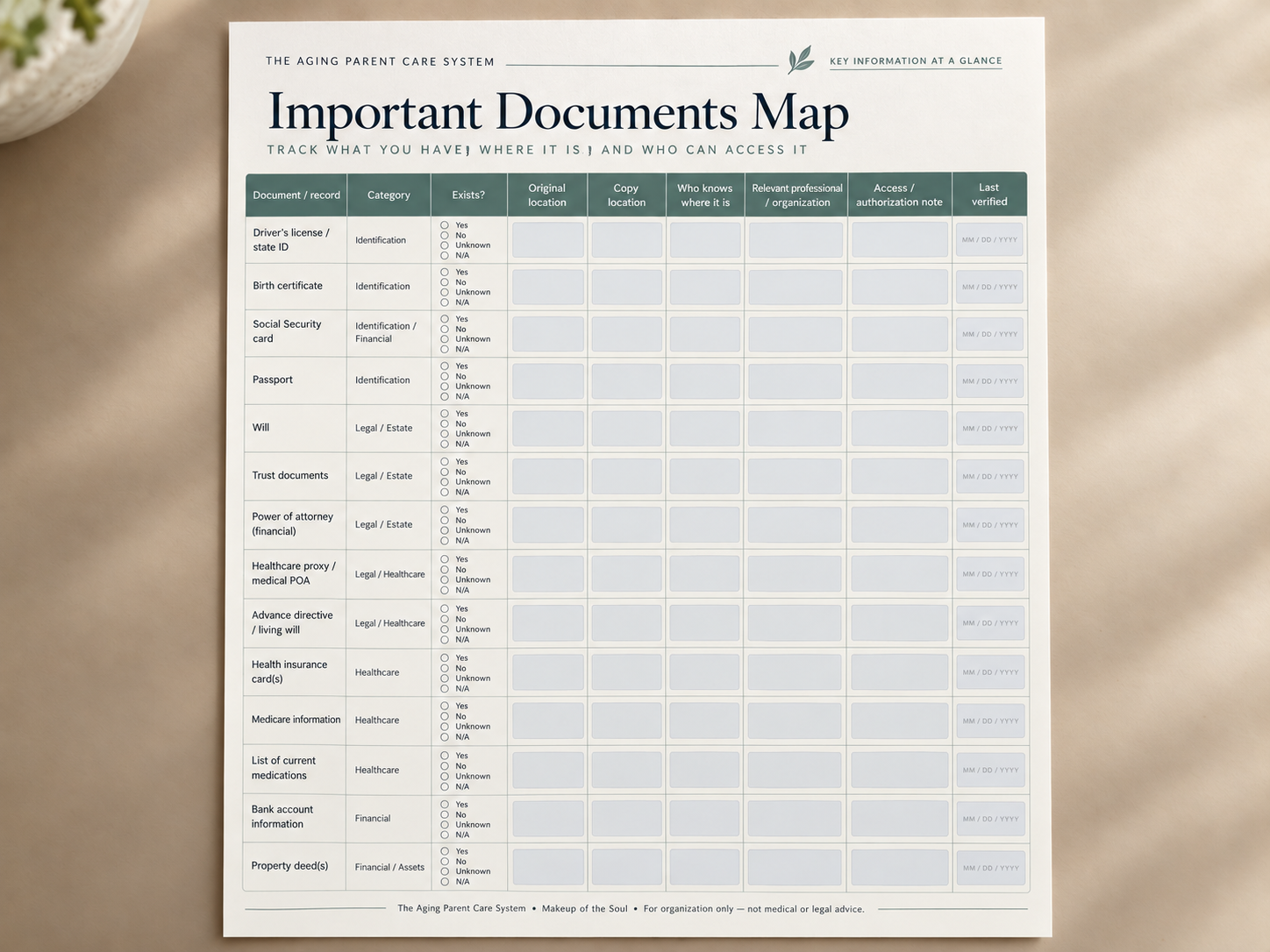
You do not necessarily need every important record copied into one giant binder.
But someone should know:
Does it exist?
Where is the original?
Where is the copy?
Who knows where it is?
Who is the relevant professional or organization?
When was the information last checked?
That is what this page does.
It creates a map of important records without asking you to duplicate sensitive information unnecessarily.
The goal is not to collect more data.
The goal is to make important information findable.
6. Temporary Care Handoff / What Changed Recently?
This is where the system becomes more than a collection of forms.
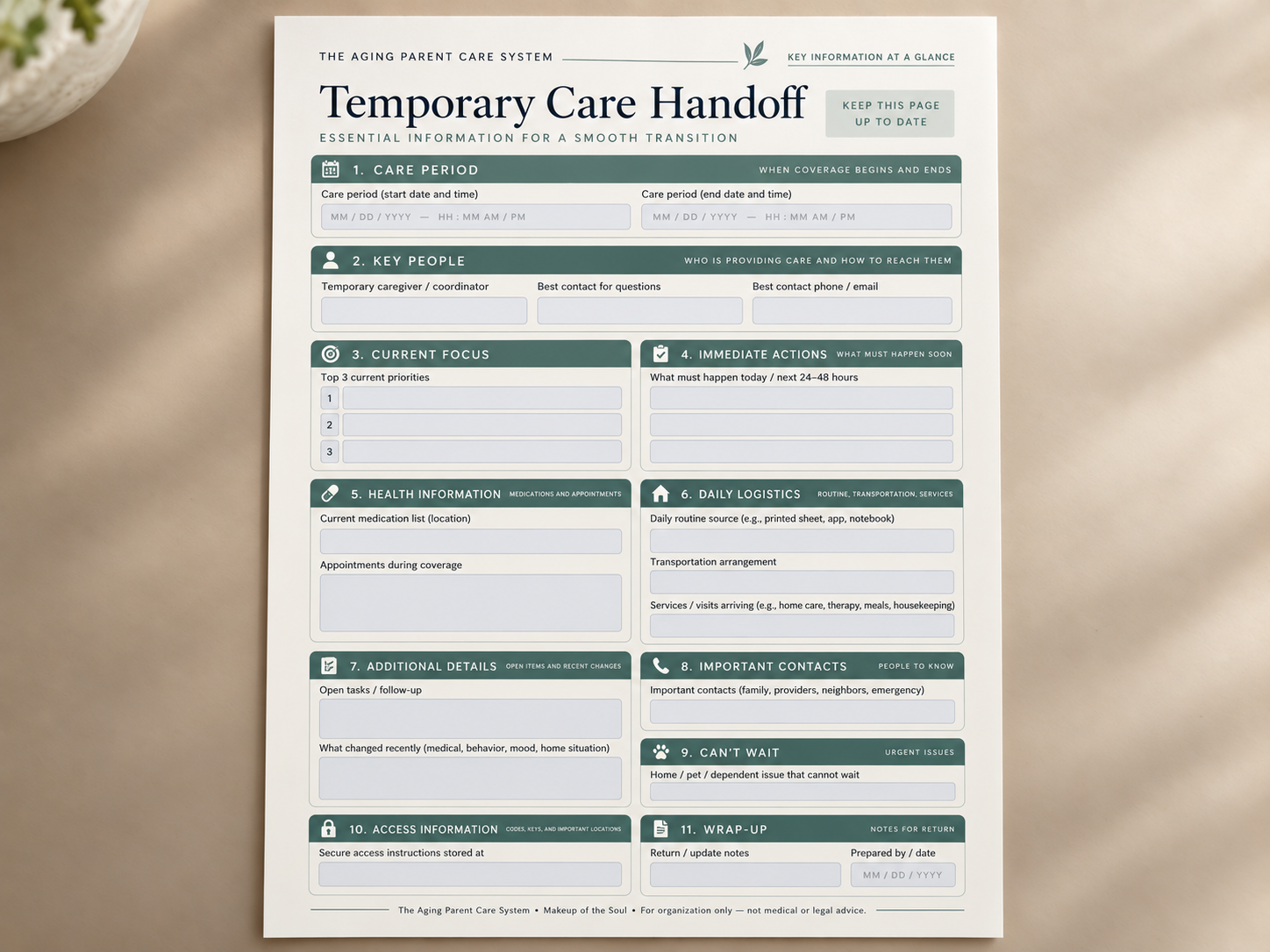
If another trusted person needs to step in for a day, a weekend or a few weeks, they should not need an hour-long briefing and twenty text messages before they understand what is happening.
The handoff page brings together the practical things that matter during that period:
current priorities
what needs to happen soon
where the medication list is
appointments during the coverage period
transportation
open tasks
important contacts
recent changes
services arriving
household or pet issues that cannot wait
It doesn’t try to reproduce the entire binder.
It gives the next person enough context to find their footing quickly.
7. Keeping the system current
A beautifully completed organizer is not very useful if the information inside it slowly becomes outdated.
That is why MAINTAIN is a real part of this system, not just a word on the cover.
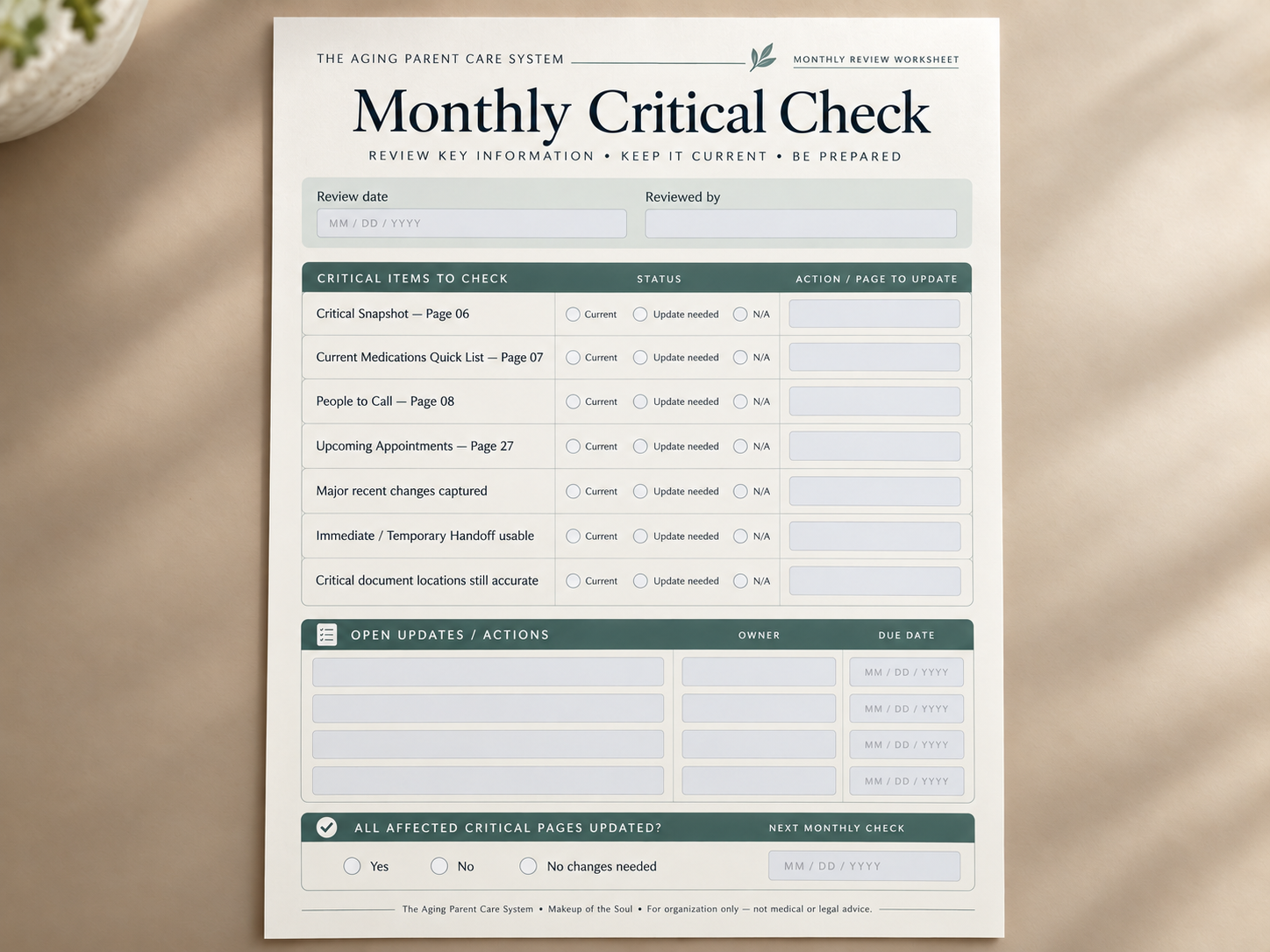
The Monthly Critical Check helps you quickly review the pages people are most likely to rely on first:
Critical Snapshot
current medication list
key contacts
upcoming appointments
major recent changes
handoff information
critical document locations
And if something important changes before the monthly review, you update it then — you do not wait for the checklist. The monthly rhythm is simply an organizational reminder, not a medical schedule.
You Don’t Have to Organize Everything at Once
That was one of the most important decisions behind this system.
Start with the critical layer.
Move the information that is currently scattered between your memory, your phone, messages, folders and scraps of paper into one clearer place.
Then build from there.
The full Aging Parent Care System is available in printable and fillable formats, with both US Letter and A4 versions, plus a standalone Critical Snapshot and reusable forms for pages you may need more than once.
It was designed to help you know;
what matters;
what to complete first;
where information belongs;
what needs to stay current;
who is handling what;
and how another person can step in without starting from zero.
The Aging Parent Care System — $24
And if you’d rather try the approach before buying the complete system:
🌿 Start with the FREE Aging Parent Care Quick Start Pack
It gives you five essential areas to organize first, so you can see whether this way of working feels useful for your family.
👉 GET THE FREE QUICK START PACK
PS. The Aging Parent Care System is an organizational resource only. It does not provide medical, legal, financial or emergency advice or replace qualified professionals or emergency services.
With warmth,
Tamara
Makeup of the Soul ✨