

Building a DIY NAS can save money compared with buying a prebuilt system, especially if you want 10GbE networking for fast file transfers. The problem is that NAS appliances from established brands such as Synology and QNAP with built-in 10GbE connectivity can cost hundreds of dollars before you even add storage drives.
I found an interesting alternative on AliExpress, a compact Intel N100 NAS motherboard with a 10GbE port, 2 2.5GbE ports, 6 SATA connectors, and 2 M.2 NVMe slots. I paid approximately $245, with free shipping. After assembling the system and installing TrueNAS SCALE, I found that this inexpensive motherboard could serve as the foundation for a surprisingly capable home NAS.
Why I Bought an Intel N100 NAS Motherboard
I had been using a living room server around the clock as a file server after I stopped recording television. However, keeping a full computer running 24/7 consumes electricity, even when most of its resources sit idle.
A 40W system running continuously consumes approximately 350kWh of electricity per year. Depending on your local electricity rates, that can add up to a significant annual expense. A low-power NAS seemed like a reasonable alternative, particularly if I could build one with hardware that supports fast network transfers.
I started looking at commercial NAS systems, but models with 10GbE networking were considerably more expensive than I wanted to spend. That's when I turned to AliExpress and found a motherboard designed specifically for NAS and software-router builds.
The board combines an Intel N100 processor with multiple network interfaces and enough storage connections for a small home server. It also supports TrueNAS SCALE, making it an interesting option for anyone who wants ZFS storage, snapshots, replication, and containerized applications without purchasing a complete NAS appliance.
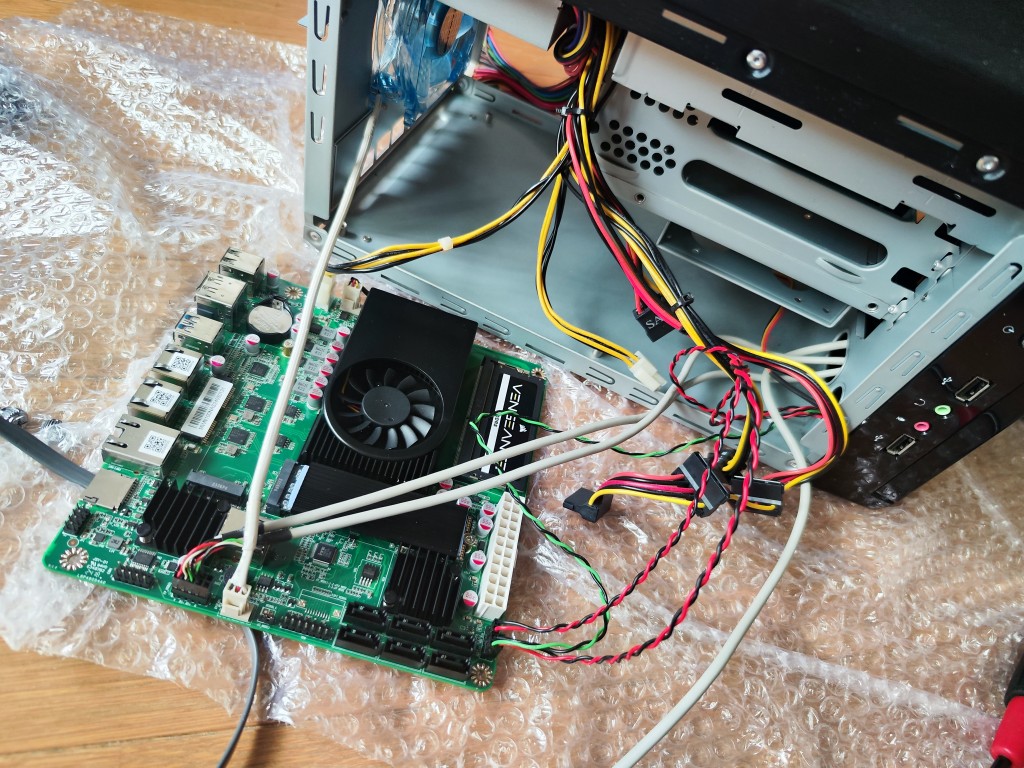
Specifications
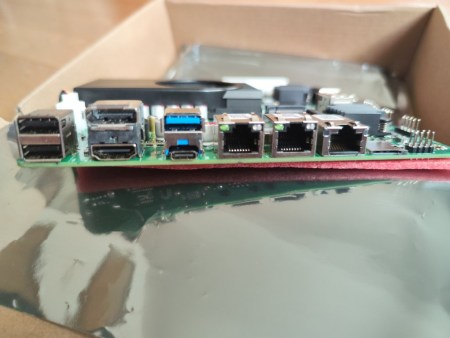
The motherboard I purchased is advertised as a 6 bay NAS motherboard with three Ethernet ports. Its compact design makes it suitable for small NAS enclosures and other space-constrained home server builds.
The main specifications are:
Processor: Intel N100, a 4 core/4 thread processor with integrated graphics
Networking: One 10GbE port and 2 2.5GbE ports
10GbE controller: Marvell AQC113C
2.5GbE controllers: Intel I226-V
Memory: One DDR5 SO-DIMM slot supporting DDR5-4800, with up to 32GB advertised
SATA storage: 6 SATA 3.0 ports
M.2 storage: 2 M.2 NVMe slots
Additional storage: One microSD card slot
External connectivity: HDMI, DisplayPort, USB-A, and USB-C
Internal connectivity: Additional USB 2.0 headers, fan headers, COM1, and TPM pins
The Intel N100 is a low-power processor designed for compact systems. Its integrated graphics and four CPU cores are sufficient for many home server tasks, including file sharing, backups, and lightweight applications. Its capabilities for virtualization and more demanding workloads depend on how much memory you install and how heavily you load the system.
The three Ethernet ports are the board's main selling point. The 10GbE connection offers a theoretical link speed of 10,000Mbps, while the two 2.5GbE ports provide additional connectivity for a router, another server, or a separate network.
The board also offers 6 SATA ports and 2 M.2 slots, giving you flexibility when choosing between hard drives and SSDs. However, the advertised six-bay capability refers to the motherboard's storage connectivity. You'll still need a suitable enclosure, power supply, and drive mounting hardware to build a complete NAS.
One detail I wanted to investigate was the Marvell AQC113C 10GbE controller. I had concerns about reports involving older Marvell networking chips, so I was interested to see how this controller would behave in a real installation.
Installing Memory and Preparing the Hardware
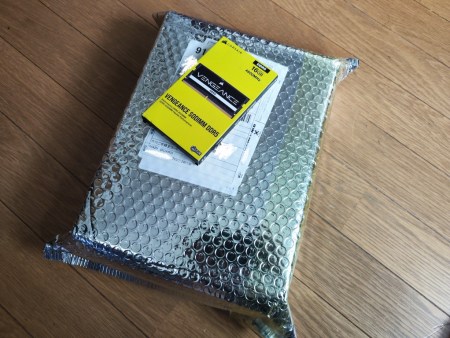
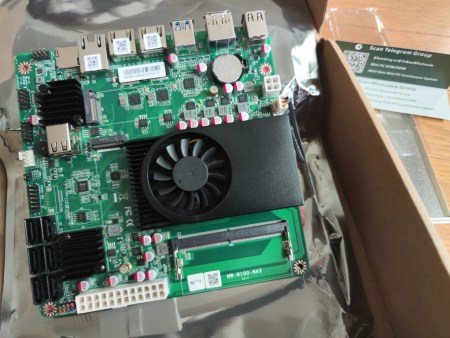
The motherboard arrived in a shiny protective package. The box contained the motherboard, an unbranded rear I/O shield, and a few paper inserts.
For memory, I purchased a 16GB Corsair Vengeance DDR5-4800 SO-DIMM, model CMSX16GX5M1A4800C40. I chose 16GB because I wanted to experiment with TrueNAS SCALE applications and virtual machines. Although that capacity is sufficient for many basic NAS configurations, memory requirements depend on the number of services and workloads you intend to run.
The use of DDR5 is worth noting when budgeting for this build. Memory costs can make a difference when comparing inexpensive NAS motherboards, so verify the required memory type before buying. This particular board uses DDR5 SO-DIMM memory rather than desktop DIMMs.
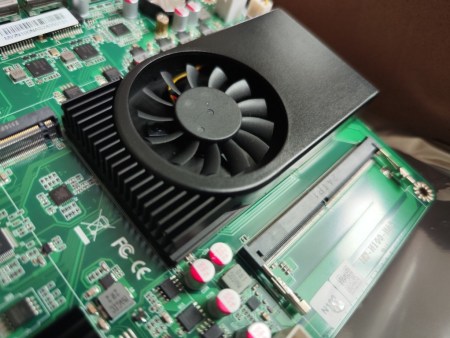
The motherboard has a compact heatsink covering several components. The 10GbE controller appears to be beneath one section, while a SATA controller occupies another area. The board also includes fan headers and internal connections for additional hardware.
Its integrated CPU cooling solution is fixed in place and produced very little noise during my initial testing. That makes the board appealing for a system intended to remain powered on throughout the day.
The two M.2 slots provide additional flexibility. Depending on your storage layout, you could use NVMe SSDs for primary storage, applications, or other workloads while reserving SATA ports for hard drives.
Reusing an Old Mini-ITX Case
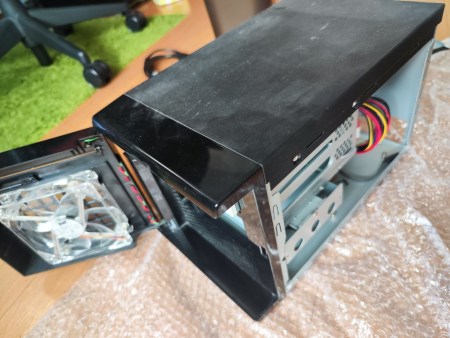
Fortunately, I still had a Mini-ITX enclosure that I bought during Covid. It had been sitting unused for years, but its compact cube design and integrated power supply made it suitable for this project.
The case is particularly useful for a NAS because it has 2 3.5-inch hot-swap drive bays. Hot-swap support depends on the enclosure's backplane and power connections, so you should verify those details when assembling a similar system.
The enclosure was covered in years of dust, and the blue LED fan looked dated. However, I was glad to find a use for hardware I already owned rather than purchasing a completely new case.
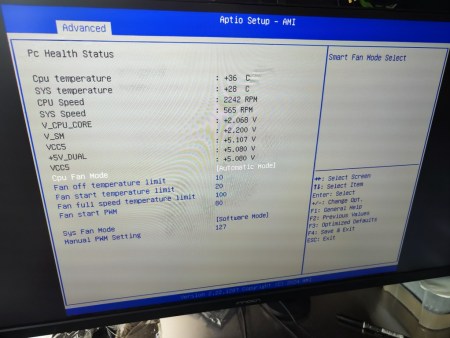
I assembled the system in a temporary setup and entered the motherboard's AMI BIOS. The firmware exposed a range of configuration options, including processor-related settings.
One setting appeared to impose a power limit on the Intel N100. I experimented with the available options because the default configuration seemed to throttle the processor under load. Before changing power limits on a similar board, monitor CPU temperatures and stability. Removing a limit can increase power consumption and heat output, and it should not be treated as a universal fix for thermal throttling.
Installing TrueNAS SCALE on the NAS
For the operating system, I chose TrueNAS SCALE, a Linux-based storage platform designed for NAS deployments. It uses OpenZFS for storage management and also supports applications and virtualization features, depending on the release and configuration.
I wanted to explore these features without spending a large amount on a commercial NAS appliance. The motherboard's combination of SATA ports, NVMe storage, and Ethernet connectivity seemed well suited to the project.
The installation process itself was straightforward. I followed the console menu, selected the installation target, and completed the setup. After restarting, the system displayed the console configuration menu.
From there, I opened the IP address shown on the NAS using a browser on another computer. This brought up the TrueNAS web interface, where I could manage the server without connecting a monitor and keyboard for routine administration.
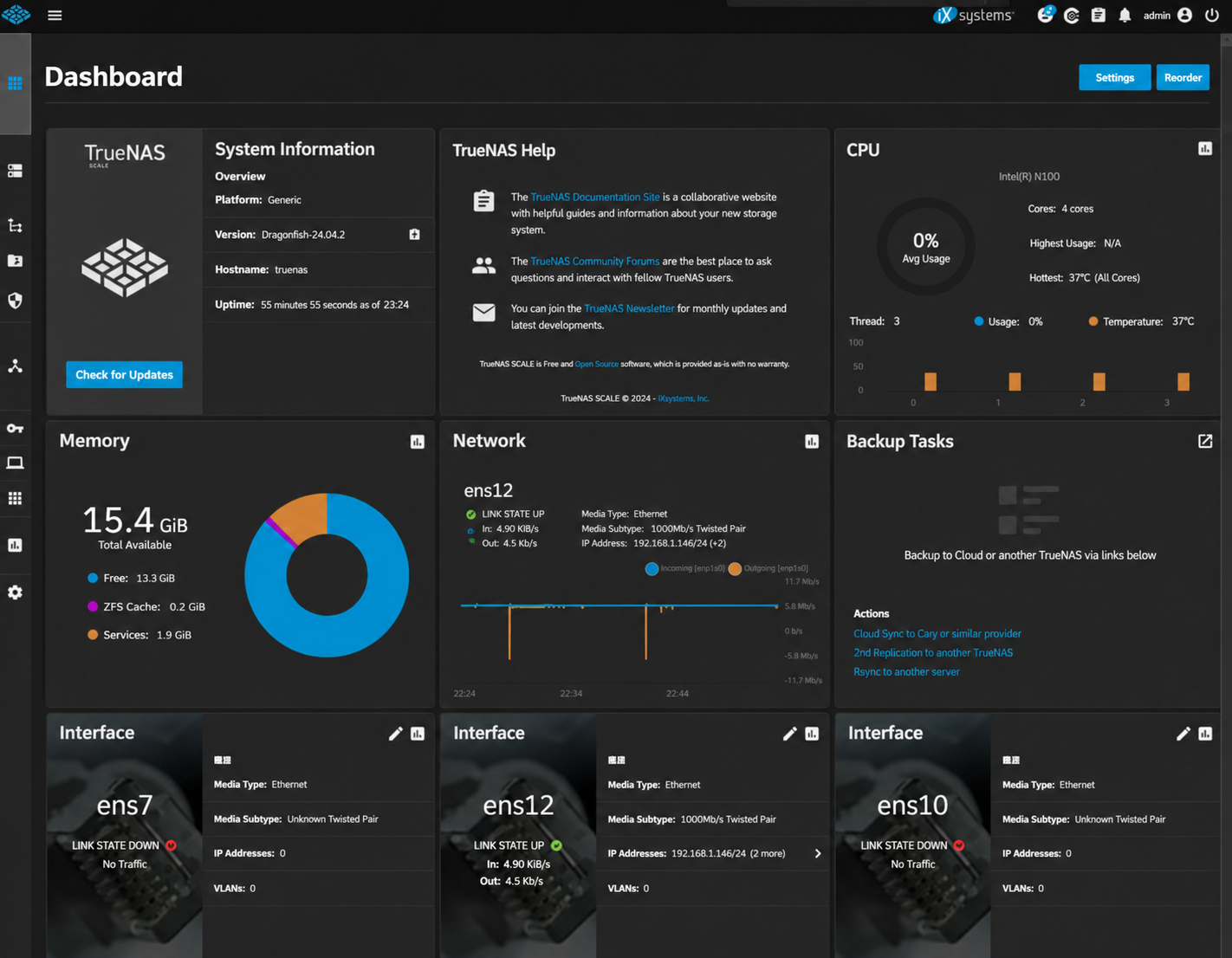
The dashboard displayed processor temperature, memory usage, and network interfaces. I could also see that the system had detected three network interfaces, with one reporting a link speed of 10,000Mbps.
That was an encouraging initial result. The 10GbE interface was recognized correctly, and the motherboard appeared ready for further storage and networking tests.
My NAS Storage Configuration
For this build, I planned to combine NVMe SSDs for primary storage with two existing hard drives for additional storage and backups.
The configuration consisted of:
Primary SSD 1: Samsung 980 PRO 2TB NVMe SSD
Primary SSD 2: Hanye 2TB NVMe SSD
Hard drive 1: Seagate 6TB ST6000DM003-2CY186
Hard drive 2: Seagate 6TB ST6000DM003-2CY186
The 2 NVMe drives provide ample capacity for frequently accessed files and other workloads. The SATA hard drives offer additional storage, although their differing capacities and intended roles need to be considered when planning redundancy.
Is This Budget 10GbE NAS Motherboard Worth Buying?
This motherboard offers an appealing combination of low-power processing, 10GbE networking, dual 2.5GbE ports, 6 SATA connections, and 2 M.2 slots. At approximately $245 before memory, storage, and any additional components, it provides an interesting starting point for a DIY NAS.
It is especially worth investigating if you already own suitable hard drives and a compatible enclosure. Reusing those components can reduce the overall cost considerably compared with buying a complete NAS system.
However, the motherboard is only one part of the budget. You will still need memory, storage, a case, and a power supply if those components aren't already available. You should also consider the reliability of the seller, warranty support, BIOS updates, and the compatibility of the networking controllers with your chosen operating system.
I haven't established long-term reliability or sustained 10GbE transfer performance from the initial setup alone. Those require additional testing under real workloads. A 10GbE link also won't automatically deliver 10Gbps of file-transfer performance, since SSD speeds, hard drives, CPU overhead, network configuration, and the client computer can all become bottlenecks. The next step is to configure storage properly, explore the available applications, and test how the system performs during actual file transfers.
If you're considering an affordable DIY NAS with 10GbE networking, this Intel N100 motherboard deserves a closer look. Just make sure you budget for the complete system and choose a storage layout that protects your data, not simply one that maximizes capacity.