

As we enter the fourth quarter of 2026, it is time for me to look back at September in my usual monthly round-up. A busy month at work with lots of demands on my time, another two-day migraine, and a number of weekend family commitments definitely impacted my planned blog post authoring time this month, but I have quite a few other things to share.
 ThoughtAsylum
It is just one post this month and it is about a Mac app I built … for my work PC. Concierge is an interactive dashboard I built with a good dose of AI development work, and the post is not so much about the app, but the process. My work PC is, rightly, quite locked down, and in my role I do not get local admin rights. This limits what I can do and sometimes getting something done with my Mac would really help - responsibly of course - I am not transferring sensitive corporate data to my personal devices!
Concierge is a Mac app that presents a web dashboard on my local network (only) that lets me tap into some of the functionality on my Mac. My favourite is undoubtedly a basic editor for Drafts that I can use in my browser on my work PC when I want to capture text and notes for something I come across at work. But I can also do things like get to my iPhone clipboard (thanks to Universal Clipboard) and trigger things like shell scripts, Apple Shortcuts, and Keyboard Maestro macros without having to connect across via SSH. It is all modular and even since writing the post I have added a number of other modules.
The whole framework nature of it has been a huge success for me, and in the post I provide some insights as to how I went about doing this and provide some suggestions of how you could do something similar.
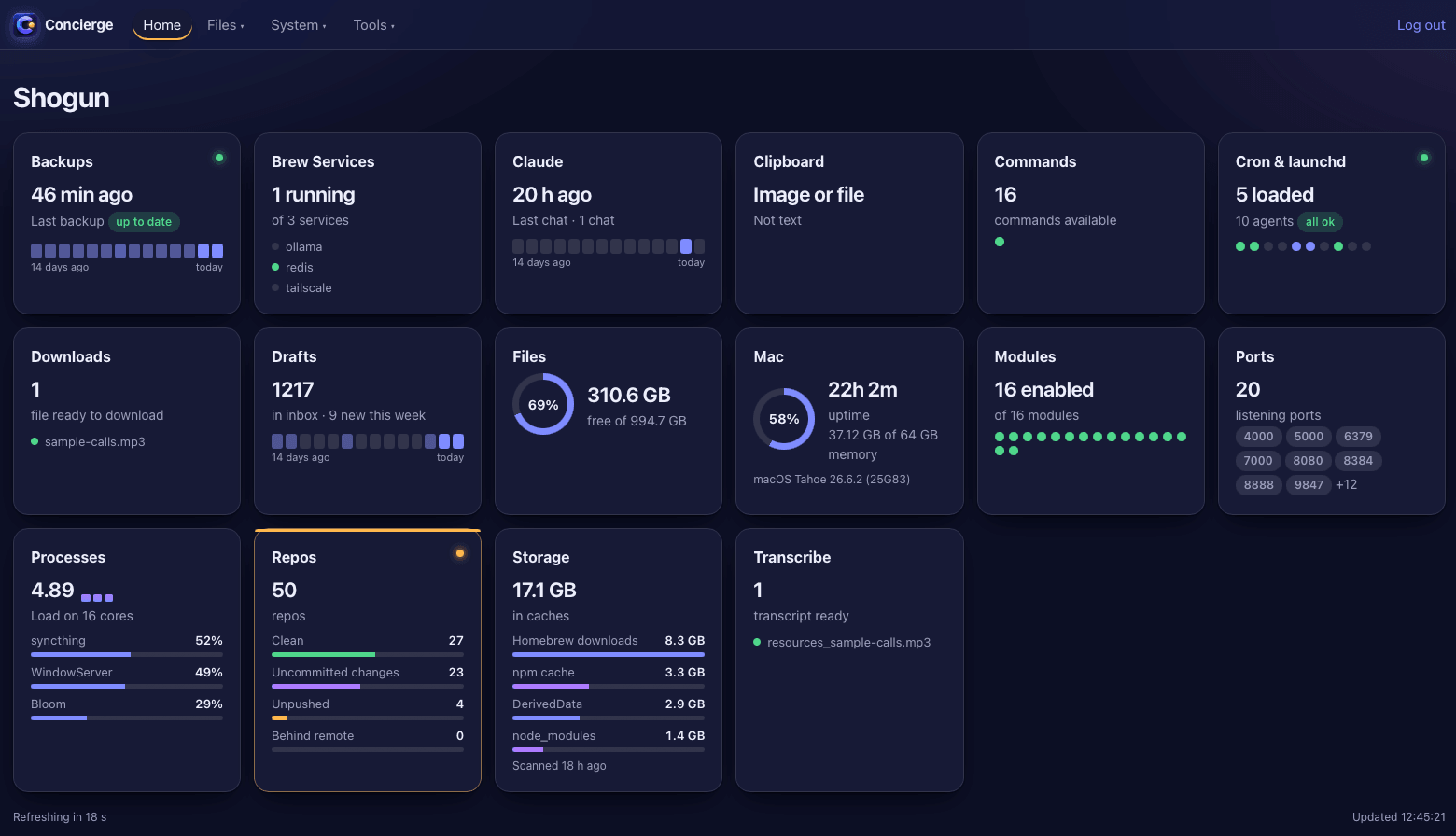 I have not published the Concierge app anywhere as I figured most people who might want something similar would probably build their own, but if it turns out not to be the case, and people let me know, I will certainly consider giving it some polish and making it available.
Forums
This month, I have only one forum post to call out, and unusually, the post was started by me….
Drafts
I posted a feature request to the Drafts forum for external AppleScript support for syntax/grammar. In building out the Concierge functionality, being able to set and change the syntax type was the only thing missing. I can work around it with a set of Drafts actions, but being able to set it programmatically and natively would be ideal.
Other
In terms of other things I have been working on this month, I have certainly been busy juggling a number of small and large projects.
Keyboard Maestro
This month I worked on a few interesting Keyboard Maestro-based enhancements.
A New Context Palette for File Management
I already utilise several conflict palettes in Keyboard Maestro, but this month I added another specifically for files in a couple of file managers. The reason for this is my Services menu for files is simply long and unruly. It is not because I have things in there I do not use, but because I have things in there that are useful and that I do not use often, and I am always wanting to add more. The Services menu does not recognise file types or even the difference between a file and a folder.
A conflict palette gives me a filterable option for this which as I build it out will give me a better interface to access these and other functions. With a bit of additional validation I can also tailor the palette based on what I have selected. I actually use a macro to trigger the conflict palette. It first enables and disables groups of macros based on the selection, which adds a little delay to the conflict palette appearance. It is also using different methods to get the selected items based on whether I am in Finder or Bloom.
 It is still a work in progress, but it has made me realise just how much Mac Services and Quick Actions could benefit from a consolidation and a rethink from a user interaction perspective.
A Macro to Reflow Text
Sometimes when running my Markdown through tools and pipelines they can get reformatted so that lines get broken up with hard newlines. I prefer just to toggle my editor word wrap when required, and the hard breaks tend to draw my eye when they should not. As a result I created a macro that reflows the text to a single line, but at the same time will respect actual paragraph breaks and a variety of Markdown regions such as code blocks and block quotes. It even deals with front matter.
Like with many of the more complex macros I have, it is dependent on a shell script to do all the heavy lifting, and a subroutine to get the text (you can find the details for that in this blog post) to reflow in the first place.
Supernote
After purchasing a Supernote Manta last month, I have been using it daily. I have also spent more than a little time getting some tooling and workflows in place to let me tap into its potential more easily.
Private Cloud Upload Client
As I mentioned in last month’s post, I am using the Private Cloud sync integration, hosting on my Synology NAS in my home office. There is a simple web interface to the cloud client, but unfortunately no straightforward way to drop files onto my NAS and have the Private Cloud recognise and sync them to my device.
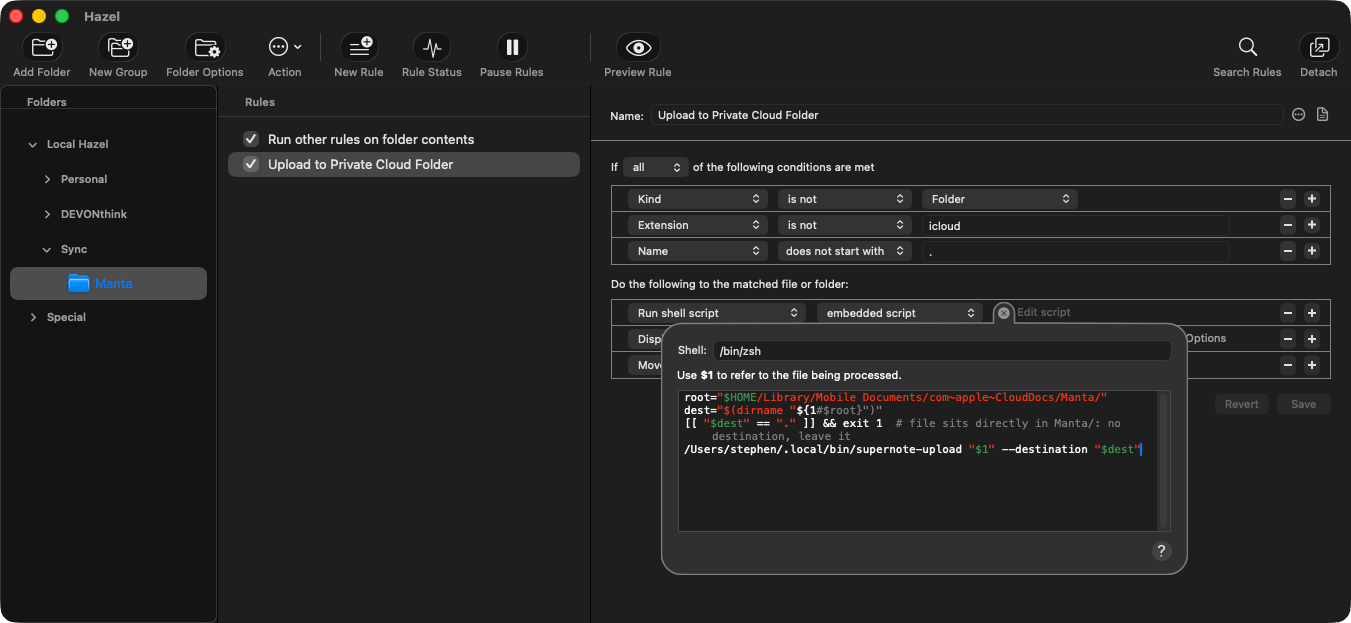
However, using some code and insights from some enterprising Supernote Private Cloud users I was able to put together a Mac command-line tool that lets me upload a file to my Private Cloud instance. It stores access details in Keychain and works across my local network to put the files in the desired location.
This allowed me to replicate the base folders in a ‘Manta’ folder in iCloud Drive, and with a few Hazel rules, any file I drop in gets synced up with my Manta via Private Cloud. This means I can share to folders, move downloads in there, or even the output from an Apple Shortcut.
 Supernote Content and Tools
As well as taking notes on my Manta daily, and syncing it to my NAS, I also created a few bits of content and put them up on the Supernote sharing system, Inkhub
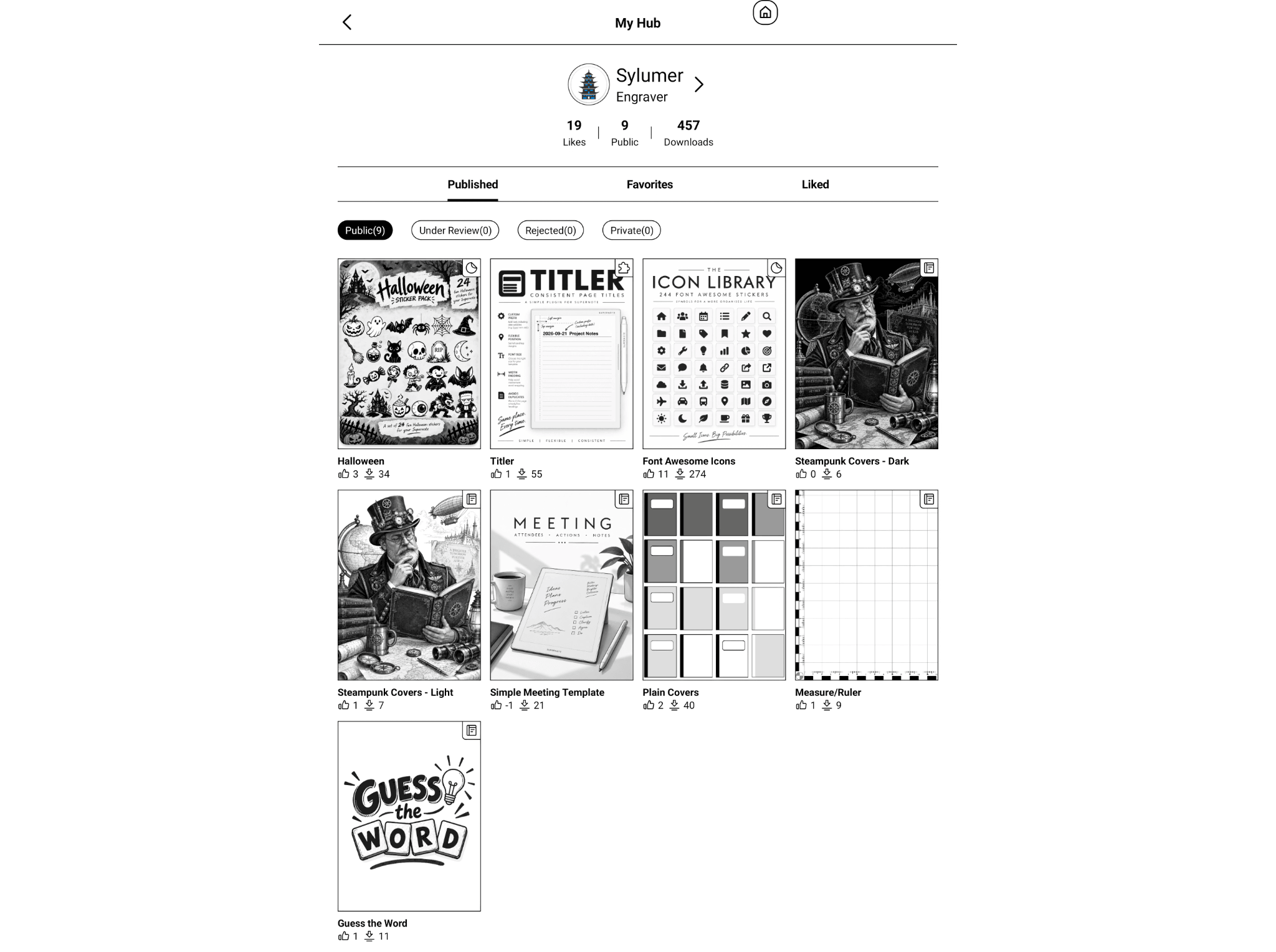 First of all there is a small set of word guessing (hangman) templates, some notebook covers - plain and some Steampunk (light and dark), a ruler template (useful for small, light photography and metric measurements), and a very simple meeting template I have started using for work.
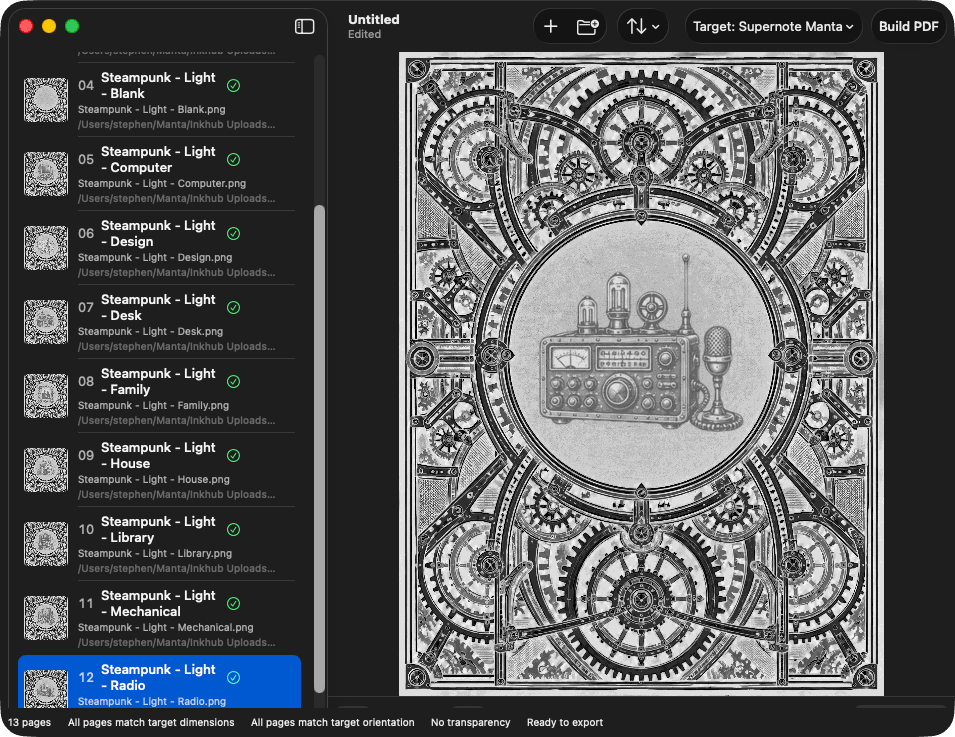
To help me put together the templates I ended up developing a few tools. One was a command-line tool to greyscale any images to be compact (and so fast) on the Supernote devices, even when the images may be quite intricate. The second was a quick graphical utility (called PageForge) to help me visually maintain an order of images and be able to automatically size them and output them either at their own size or sized specifically for the Supernote Manta.
 I also published a couple of Supernote sticker sets. One based on the incredible Font Awesome icon library (I used their CC license of course and made sure they were clearly credited), and one on some fun Halloween pictures. As you might imagine from the Font Awesome icons, these sticker packs were not drawn by hand. Instead I put together a tool that converts a folder of SVG or PNG based graphics into a Supernote compatible sticker pack. There are a few settings I have to experiment with to get the right balance each time of quality and size (which also impacts speed), and not all my packs have been publishable, but this makes the process a lot more accessible to someone like me.
Lastly, I also created a Supernote plugin. Plugins are not in the mainstream and only in beta - I made a request to Supernote to get my device added to the beta list, and it was worth it for just one or two of the plugins that are already out there. The beta does come with risk, and I have hit a couple of issues I had to deal with, but for me, it is good.
The plugin I created is called “Titler”, and allows me to quickly title pages for my work. It was created to work with my meeting template, but you can configure it to work for any template you like. When you activate it, it allows you to enter (type or write) a title for your note. It then places this at a particular position you specify on the page and marks it as a level one heading. It is also able to prefix your heading with text or a date in a customisable format. I have all my titles prefixed by a date stamp and a space. As usual, I had an itch to scratch.
If you are a Supernote user, just search for me, “sylumer” on Inkhub, and you can grab copies of my stuff. There are more in the pipeline, but they need some more polish before they are ready to share out to the public. If I can get my tooling dialled in a bit more, I suspect there will also be some blog posts and sharing around those too.
Slink
I have an Alfred workflow for Brett Terpstra’s Search Link utility. It allows me to select some text, carry out a search, and replace the text with a Markdown link to a relevant page online. Most of the time, I am careful in my phrasing and Search Link will be able to find the ideal match. My workflow, Slink, importantly gives me a way to trigger the utility via a keyboard shortcut and to allow me to specify links for common entries I want to link - including ones where the terms are so generic as to be unable to be easily matched by Search Link.
The updates to this release include some typographic corrections and a bug I bumped into. I have not built in my usual workflow extras just yet, but given I found a bug I wanted to prioritise getting a fix out. This one is a manual update for any existing users, and if you are not an existing user, but you do use Markdown, get your hands on this utility and workflow sooner rather than later. It makes writing and linking so much faster.
Another Obsidian Vault For A Podcast
Following on from the MPU Obsidian Vault, I duplicated my pipeline and set up a new vault this month for the Intentional AI Podcast, so you can now also get your hands on the IAI Obsidian Vault.
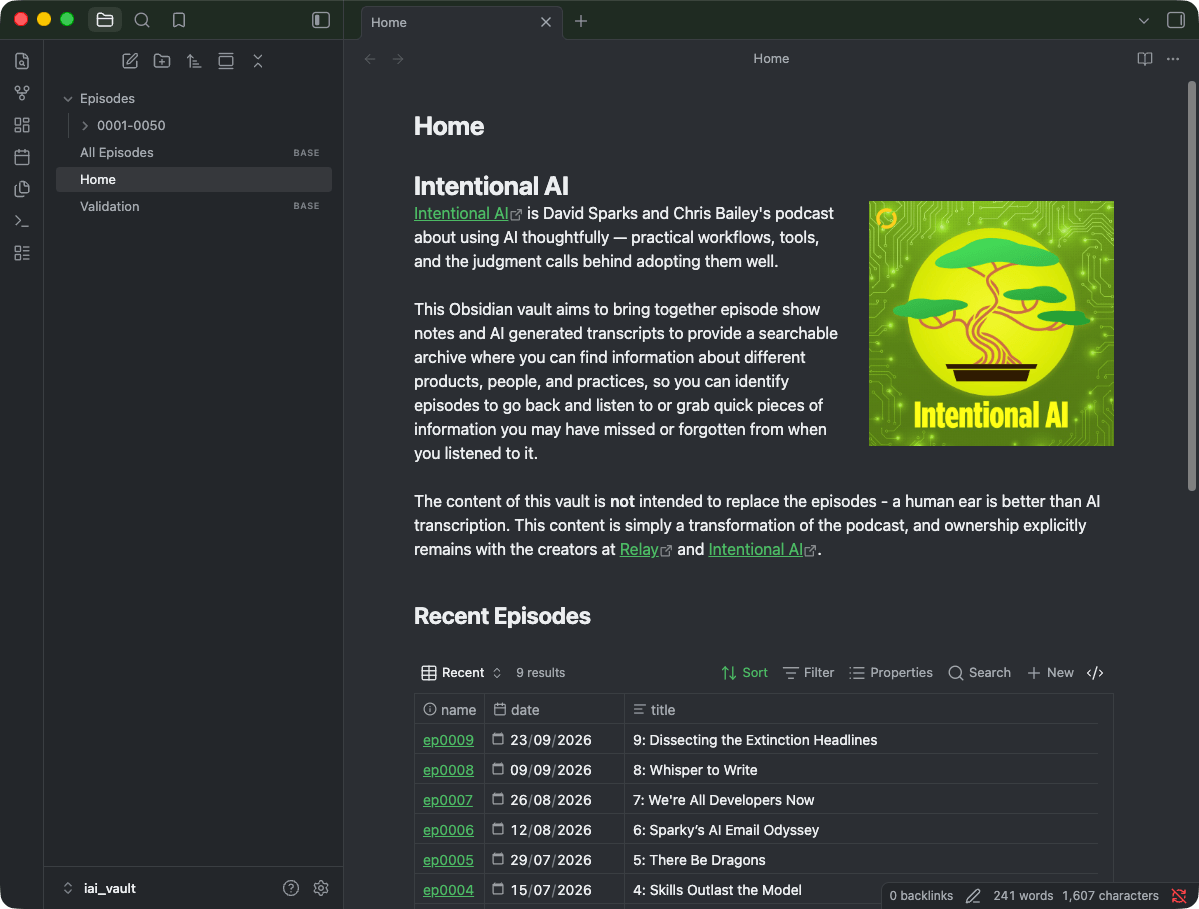 It does not have the depth of the MPU or the Automators vault just yet, but this is only because this podcast is relatively new.
Mystery App
There are a few other apps floating around in various states of completion, but there is one little application that continues to consume a good chunk of my available time. I am hoping I can get it out before the end of the year, but as I have noted in recent months, it requires a bit of extra effort from me to create resources for it. This is resources for the application to use, and documentation resources to help people get the best they can from it.
I made good progress this month, but there is still a lot that remains and I have my work cut out for me if I am going to hit my end-of-year deadline, and have the quality where I want it. Hopefully, it will be worth the effort from me and the wait from everyone else.
Links
This month’s links are a couple of file transfer utilities and an old iPhone favourite.
Open MTP
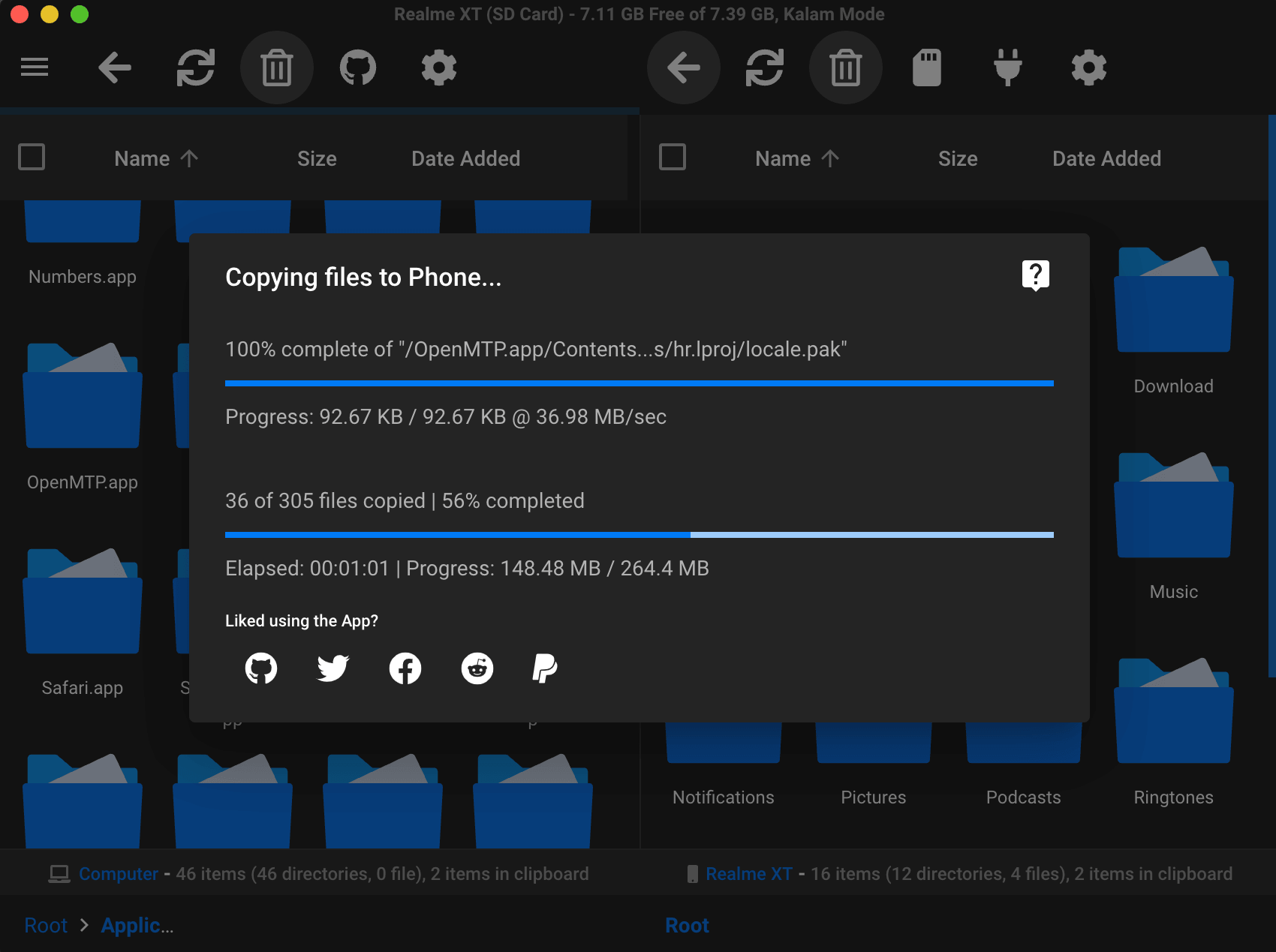
Open MTP is my utility of choice when I need to connect directly to my Manta from my Mac. Private Cloud sync is useful, but when I need to work quickly with files going to and from my Manta, I prefer the direct browsing and file access provided by this free utility. It has worked flawlessly for me over the past month, and I highly recommend it.
 WinSCP
Over on Windows this month I have been doing a lot of work exporting learning content from one hosting system into an entirely different hosting system for a part of the organisation that is separating from the group. This gave me the opportunity to explore a new API for getting data out, but when it came to getting data into the other system, I had to fall back to SFTP.
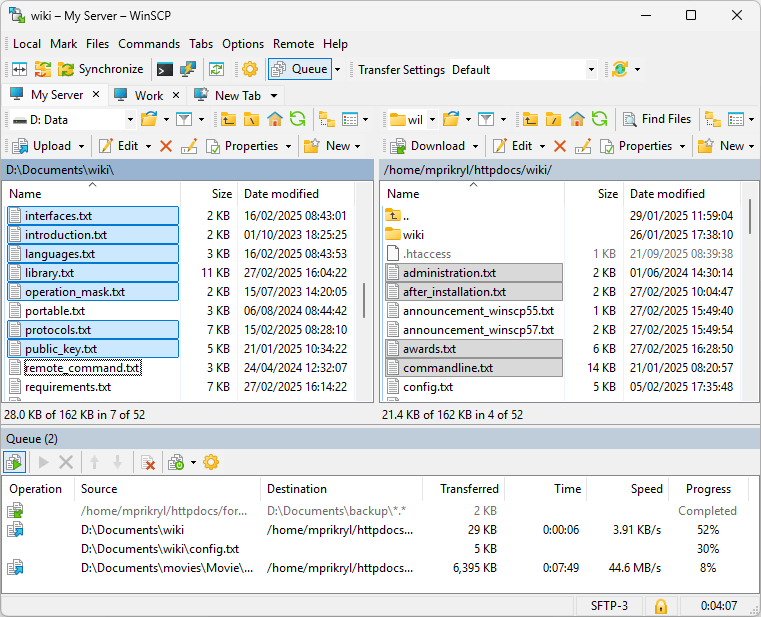 For me, that means WinSCP. A workhorse for SFTP activities, with the benefit of being scriptable. In fact, should anyone else find themselves bulk uploading to SuccessFactors Learning iContent in a compressed time frame, I will just say that it is worth brushing up on a bit of PowerShell and looking at what WinSCP can do for you. I was able to do in two to three days what had been expected to take over a week for a team using the same app.
Annotable
Lastly we have the app for annotating screenshots on your iPhone.
 Annotable has been on my iPhone since it first launched, and while it can be used on any image, for me it made annotating screenshots for blog posts, for Twitter posts (I have had it a good while), and for feedback on apps (TestFlight betas and live app bug reports) so easy. I love the highlight feature and the fact that you can edit your amendments.
If you ever need to annotate, not edit, images on your iPhone, you will not go wrong with spending a little on Annotable.
Upcoming
Work is very busy at the moment, but I should be able to get a bit of time in October to work on my projects. One project has seen a soft launch already, so I will definitely have something to say about that in about a month’s time. If you are familiar with my website at thoughtasylum.com, then you might be able to spot a new addition in my projects area. Other than that project, this month will inevitably be focusing on building out those mystery app resources.
Take care everyone, enjoy your Halloween, changes in daylight saving, and anything else October brings your way. Thank you as always to everyone who has bought me a coffee, and I hope you will join me for next month’s round-up.