

With the trick-or-treaters in retreat, we close out the month of October, and it is time for me to look back and take stock of what I’ve been up to this past month. While I generally consider myself quite a focused individual, I do enjoy the flexibility of my personal projects to shelve things temporarily and explore new challenges that surface. I would describe this month as a side quest month, as I definitely spent more time on other things than I had originally envisaged. I wish more of my life offered such flexibility without consequence.
 ThoughtAsylum
I managed to put out a couple of posts this month on my blog, finally managing to get back to a post on my Hermes Agent-based local digital assistant. In this one I talk about adding an exomemory for my digital assistant, covering my view of the different types of memory, why an external memory is useful, and why I did not choose the most performant option. If you run Hermes Agent and use the web dashboard feature, you might also be interested in a dashboard plugin I discuss in the post which lets you view content in your agent space - including some types of exomemory.
 I also put out a post about one of this month’s side quests. Last month I wrote a post about Concierge, a Mac app I created to give me a web interface to modular functionality I could run on my Mac. Towards the end of September I had included some additional modules, one of which was a set of useful tools built into web pages. That idea rapidly expanded into a new website toolbox.thoughtasylum.com that is privacy-first and has an extensive set of tools available. I think this is an invaluable option for those who work on locked-down machines but need access to tools to work safely with data and to work efficiently. The site turns your browser into a powerful array of useful tools.
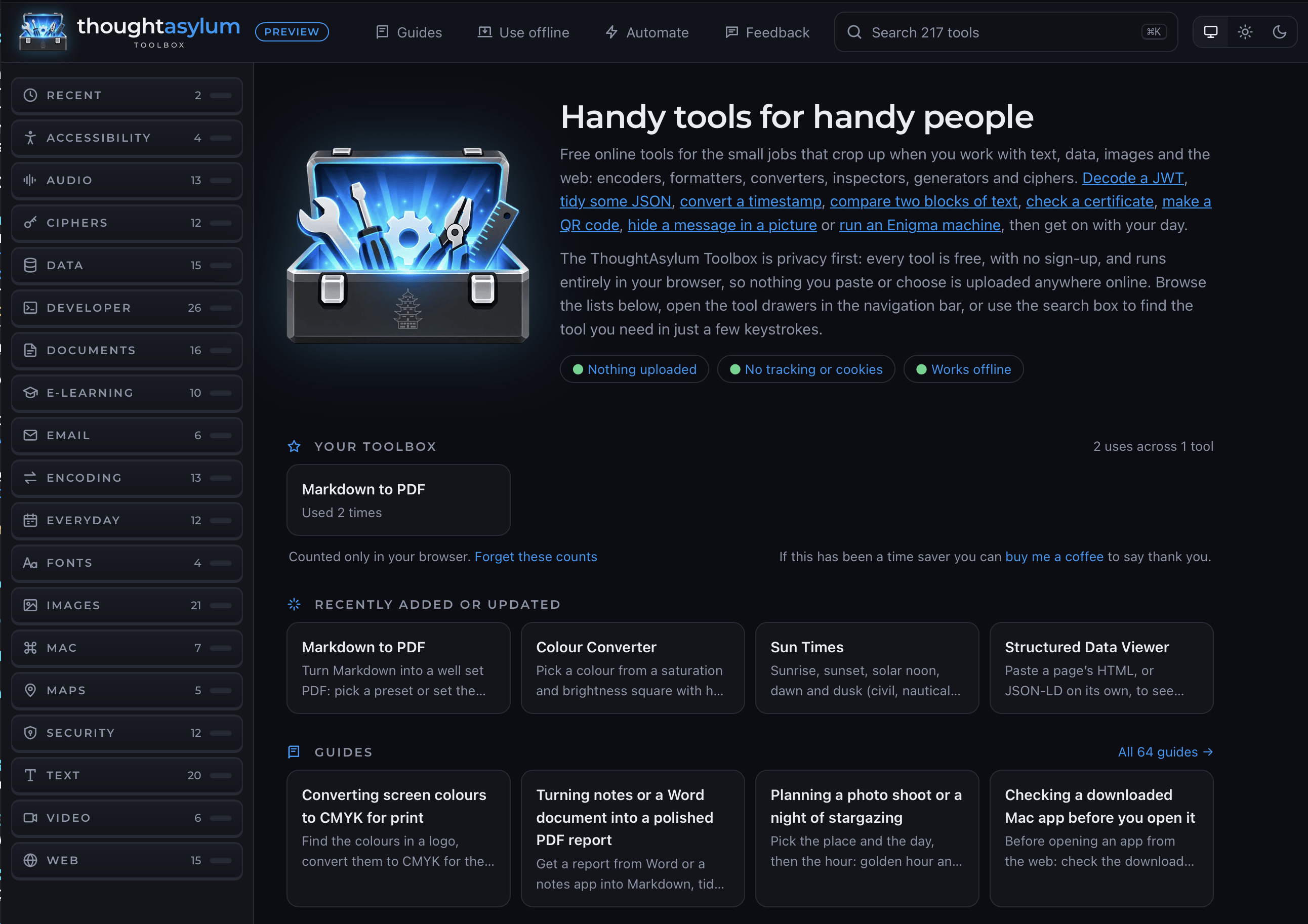 But that is not the end of the story. To find out where this led, you will need to go and check out the full post, Going Round to Get Ahead.
Other
Creating the Toolbox took a significant amount of time this month, but I ended up building some other bits and pieces too - mainly to help me back in the day job where I work on enterprise HR systems.
New Excel Add-In for HTML Viewing
The first thing I have been doing in the day job is working on updating a set of documentation. I am able to extract some data from a system relating to e-mail templates, but whereas in the user interface they are presented as rich text, when I export the data it is exported as HTML. Frustratingly too, the in-system editor (which looks to be CKEditor) has not been set to allow HTML entry.
To help people view the documentation, and anyone who needs to use it to set up another system (which is on the cards), I created an add-in for Microsoft Excel that allows you to select a cell and render it in Excel as an HTML preview for viewing and copying the rich text from.
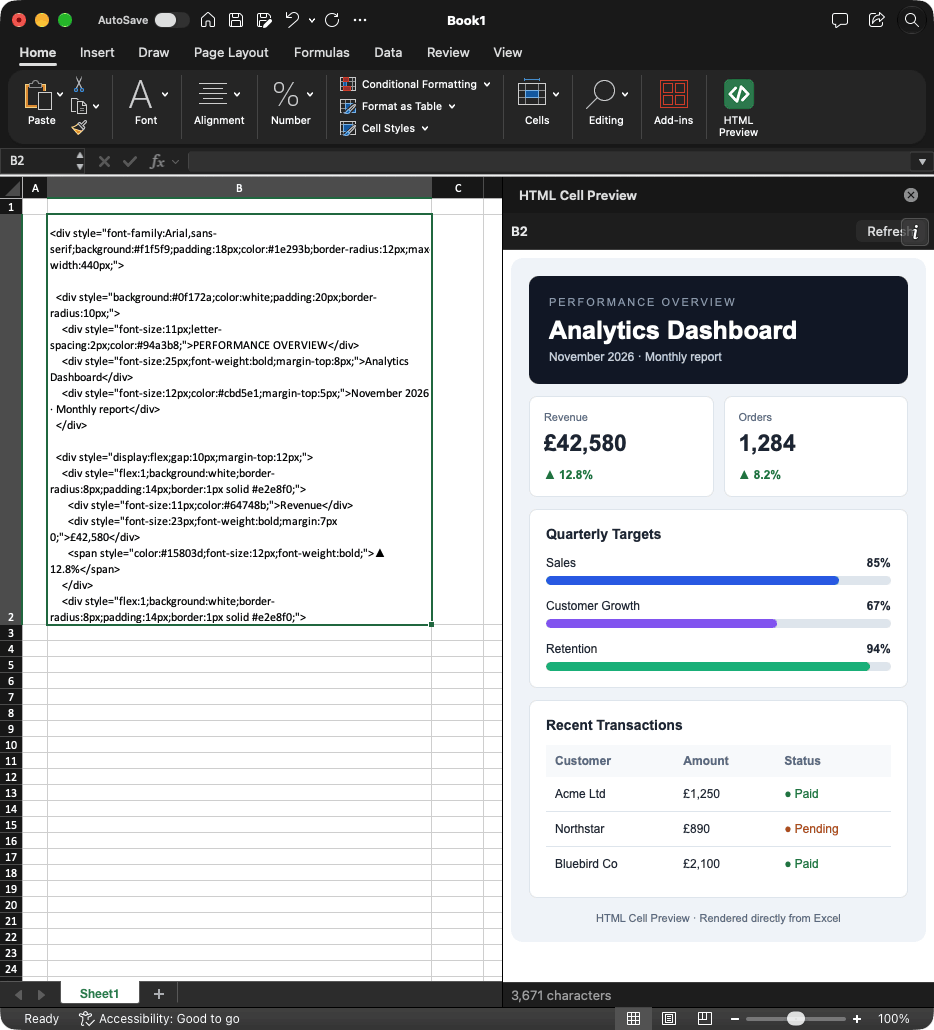 You can get the free add-in from its repository on GitHub, and everyone will be pleased to hear that it works on both Mac and Windows.
Chrome Extension
The next thing was that the home page extension I had been using on my work PC in both Google Chrome and Microsoft Edge has been going in a different direction for a number of months now, and I have decided to move away from it. In its place I started to create my own extension to surface my bookmarks on my home page plus a pinned section for favourites I use a lot and a listing of my open tabs. It also lets me trigger a popover search of my bookmarks via a keyboard shortcut.
Here is an example of it running in Brave, on my Mac, where I just have a few bookmarks for testing.
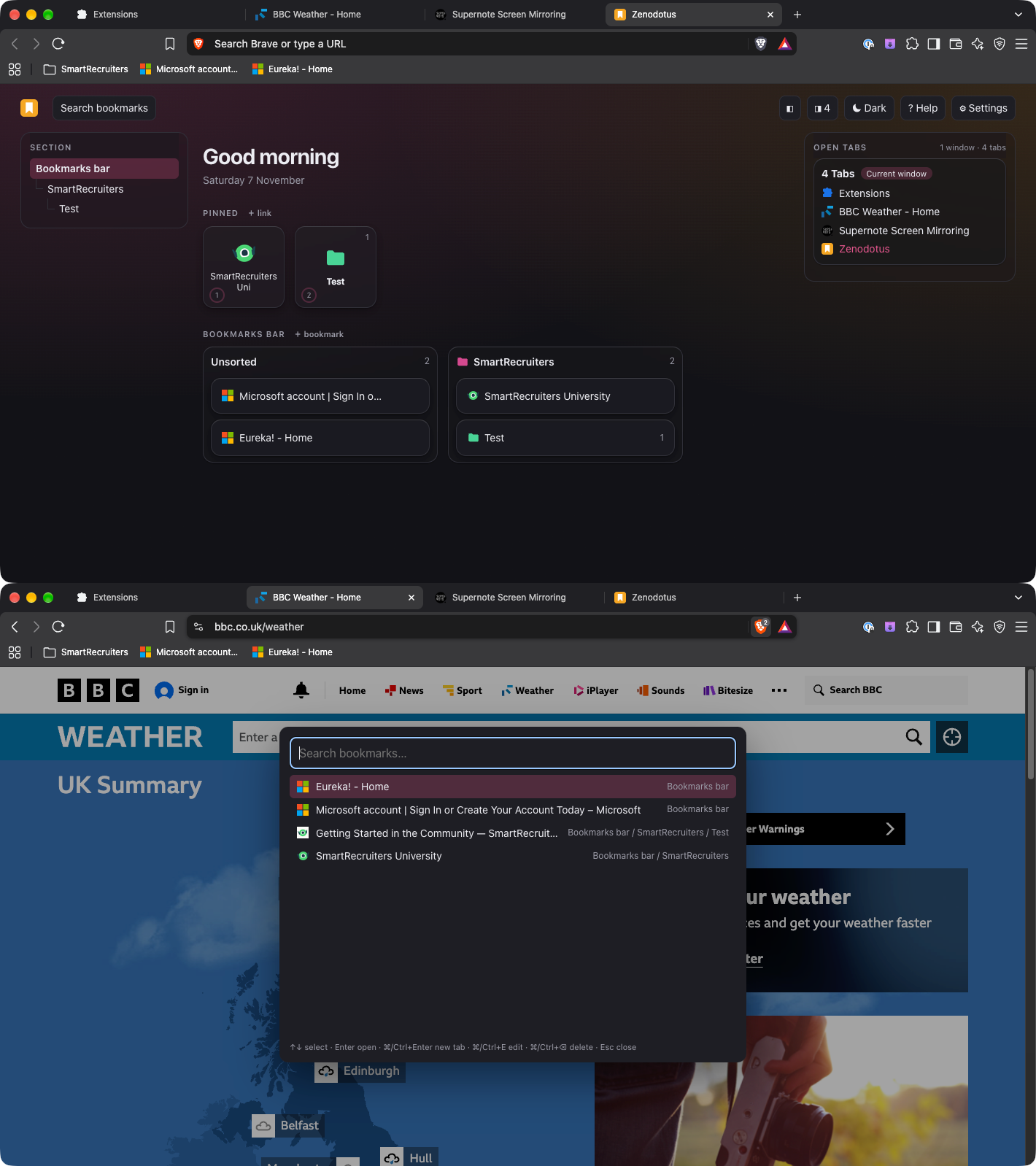 Unfortunately, it still has some rough edges I need to figure out a better user interface for. The section headings on the left, which link to the expanded sections in the centre, are not quite “right” yet, but it is functional, and I am using it daily at work to get back to faster navigation.
Website Updates
The ThoughtAsylum website also got some behind-the-scenes attention this month. I have been optimising a few bits and pieces to render a little faster, and I also sorted out some terrible formatting on the Shortcuts library that must have been there since my restyling earlier this year. That is a sure sign that I really need to get some more Shortcuts content in the library!
I also ended up carrying out similar work on my professional resume website, stephenmillard.com, but as well as some optimisations I did also track down one or two copy and paste errors too. Having made so many over the years, I really should be a world-renowned expert on copy and paste errors by now.
In any case, the result should be slightly snappier websites with slightly improved social sharing and slightly improved accessibility.
SNAPP
If you have been following along with my previous monthly summary posts, you may recall that a few months ago, I became the owner of a Supernote Manta, an E-ink tablet made by Ratta. This was to address the growing issue of scrappy paper notes on my desk as I jumped between meetings where I was struggling to capture typed notes as I normally have done.
The use of the Manta has brought my desk under control and while things are not as searchable and cross-referenced as when I take typed notes on my PC, it does offer me a lean back experience and I can focus and engage with the people I am on video calls with more easily. They can see me writing, and I no longer look as though I’m looking away and doing my e-mails.
The device is excellent and the writing experience is far better than my limited experience with iPads for example, but I think it is the texture and flexibility of the screen that make it that way so I’m happy with the device separation there. Particularly since my iPad is more than a decade old at this point (2016 first generation 9.7" iPad Pro) and so doing anything overly fancy with it is a challenge these days!
What has not been as excellent is the software on the other side of the device. My work PC is locked down, so I don’t have any experience there other than the web interfaces from the Manta itself. The Mac side though I have used the Supernote Partner App and also OpenMTP as I mentioned last month to connect over USB for file transfer.
Over the last few months I have created little tools to help me do jobs such as a command line interface to work with my Supernote Private cloud and some Python scripts to convert images into Supernote compatible stickers. I also just kept bumping into more and more little things that I would like to do via my Mac rather than on my Manta, but being slowed down because of friction points and limitations.
So, last month, I decided to look at what I could do about it. The answer was happily more than I expected. I now have an app that will let me transfer and back up files from my Manta, I can create stickers, templates, stationery and notebook covers. I can manage notes, documents, Atelier drawings, and plugins. I can mirror the screen of my Manta or capture its InkFlow input. I can search InkHub and manage my own content on there. I can create localised packages and even type from the app directly to the Manta in a couple of different ways.
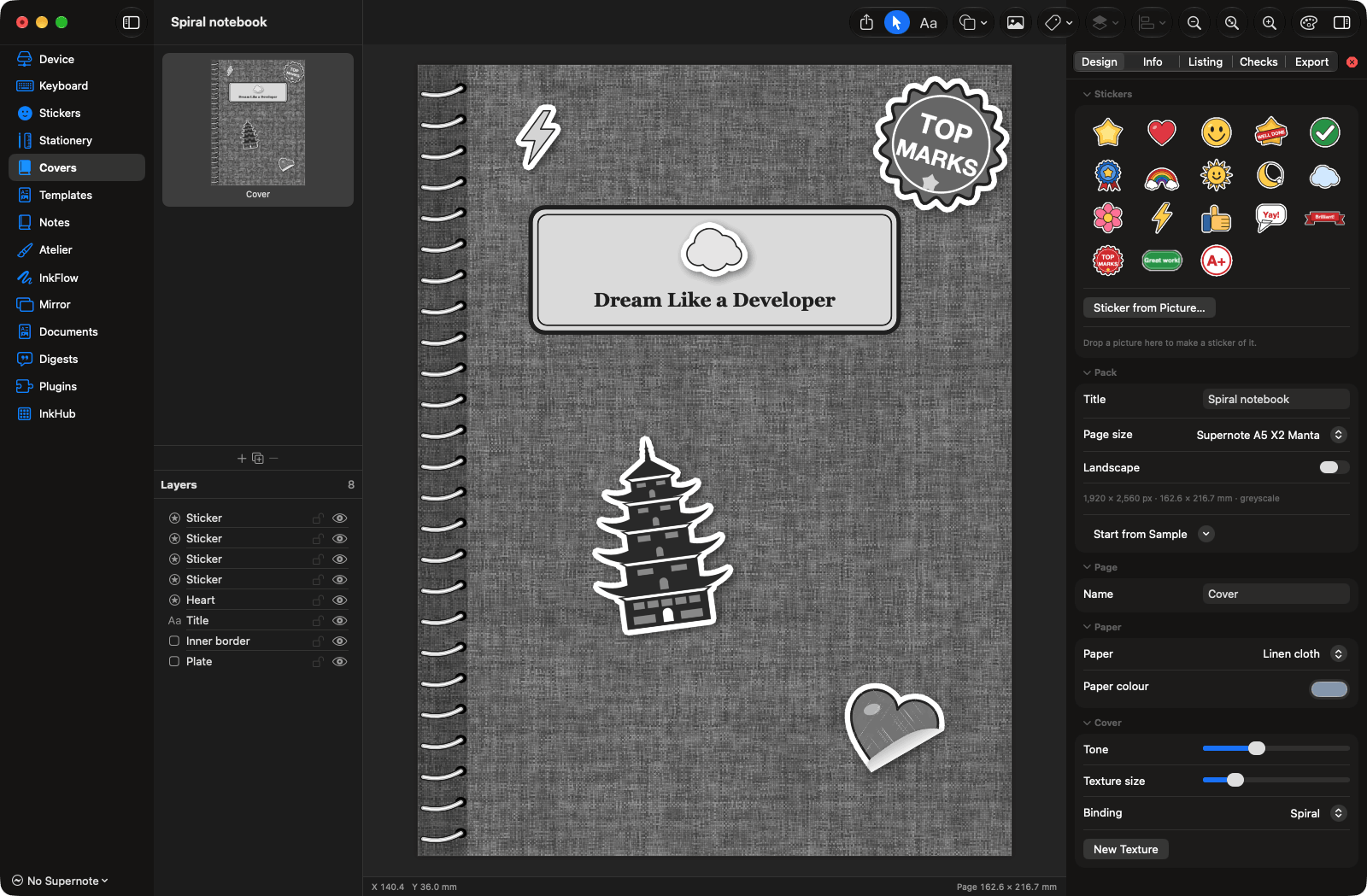 I might release this app at some point, but it needs a lot more testing and polishing. In the meantime it has meant I have become massively more efficient with my Supernote Manta, and I have also been able to customise pretty much everything to my own needs.
One final point on this. You have probably come to the conclusion that this app is called SNAPP because it is a “Supernote App”. Well, you are partially right. That was the original working title and I shortened it to “SNapp”. But then I decided to get all clever and make every letter stand for something to do with things like assets and packaging, and then the app slowly did more and more that went beyond that. Now, officially, I just capitalised the whole name and it does not stand for anything. It just lets me do jobs with my Manta in a snap.
More Supernote Sticker Packs
Using SNAPP, I did also publish a couple of new sticker packs. The quality of these should actually be an improvement on the previous sticker packs I did as I have refined and enhanced some of the processing through researching and building the functionality in SNAPP.
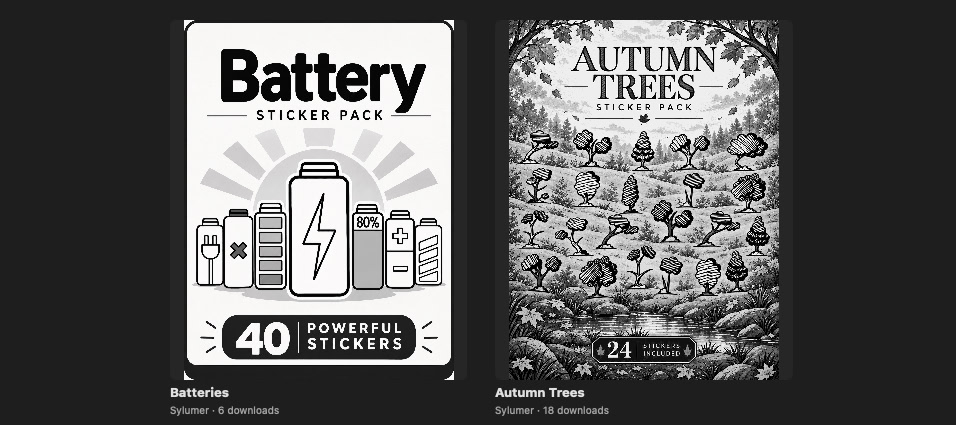 So if you want some free battery or autumn tree stickers for your Supernote device, you can find them and download them direct to your device on InkHub.
The Mystery App (Again…)
The ongoing mystery app resource work continues. My side quests definitely set this back this past month, but I am still optimistic about my chances of having it out in public by the end of the year. The app has one feature left to build, but it relates to the resources I am finalising, so that should all come together. The website for the app is a different matter. There is only a shell for that right now and that is going to need a lot of work to enable people to get the best from the app.
Golden Gate
A final note is that I actually got moved across to macOS Golden Gate. I moved my MacBook Air at the start of the month to try things out, and then, once I was happy it was stable, I updated my Mac Studio.
I’m liking the overall stability and performance improvements, but I cannot say I have had much use for the enhanced Siri as yet. I really do want to spend some time digging into where this might fit for me. I use Hermes Agent locally and several cloud-AI options (both free and paid accounts), and so I am not clear yet quite where it fits in better than anything else.
Links
In this month’s links I’ve got a couple of utilities and for the first time, a book.
How To Live: Rules For People Who Don’t Like Rules
First of all is a new book by one of my favourite authors, Scott Berkun. I am in the middle of re-reading another book right now, and so have not read this one yet, but I have always enjoyed the approach Scott takes to his observations and the practical advice he gives. I am looking forward to his witty and insightful take on living - even though I am naturally not someone anyone would describe as a rule breaker.
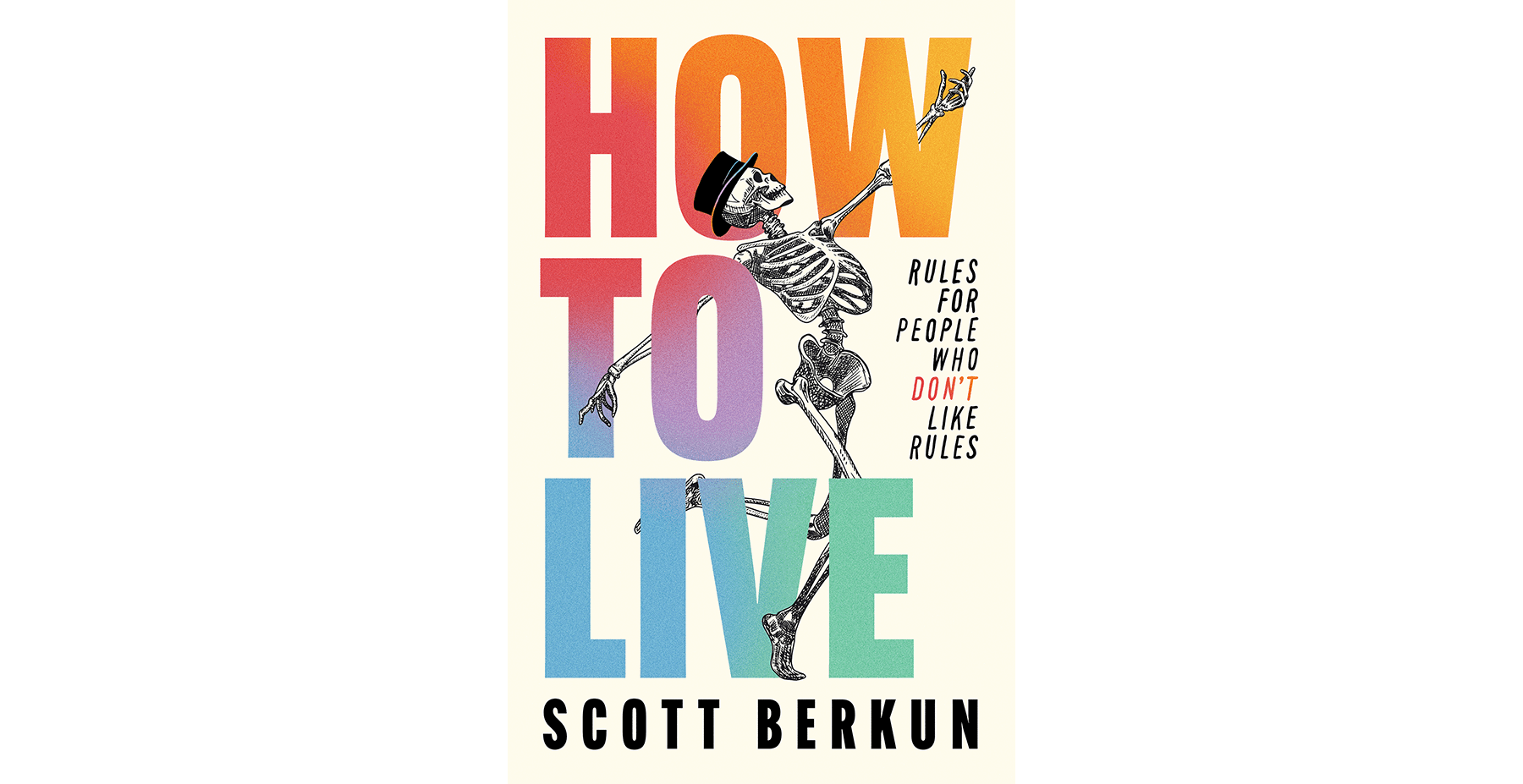 Visit Scott’s website to grab yourself a copy of How to live: rules for people who don’t like rules.
TrillMark
Next up is an app called TrillMark that gives you some additional control over audible notifications. I use audible cues all the time for my automations, but that is because I can specify the exact audio to use. For apps, the choice is typically more limited, but TrillMark can examine a notification from an app and based on some matching rules assign a different piece of audio feedback. This allows me to extend that idea beyond my own scripts and gives me feedback in a way I find less distracting than visual cues.
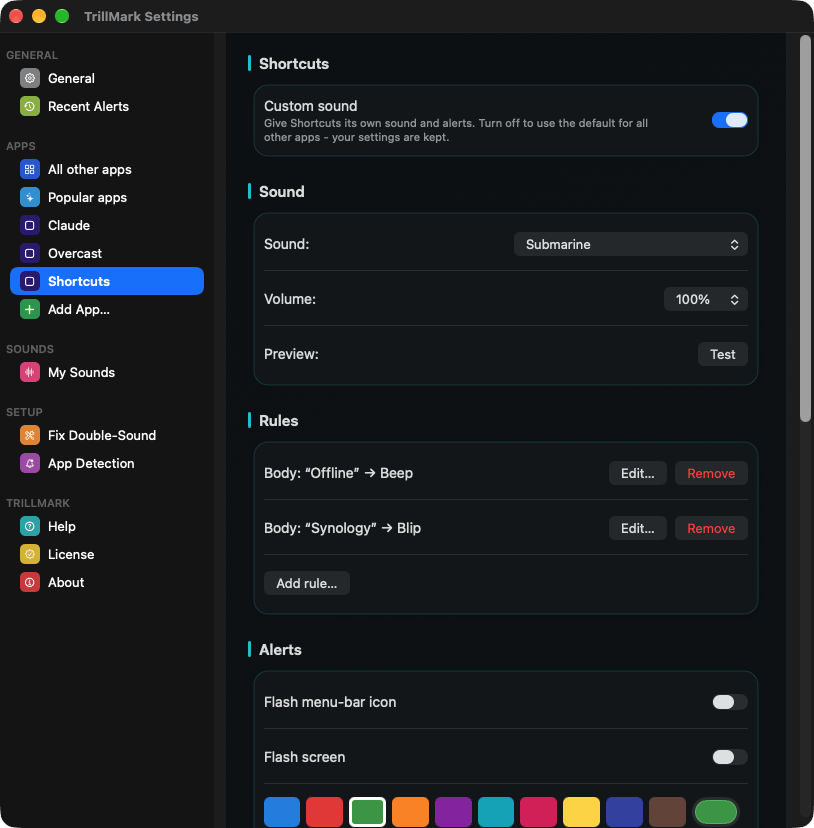 That being said, TrillMark gives you an option for additional visual cues, so if audio is not your thing, chances are, TrillMark still might have something to offer you.
yq
yq is a command-line utility for working primarily with YAML (often used for front matter in MultiMarkdown files, blog posts, etc.), as well as other data formats such as JSON (for which there is also jq), INI, and XML. You can use it for simple data extraction, as well as sophisticated queries and transformations. If you need to work with a large volume of files using YAML, or automate changes across larger YAML files, yq is very likely to be the tool you need.
I would also recommend checking out the Programming by Stealth podcast, episodes 168 and 169. These will give you a solid grounding and get you up and running with yq in no time.
Upcoming
That brings me to November. I have the feeling many things at work will be coming to a head this month. A lot of my colleagues are based in the southern hemisphere and December begins their summer break as well as our UK end-of-year festivities. As such, I expect things to pick up pace and wind up late this month or early next. I somehow also need to reconcile this with the fact that I have not taken even half of my annual leave yet this year and need to use it up by the end of the calendar year. But I do expect I will be working some late evenings and weekends and that this will reduce my personal project time significantly until I can take some of the annual leave.
But I will inevitably find some time, and I expect to apply it to resources for the mystery app, at least one blog post, and perhaps some polishing of the other bits and pieces I have mentioned.
Thank you once again to everyone who has bought me a coffee. I appreciate it, and I do tend to find a good strong cup of coffee helps me break through on some of the more intractable challenges my personal projects present.
Have a great November, all, and I will be back in about a month with another roundup.