

So May is through and that definitely felt like a fast marathon. Some major upheavals where I work that made international news several times added additional stress and activity to an already packed schedule that included an immediate family birthday, a major activity in converting our garage into a home office, and a few things I’ll highlight below. Thankfully everything that needed to get done was done, and I even got a bit of sunshine here and there while working on the outside of the house and in the garden.
Even though I had couple of public holidays, the last month has definitely left me feeling like a bit of down time is going to be required this next month just to rebalance myself and get my energy reserves topped up, But, the upshot is I did get a lot done.

ThoughtAsylum
First off I managed to get a blog post out in the latter part of May about something I created recently using the Templater plugin for Obsidian. I wanted a way to add content to a particular section of my daily note without having to open or switch to my daily note. While most people probably opt for the QuickAdd plugin (probably in combination with MetaEdit for its update() function), I chose a different route and used Templater instead.
I cover my reasons in the post for this approach, and whether they match to what you might need or not, I think it still makes for an interesting excursion into the fantastic breadth of utility the Templater plugin can provide.
Podcasts
It has been a minute since I’ve appeared on any podcasts, but this month Rosemary Orchard and David Sparks, the hosts of the Automators podcast invited me back to talk to them about the stuff I’d been automating since I was last on (episode 68, 29 January 2021). It turns out in four years I did quite a lot of stuff, so during the episode (episode 155, 31 May 2024) we didn’t get through everything … in fact we didn’t get through even half the stuff in the planning doc. So maybe there’s a part 2 in the offing, but who knows what else I’ll have conjured up by then?
The episode is split into roughly two halves. The first runs through some (not all, just the most popular ones) of my Alfred workflows, so if you are an Alfred user, and you also use Drafts, Keyboard Maestro, Apple Shortcuts, or Bunch, then there’s something there for you. You can also get some insight into where some of the names of my workflows came from, some of the more advanced functions, and maybe even a bit about why I’ve been building them.
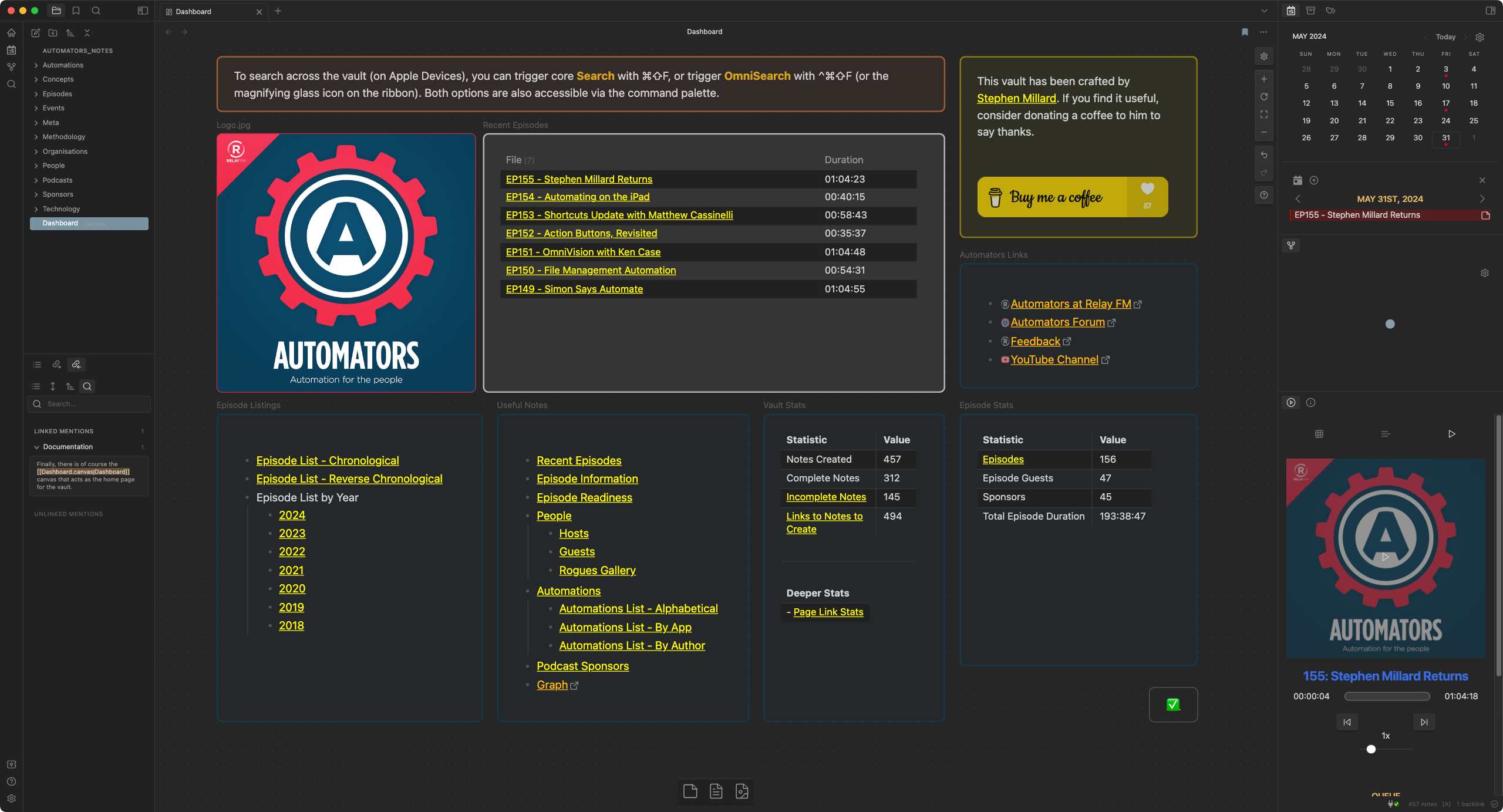
The second half was all about something that has been hanging over me for the past eighteen months. For regular readers of these monthly summaries you may recall I have had a “secret” project I’ve been working on. Well I revealed what that was on the podcast - an Obsidian vault to support the Automators podcast. Now for users of Obsidian, the personal knowledge management app de jour for many a discerning knowledge worker and tech enthusiast, this may be surprising to find it took so long to produce. Collating some podcast notes should likely not take anywhere near that long. Well, the reason it took so long is it isn’t my notes about the podcast. The vault has transcriptions of each podcast along with supporting pages about the hosts, guests, sponsors, events, technology, etc.
You can find out all about the challenges and the automations I built to help me in the episode, and of course the vault itself is freely available. You can download it from its repository on GitHub, and do be sure to check out the vault’s own build documentation if you want to get a better idea of how the episode build process works - it has flow charts and scripts.
While it does not give you everything, it should give you a good view to understand how the end-to-end process works.
Forums
As usual, I’ve been dipping in on a few of my regular online forums and trying to lend a hand where I can to those looking for insight and assistance.
Drafts
I added bit of additional information on a query about sending a draft to Obsidian with tags and YAML metadata to help sort out the last hurdle with getting the tagging to work.
An old discussion on e-mailing a draft via the Spark app saw some renewed interest as well as on another thread
There was a bit of help on updating a draft from Shortcuts
One new poster was having issues using the Things Parser 3 action thanks to a disabled iCloud issue - but I’m still not sure the proposed solution was quite right.
Creating a PDF from a draft is something you may think has come up on the Drafts forum before. And you would be right.
Have you ever used the [[d:Title of Draft]] cross-link? One Drafts user was struggling with the d-style cross-link, but I think we got it all ironed out.
One user was having a problem with removing duplicate drafts created via import. Have you had this issue? I suspect an iCloud sync issue is the most likely cause, but there are some strategies you can use to deduplicate, or the equivalent. How would you sort things out?
There was some interesting discussion about migrating out of Evernote, and not purely to Drafts. I ditched Evernote some years back after being a huge advocate, and I think my approach is not an uncommon one for those on the Mac. Remember, it is 2024 and friends don’t let friends use Evernote. Why? Well that’s pretty much just a search engine query away.
Someone opened some discussion on integrating Drafts with Capacities, a subscription-based personal knowledge management platform.
I offered up a bit of coding help on a ChatGPT action to modify the behaviour a little.
Drafts data recovery was the order of the day for one user - fortunately Drafts has a fair bit of functionality to support that.
An old post on toggling title metadata got a new request, but I popped in a suggestion on how to accomplish the request in a different way.
The rise of PKM tools means back links in Drafts are a thing that comes up from time to time. There are some actions that allow you to work with back links, but I think the solution I came up with previously is the most complete, working with all, and not just some of the cross-link types.
Any ideas how to search Drafts for a title that matches a regular expression?
One user had a problem with flagged notes not showing anywhere including search. After a suggestion to clear all filters they still didn’t appear. So what was the cause? Well it isn’t all that surprising when you come to realise (like I have ) that “all” apparently means different things to different people.
Automators
First off I dropped the ball on following up on this Conductor (my Alfred workflow for Keyboard Maestro) error post from last year - definitely a mea culpa on that one. Happily, a new forum user posted something that I think is likely the solution, and is something I’ve since incorporated and will discuss more on below.
If you wanted to quickly find a text file containing a string via Shortcuts, and you had a lot of files stored on device (not in iCloud) to search through each time, what would you do? I came up with a suggestion that was noted as incurring a duplication of data … but that’s precisely one of the trade offs in a lot of data retrieval solutions where higher performance is required. But the good news is storage is cheap, text-based data is relatively small (and highly compressible), and we have computers to automate the duplication. Can you guess what I suggested?
There was an interesting query about a school wanting to use iMessages for communications. I still have some reservations on the requirements, but I’m not sure I really got to the point of giving a satisfactory answer. Check it out and see if you can suggest anything further to help.
Automatic mailing and messaging seems to have been all the rage the last few months for some reason, and sending Markdown as HTML mails in batch on iOS17 was an issue for one forum user.
One listener had a follow up and some points on episode 109, and around using Shortcuts, Drafts and PushCut which I had a few insights on.
It isn’t often you get a query on the forum about an issue with Amazon app on iOS, and even more curious that it wasn’t actually a request that was requested in any way to automation. That’s not to say a way forward wasn’t suggested of course.
The episode 153 topic had some discussion about triggering Apple Shortcuts shortcuts using a webhook.
I made a suggestion for how to automate force quitting and restarting the Stream Deck app when only Alfred is responding.
One user was having trouble figuring out how to delete file bookmarks in Scriptable.
There was an interesting question on moving files to a window with specified bounds that the poster was able to progress themselves, but I can’t help feeling there’s something better in the project setup that would deal with this - but I haven’t been able to pull out whatever that thought is at the back of my brain. That being said, on Windows I’m sure I probably do things like this myself in XYplorer though not combined into one action for one process. Maybe just using a dual pane file manager would make things easier, though I do so wish someone would come up with something like XYplorer for Mac - I’ve just never found anything that comes close.
Can you remember what Rose’s iPad case was in episode154? Well I could, or rather I happened to have a searchable Obsidian vault that I could look it up in lickety-split 😉
A new forum user came looking for a way to use Shortcuts to create a Day One entry after listening to a podcast. As far as I know no podcast app supports that, but I offered some alternatives based on a shortcut I shared on Mac Power Users episode 656.
There was a new topic on cutting up PDFs, but this wasn’t just splitting pages. This was cropping content out of different parts of different pages within a PDF. One day, I’m sure AI will be able to handle that task like a human, but until then, we have other ways.
Can you track an AirTag location automatically using Shortcuts? Well there certainly isn’t any Shortcuts integration at the moment to allow this, but I did provide a link to a discussion where someone did come up with a Mac-based solution.
An observation on Speech.speak() in Scriptable lead to some nuance and clarification whereby I believe what was observed and reported was actually a misinterpretation of the observation.
What will and won’t run in the background, and when the iPhone is locked is a constantly shifting and challenging constraint on Shortcuts automation, but more things than ever do have the capability to do this. So a post asking how to run file actions while an iPhone is locked piqued my attention because the issue was it didn’t seem to be working for a user, yet they do work. As one might expect, there is once again some mic-reporting and misinterpretation afoot.
I helped one forum poster understand how to pass variable data between shortcuts with an example.
Being able to detect Mastodon links is something that would allow you to choose to open Mastodon links in an app other than your default browser. However the fact that a Mastodon instance could have any domain makes this tricky. The solution in the end is definitely hit and miss with a large potential for false positive Mastodon service matches; but if it works well enough for now, then there is some value to it.
I provided some answers for an automation tool for mounting disks.
A prolific poster this past month also asked for help on getting an automation on an iPhone SE working, but this time it was left hanging with contradictory information and an open question.
Finally someone asked for some help in building an AI powered solution to rename, tag, and file new files based on content. The files included both screenshots and PDF files, so that narrowed things, but also forked them in different directions. I provided some a suggestion of each content type as well as some tooling to make the management easier.
Other
Drafts
Once again, I spent a few days in London this month to attend a technology event. This time it was the SAP HR Connect event. It was just one extra long day this time around, but I roamed the halls armed with the setup I had taken to Learning Technologies the month before. My iPhone, iPad, a mechanical keyboard, and Drafts. My conference workflow once again worked smoothly regardless of how good or bad my connectivity was in different areas of the venue with the hundreds of other attendees. My decision to utilise AirTable for the linkage was definitely a wise one and it was worked flawlessly.
ThoughtAsylum
I gave my blog a little update this month as I finally got around to addressing something I have been meaning to for years.
Back when I hosted the site on Squarespace (and they were good netizens, actually supporting XML-RPC for posting) visitors used to be able to copy code from my blog posts easily thanks to some code that gave a copy button along with the syntax highlighting. When I moved to Jekyll and GitHub Pages, I didn’t bring that with me. Syntax highlighting was covered and I just didn’t get around to adding the button.
Well after a little research, some testing, some deep thinking to figure out how to integrate it more intelligently than the walkthroughs I’d found, I now have a simple copy button on my code blocks, which should make it easier for readers grabbing scripts out of my posts.

I also ran into an issue this month that someone (thanks Rose) unfortunately had to point out to me. thoughtasylum.com was down, which was very strange as I hadn’t changed anything in days, it was p the previous day, and my other GitHub sites on subdomains of thoughtasylum.com were still up.
After a good twenty minutes of checking everything I could think of I narrowed it down. It seemed my domain registrar had changed something in their routing processing. An entry I’d had to add as a workaround to get everything working properly over 4 or 5 years ago had now started conflicting. Removing the entry brought everything back online within a few minutes. Weird and frustrating, but not as frustrating as not knowing first hand the site was down.
I had utilised a free monitoring service hooked into IFTTT, but it went to the Internet graveyard many years ago and for reasons unknown, I didn’t replace it at the time. Past me obviously wanted to teach current me a lesson. Sufficed to say the lesson has been learnt and I had a new solution in place and tested within ten minutes of getting the site back up and running.
Alfred
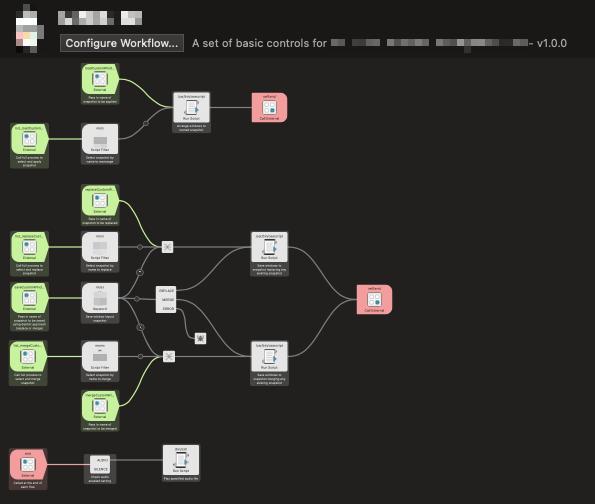
As mentioned above, an issue for users running Conductor that was resolved by switching a script to run with the no-rcs option. The stops the loading of some ZSH configuration files, and as Alfred noted for this becoming a default script option in 5.1.2:
Alfred’s default runtime is /bin/zsh --no-rcs. It is recommended over /bin/zsh for shared workflows because it does not load the .zshenv configuration file, ensuring your workflow runs in a more stable environment unaffected by external settings.
I managed to squeeze in some time to amend a number of my shared Alfred workflows to utilise this, but there are a few outliers remaining, most notably Doctor Drafts.
Towards the end of the month I also found myself in a position where I wanted to do something via Alfred and couldn’t. Half an hour later, I have a new workflow with a new “funny” name and icon. I have a few other bits and pieces I want to add in, but I expect I’ll be sharing it before too long as it will be a relatively simple one as far as my Alfred workflows go.
Obsidian
As if the launch of the Automators podcast vault and the post about using Templater to enter entries in other notes was not enough, I have also added a couple of new templates to my Obsidian Templater Converters repository.
The first is a converter template that will take the selected text and remove any diacritics - a glyph added to a character to indicate a particular change in pronunciation. I typically want to retain these, but sometimes having copies without makes things like searching or creating references a little easier and this converter template gives me a quick and easy way to do that.
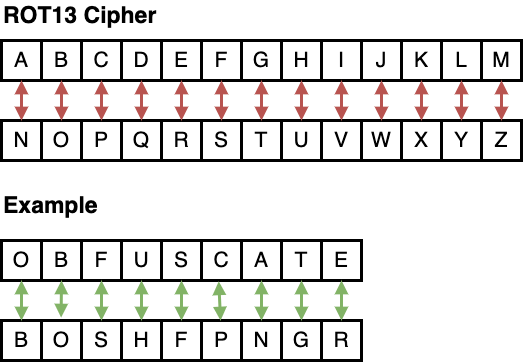
The second is a converter template that takes the selected text and carries out a ROT13 transformation on it - ROT13 being a basic reversible substitution cipher. I added this one mainly for fun, but ROT13 is so ubiquitous that I figure there are probably some people out there who would find it useful - even if it is just to obfuscate answers for themselves on test questions they might gather, or answers to riddles they might want to come back to.
If you are an Obsidian user then give yourself a little toolbox of text conversion tools to call on by grabbing copies of any templates you might think could be useful from the repo.
Upcoming
I will definitely be looking to slow down a little this next month, but I do have some ideas about things I want to be taking a look at.
First of all I’ll be carrying on with building out the content of the Automators podcast vault. There is plenty of content to create, episode transcripts to cross-link against, anomalies to fix and some other things I’d like to do with it too. In fact since the episode dropped, things got pretty meta, and I pushed a release for episode 155 along with quite a few new content pages and hundred of updates overall. I’m not going to run out of backlog on it any time soon, but it would be nice to have it all or nearly closed out by the end of the year.
Next up I also want to get the remaining Alfred workflows (Doctor Drafts in particular) updated for running scripts with no-rcs, and maybe roll out a few additional things besides.
I would also like to spend some time catching up on the last quarter or so of Home Assistant updates. I know that there are dashboard and categorisation updates waiting to be utilised and I’m sure the categorisation is going to massively help me get a better structure to managing my automations, which rely heavily on a naming convention that does more often than not give me overly long names.
If you made it this far, thanks for reading, and I hope you picked up some interesting things along the way. Thank you too to everyone who has bought me a coffee (or in some incredibly generous cases a lot of coffees!!). The caffeination does keep help keep my brain firing and fuel my creative endeavours.