

What is the Gains & Losses file?
The ETrade Gains & Losses file, in the form of an Excel spreadsheet (xlsx), contains information about the gains and losses you have incurred from your stock sales on the ETrade platform. It provides a summary of your investment activity, including details about the securities you have traded, the dates of the transactions, and the corresponding gains or losses. This file can be used for tax purposes or for analyzing your investment performance.
Note: If you have stock options and have made any same-day-sales, the Gains & Losses file does not seem include these. If that is the case, you can instead download trade confirmations.
Step-by-step download guide
Log in to https://us.etrade.com/etx/hw/v2/accountshome.
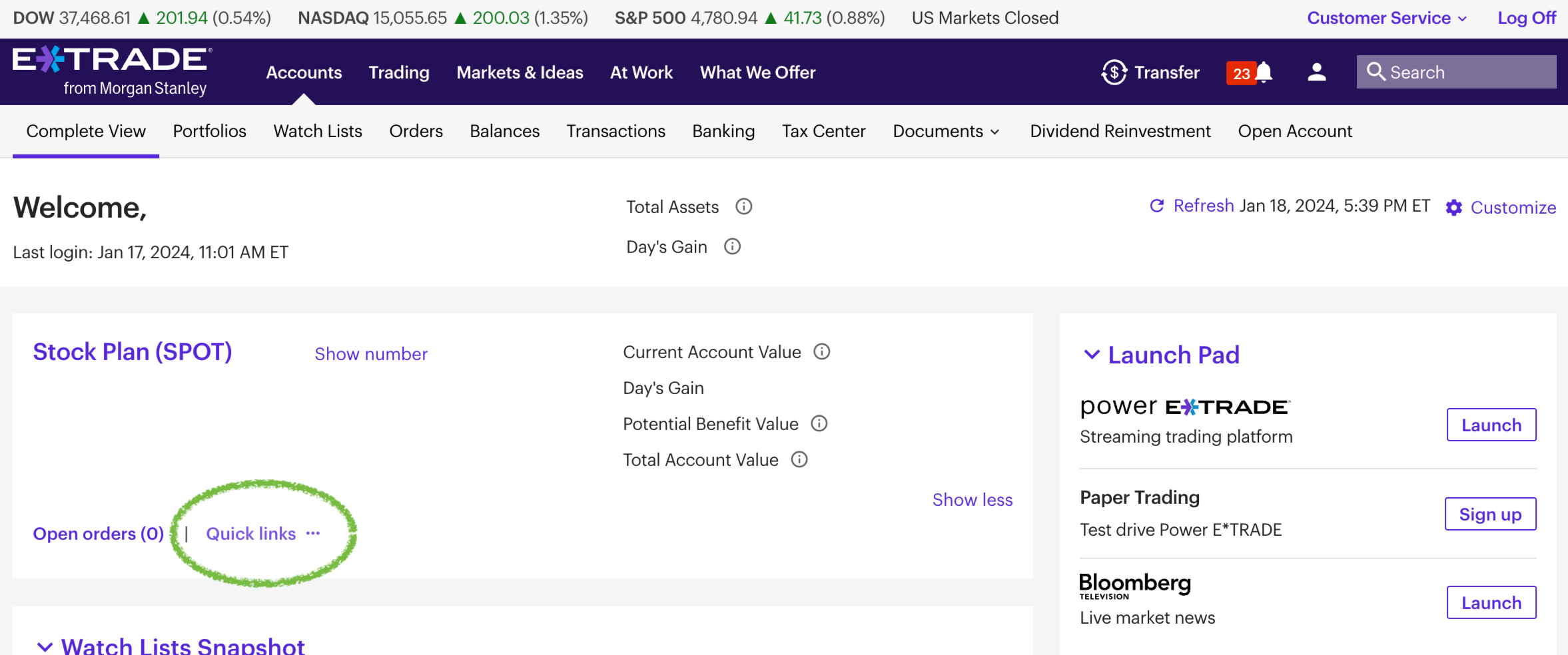
Click on Quick links
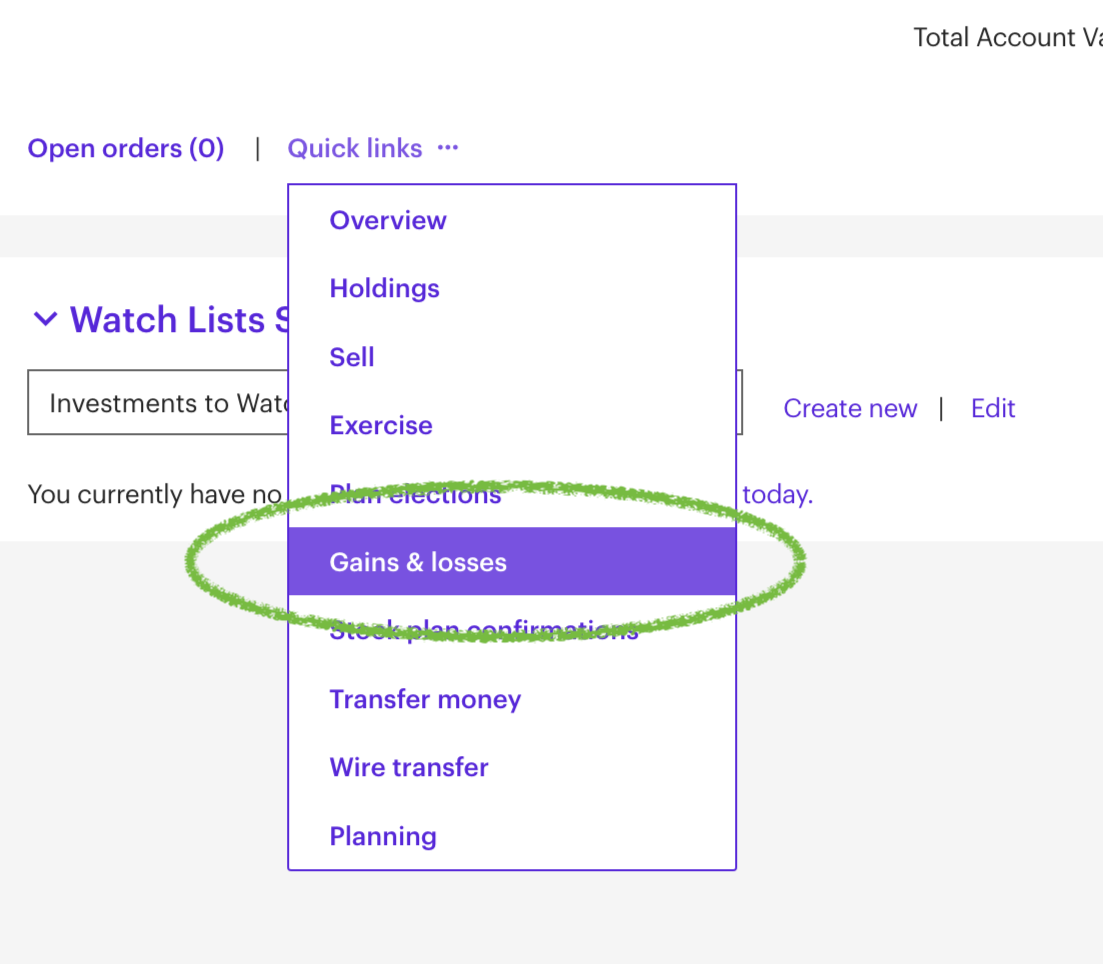
Click on Gains & losses
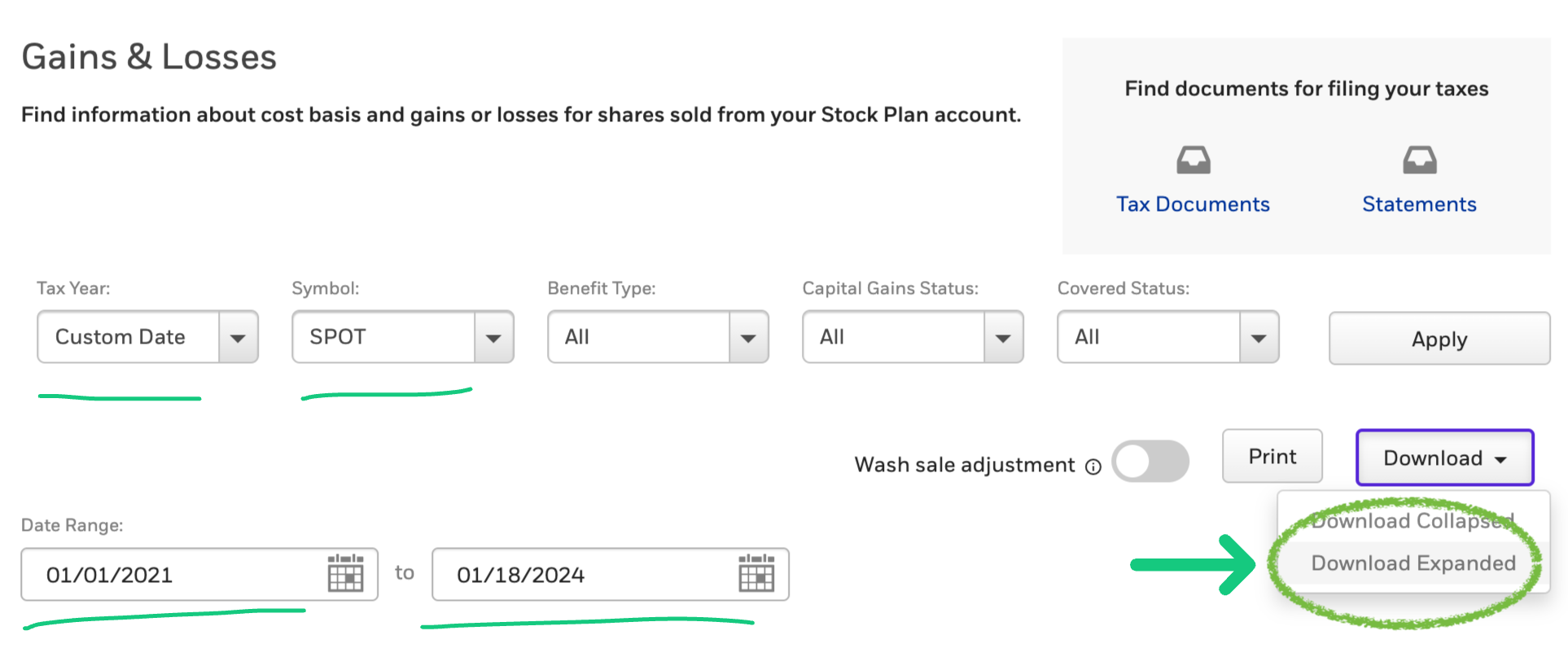
Select Custom Date as Tax Year and fill in the largest Date Range that ETrade permits.
Select the relevant stock symbol if you have more than one stock in ETrade, and click on Download Expanded.
A file, G&L_Expanded.xlsx, will be downloaded.
Locate that file on your computer and calculate your profits with skatteguru.se for free, by uploading it there and analyzing it automatically.