

Tattoo Website
$3.95
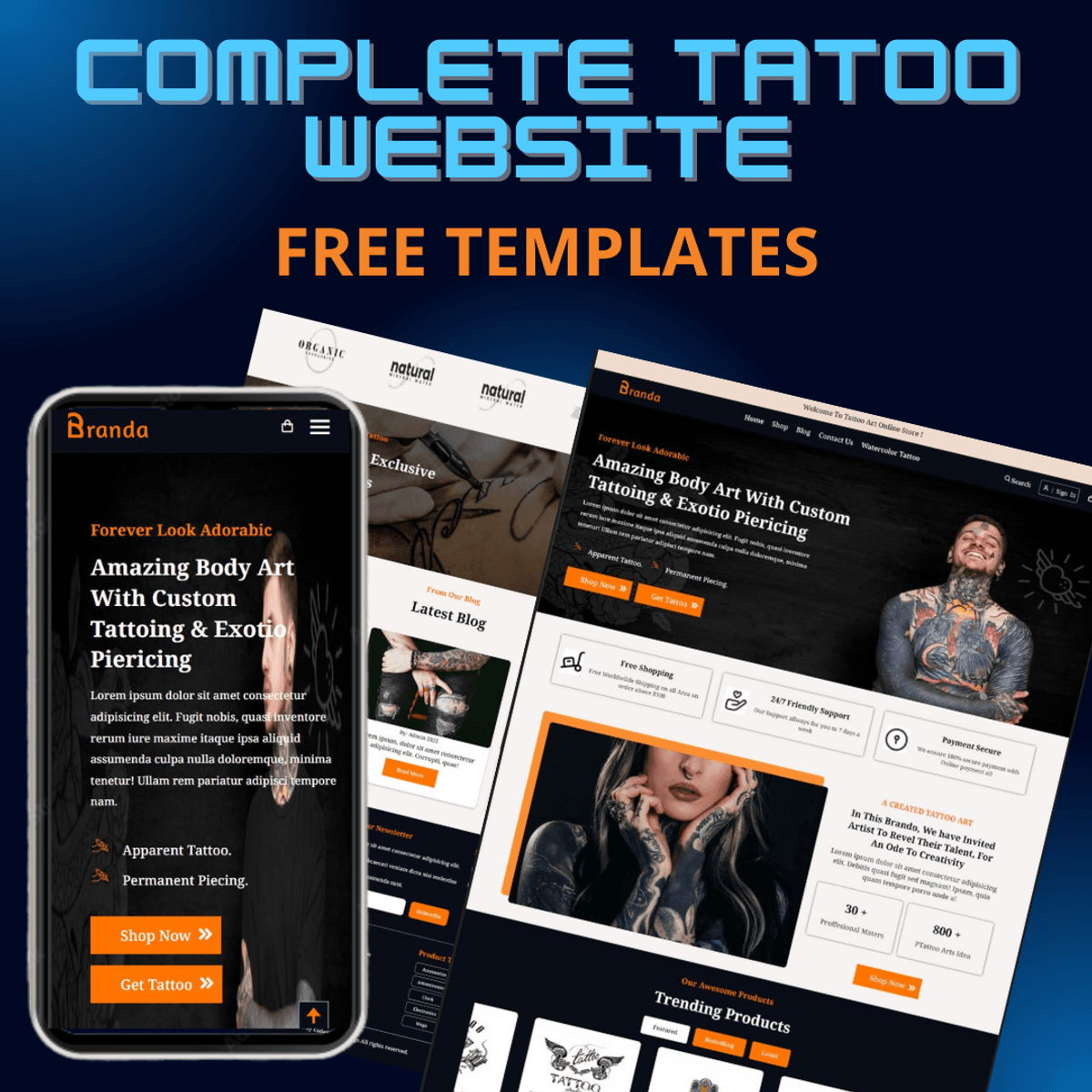
Here are the main sections of the website:
Header: This is the top part of the website that contains the logo, the search bar, the cart icon, and the navigation menu. You can use the menu to access different pages of the website, such as “Shop”, “Pages”, “Blog”, etc.
Main Banner: This is the large image that shows a person with tattoos and piercings. It also has some text that promotes the services of the studio, such as custom tattooing and exotic piercing. There is a button that says “SHOP NOW” that you can click to see the products available.
Appointment Booking: This is the section where you can book an appointment online. You need to fill out your name, email, phone number, preferred date and time, and the service you want. Then you can click on “Book Now” to confirm your booking.
Trending Products: This is the section where you can see the trending products that the studio offers. You can see the images, names, and prices of the products. You can also click on “ADD TO CART” to add a product to your cart, or “VIEW DETAILS” to see more information about a product.
Trending Categories: This is the section where you can see the different categories of tattoos that the studio specializes in. You can see the images and names of the categories, such as “Dragon Fish”, “Lion King”, “Flower Pot”, etc. You can click on any category to see the products related to that category.
Customer Testimonial: This is the section where you can see the feedback from the customers who have used the services of the studio. You can see their names, ratings, and comments. You can also click on “READ MORE” to see the full testimonial.
New Arrivals: This is the section where you can see the new products that the studio has added recently. You can see the images, names, and prices of the products. You can also click on “ADD TO CART” or “VIEW DETAILS” as in the previous section.
Exclusive Offer Banner: This is the banner that advertises an exclusive offer for the customers. It says that you can get up to 30% off on exclusive design memories in tattoos. You can click on “Check Offers!” to see the details of the offer.
Latest Blog Posts: This is the section where you can see the latest blog posts that the studio has published. You can see the images, titles, and dates of the blog posts. You can also click on “READ MORE” to read the full blog post.
$3.95
Saisissez un prix raisonnable
$
$3.95