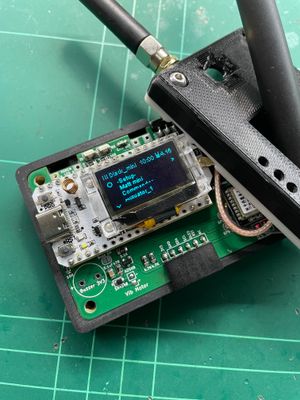

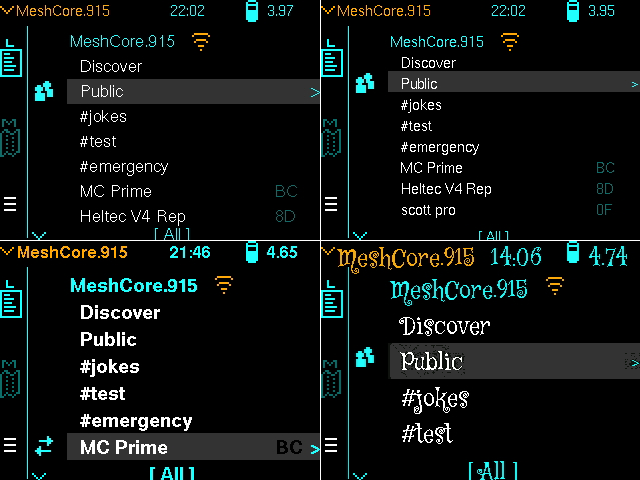
 The upcoming release of the Ripple MeshCore firmware has new font handling which supports proper UTF-8 decoding, and also lets you customise the fonts simply by placing font files onto the SD card.
So, this kills two birds with one stone:
With the appropriate font file, you can now view messages in non-Latin languages, like Russian or even Chinese.
You can tailor the font size and style to match your eyesight and/or preferences.
How it works
The font files must be in the U8G2 format, and placed on the SD card in the /fonts folder. The font files must be named: tiny, small and regular. So, you can define fonts for 3 different sizes used throughout the firmware. If there is no file of a particular name, eg. there is only /fonts/small and /fonts/regular, the 'tiny' font will default to the built-in tiny font.
I have put together a small collection of font groups which you can download here. So, for instance the 'HelvR' folder has tiny, small, regular font files which are thinner than the default bold fonts. Just copy the HelvR folder to your SD card, then rename the folder to 'fonts'.
Compiling your own font files is quite an involved process, and as far as I can tell, there are only some limited tools out there. There is this one, an online utility to generate the .c output from a .bdf file. The problem is, this .c file needs to be converted to a raw file (ie. the raw bytes which the C source declares). So far I haven't found a Python script for converting. Please drop a comment if you find any scripts or tools out there.
There is a collection of compiled fonts here, but again they are all generated .c files, which you need to convert to raw files.
Unicode Ranges
Each font file has a number of ranges of Unicode glyphs. This reference has a nice visual preview of the particular Unicode characters which each font file in the compiled sets (above) support. eg:
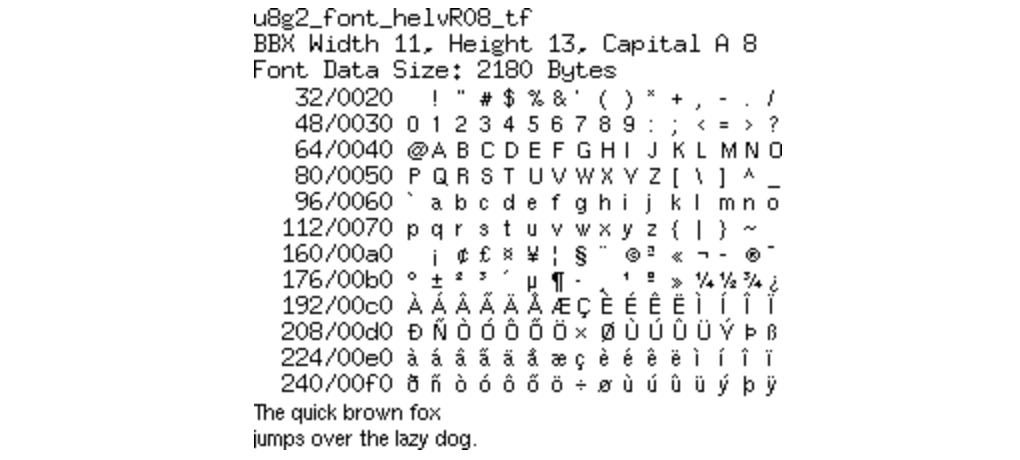 Various character sets, like the Cyrillic characters are in the Unicode range of 0x0400 - 0x0520.
Supporting Chinese or Japanese characters is quite a challenge, but there are some fonts that weigh in at about 160K which have a good number of characters in the CJK set.
The Small/Normal Preference
In the Display Prefs screen, the new (from v8.0) Font Size preference is now used to control which font is used in menus and in conversation screens. When small is selected, the '/fonts/small' font is used. When normal is selected, the '/fonts/regular' font is used.
NOTE: if you try to put two Chinese fonts in the /fonts directory, the total size (in bytes) has to be under 240K. Typically, you can only afford to have one font, eg. /fonts/regular for Chinese. So, in this case, you'll need to stick to the Font Size: normal preference.
Out Soon
The new release (prob v8.3) should be out within the next day or so.