

If you are a sewing pattern designer using Affinity Designer, you have probably run into this frustrating problem at some point.
You want to export a layered PDF where each size lives on its own layer. You want your customers to be able to open the PDF, click a layer, and have that size show across every single page of the pattern, and then be able to print out only that selected size. Simple, right?
Not quite.
The Problem
Affinity Designer is a fantastic piece of software. It is powerful, free, and a joy to use for creating, and in my case, sewing patterns. But there is one feature that is missing: global layering.
When you export a multi artboard document as a layered PDF, Affinity exports the layers per page, not per document. Leaving this mess...
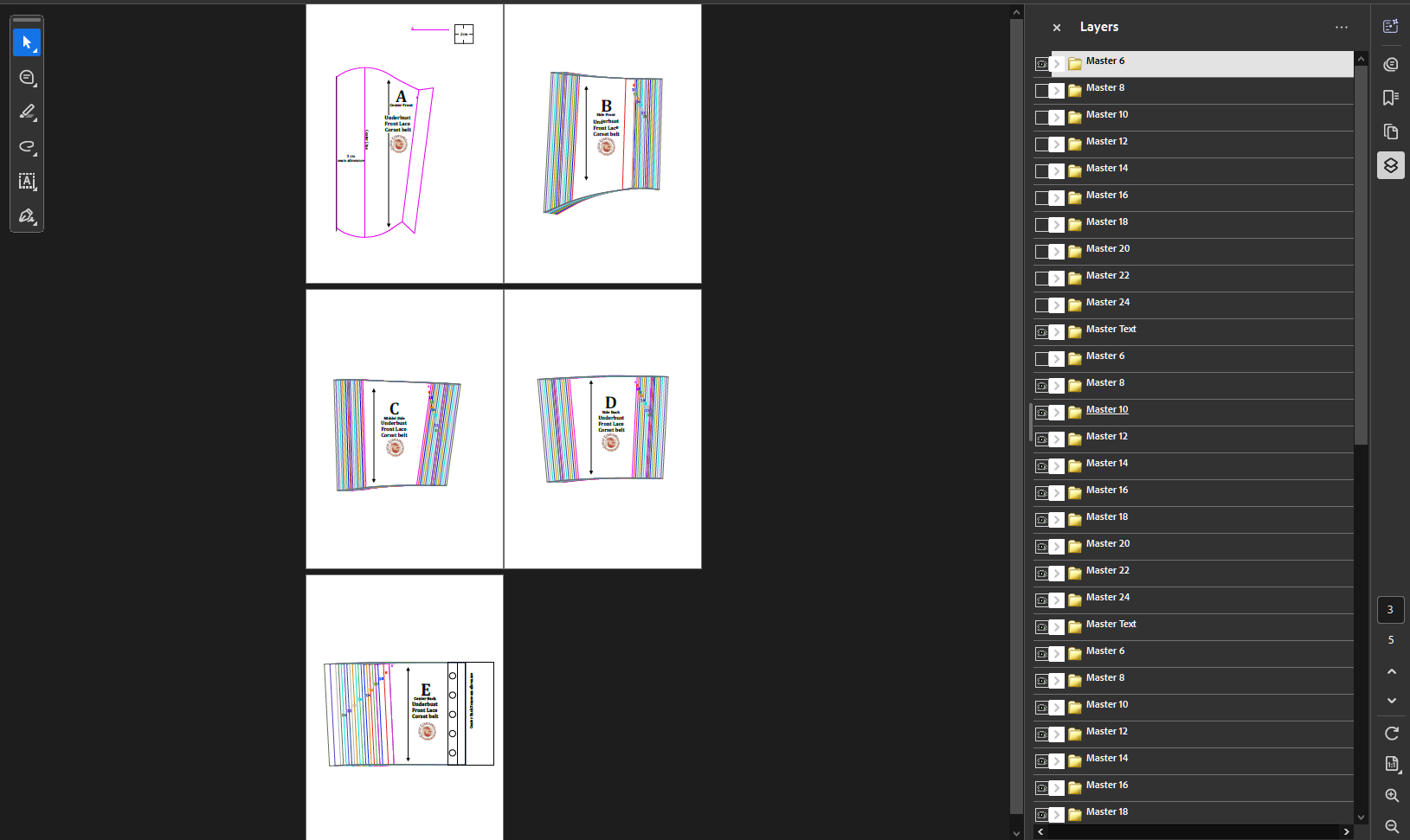 This means that if you open the PDF in a PDF reader like Adobe Reader, you have to turn off a layer on page 1, then turn it off again on page 2, and again on page 3. It is tedious, confusing for customers, and not how a professional sewing pattern should work.
I spent a long time trying to figure out a solution. I tried exporting with "Include Layers" enabled. I tried different groupings on the Affinity files. I tried every setting or grouping I could find. Nothing worked.
Now let me preface this by saying I have never used Adobe Illustrator or Photoshop. So this is me learning to use the software as I create patterns.
The solution would be a feature that I believe should exist on Affinity but does not: a global layering tool. Affinity unfortunately does not have this.
I posted a video and I reached out to Affinity support for help. Their team was kind and responsive, but even they could not offer a direct solution within the software. They seemed to be very confused with my exact specifications, but alas, there is no solution on the software itself.
The Workaround That Actually Worked (using free tools)
After a lot of trial and error, I finally found a workaround that works perfectly and doesn't need a subscription. It is not a single click solution, but it does the job and gives me exactly the result I need. It is not fast, but for smaller corset patterns it is fine.
Here is the process:
Make sure each size is named exactly the same on all artboards/pages.
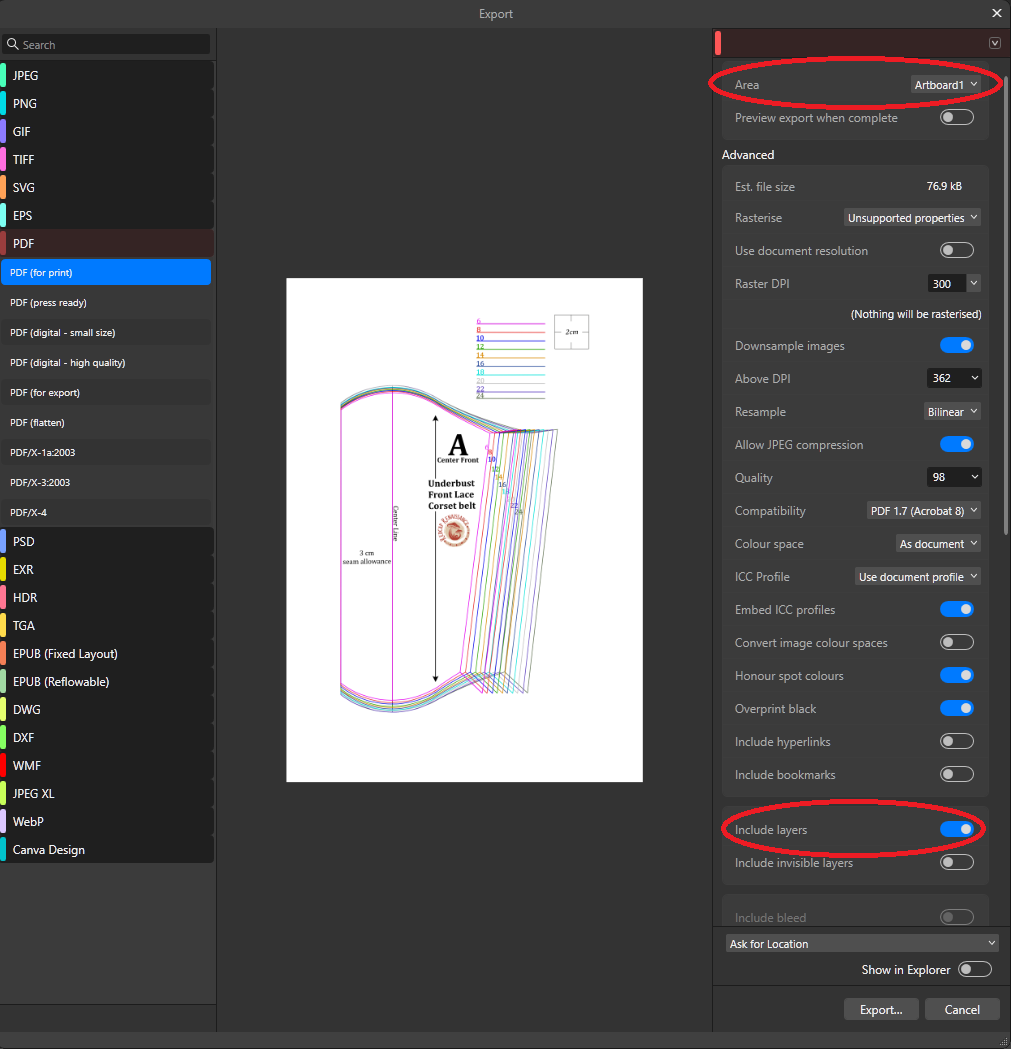
Step 1: Export each artboard as a separate PDF.
Instead of exporting the entire file at once, I exported each artboard individually using the "Area" option in the Export dialog. I made sure "Include Layers" was selected and exported each page as its own single page PDF.
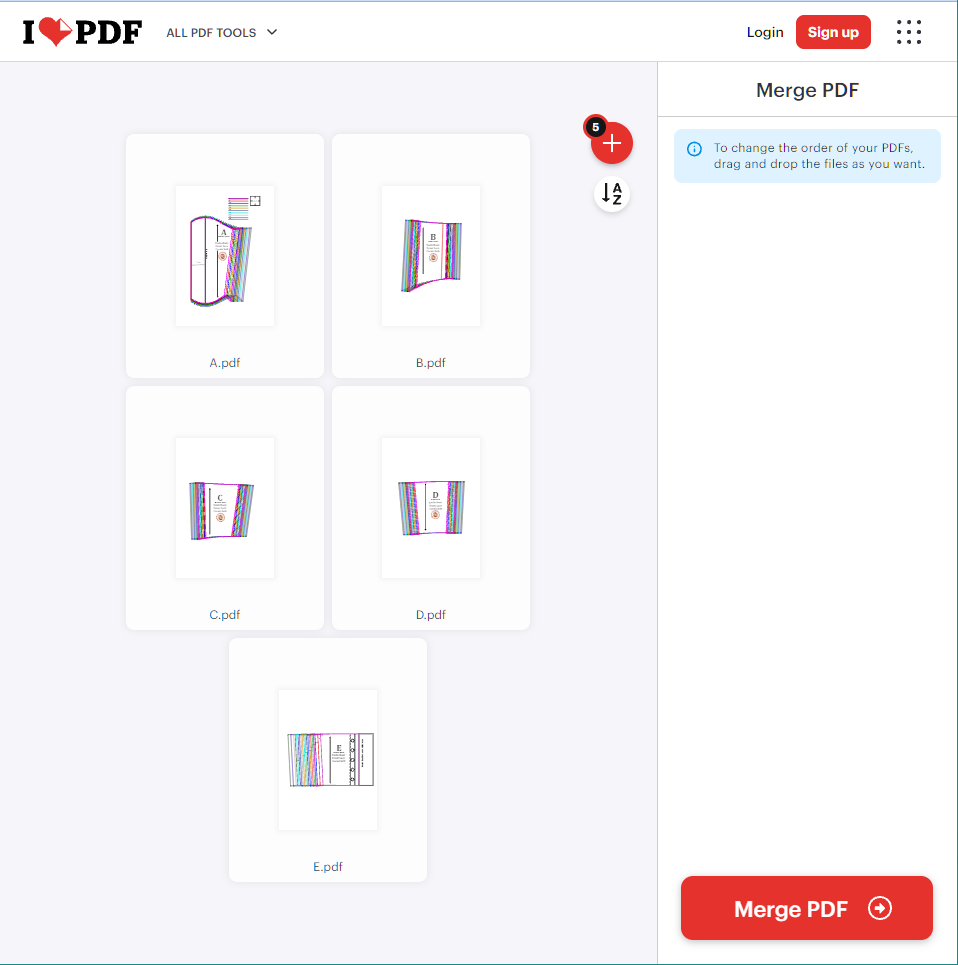
Step 2: Merge the individual PDFs together.
I used a free online tool called iLovePDF to merge all the single page PDFs into one document. The merging process preserved the layer names and combined them across all pages.
 Step 3: Open the merged PDF in Adobe Acrobat.
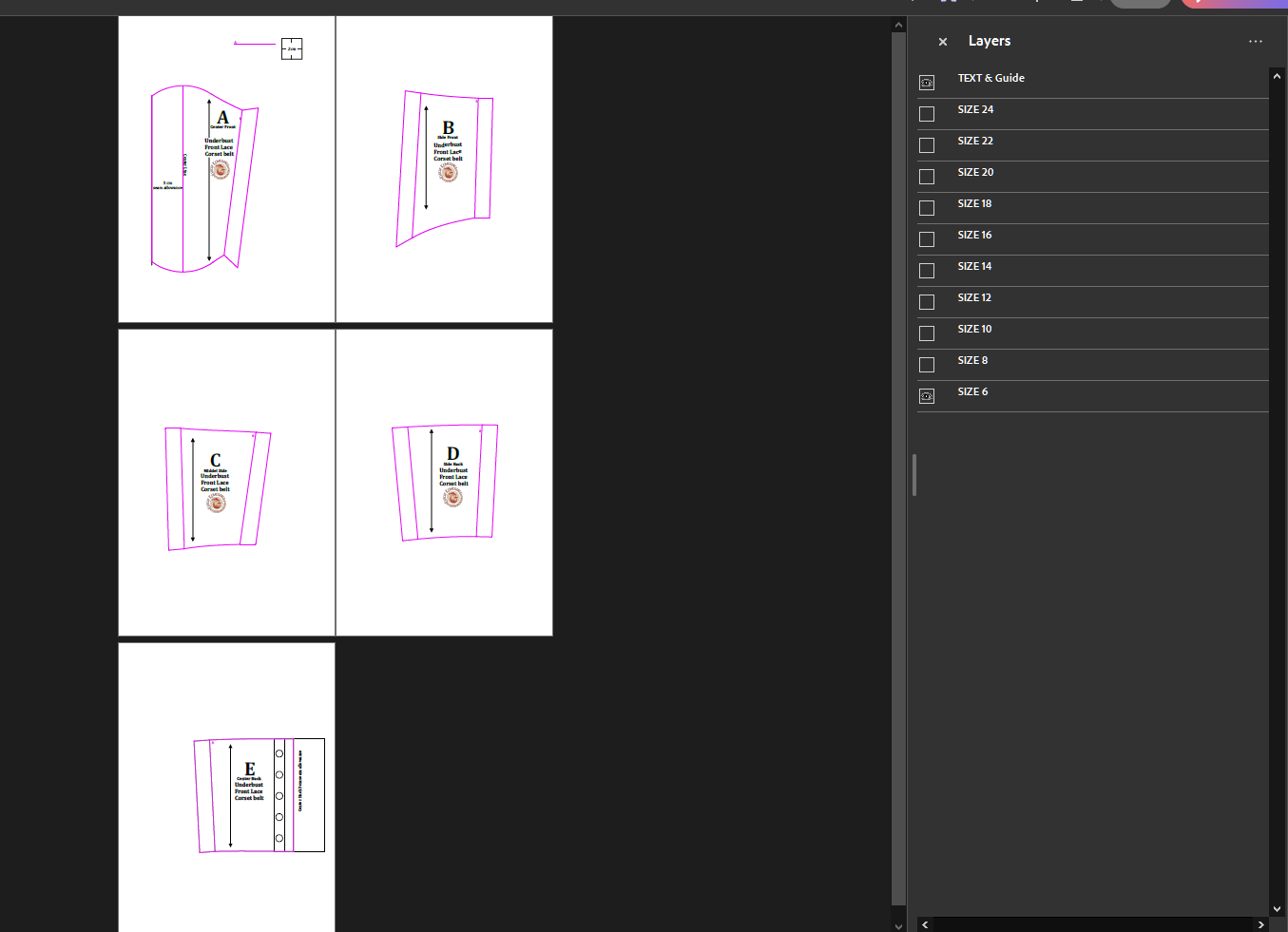
When I opened the final merged PDF, the layers were global. I could turn off a size layer and it would hide that size on every single page of the pattern with one click. Exactly what I wanted.
Why This Works
When you export each page separately, the layer structure stays intact on a per page basis, and the names are the same across all pages. When you merge those files together, the tool recognises that the layers share the same names and combines them into global layers across the entire document.
It takes some time and is not a quick workaround, but it did the job!
I really hope Affinity adds global layering support in a future update.
It would make pattern making so much smoother and eliminate the need for extra steps. But for now, this workaround gets the job done.
If you are a pattern maker struggling with the same issue with affinity, give this workaround a try. It takes a few extra minutes, but it is worth it to have a clean, professional PDF that your customers will love.
And if Affinity is reading this, please consider adding global layering to your software. Pattern makers and designers would be so grateful!
As for the pattern...
I am currently working on getting the pattern and tutorials up and running for an easy to sew underbust corset belt. If you happen to be a member or a follower, you will be the first to know when it is ready! 🍄
And if you enjoyed this post, please follow me. It is free! 🖤✨
(click the three dot icon above to follow for free)