
 I couldn't attend WWDC in person, but I've been following along closely! There were a number of changes around spatial photos and videos. My main goal is to share VR180 photos and videos on the web, I've been on this quest for a while and I think we're getting closer!
Day 1 Experiments
After watching this video https://developer.apple.com/videos/play/wwdc2025/237/ it looked easy enough. Taking a 180VR video that works correctly on my Mac (updated to 2026 Tahoe) doesn't result in a full immersive view on the Vision Pro. The video says the file must conform to APMP, I hadn't heard of that so I'm guessing my files do not, they are generated in the Spatial GUI that has been around a while. In any event I tried all manner of variations using Apple compressor and the new Finder convert video to no avail!
Day 2 Frustrations
OK reset, so frustrating something easy is so hard! On a side trip I tried the new spatial converter on Windows using NVidia acceleration. Worked great, behavior on Windows is same as the one using Swanson's converter so I'm confident that will become part of my workflow moving forward.
But back to the task at hand, getting VR180 videos showing in VisionOS Safari. This video provided more info https://developer.apple.com/videos/play/wwdc2025/297/ I think the video needs to be tagged with APMP tags. But I have questions, Does compressor not do this? Why do my VR180 video get recognized on Mac but not Safari? The Finder converter doesn't let you set manually, the video says it can interpret spatial tags, so do I need to first use an injector like previously?
Day ??? (5 maybe) Success!
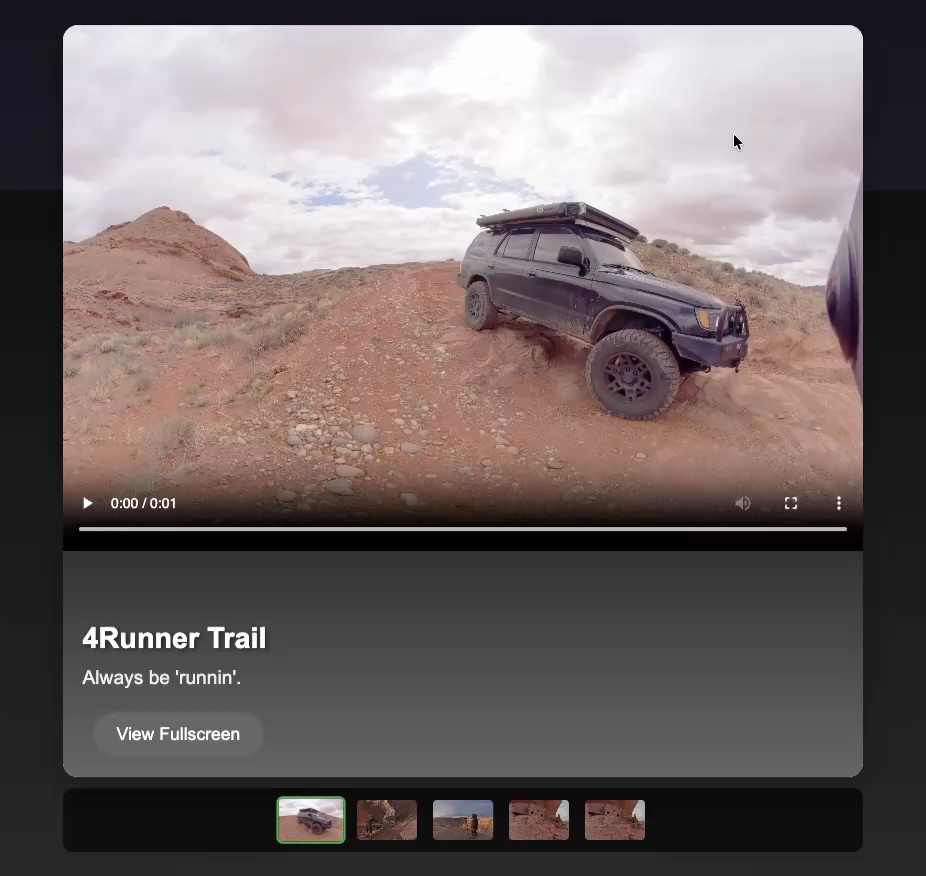
I may be slow, but I'm also pretty persistent! I was hitting a wall compiling the provided code example for labeling APMP. It's because I wasn't using latest XCode 26 beta, after upgrading I was able to compile the code and bingo 180VR on Safari in Vision Pro. You can see my simple slideshow here
OK so what works and what doesn't? I've seen some mentions of using AVConvert, but that tool is NOT included on MacOS 26, and I saw that was a choice by Apple to move to new workflow. I also saw some notes in various talks that some of the built-in libraries recognized a VR180 and a 360 from older tags and may display correctly in Vision Pro Files and Photos app. My hunch is that Safari is stricter and requires APMP labels. Hopefully these steps will be short-lived and the spatial command tool, compressor and even native apps will put the correct APMP tags in the videos.
So here is the workflow that work as of June 21 2025:
Upgrade to VisionOS26, MacOS 26 Tahoe, and XCode-Beta 26
Output side by side video from Davinci Resolve 20 as H265.
On the Mac download sample Xcode project ProjectedMediaConversion
As long as you have XCode-Beta 26 this will compile with just a click
Run the resulting script on a Side by Side Video. My command is: ProjectedMediaConversion riverhouse_bts.mov -b 64 -f 180 -p halfequirectangular -v sidebyside
Post this in an HTML using just a simple video tag. The behavior is very similar to Vision OS, you use the top left expand button to jump to VR180.
I am so excited to see this finally work. One of the reasons I bought the Apple Vision Pro is I have confidence that Apple has the attention to detail and "Vision" to make VR a reality. We are already seeing this with how much Meta is copying VisionOS for their platform. The web standards have been a little slow to adopt some of Apple's ideas quite honestly. I have been fighting this as well, I was thinking WebXR and BabylonJS would be the best way to get what I was after, but it turns out Apple has a different idea how to get where we're going! I'm going to keep shooting spatial photos and videos, and try to keep up with the new approaches Apple is promoting.