

Verti-Horiz Text File Merger
Gratis
# Verti-Horiz Text File Merger
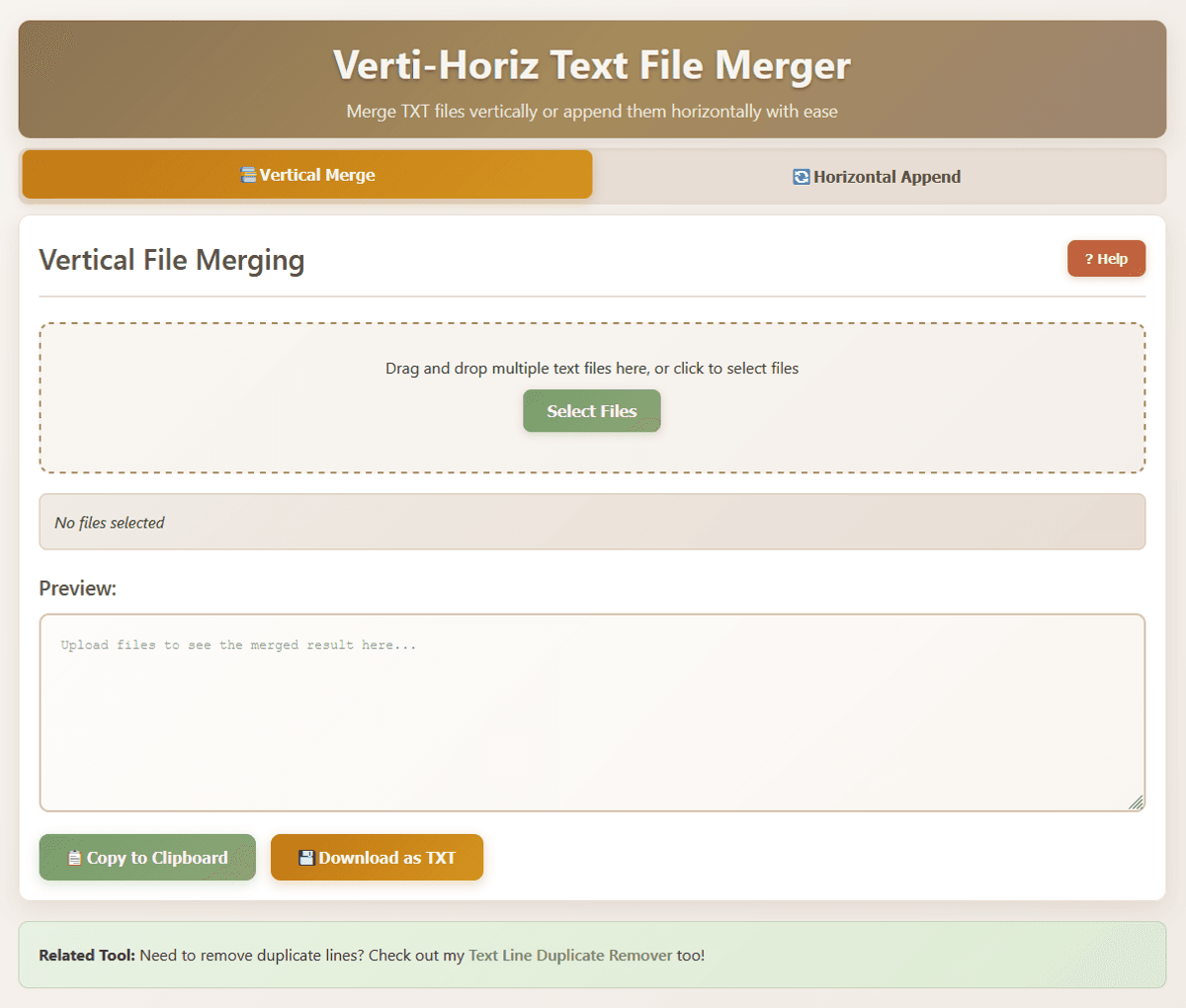
An offline standalone web app to merge TXT files vertically or append them horizontally.
---
## MODE A: Vertical Stacking
### What it does:
The Vertical Merger combines multiple text files into one, joining them one after another in alphabetical filename order.
### How to use:
- Upload multiple text files by dragging them onto the upload area or clicking "Select Files"
- Files will be automatically sorted alphabetically by filename
- Each file's content will start on a new line
- Preview the result in the text area
- Copy to clipboard or download the merged file
---
## MODE B: Horizontal Append
### What it does:
The Horizontal Appender combines two text files line by line, merging corresponding lines from each file.
### How to use:
- Upload a base file (left slot) and an addon file (right slot)
- Choose whether addon lines come before or after base lines
- Enable "Repeat addon lines" to loop addon content if it's shorter
- Enable "Remove extra spaces" to clean up formatting
- Preview the result and copy or download
### Options:
- Addon after base: Places addon text after base text on each line
- Repeat addon: If addon has fewer lines, it loops from the beginning
- Remove extra spaces: Converts multiple spaces to single spaces
---
This program is free, private and offline. All operations happen locally on your computer, simply using your browser, no data is sent anywhere - you can open the html file in notepad++ or similar to see the source code directly.
Works via any modern web browser, so you can use it on any operating system. Win, mac, linux, android, etc.
Gratis
Gratis