
DOCX Document Converter
Free
A free, unlimited web tool that converts Word documents (.docx) to Markdown, HTML, and BBCode. All processing happens locally in your browser - your files never leave your computer.
## Features
- **Free & Unlimited** - Process as many files as you want, no restrictions
- **Drag & Drop** - Simple interface for easy file uploads
- **Batch Processing** - Convert multiple documents at once with parallel processing
- **100% Local** - Everything runs in your browser, no server uploads
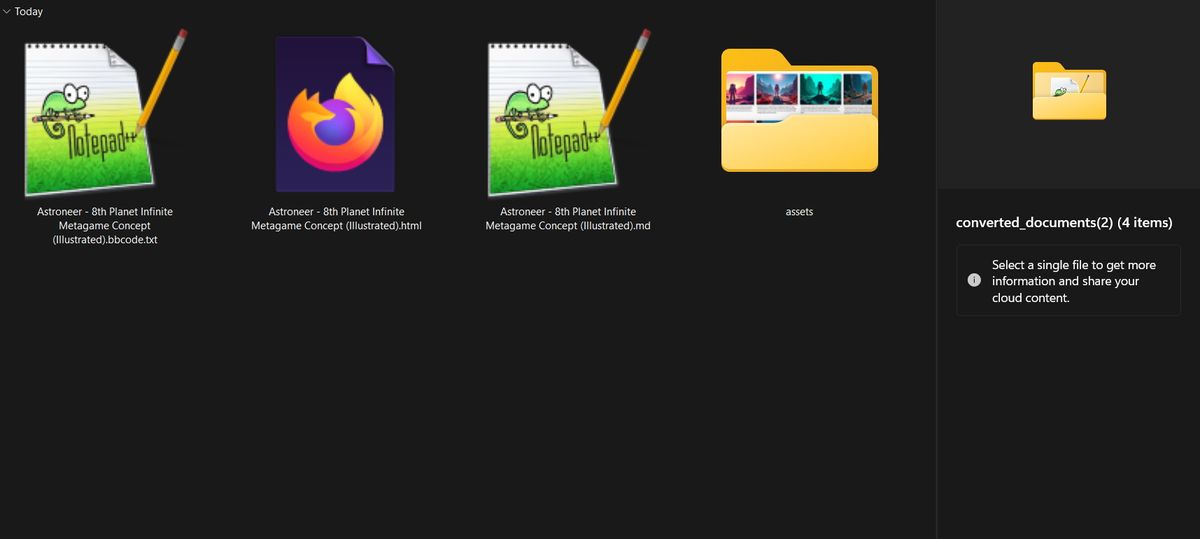
- **Image Extraction** - Automatically extracts and organizes all images
- **Multiple Formats** - Output to Markdown (.md), HTML (.html), or BBCode (.txt)
- **Works Offline** - No internet connection needed after loading the page
- **Privacy First** - Your documents never leave your computer
## How to Use
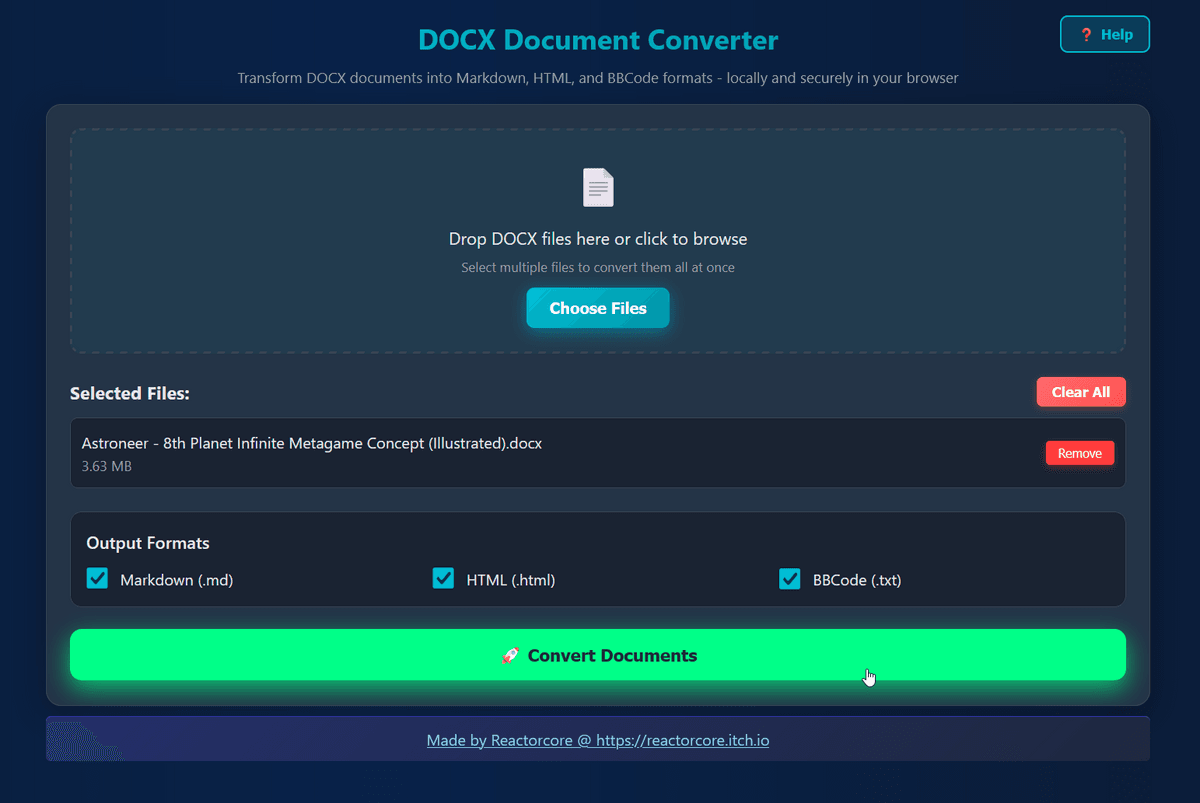
1. Open index.html in your web browser
2. Drag and drop your DOCX files or click "Choose Files"
3. Select output formats: Markdown, HTML, and/or BBCode
4. Click "Convert Documents"
5. Download the ZIP file containing your converted documents and images
Click the Help button in the app for detailed usage tips.
## Output Formats
- **Markdown (.md)** - Great for documentation, GitHub, and AI tools
- **HTML (.html)** - Perfect for web viewing with embedded styling and images
- **BBCode (.txt)** - Ideal for forums and bulletin boards
## Technical Details
- Maximum file size: 150MB per file
- Extracted images are saved in an organized assets folder
- All images are uniquely named to prevent collisions
- First paragraph automatically converted to H1 heading
- Supports PNG, JPEG, GIF, BMP, and WebP images
## Privacy & Security
All conversion happens locally in your browser using JavaScript. No files are uploaded to any server, ensuring complete privacy and security.
## Bonus: Markdown to BBCode converter
I've also included this other web app for sake of convenience if you deal with markdown files only and need to post them to forums.
---
Made by Reactorcore
https://linktr.ee/reactorcore
(check out all my other cool stuff!)
Free
Free