

TL;DR
Capture the string pattern into (a) capture group(s) with
()and then be able to reuse the captured group(s) with$1or$xwherexis the number of captured groups. Tools like PowerRename from PowerToys,sedand Search and Replace in VSCode has regex support. And to find the lines that don't contain a word, use the(?!WORD TO NOT CAPTURE HERE)
Learnt a quick Regex and it seems to be a theme for this week's work. Working on searching and replacing multiple things in several files at once. Let's start with renaming file names. Let us assume that there is a list of files with a consistent naming convention.
> ls
-a--- 18/6/2024 12:26 pm 94531 20240331.081114.customer.app.log
-a--- 18/6/2024 12:26 pm 97945 20240331.081352.customer.app.log
-a--- 18/6/2024 12:26 pm 101323 20240331.081612.customer.app.log
-a--- 18/6/2024 12:26 pm 97369 20240331.081813.customer.app.log
-a--- 18/6/2024 12:26 pm 100498 20240331.082016.customer.app.log
-a--- 18/6/2024 12:26 pm 90742 20240331.082157.customer.app.log
-a--- 18/6/2024 12:26 pm 91153 20240331.082444.customer.app.log
-a--- 18/6/2024 12:26 pm 91441 20240331.082732.customer.app.log
-a--- 18/6/2024 12:26 pm 91441 20240331.083016.customer.app.log
-a--- 18/6/2024 12:26 pm 90988 20240331.083303.customer.app.log
-a--- 18/6/2024 12:26 pm 91441 20240331.083545.customer.app.log
-a--- 18/6/2024 12:26 pm 92635 20240331.083835.customer.app.log
-a--- 18/6/2024 12:26 pm 92677 20240331.084049.customer.app.log
-a--- 18/6/2024 12:26 pm 55819 20240331.084212.customer.app.log
These customer files that was generated by the system follows a convention like YYYYMMDD.HHMMSS.customer.app.log. Now assuming that we want to rename a bunch of these files to say they are broken, we can probably go through each of the file on Windows File Explorer, press F2, then rename the file with backspaces or just append -broken or something. Let's assume we just want to mark them as such by appending -broken, we can probably do this quickly with PowerRename.
PowerRename is a nifty little tool from PowerToys.
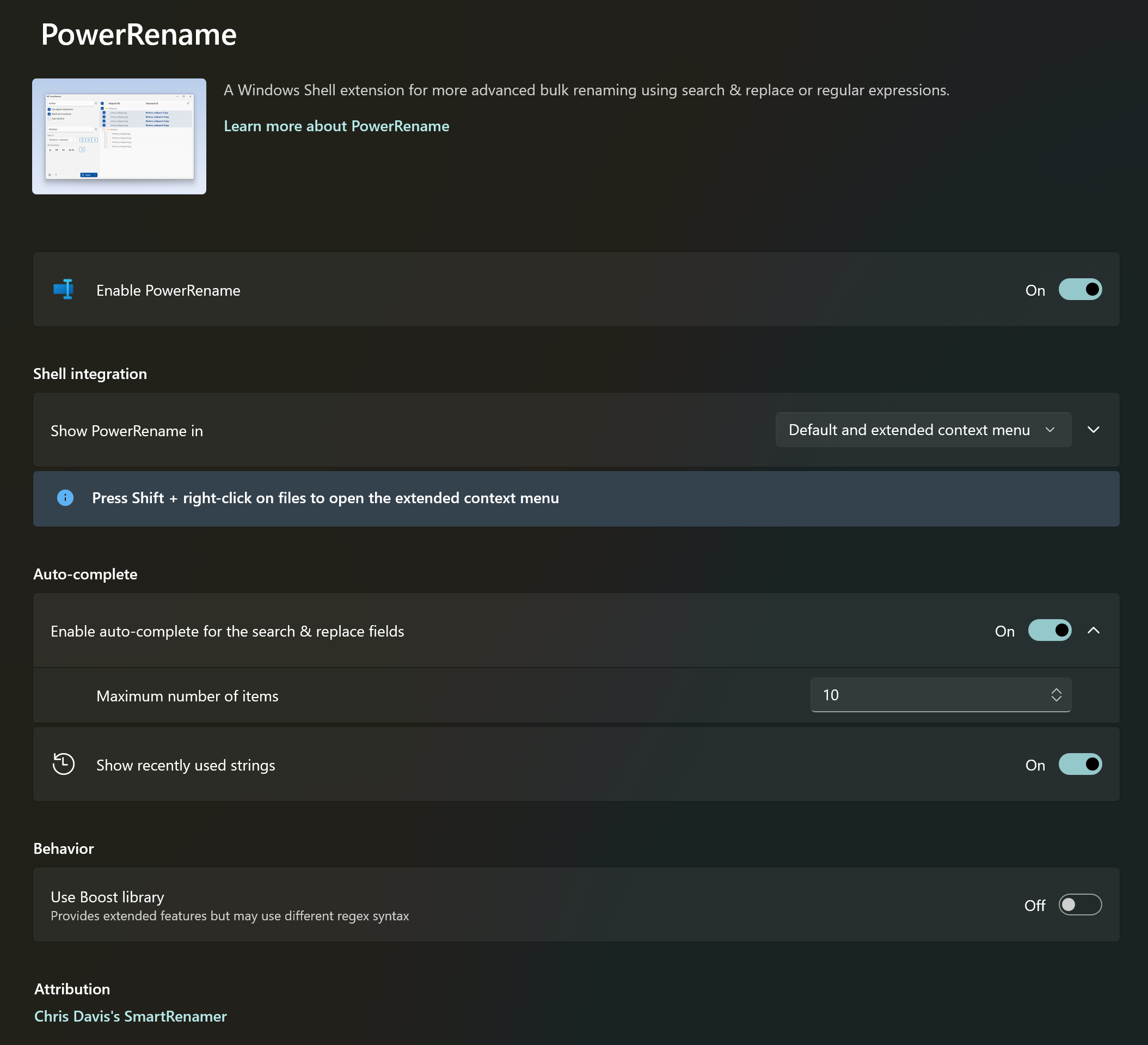
It has the ability to do a complete search and replace field. So a quick regex would look like this to capture all of the files that we have.
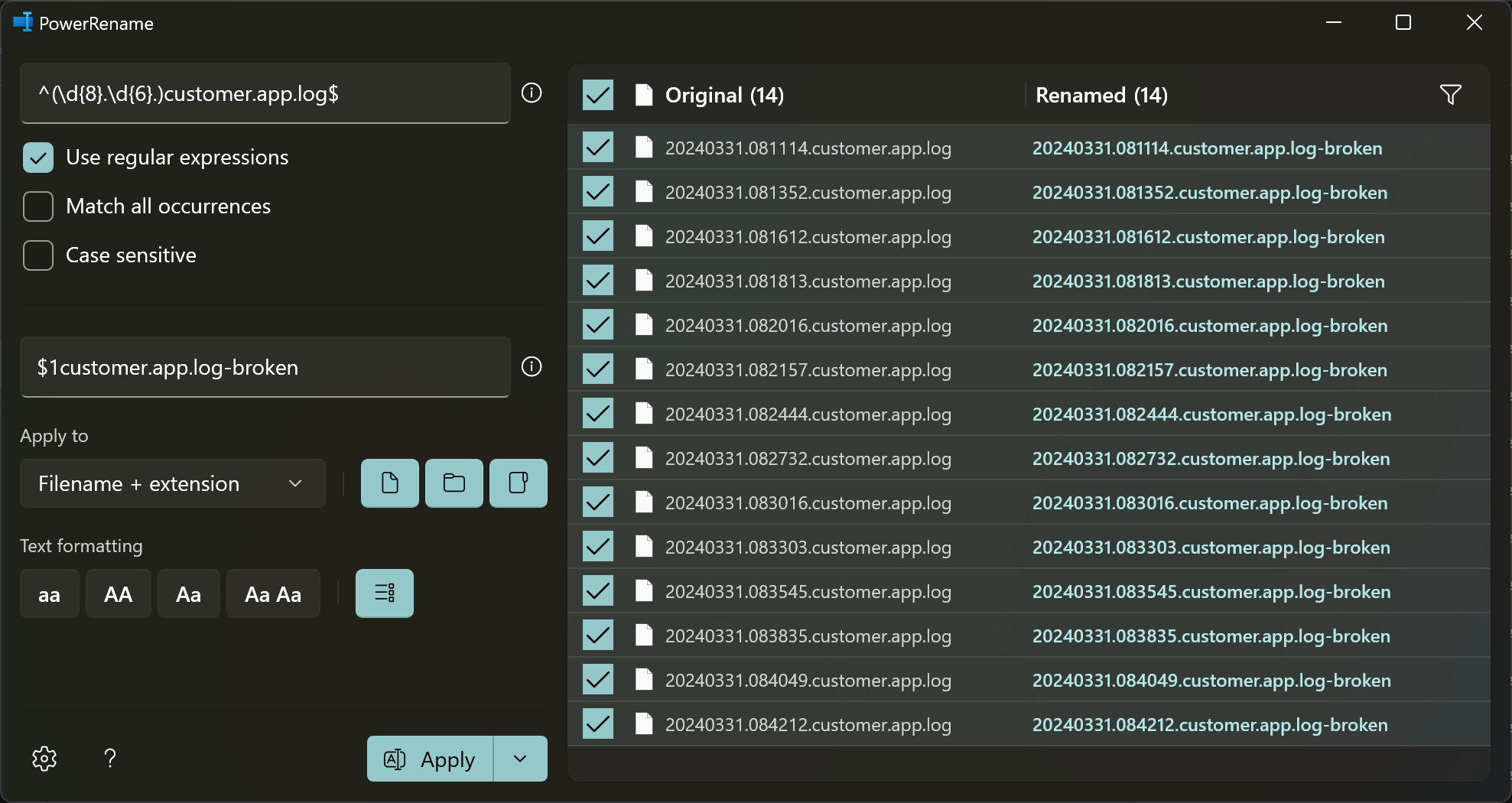
^(\d{8}.\d{6}.)customer.app.log$
Explanation
^ is a caret hat that tells Regex, this is the start of the regex string.
( is a capture group and ends with ). So anything in between the capture group will be used in the next step (i.e. to be reused in the result)
\d is for digits, basically 0,1,2,3,4,5,6,7,8,9. What proceeds after that is is {8} or {6} which means look for 8 digits and 6 digits respectively.
A . in between the \d{number} is literally a full stop/period/dot.
Then the rest is basically as statically written, customer.app.log
And lastly, $ meaning, the end of the string should look like that.
See Also
For more info and to be able to better learn how Regex works, I highly recommend learning from [RegexOne.com](https://regexone.com)
This is what it looks like in PowerRename, showing the Original and what it will look like in the Renamed column before applying.
OK so file renaming is done, so the next step is to start search and replace the content across multiple files. I'll be using VSCode for this. In Visual Studio Code, there is a Search and Replace and by enabling the 3rd option in the Search, it enables Regex. The button looks like .*

Example File
The files that I have are customer sensitive, so let's assume the log files look like the following:
This is an INVALID Line
This is a SUCCESS Line bla bla response
This is a a different correct line but doesnt contain either words
This is also another INVALID line
A lot of the customer files contain a bunch of these mixed up lines. Each line contains the word "INVALID" or "SUCCESS" and some doesn't contain neither. The objective is to remove all lines that contain the word "SUCCESS" and not "INVALID". It was tricky but thanks to Copilot/Codeium, I was able to get a proper Regex pattern that works.
^(?!.INVALID).$
This way, it highlights only on the lines that fits that objective and removes them.

Then the rest is basically fixing up the sensitive info and the work is done in a lot less time. 😄