
The house view released — and it turned up with weather, a schedule and a battery card
Good news for anyone who read the house view preview: it's real now. Home Energy Manager v1.1.0 is out, and the illustrated house is the headline act this time.
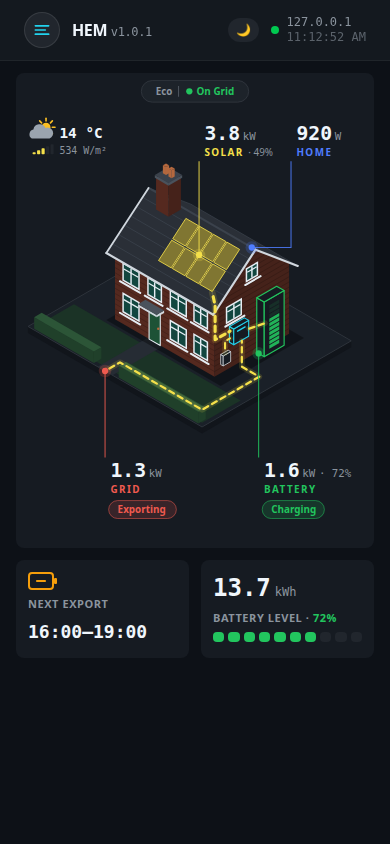
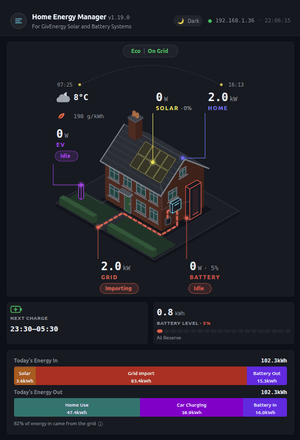
If you'd like to meet it: Settings → Panel Controls → Energy Flow Display has a House option that redraws the Status page as an illustrated home — panels glowing while they generate, and power running through the inverter one line at a time, the way your inverter's own screen draws it. The orbit is still the default, so House stays one setting away for the shy.
And it grew up a lot between preview and release:
☀️ Weather in the corner. The house now gets the current temperature, an icon for the conditions, and a five-bar gauge for how strong the sun is right now in W/m² — so you can watch the clouds eat your generation before the numbers do.
⏰ The house knows its schedule. Two cards sit under it. One shows the charge or export window running now, or the next one coming up — the battery icon pulses while it genuinely runs. The other shows how many kWh the battery holds, with a level bar in your battery's colour.
🔌 The readings got electric. Solar, Grid and Battery each show volts and amps (or grid frequency) in a small bubble on hover — tap them on a phone.
📱 Phones fit without scrolling. The house starts with the Today statistics hidden, so the full page fits an iPhone screen out of the box; bring the tiles back with Show Today Statistics in Panel Controls.
⚡ And the app got quicker about everything else. Pages now load the first time you open them instead of all at once, which is a real difference on a Raspberry Pi. Along the way: the Settings page was regrouped with its sections navigable (long explanations now fold behind an ⓘ), tiles and labels use consistent Title Case, alerts go out to ntfy and Pushover without raw tags in the middle of them, and a charge slot you switch off no longer reports a scary failure after the change quietly worked.
Installers for macOS (Apple Silicon and Intel), Windows (MSI plus a Store-ready MSIX), Debian .debs and .rpms are on the [v1.1.0 release page](https://github.com/psylsph/home-energy-manager/releases/tag/v1.1.0), the Docker image is pushed, and the Proxmox bootstrap script in the repo is pinned to the new version.
The house keeps taking requests — the garage for EV chargers is already ticketed as a follow-up. If it makes living with your GivEnergy a bit more fun, you know where the coffee button lives. Thank you!