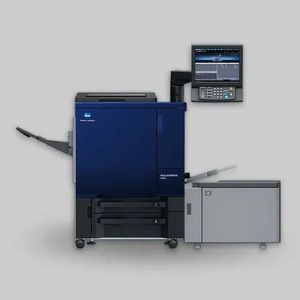

C 3105 Error Resolution Guide for Konica Minolta Printers
Understanding the Problem
The C 3105 error is a critical fuser belt centering issue that requires careful handling. If mishandled, it can result in permanent damage to the fuser belt through tearing. The key rule is: do not power cycle the machine once this error appears, as repeated on/off cycles will cause belt damage.
Root Causes
The error typically stems from one of two conditions:
Fuser Belt Misalignment: The fuser belt has shifted to one side—either more material on one side than the other, causing the belt to drift during operation.
Bearing/Rail Issues: The swing mechanism bearings may be stuck or seized on the guidance rails, preventing the centering system from functioning properly. This is often caused by dried or regular grease rather than the proper lubricant.
Step-by-Step Resolution Process
1. Initial Inspection and Lubrication
Open the top cover by removing the screws from the top of the machine. Once opened, check the swing mechanism bearings located on both sides of the fuser belt assembly.
Test if the swing mechanism moves freely by pressing it on both sides—it should slide smoothly in and out. If it's stuck or grinding, apply white lithium grease (not regular grease) to the bearings and rails. Regular grease generates heat and will cause additional problems. Use only white grease specifically designed for this application.
Ensure the bearings move freely along the rails after lubrication. Sometimes bearings can become locked on one side of the rail, preventing normal movement.
2. Belt Centering Adjustment
Once the swing mechanism is confirmed to be working freely, proceed with belt centering:
Locate the M4 adjustment knob near the swing mechanism. Press the spring-loaded swing mechanism on one side to activate it, then rotate the M4 knob in one direction. The fuser belt will move in response to this rotation.
Observe both sides of the fuser belt as it rotates. The goal is to achieve equal spacing on both sides—the belt should be perfectly centered between the left and right edges of the fuser assembly.
If the belt needs to move in the opposite direction, rotate the M4 knob in the reverse direction.
3. Sensor and Activator System
The centering system operates through three sensors and an activator working together. As the belt rotates, the swing mechanism continually adjusts based on sensor feedback. If this sensing mechanism isn't functioning properly, the belt will continue to drift even after manual adjustment.
4. Final Locking and Power Cycling
Once the belt is properly centered, secure the swing mechanism in its locked position—do not leave it loose or in a temporary state. This locking is critical to prevent the belt from drifting again after power cycling.
Only after confirming the belt is centered and the swing mechanism is locked should you power off and restart the machine.
Critical Safety Points
Do not repeatedly power cycle the machine while the error is active—each cycle risks further belt damage
Use only white lithium grease on bearings and rails; regular grease will cause heat generation and additional failures
Verify centering before locking—if the mechanism is locked while misaligned, the belt will continue to shift
Check both sides equally—use visual inspection to ensure left and right spacing match
When to Seek Professional Service
If the bearings are severely damaged, the sensors are faulty, or the swing mechanism cannot be freed despite lubrication, professional service may be required. Attempting to force stuck components can result in permanent damage to the fuser assembly.
This error is preventable through regular maintenance, proper lubrication schedules, and monitoring for early signs of belt drift.