
Hey everyone! Quick one from this week's PowerLib build.
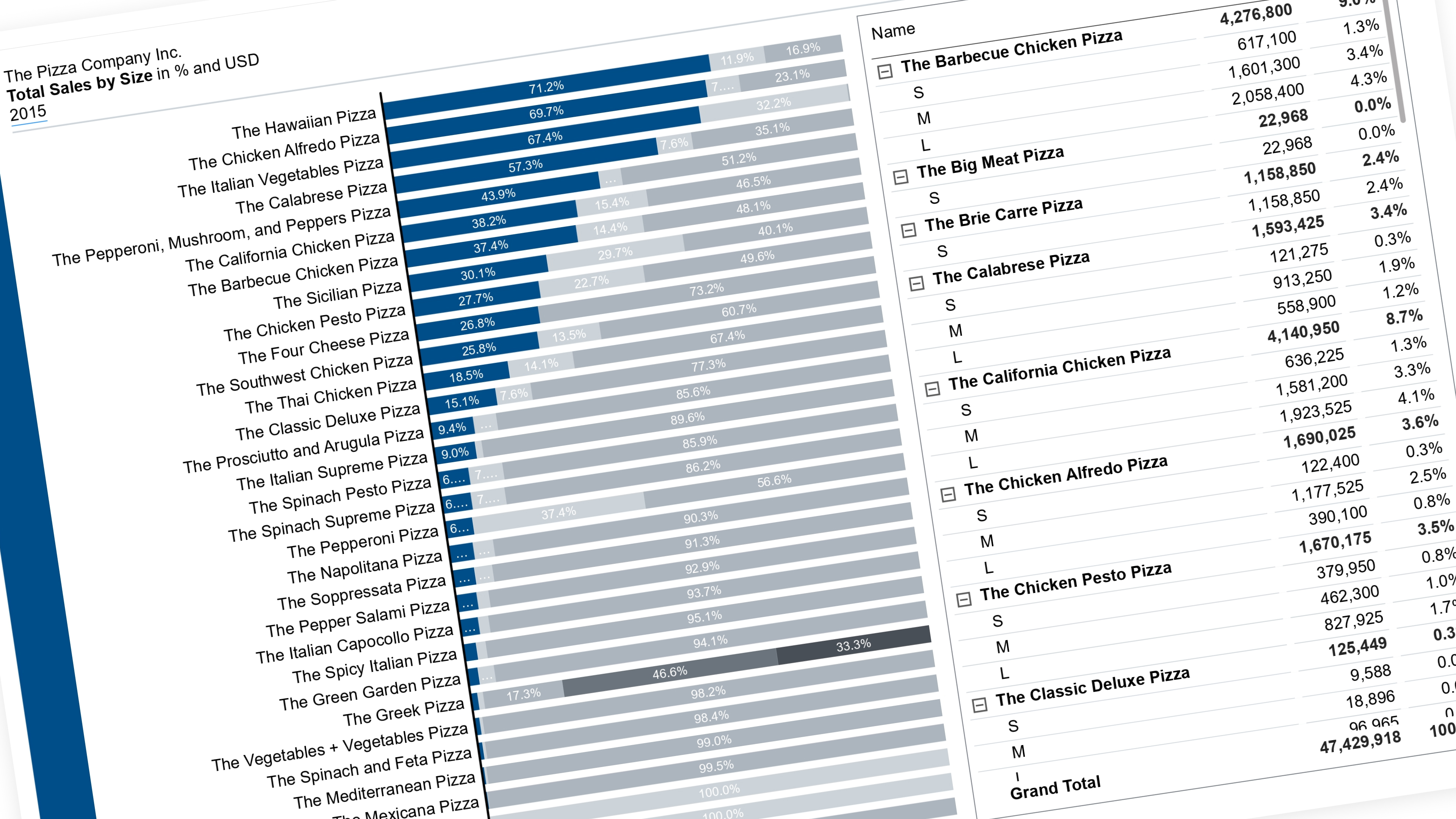
I've been playing with a trick I first built for a client dashboard, and finally got around to rebuilding it clean on a public pizza sales dataset so I could actually show it properly: making one segment of a 100% stacked chart easy to read, on demand.
Here's the problem I kept running into — in a 100% stacked bar or column chart, only the segment sitting right on the baseline is actually easy to compare across bars. Everything stacked above it just "floats," and once you're looking at a dozen bars, good luck eyeballing which one's biggest.
So I built a slicer that lets you pick a category — in this case, pizza size (S/M/L/XL/XXL) — and whichever one you pick drops straight down to the baseline in color, with everything else fading to grey above it. Pick "Large," and every pizza type's bar instantly shows what % of its sales is Large, sitting right on the zero line where it's actually readable. Bars even re-sort by that size's share, so you immediately see which pizza type leans hardest on Large sales and which barely sells it.
The fun part technically: you can't just sort a stacked chart by data — Power BI decides the stacking order from the field itself, not what you feed it. So instead of one measure split by a category, I ended up building one measure per stacking position, where "position 1" always equals whatever's selected. Whichever category that is gets plotted first, so it's always the one on the baseline. Bit of a mind-bend the first time you build it, but it clicks fast once you see it work.
Also threw in a custom tooltip so hovering any bar shows the real size name + its % + its actual sales number, instead of the generic labels Power BI shows by default.