

Shared early on blog (video only public after thumbnail creation for mirroring - follow for earlier access)
📺 VIDEO COVERAGE
FOCUS: SSH HIDDEN I2P TUNNELS / MICROSOFT OUTLOOK SHARING DATA
📝 SSH BY I2P TUTORIAL / SCREENSHOTS
First Step: install SSH server of choice (ex: openssh-server).
On Debian based systems, command might be:
sudo apt install openssh-server && sudo systemctl start ssh
After installing / starting ssh server, we can begin.
Start I2P+ / Java I2P And Open Working Browser Setup
Inside here, we hit "Tunnel Manager" (lower lefthand side).
Then, select "Tunnel Wizard":
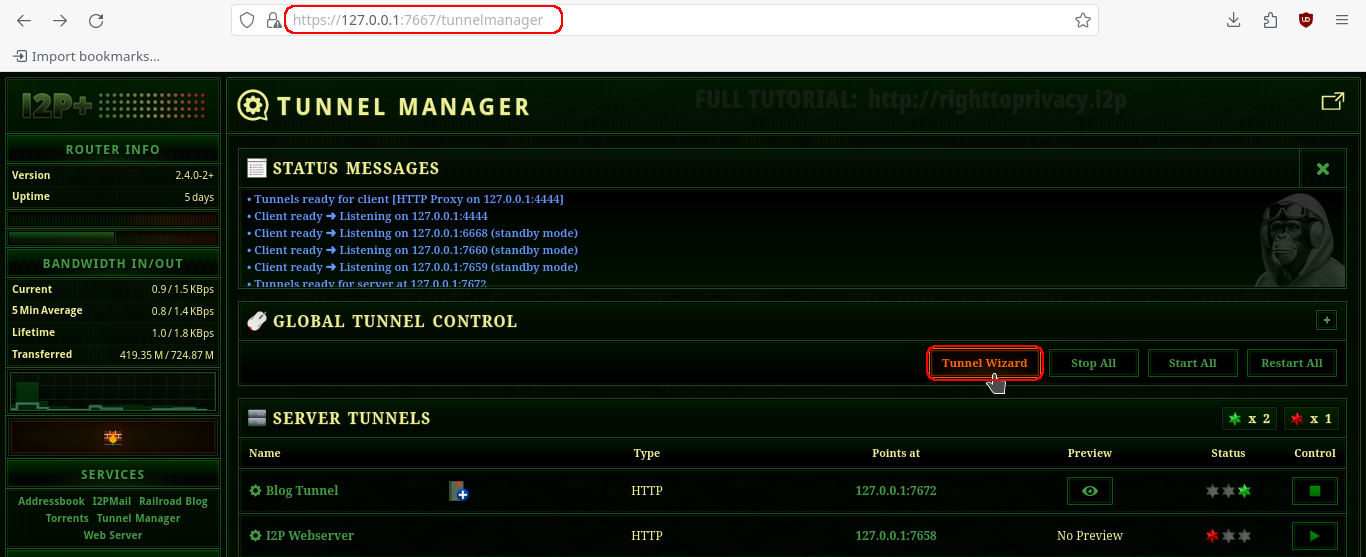
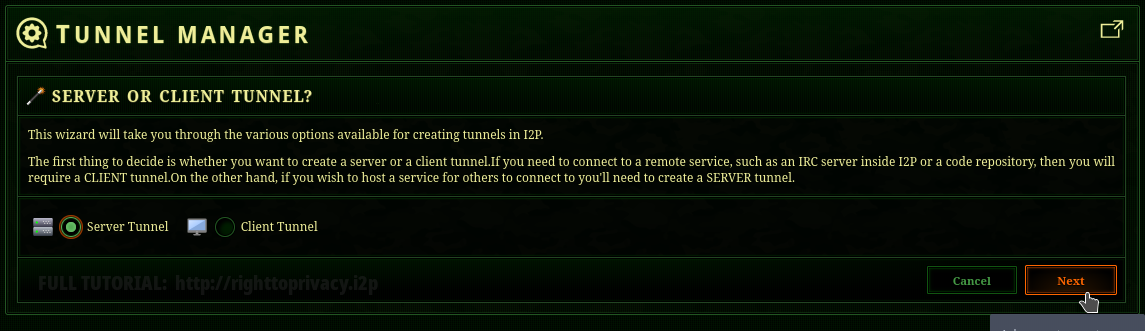
Select Server Tunnel For Selfhosting SSH I2P Tunnel
Inside the Tunnel Wizard, select 'server', when given choice between client / server tunnel.
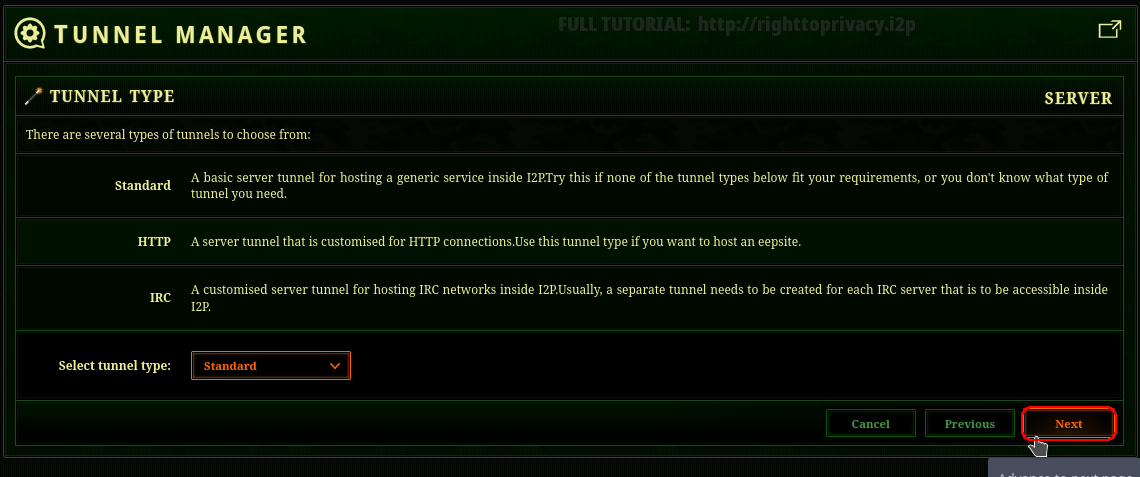
Tunnel Type
Under Tunnel Type, we go for "Standard" for our SSH tunnel.
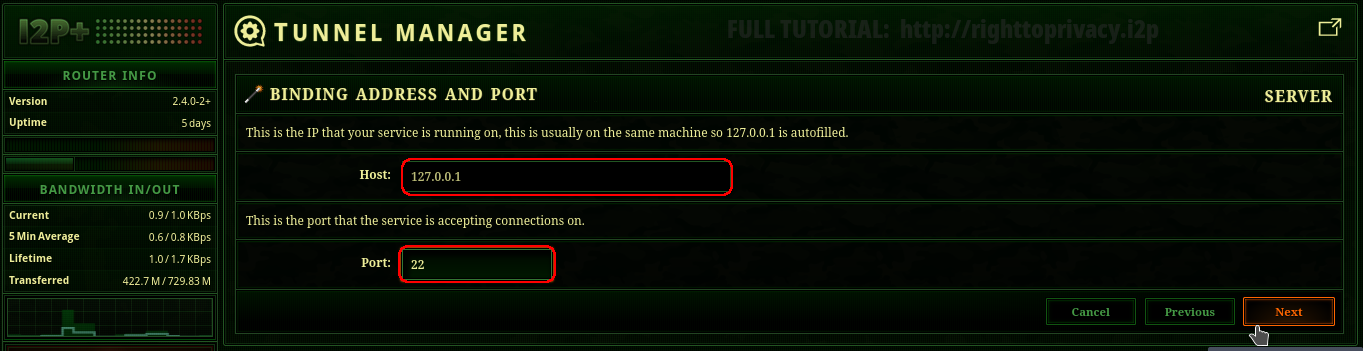
Binding Address / Port
Since we are hosting an ssh server, on the machine in question, we use 127.0.0.1 (localhost) as our host.
As SSH server runs on port 22, we select TCP port 22.
ProxyChains
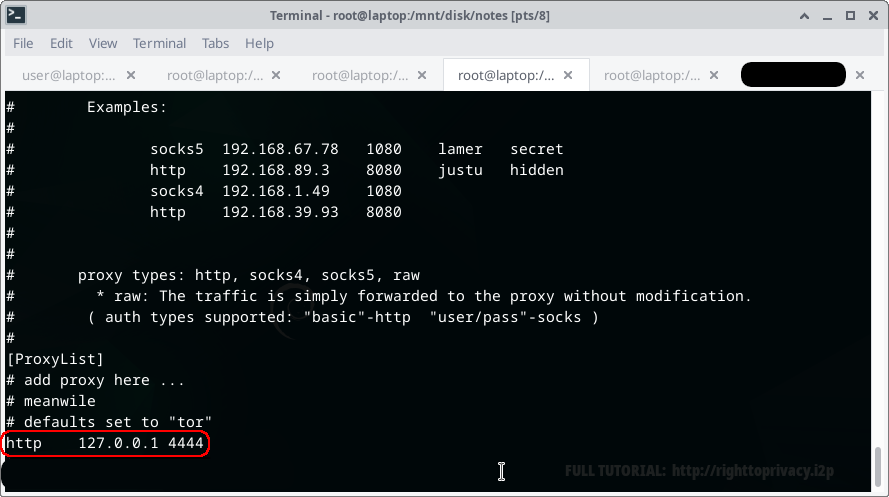
For our example, we test using proxychains. Allowing for easy proxying into our I2P ssh tunnel.
Our use case is remote server management.
Our basic goal is remote ssh not accessible to the clearnet.
We accomplish this through I2P tunneling.
Allowing us to later block ssh access to all other hosts.
Add the following to your /etc/proxychains4.conf:
Finding Our SSH Server
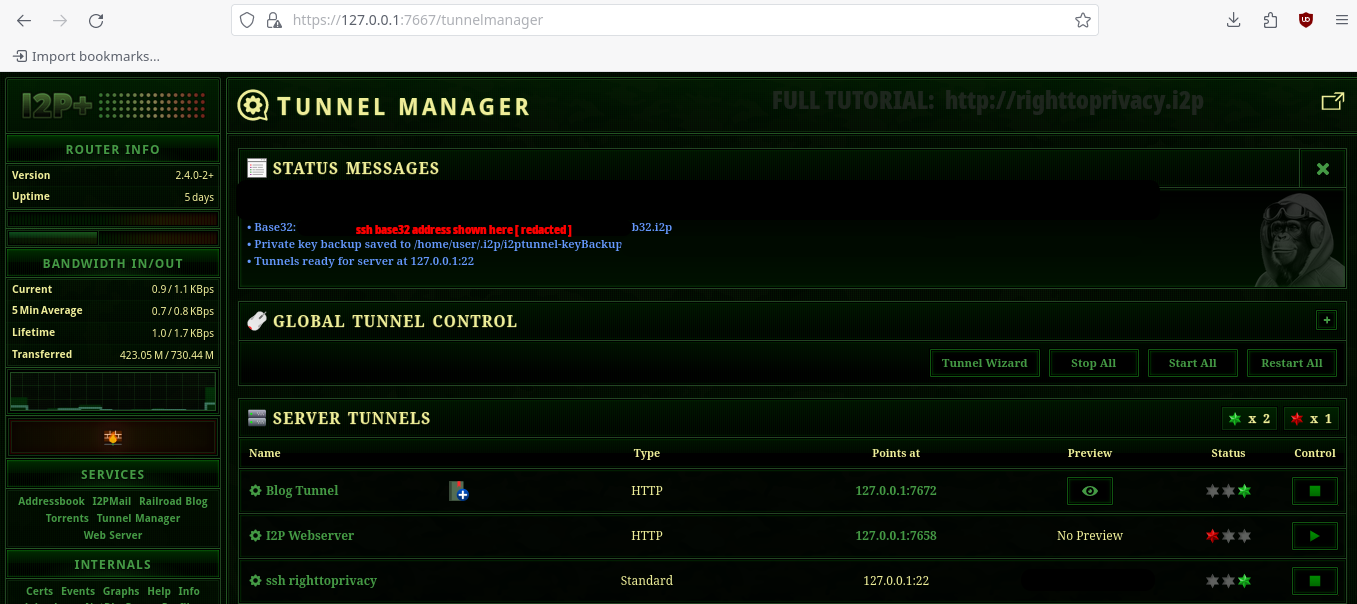
First, we need to grab our base32 address. This is what we shall use for connecting to our ssh server.
You will find this at the top of the Tunnel Manager, under "STATUS MESSAGES":
Base32 address will be seen where the red text redacts it (below).
Using Our SSH Server
Now we are ready to connect to our SSH server!
Open up a terminal, and type the following:
proxychains ssh [email protected]
Now you can connect to your ssh server from anywhere around the world, without requiring any open ports on the internet. Firewall all incoming port 22 connections outside localhost for greater security.
⭐ NEXT: HIGHLY RECOMMENDED
[ SSH PART I ] / [ SSH PART II ]
WHAT DO YOU THINK? SHARE YOUR THOUGHTS
🆕 RIGHTTOPRIVACY BLOG (this link for I2P browsers only)
✅ Thanks for your support! (sharing video / post = great way to support this).
🎯 Support Options (full option list / crypto)
🛍️ Shop
🫂 FOLLOW ON SOCIAL MEDIA
🎥 VIDEO CHANNELS / MIRRORS:
Youtube Odysee Bitchute Peertube