

Was planning short video clip on Pinephone with Thunderbird, PGP, onionmail setup. Decided to take some screenshots, sharing one way to migrate PGP keys, one device to another.
🐦 🔐 Secure Private 📩 Email Series (Now Public)
⭐ PART I: Introducing Federated Tor 📩 Onionmail
⭐ PART II: ⚙️ Configuring 🐦 Thunderbird + 🔑 PGP End-To-End Encrypted 📩 Email
⭐ PART III: Migrating 🐦 Thunderbird 🔑 PGP Keys To / From Devices
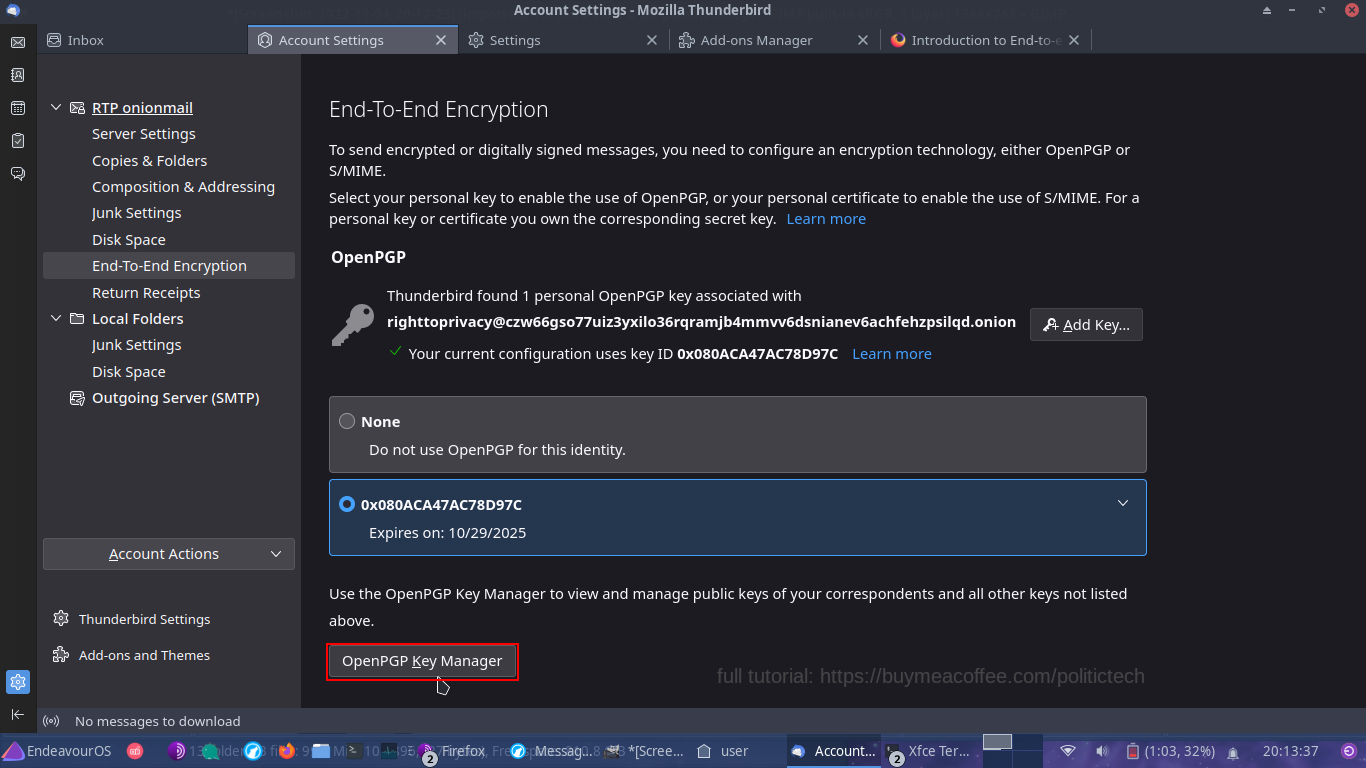
STEP 1: Open End-To-End Settings: OpenPGP Key Manager
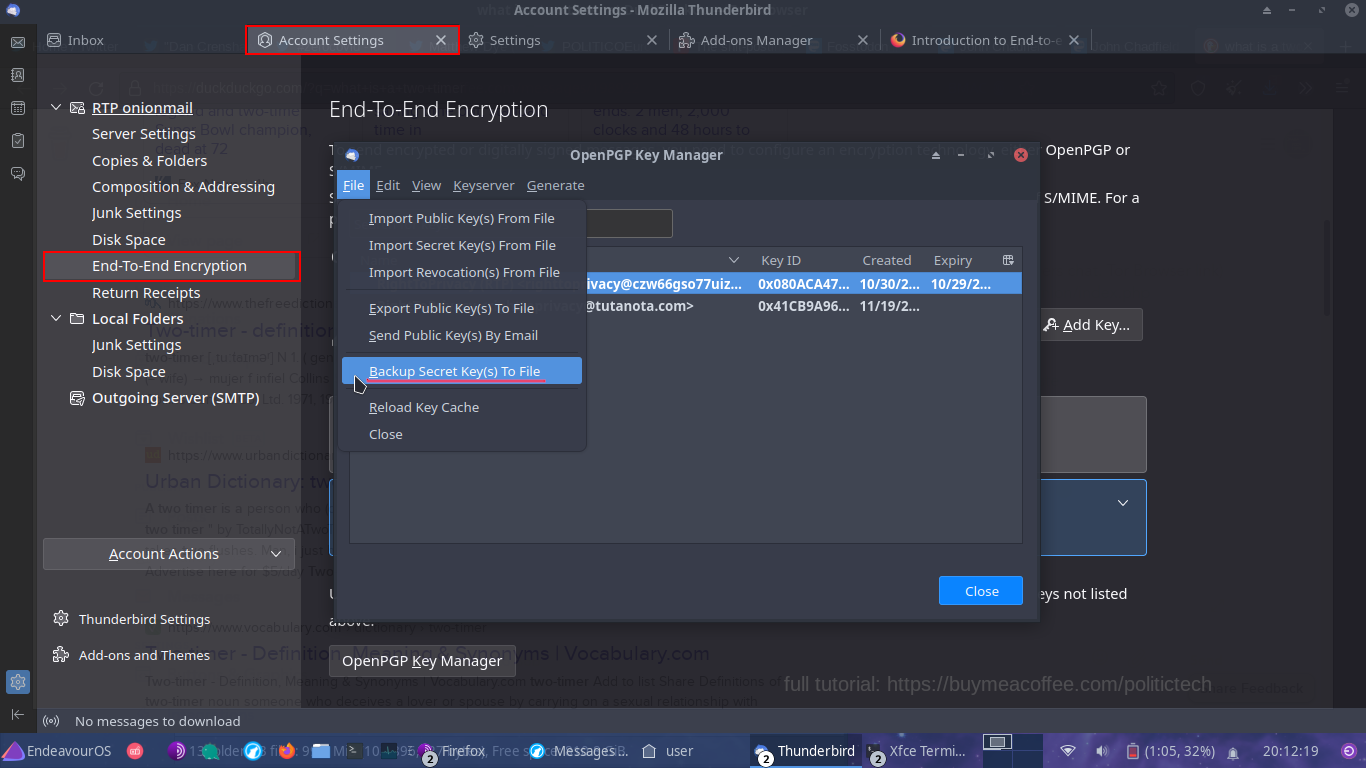
STEP 2: File -> Backup Secret Key(s) To File
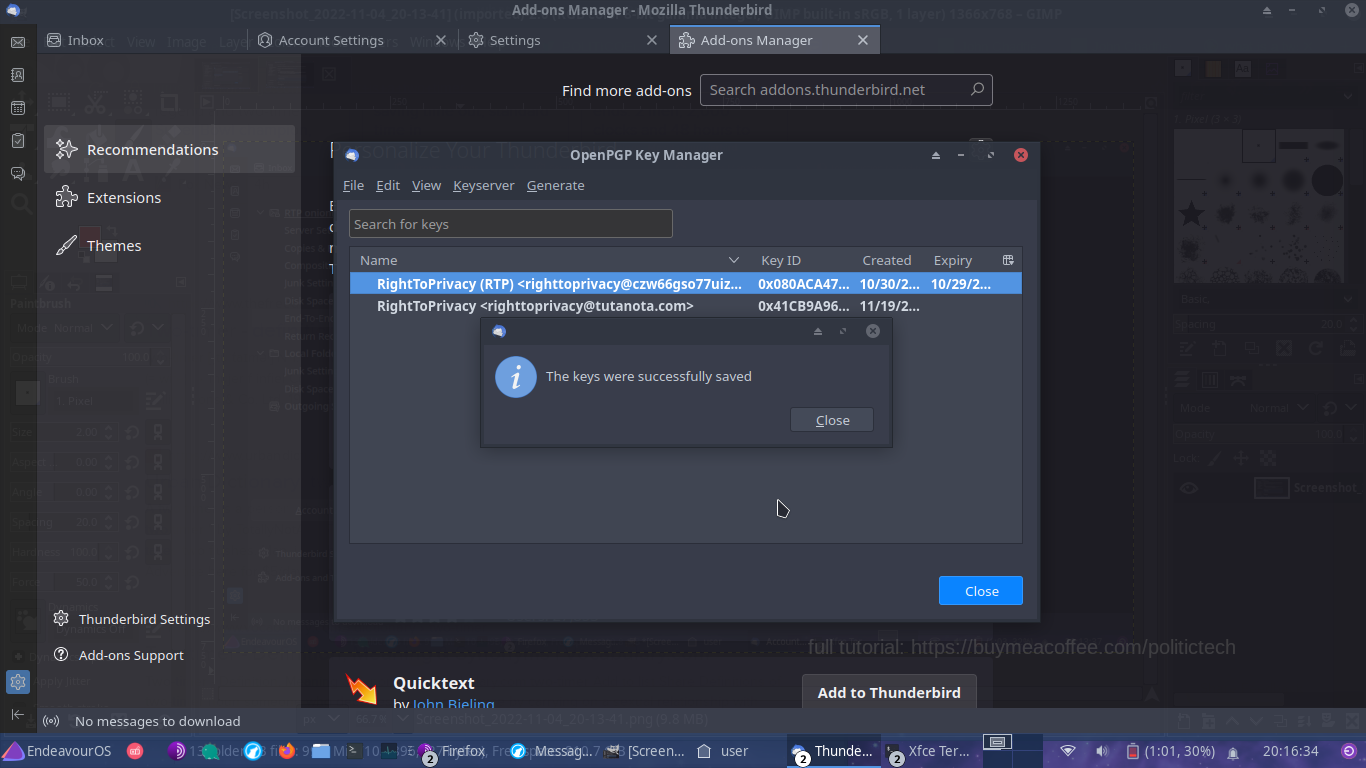
STEP 3: You should see a message as below (remember any passwords you set)
STEP 4: Encrypt Keyfile For Greater Storage / Migration Security (post: delete original key backup)
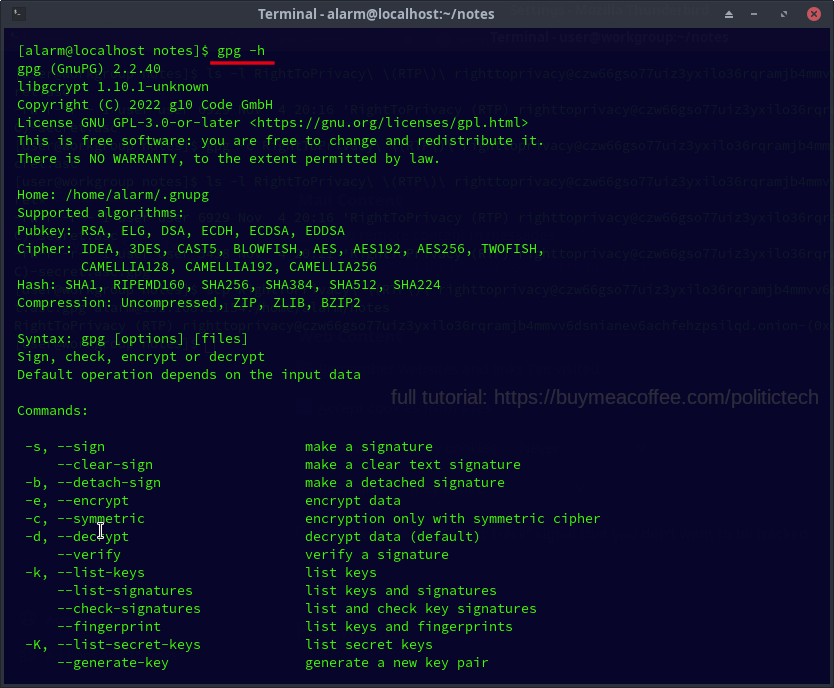
Get Help: gpg -h
GPG: Password Protected Encryption Of File:
(tip: use 'tab' key to autocomplete name of keyfile after typing first couple letters)
gpg -c keyfilenamehere.asc
(resulting encrypted file will be named keyfilenameHere.asc.gpg)
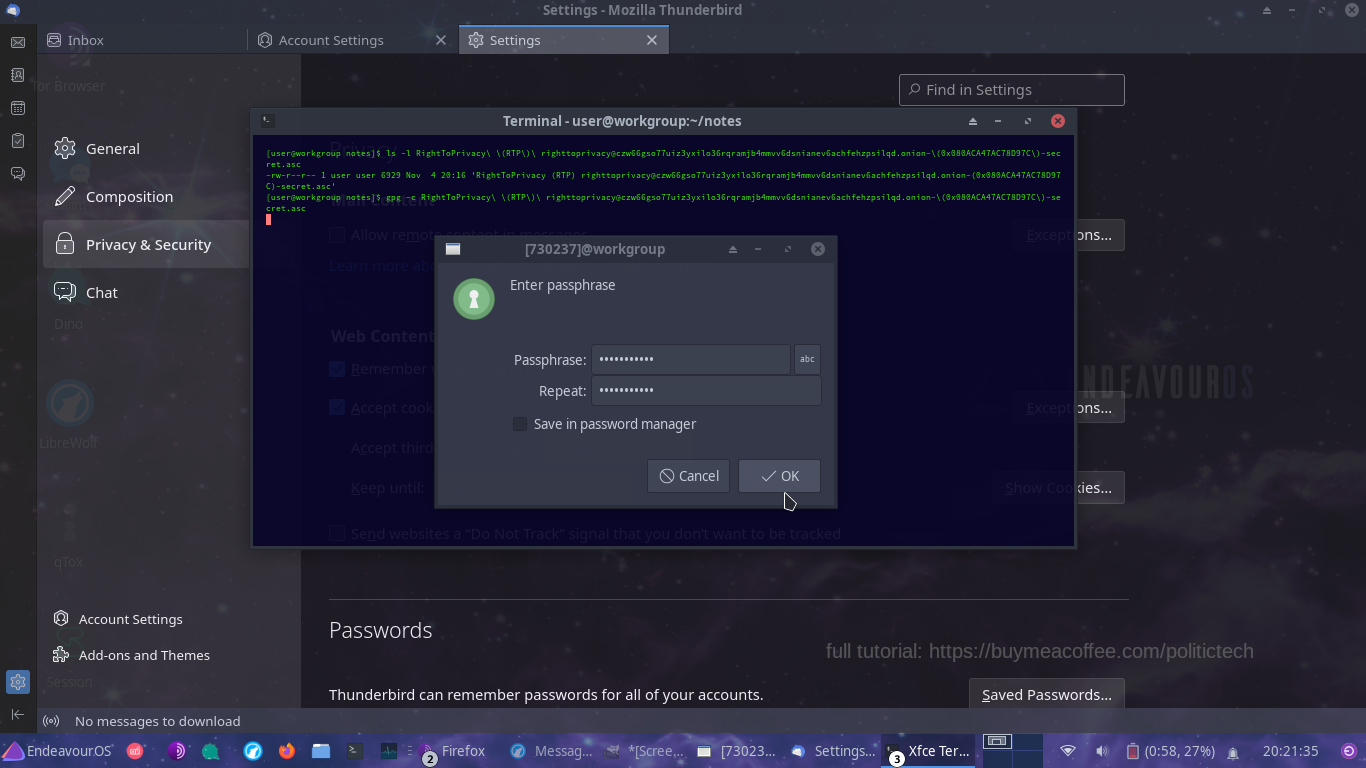
STEP 5: Transfer Encrypted Secret Key (.gpg) By Email, Better Yet: ssh / scp (shown below)
TIP: the secret key always stays with us; we only import and share public keys with others
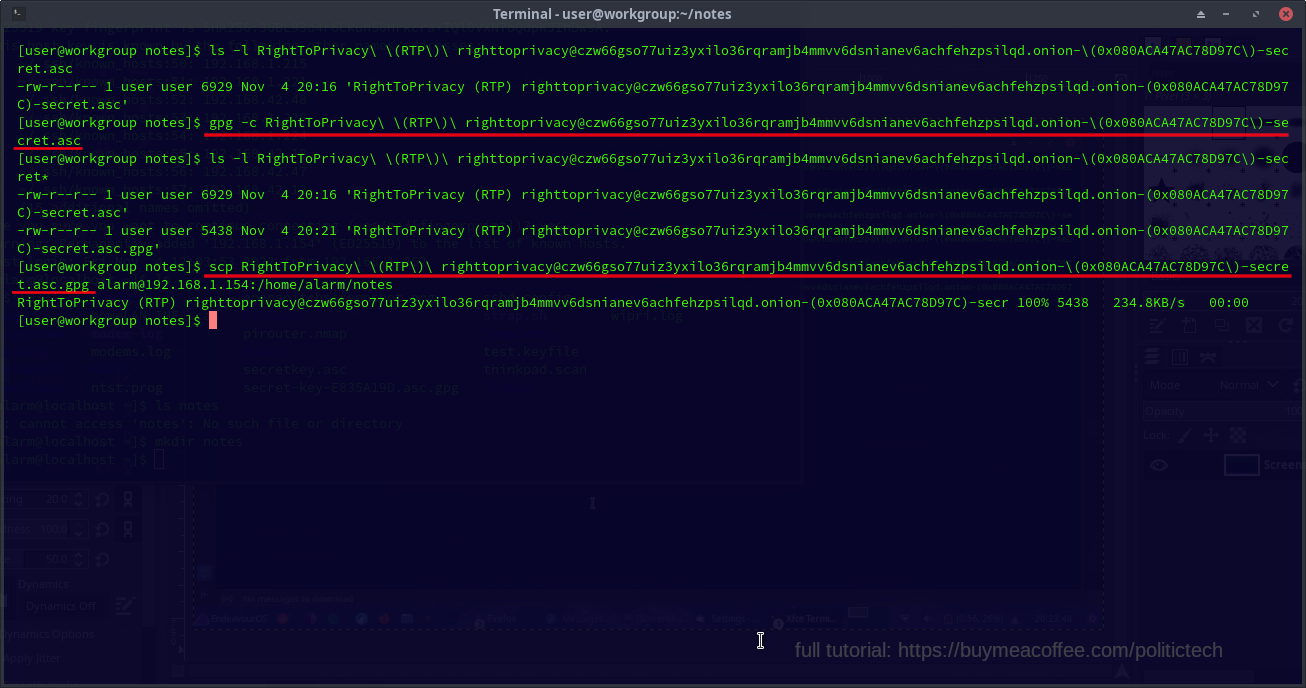
STEP 6: Login SSH To Remote System (Key Transferred To);
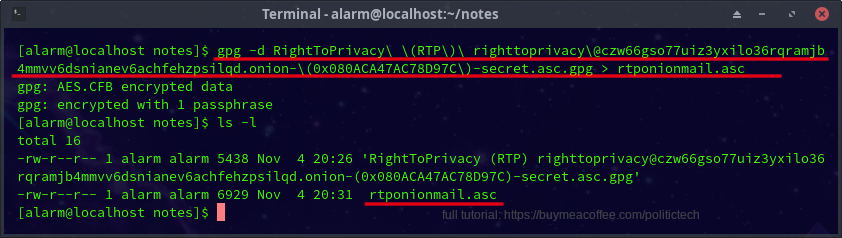
NEXT: Decrypt File
gpg -d keyfileName.asc.gpg > keyfileNameyouwant.asc
(remember: hitting tab after typing first couple letters autocompletes long keyfile name)
🔑 IMPORTING KEYS INTO THUNDERBIRD DEVICES
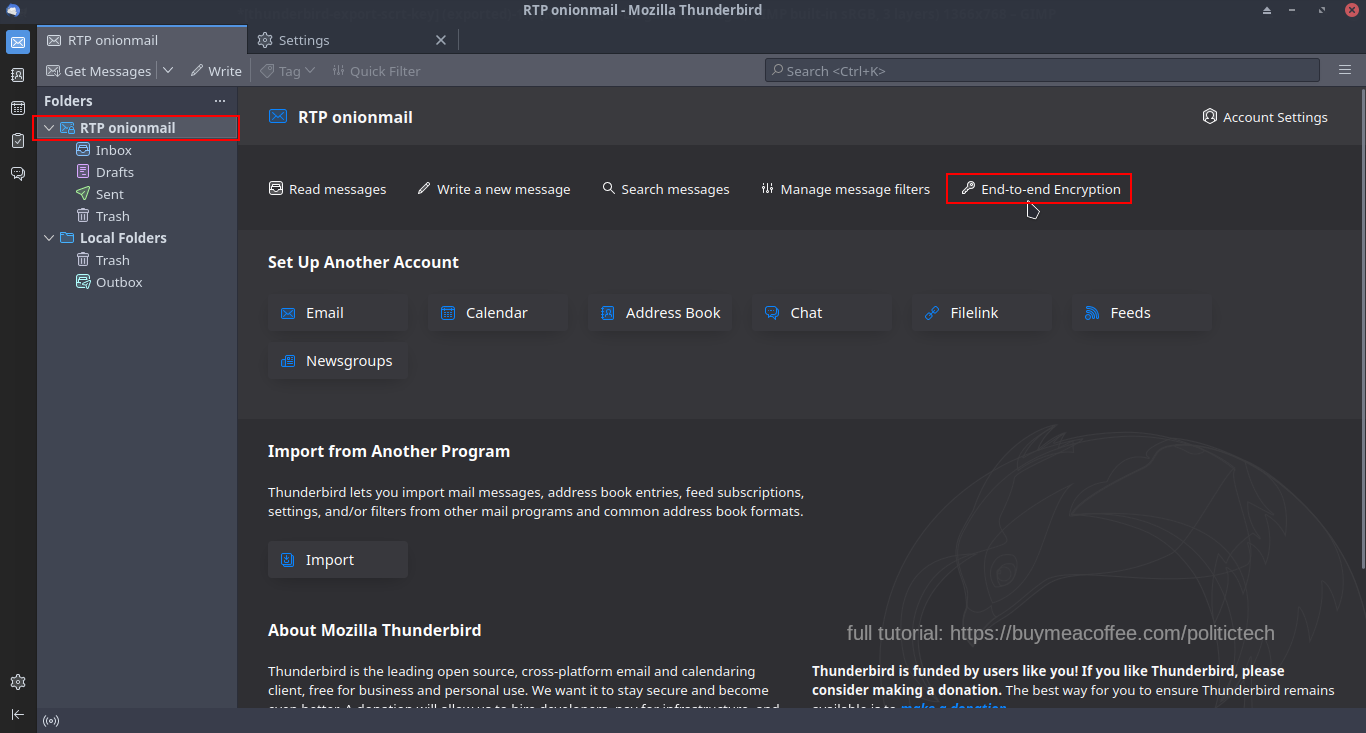
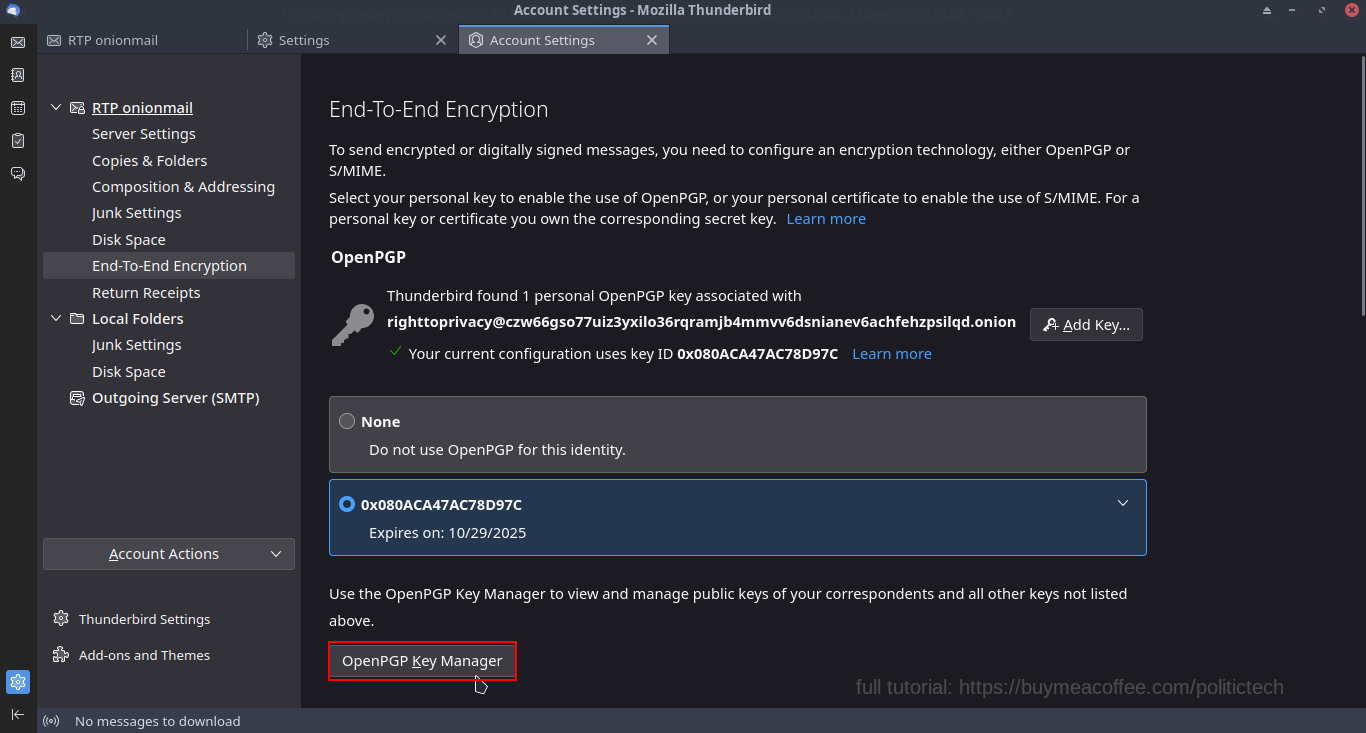
STEP 7: On New Device (where you sent key backup) Setup Account As In Part II, Then Select The Account, And Then Select "End-To-End Encryption":
STEP 8: Open Key Manager: Import Key
Next: File -> Import Secret Key
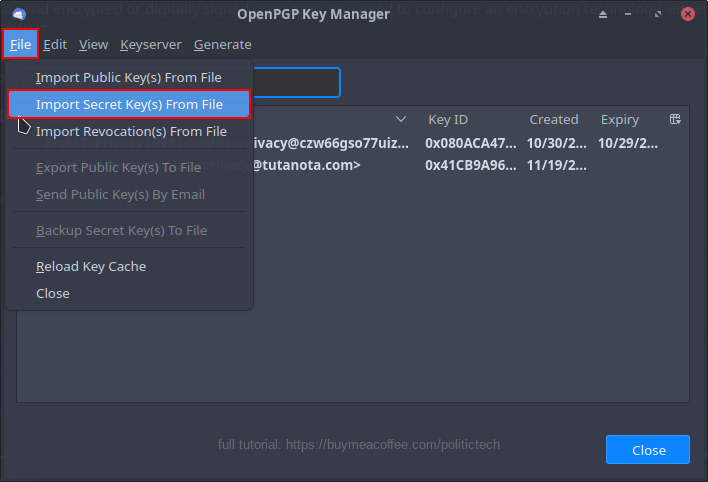
🔑 Select Key For Your Email Identity
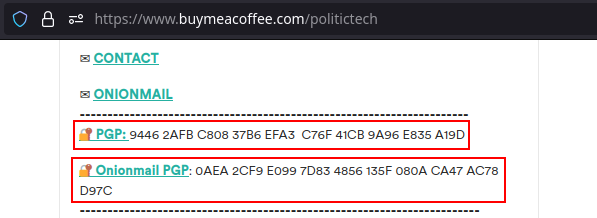
When migrating another's public key (you will need to do so for all you wish to have end-to-end encrypted emails with), check public key fingerprint to ensure it matches.
Example: I share my public PGP key fingerprint on my website. The more sources (ex: others signing off on key) you can verify this PGP fingerprint, the more confidence in a given key.
Fingerprints Listed On Mainpage:
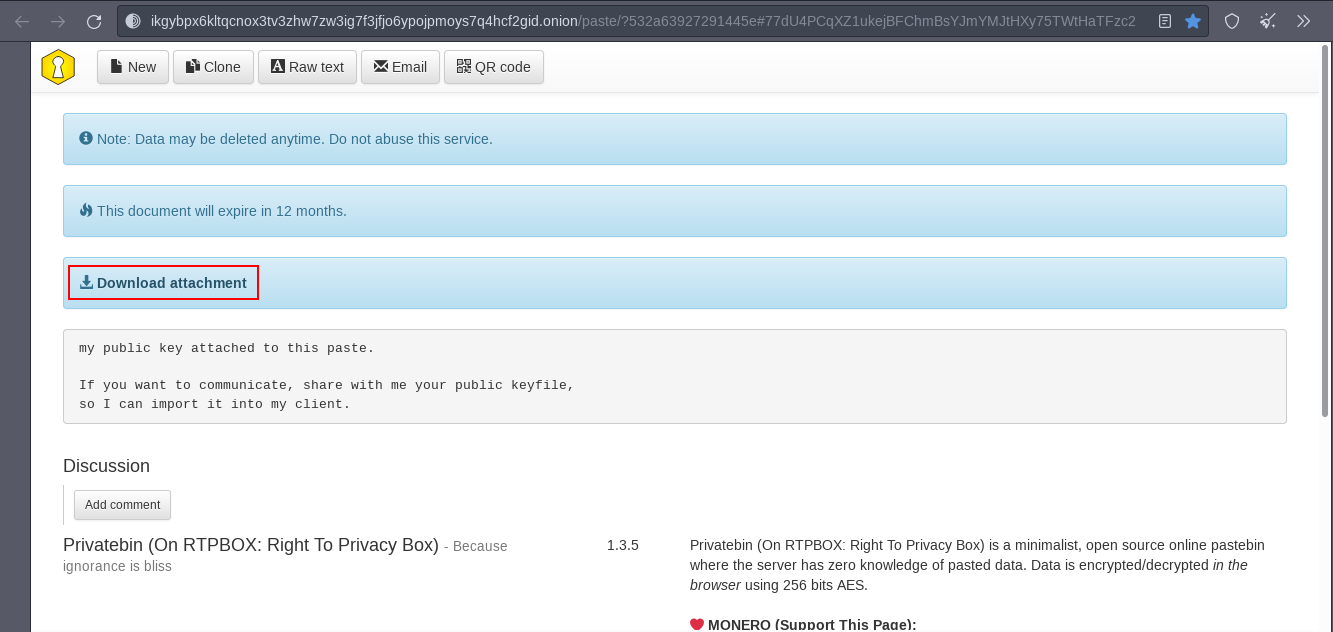
TIP: Sharing Public Keys By Privatebin:
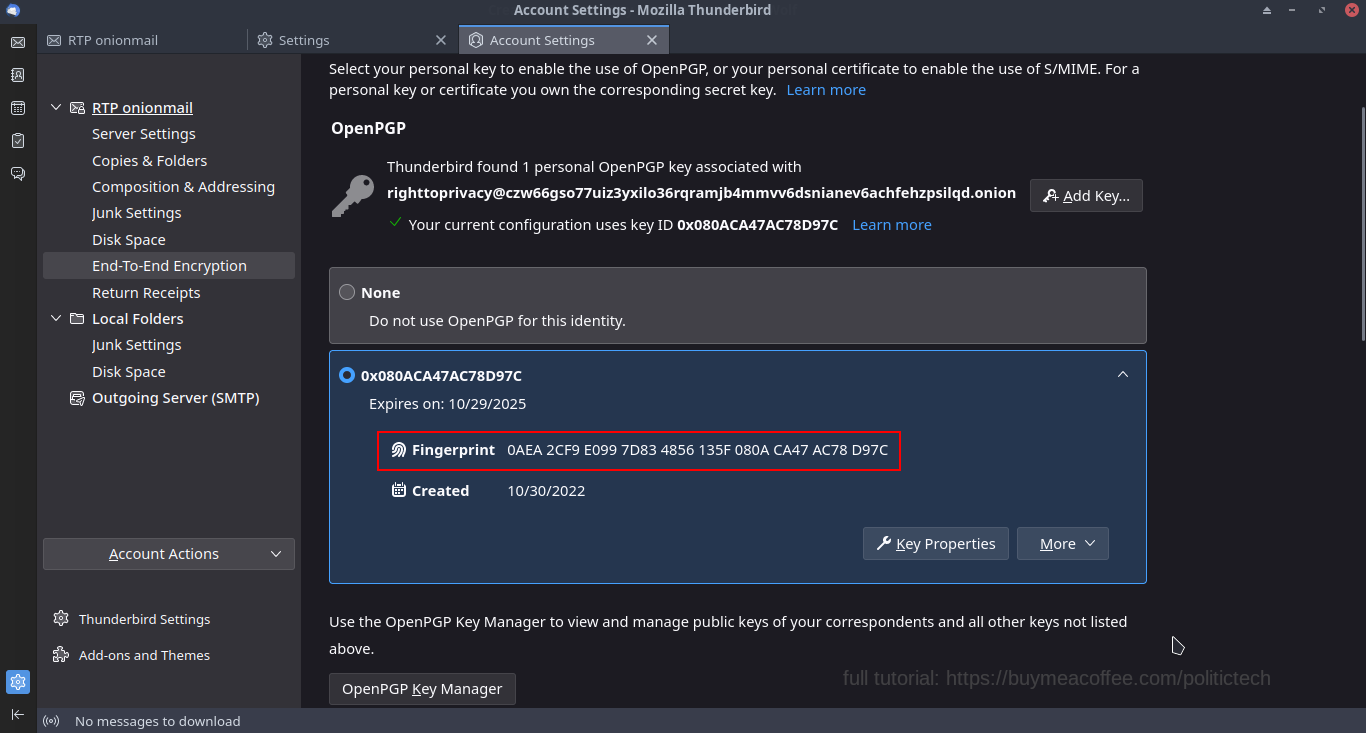
Fingerprint shown inside Account Settings -> End-To-End Encryption:
(select the key to be used when modifying end-to-end encryption settings for an account)
Having our PGP encrypted email setup on multiple devices makes for convenient, mobile, secure communication.
The option to use additionally secured protocols like onionmail: completely up to us.
💡SHARE SECURE / PRIVATE EMAIL SERIES ON SOCIAL MEDIA (THANKS FOR HELP)
🍾 Enjoy 🔏 Secure / Private 📩 Email Series?
Share Feedback / Leave A Comment:
(feedback / sharing always appreciated)
💡 Test Onionmail: Send Series Author Email
🧅 Tor Link: Onionmail PGP Key (import for end-to-end encryption)
(video channels linked on frontpage)
🔗 RELATED LINKS
Onionmail Project (donate to onionmail)
Example Onionmail Server (Ridot)
Thunderbird Mail Client (donate)
Tor Project (donate)