
🎉 Thanks echoscar latest to join. Happy to have your support. 😎
UPDATE (02.18.2023): uploaded improved I2P browser (librewolf) profile on the Gitea onion
Keep eyes 👀 on 🧅 Gitea onion (use Tor Browser) for improvements.
Not intended to replace Tor Browser. Running i2prouter in any form is one way to strengthen I2P network, and this is one option, protecting overall user privacy in the process.
Shown below on the Pinephone, but this should work on any Linux device.
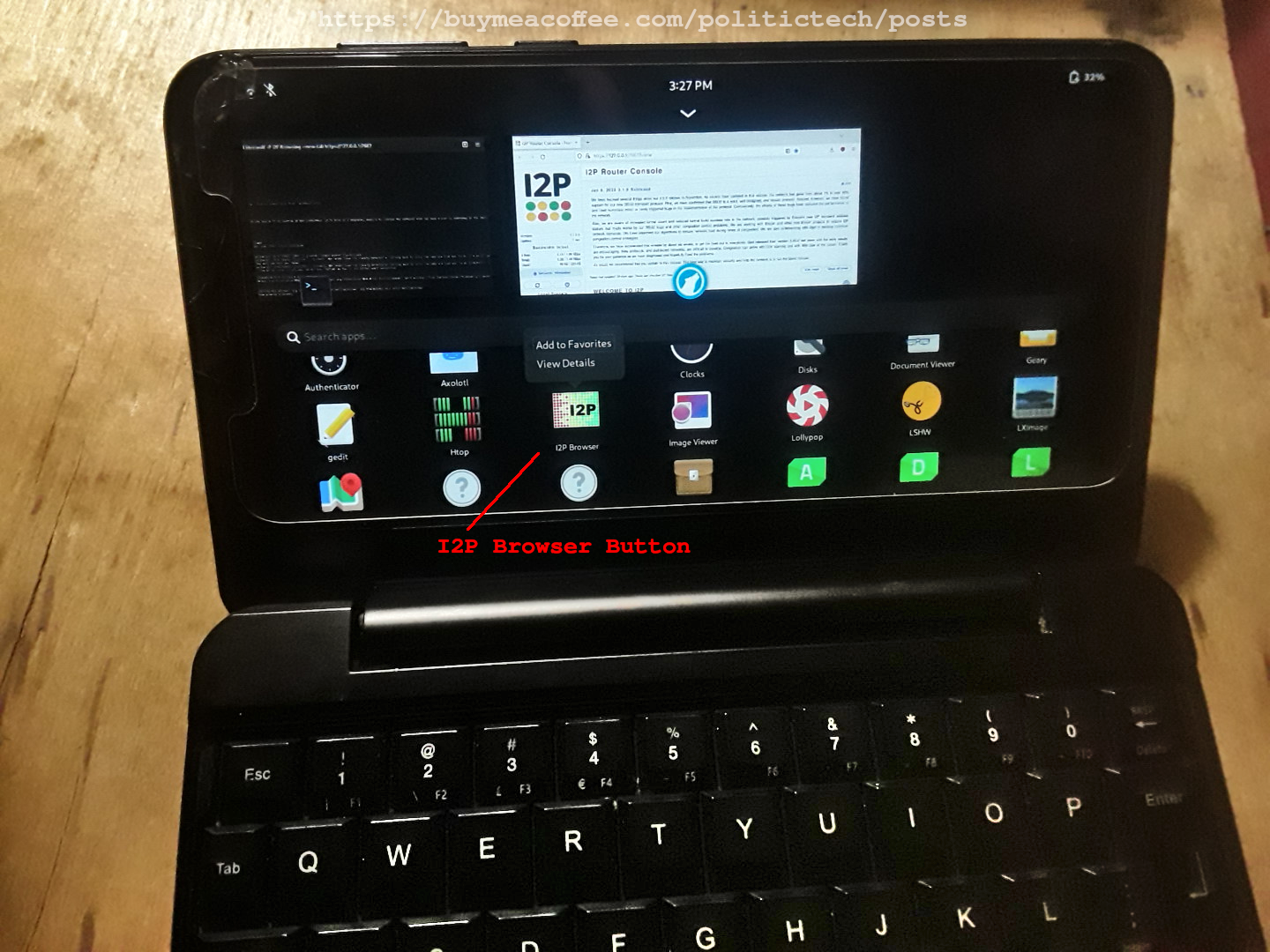
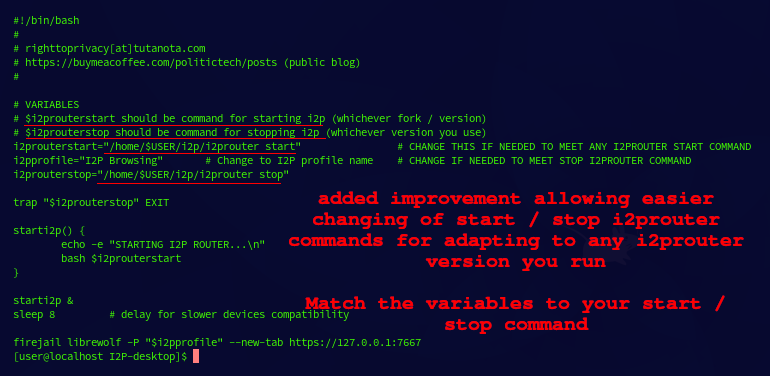
Today sharing an improved version, allowing for easier adaptation for users running other versions of i2prouter (example: i2pd).
Now all you need to do is edit the "=" (value) of $i2prouterstart / $i2prouterstop variables.
Comments added for clarification:
Disabling "Default Browser" Startup
To ensure that only the I2P Browsing profile starts, disable opening console inside I2Prouter console settings.
If you do not disable this, your default browser will open the console (without proxy settings), and this could lead to oversharing with a direct connection (bad).
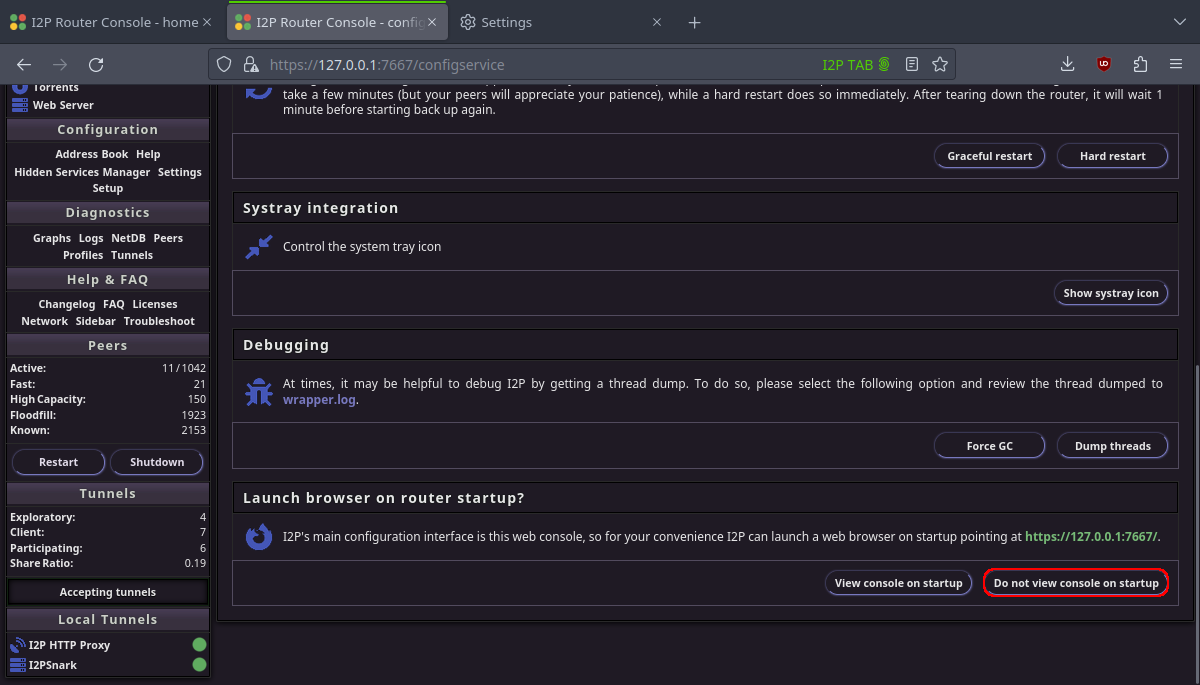
Set "Do not view console on startup" (in red) to prevent the wrong browser window from opening with I2P-desktop.
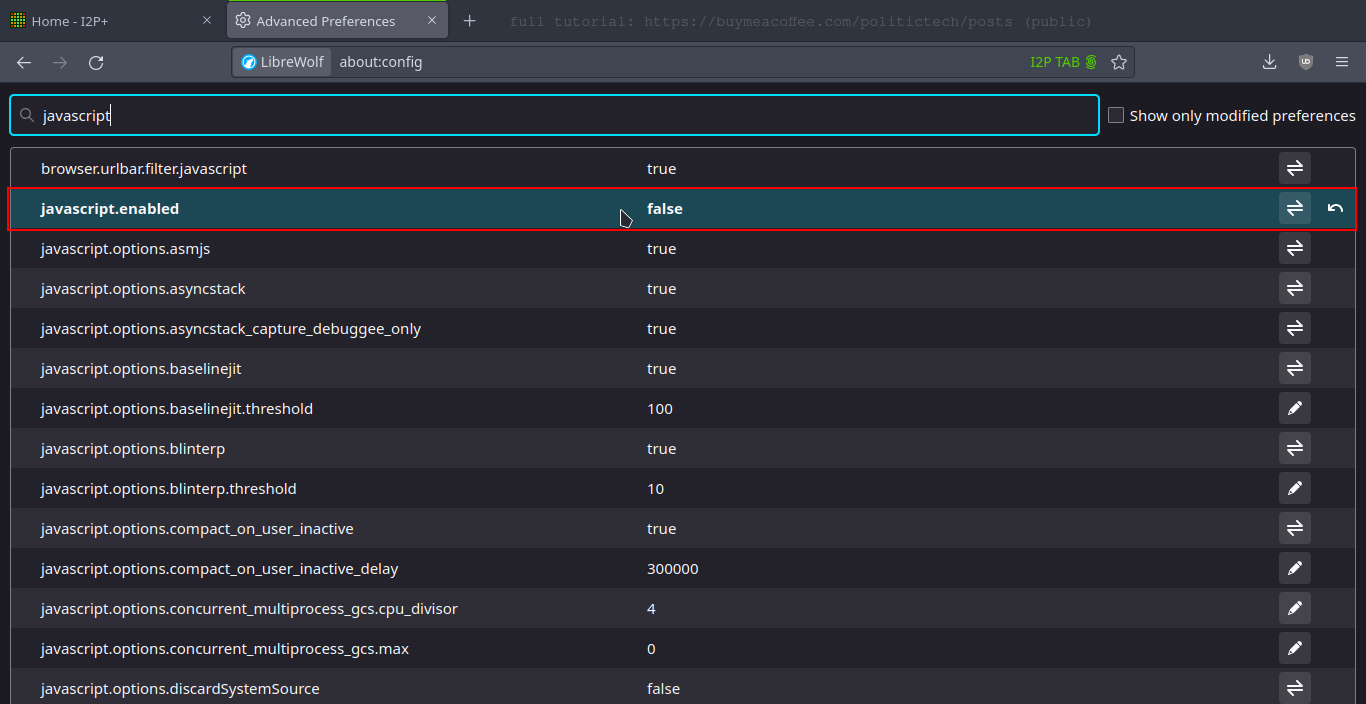
JAVASCRIPT
SAFETY TIP: You can optionally disable javascript by editing the value inside about:config as shown below
The only reason javascript isn't disabled in the profile (by default) is to prevent breaking websites.
I've discussed this in previous content. Javascript can be a liability for denaonymization, whether using Tor Browser, or I2P. Disable where you can.
I'll continue adding improvements on this (as they come). Welcome suggestions anyone has, by comment / email.
✅ THANKS FOR FOLLOWING THIS BLOG
Big Thank You to the ☕ member community for supporting independent content this month. 🕶️ ☕ 💻
If you haven't, go ahead and bookmark / follow this blog. It's FREE. 😎