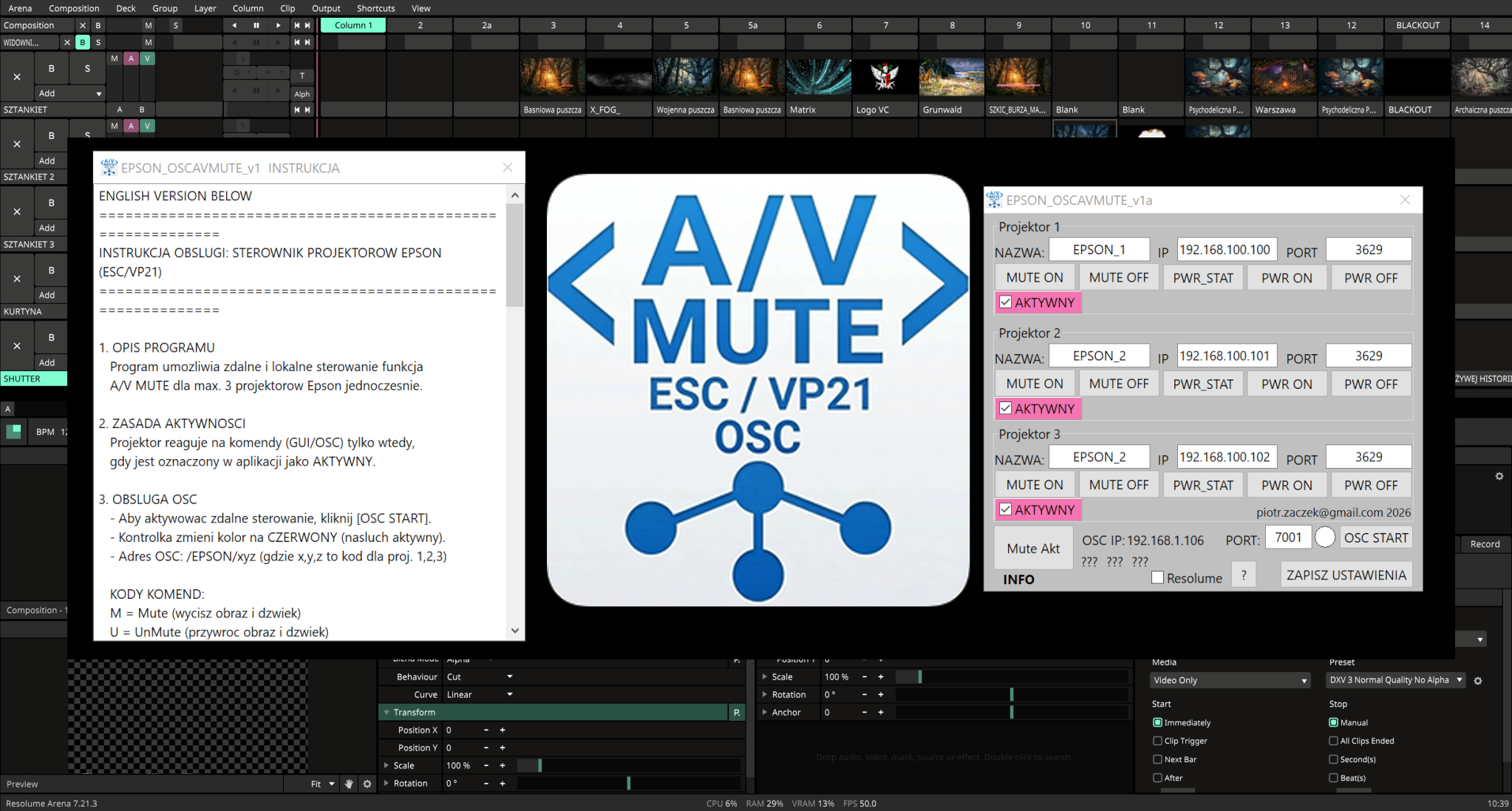

EPSON PROJECTOR CONTROLLER (ESC/VP21 & OSC)
============================================================
INSTRUKCJA OBSLUGI: STEROWNIK PROJEKTOROW EPSON (ESC/VP21)
============================================================
1. OPIS PROGRAMU
Program umozliwia zdalne i lokalne sterowanie funkcja
A/V MUTE dla max. 3 projektorow Epson jednoczesnie.
2. ZASADA AKTYWNOSCI
Projektor reaguje na komendy (GUI/OSC) tylko wtedy,
gdy jest oznaczony w aplikacji jako AKTYWNY.
3. OBSLUGA OSC
- Aby aktywowac zdalne sterowanie, kliknij [OSC START].
- Kontrolka zmieni kolor na CZERWONY (nasluch aktywny).
- Adres OSC: /EPSON/xyz (gdzie x,y,z to kod dla proj. 1,2,3)
KODY KOMEND:
M = Mute (wycisz obraz i dzwiek)
U = UnMute (przywroc obraz i dzwiek)
PRZYKLADY:
/EPSON/UMU -> P1:Unmute, P2:Mute, P3:Unmute
/EPSON/MMM -> Wszystkie projektory: Mute
/EPSON/UUU -> Wszystkie projektory: Unmute
4. INTEGRACJA RESOLUME
Zaznacz kontrolke "Resolume", aby aktywowac tryb
kompatybilnosci. Stan ten jest zapisywany w konfiguracji.
5. STEROWANIE LOKALNE (GUI)
- [Mute Akt]: Wycisza wszystkie AKTYWNE projektory.
- [UMute Akt]: Przywraca obraz w AKTYWNYCH projektorach.
- [Power ON/OFF]: Dostepne wylacznie w GUI (brak OSC).
6. KONFIGURACJA (EPCON.ini)
- Program startuje z domyslnymi wartosciami (Port 3629).
- Przycisk zapisu w GUI tworzy/aktualizuje plik EPCON.ini.
- Wszystkie ustawienia (IP, Porty, Aktywnosc, Resolume)
sa wczytywane automatycznie przy starcie programu.
============================================================
============================================================
USER MANUAL: EPSON PROJECTOR CONTROLLER (ESC/VP21 & OSC)
============================================================
1. PROGRAM OVERVIEW
This application enables remote and local control of the
A/V MUTE function for up to 3 Epson projectors.
2. ACTIVITY STATUS
A projector will only respond to commands (GUI or OSC)
if it is marked as "aktywny" (active) in the interface.
3. OSC REMOTE CONTROL
- To enable remote control, click the [OSC START] button.
- The indicator will turn RED (listening mode active).
- OSC Address: /EPSON/xyz (x,y,z represent Proj. 1,2,3)
COMMAND CODES:
M = Mute (blackout image and mute audio)
U = UnMute (restore image and audio)
EXAMPLES:
/EPSON/UMU -> P1:Unmute, P2:Mute, P3:Unmute
/EPSON/MMM -> All projectors: Mute
/EPSON/UUU -> All projectors: Unmute
4. RESOLUME INTEGRATION
Select the "Resolume" checkbox for compatibility mode.
This state is saved in the configuration file.
5. LOCAL CONTROL (GUI)
- [ Mute Akt ] : Mutes all projectors marked as active.
- [ UMute Akt ] : Unmutes all projectors marked as active.
- [ Power ON/OFF ] : Available in GUI only (not via OSC
for safety reasons).
6. CONFIGURATION (EPCON.ini)
- Default values are loaded on first run (Port 3629).
- Saving settings in the GUI creates/updates EPCON.ini.
- All settings (IPs, Ports, "aktywny" status, Resolume)
are auto-loaded on application startup.
============================================================
https://sourceforge.net/projects/epson-oscavmute/