
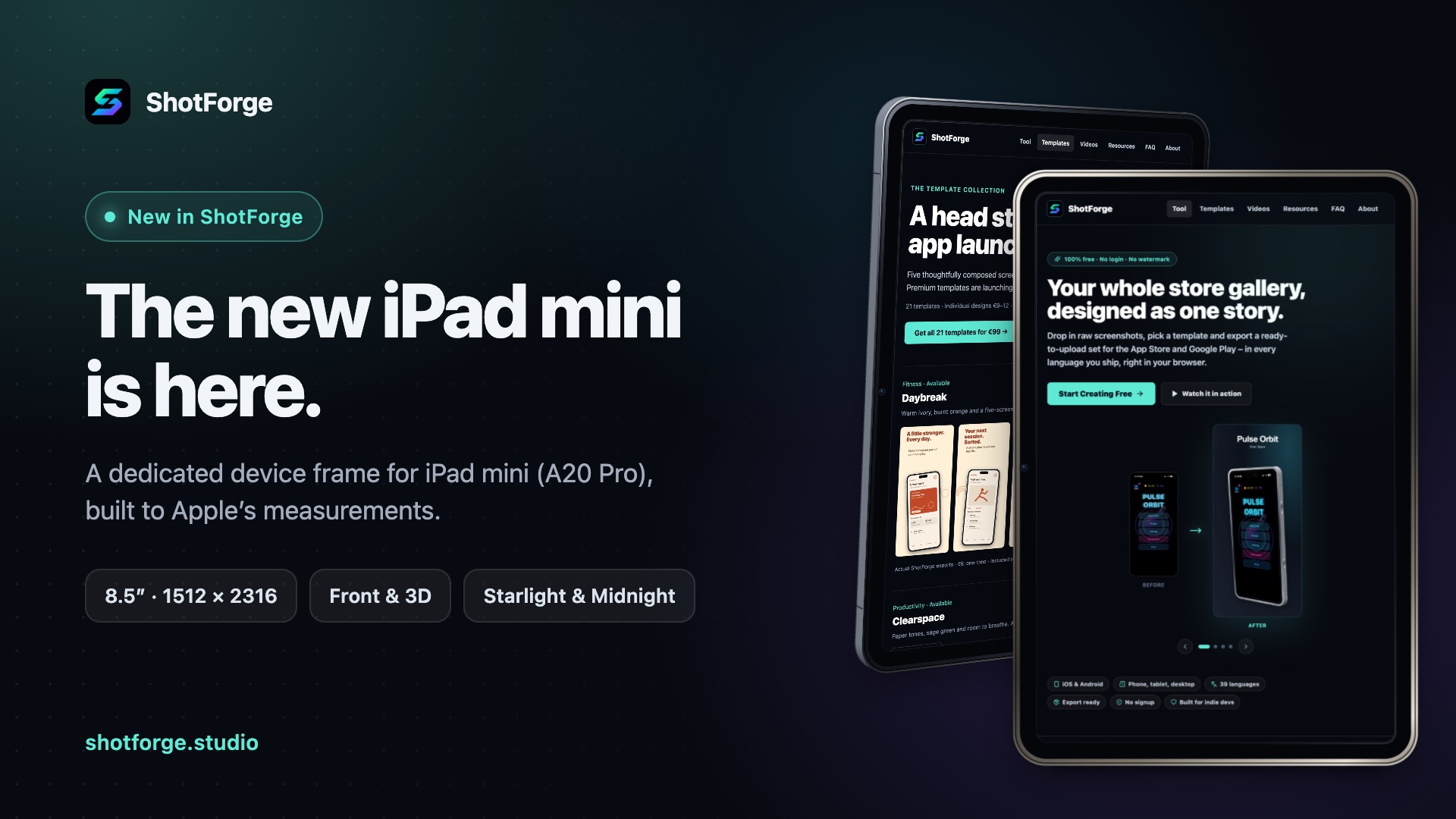
At the end of October Apple introduced the new iPad mini: an 8.5″ OLED display, the A20 Pro and noticeably slimmer bezels. As of this week ShotForge supports it too, with its own format and its own device frame. ☕
Its own frame, not a shrunken iPad Pro
An iPad mini isn't just a small iPad Pro. Relative to its size, the bezel is noticeably wider, the corners are rounder and the front camera sits on the long edge. So the mini got a frame of its own, built to Apple's official measurements:
132.6 × 195.3 mm body, 1512 × 2316 pixel display
an even bezel all around and corners that match the display
front camera on the long edge, just like the real device
front and 3D views (left and right), with the real 5.4 mm depth in 3D
portrait and landscape
Your screenshot fits the display pixel for pixel, with no clipped status bar or corners.
In Starlight and Midnight
The new iPad mini comes in two colors, and those are exactly the ones you can pick for the frame: a warm, light Starlight and an almost black Midnight.
Where to find it
In the editor, choose Format → Apple App Store → iPad mini. It exports at 1512 × 2316 pixels, portrait or landscape, as PNG or JPEG.
Good to know: App Store Connect lists this size under the 11″ iPad slot. iPad apps still only need the 13″ set, and Apple scales the smaller slots from it. But if your app looks different on the mini, or you want to show it off there, you can now build a dedicated set for it.
For now the App Store upload package leaves the mini screenshots out, because fastlane doesn't have a matching display type for them yet. You can still export them as a ZIP or in the Fastlane folder structure.
Free as always
No account, no subscription, no watermarks. Your screenshots stay in your browser.
If ShotForge saves you some work, I'd love a coffee. It helps me add new devices like this one quickly whenever Apple or Google release something new.
Which device are you still missing? Let me know in the comments.
Thanks for trying it out, and for every coffee! ☕