
Sunday Club — App Screenshot Template for ShotForge
€12
Sunday Club — App Screenshot Template for ShotForge
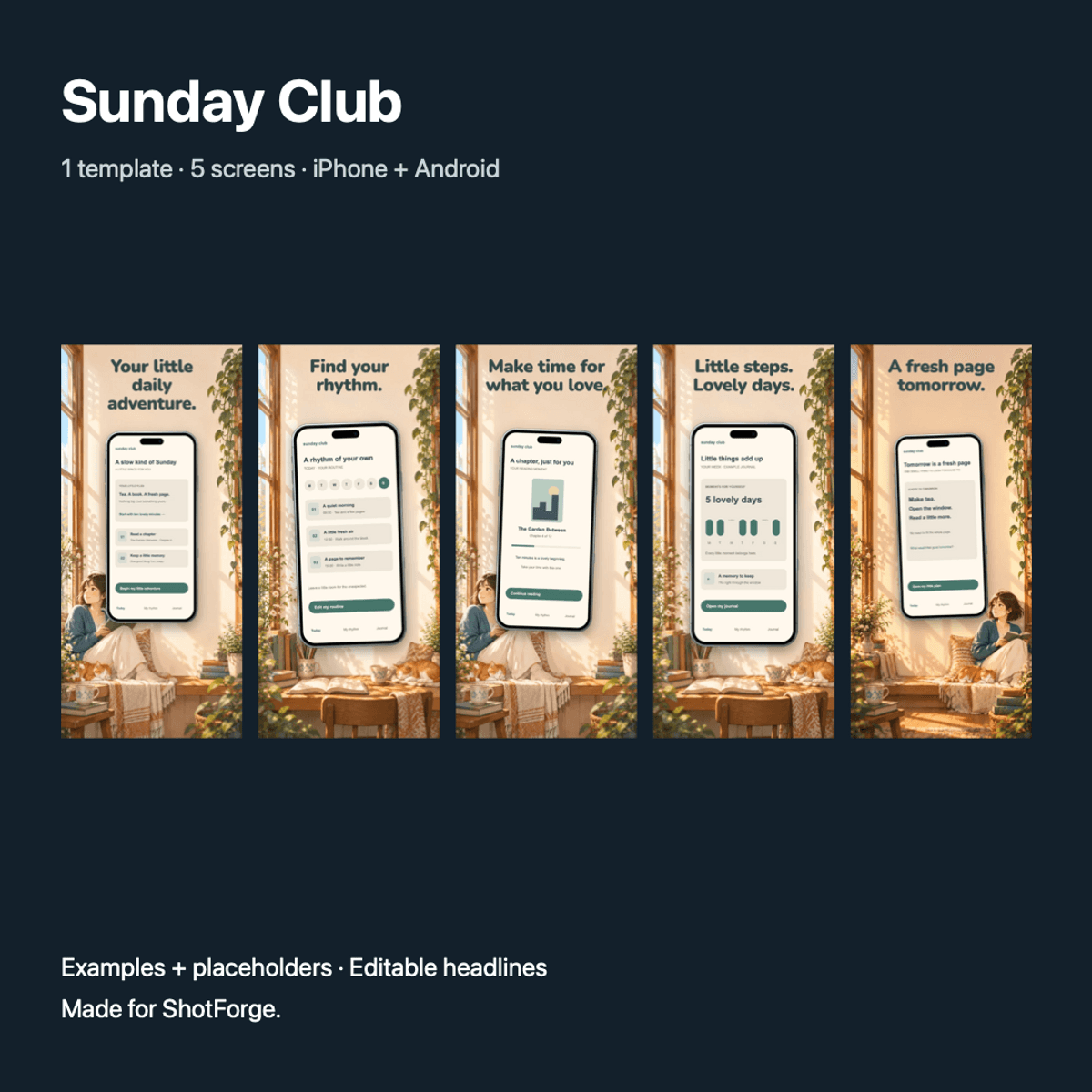
A cozy anime-inspired template for reading, journaling and slow routines.
Included
- Five coordinated marketing screens with editable headlines.
- iPhone portrait layout: 1320 × 2868 px.
- Android portrait layout: 1080 × 1920 px.
- A filled fictional example and a screenshot-placeholder version for each format: four importable ShotForge projects.
- Instructions in English.
Make it yours
Replace the app screenshots, rewrite the English marketing headlines and adjust the supported text, color and device settings. Duplicate an existing page if you need more than five screens. Example app interfaces and decorative background artwork are flattened images and are replaced as a whole; text inside those images is not separately editable.
How to use it
Download and unzip the delivery bundle. Save any open ShotForge project first. At https://shotforge.studio/editor/ open Projects → Load file and select an inner .shotforge.zip file without unzipping it. Replace screenshots, edit your copy and export. Keep backups of the downloaded template and your edited projects.
Digital design files, no app source code. One-time purchase, no subscription. Draft listing: final release and usage terms must be confirmed before publication.
€12
Inserisci un prezzo equo
€
€12