

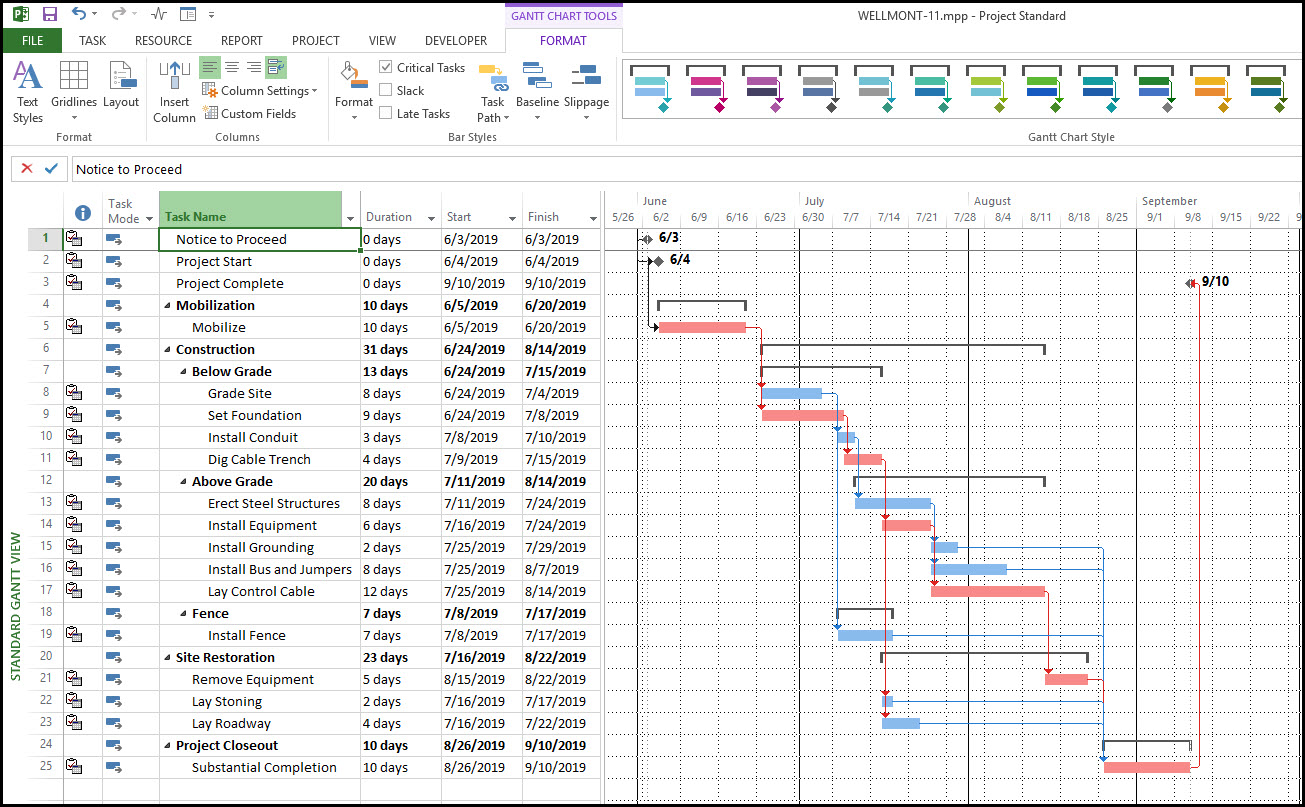
Project managers all over the world know Microsoft Project as a standard solution for planning and organizing various business processes. They apply it to schedule tasks, allocate work assets, and
set deadlines.
However, many users admit that this tool is too complex, outdated, or expensive in practice. That is why they look for available alternatives to open and edit .mpp files.
Is it possible to open such files without Microsoft Project?
This task may seem challenging because this format is created specifically for working in its native environment. However, some programs allow for doing this without extra effort.
Below are some of the best tools available.
Top tools for opening and editing .mpp files online
Not all professional project management programs, similar to MS Project, can open .mpp files.
Below you will find the most reliable tools that allow you to do it effortlessly.
1. GanttPRO
GanttPRO is widely known in the project management world as a reliable and multifunctional online solution for companies of all sizes and types of activities.
This service is a powerful .mpp viewer online, which allows for importing projects from Microsoft Project and transforming them into a clear and visually appealing Gantt chart.
Turning to GanttPRO, project teams can easily view tasks and dependencies, as well as continue full-fledged planning: add new activities, assign team members, set deadlines, and more.
The interface in GanttPRO is simple and intuitive. You don't need to spend much time to start working here.
Unlike Microsoft Project, which often requires complex configuration, everything works very intuitively here. The software also offers advanced features for team collaboration.
GanttPRO perfectly suits teams that look for a balance between robust features and a simple interface. Therefore, it can be considered not just a tool for viewing files but a full-fledged alternative to MS Project.
2. ProjectLibre
This free solution positions itself as an open alternative to Microsoft Project. It allows you to open and edit .mpp files while maintaining the familiar approach to building projects. It can be a great replacement for Microsoft Project if you need to minimize costs.
This software also offers a Gantt chart and reporting on tasks and resources. It makes this tool convenient for traditional project management.
ProjectLibre can be run on Windows, Linux, and macOS. Although the program is not so strong in collaboration, it is great for individual manager work.
3. OpenProject
This is another team-oriented solution that will help you import data from MS Project. You will easily transfer your project to the new interface.
The program includes advanced collaboration features. Here you will find functionality for built-in discussions, task control, and system access rights.
OpenProject suits companies that require strict process control and transparency of each stage. A Gantt chart is integrated with other planning tools here.
4. Smartsheet
This is a well-known universal project management and task organization software solution that also allows you to work with .mpp files.
Smartsheet combines simple tables, Gantt charts, and workflow automation. Its competitive advantage is its flexibility. Managers can customize the workspace to suit their management style.
This tool is especially convenient for those who are used to Excel but want to expand the capabilities of tables with project management features.
Another advantage is the robust automation capabilities that allow you to reduce the number of manual operations.
5. Housatonic Project Viewer
The next reliable solution in this list of the best .mpp viewers is Housatonic Project Viewer.
You can use this program both as a desktop app and in the cloud. It seems like a versatile tool for various work scenarios.
Users choose it for its simplicity and speed of work. The process of opening files is instantaneous. Its interface is intuitive even for users without experience in Microsoft Project.
Additionally, Housatonic Project Viewer supports collaboration and sharing files. Small businesses and startups often choose it for their purposes.
6. Zoho Projects
Zoho Projects is part of the large Zoho ecosystem, which is known for its business applications. This program also supports importing .mpp files, which allows you to quickly transfer a project to the cloud.
It is known for its comprehensive approach. In addition to classic planning, users get access to time tracking, expense reports, and a flexible system of access rights. Inside Zoho Projects, you can not only work on tasks, but also integrate management with other Zoho products, such as CRM.
Its interface is simple enough, so teams quickly get used to its logic.
7. Primavera P6 (Oracle)
Primavera P6 by Oracle is an efficient solution for large infrastructure projects, actively used in construction and engineering. It supports the import of .mpp files, allowing you to transfer data from MS Project to an environment designed for large-scale initiatives.
This tool can handle thousands of tasks and hundreds of users. In addition, it provides advanced mechanisms for monitoring resources, costs, and risks.
For companies where project management is critical, Primavera becomes a strategic choice. Of course, mastering the system takes time and training, but the result justifies the effort.
Unlike simpler services, here the emphasis is on the depth of analytics and detailed planning.
8. Seavus Project Viewer
Seavus Project Viewer is a specialized viewer for Microsoft Project files. It supports all versions of the .mpp format and looks ideal for those cases when you need to view projects but do not need to edit them.
This tool suits large teams, where only a few people work on a plan, and the rest of the participants just monitor the progress.
Seavus Project Viewer fully preserves the structure and style of the original project, including Gantt charts, reports, and resources.
Which tool to choose for working with .mpp files seamlessly?
The .mpp format is quite popular in the project management world. However, the limitations and some complexity of Microsoft Project push teams to look for its alternatives.
Fortunately, many programs allow you to open, edit, and even completely reconfigure projects to suit the needs of your team.
For those who value the balance of simplicity and functionality, GanttPRO is an excellent choice. Free solutions like ProjectLibre are suitable for individual work, and corporate systems like Primavera or OpenProject will help manage complex and large-scale initiatives.
Consider the options above to find the most suitable tool for working with .mpp files productively.