

Running a Node has proven to be the best way to accumulate profit in, the long run. I personally made over $4000 running node on $APTOS,
Currently running one on CELESTIA which i made sure should bring at least $4,000 for a $50 resources.
If you aren’t following on Twitter, you are definately missing out!!
ADVANTAGE OF VPSDIME:
Avoid the risk of exposing you card by paying with CRYPTO (USDT, Trc20, Bep20)
99.99% uptime compared to others (personally tested)
 one of my vps running non-stop for over 2 months and counting
Lets Purchase a VPS!
Visit: https://vpsdime.com/a/3592/linux-vps
 select depending on the resources needed.
We are using the $21/month VPS for this tutorial
NEXT ::
Hostname : <select a username> default is : root
Location : Dallas
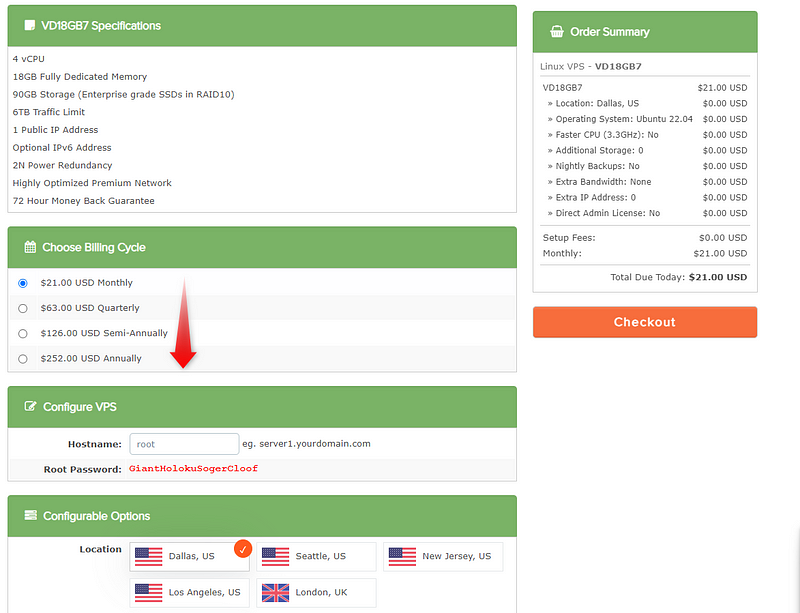 select cycle
Note : Write down your password and save it somewhere
Select OS
 Ubuntu 22.04 is preferably
CHECKOUT :
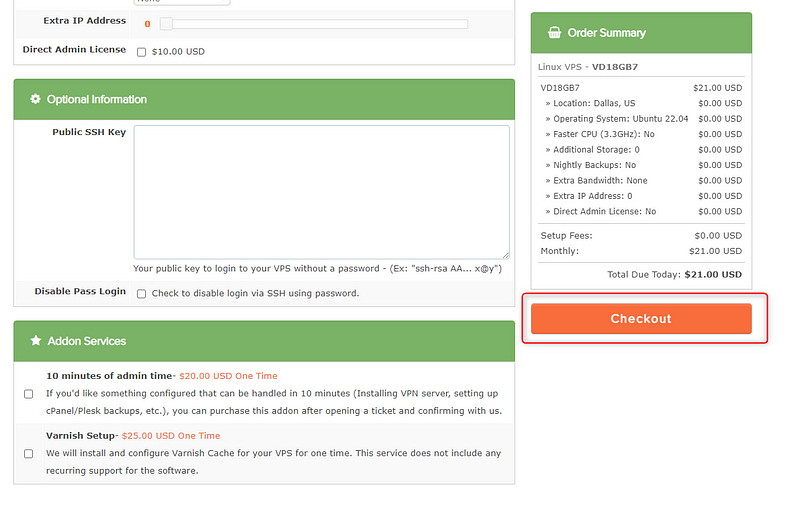 select checkout
 TAKE NOTE OF PASSWORD AND SAVE!!
 COMPLETE ORDER
Proceed to payment :
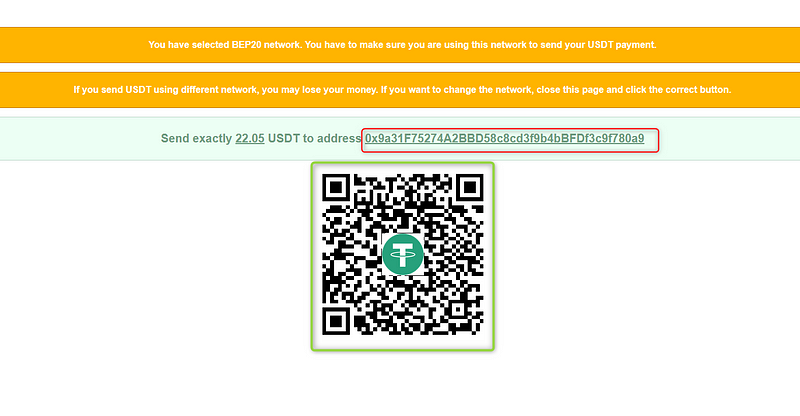
Select payment method and proceed, most times i use BEP20
 PAYMENT METHOD
Send to your own generated address :
Most times i add $0.2 or so to make sure exchganges dont deduct below that amount… its better to be above a little than below
Download Termius : FOR MOBILE | FOR PC and install

LABEL : <more like a nickname for the node>
Address: the node IP
Username : root
Password : the temporary password copied during installation
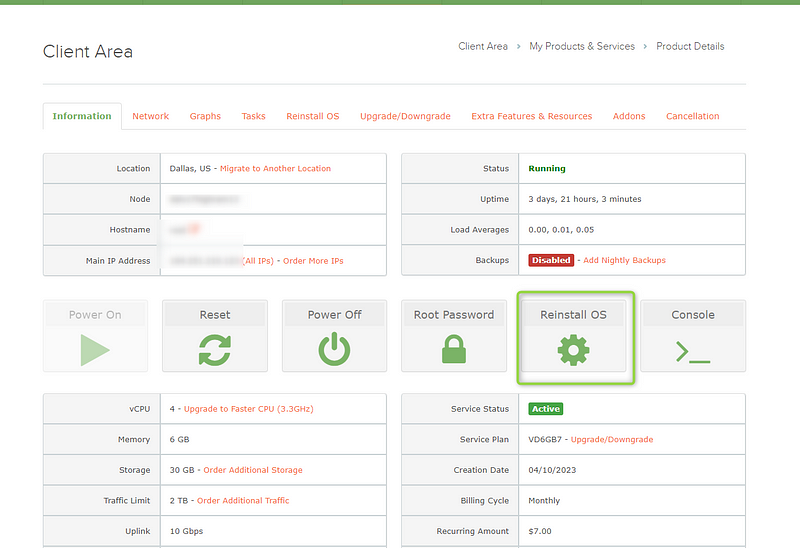 you can always reinstall OS to get a new password (format vps)
Once saved, you should have this below: just copy and paste below codes as i guide you through the whole process!!

Lets get started.
TAIKO NODE
INTRO: Taiko is a fully decentralized, Ethereum-equivalent ZK-Rollup. This is also referred to as a Type 1 ZK-EVM.

Lets Update our VPS
sudo apt update && apt upgrade -y you should see this!
Install Essential codes :: (just copy and paste command on terminal)
sudo apt install pkg-config curl git-all build-essential libssl-dev libclang-dev ufw reply with ‘y’ and proceed
Let’s Install Docker :
sudo apt-get install ca-certificates curl gnupg lsb-release proceed…..
Now add Docker’s official GPG key:
sudo mkdir -p /etc/apt/keyrings
curl -fsSL https://download.docker.com/linux/ubuntu/gpg | sudo gpg --dearmor -o /etc/apt/keyrings/docker.gpg proceed. . . ..
We Are to set up Repository: (just copy and paste)
echo \
  "deb [arch=$(dpkg --print-architecture) signed-by=/etc/apt/keyrings/docker.gpg] https://download.docker.com/linux/ubuntu \
  $(lsb_release -cs) stable" | sudo tee /etc/apt/sources.list.d/docker.list > /dev/null
Let’s grant Docker file permission just in case, before updating the package index
sudo chmod a+r /etc/apt/keyrings/docker.gpg
sudo apt-get update after granting, updated index
Install latest version of docker
sudo apt-get install docker-ce docker-ce-cli containerd.io docker-compose-plugin Reply with Y and press ENTER
Now install Docker compose :
sudo apt install docker-compose reply with Y
Lets verify the ENGINE INSTALLATION is successful by runinng the hello-world
sudo docker run hello-world you should get this…
Now check Docker compose version :
docker-compose -v compose version
Lets Install SCREEN
sudo apt install screen screen installed
Create new screen session
sudo screen -S taiko A blank screen would appear
NEXT STEP :: ALCHEMY
Visit Alchemy let’s create an app
CLICK HERE TO GO TO ALCHEMY, SIGN UP AND CREATE AN APP


 click CREATE APP
Lets enter the App newly created
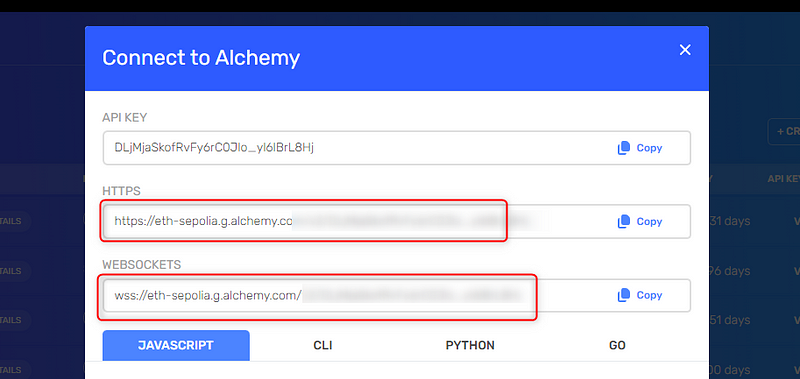
1. Click on VIEW KEY

Copy and save in the both URL on you notepad
GO TO YOUR METAMASK ::
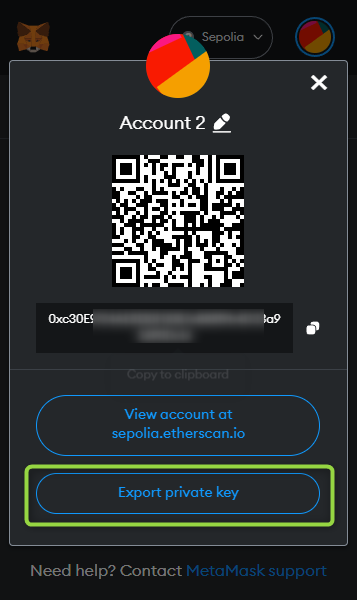
1. Use the create account option and name it taiko node

2. Click on account details
3. Export private key (make sure you are on the newly created account)

Visit chainlist = . . https://chainlist.org/ and add network

Request Faucet:
Use the following links to request faucet (or any other avaialble faucet)
NODE INSTALLATION :
Download Node
git clone https://github.com/taikoxyz/simple-taiko-node.git
cd simple-taiko-node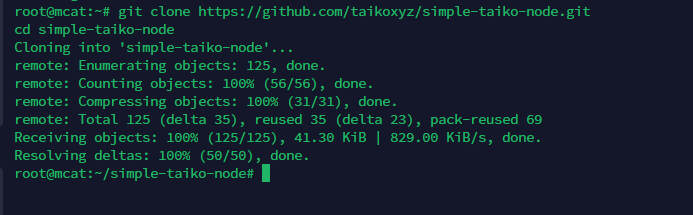
2. Node configuration :
cp .env.sample .env
3. Edit configuration
nano .env
Set
ENABLE_PROPOSERtotrue(replacing the defaultfalsewithtrue).Set
L1PROPOSERPRIVATE_KEYto that of your wallet's private key; it will need some TTKO on Sepolia to propose blocks .
Press Ctrl + X and type y then press ENTER on your keyboard.
4.Start The Node
docker compose upLove my Work??
I take donations too: 🤗🫂
0x23bE91b7ae8e96E40bc0bC25E55c68738E9a022e