
Devlog #1 - v1.0.0-beta.1: The Birth of Mokkio
Welcome to the very first devlog for Mokkio—a free tool for creating device and browser mockups, watermark-free and with a professional experience. This beta release marks the beginning of a project designed to simplify and elevate mockup creation for designers, developers, and content creators.
🎯 Vision & Purpose
Mokkio was born out of the need for a fast, customizable, and accessible solution to generate high-quality mockups without hidden costs or limitations. The goal is simple: enable the creation of iPhone, iPad, MacBook, and browser mockups with custom backgrounds, shadows, zoom, and export options in PNG, JPEG, and WebP.
🚀 Key Implementations
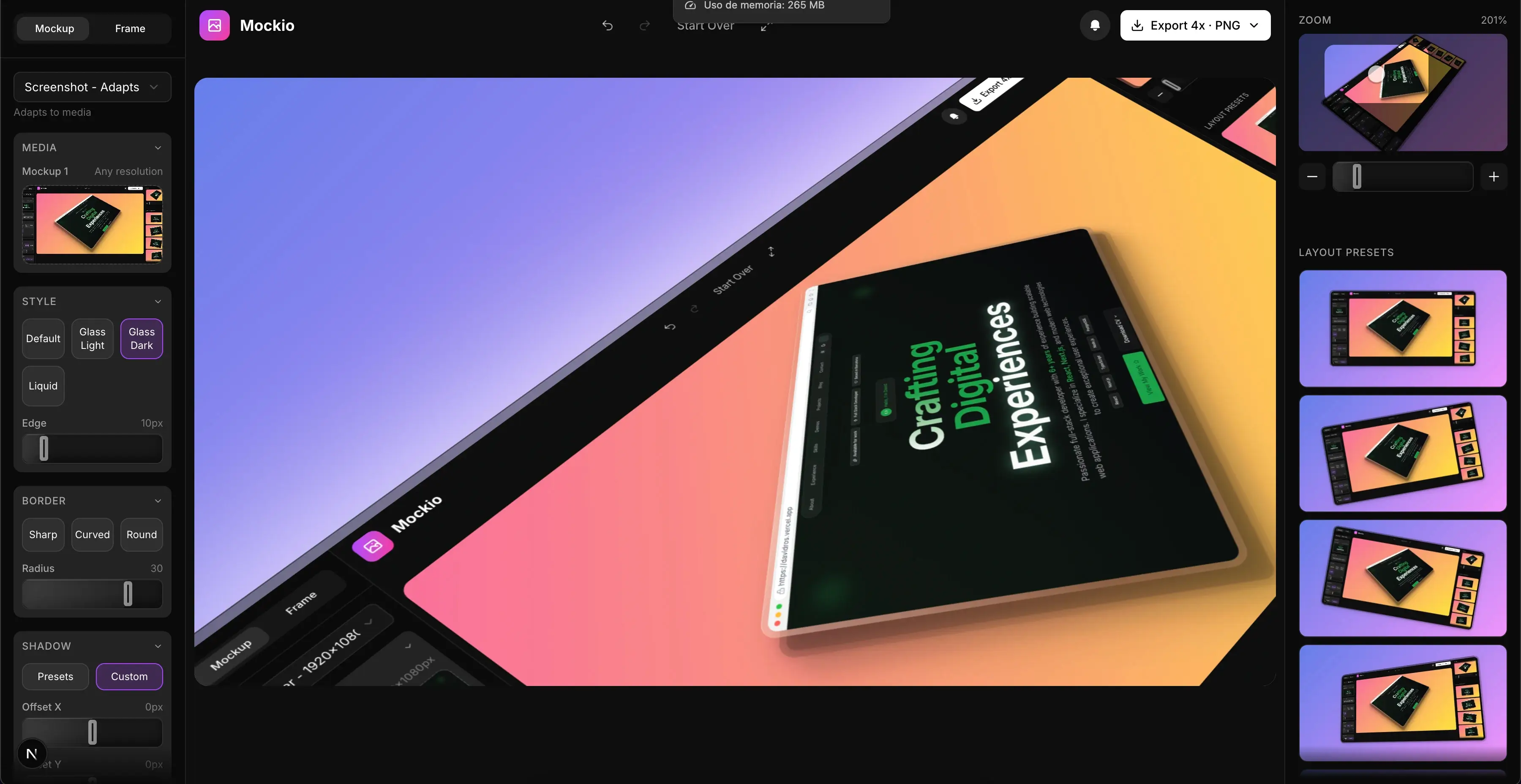
Core Components: MockupCanvas for advanced rendering, supporting image uploads, gradient backgrounds, and zoom/pan controls. DeviceFrameSelector lets you choose devices by category and size.
Smart Sidebars: LeftSidebar manages images, device selection, and visual styles; RightSidebar controls zoom and layout presets (single, double, triple).
Flexible Export: ExportButton allows exporting in multiple formats and scales (1x, 2x, 4x, 8x), including transparent backgrounds.
Modern UI: Tailwind CSS with a sleek dark theme, shadcn/ui components, and Inter font for a professional, consistent look. Subtle animations and responsive design throughout.
Core Features: State management with React hooks, support for multiple images per device, gradient presets, and a basic undo/redo system.
Landing Pages: Informative sections (Hero, Features, How It Works), welcome popup, legal pages (privacy, terms, cookies), and a cookie banner.
Initial Monetization: Donations via Buy Me a Coofee.
🛠️ Technical Challenges
Scaling & Performance: Dynamic canvas resizing using ResizeObserver and CSS transforms to maintain quality.
Exporting: HTML-to-image conversion with html-to-image, handling modern color spaces (oklch, lab) via manual sanitization.
State Management: Implemented a history system for undo/redo to handle complex controls and states.
Responsiveness: Optimized for mobile devices, including a MobileBlocker for specific routes.
🎨 UX Improvements
Tooltips, hover animations, and intuitive design.
Gradient and solid color presets for easy customization.
Clear, structured landing page highlighting features and layouts.
🔮 Roadmap for Beta.2
Next version plans include advanced effects (noise, blur), customizable canvas sizes, custom background images, keyboard shortcuts, new devices, and performance optimizations.
Take a look:
Thank you for following Mokkio's development. Your feedback is essential to keep improving. Stay tuned for the next devlog with all the updates for beta.2!