

Heyos, so before I move on to the hard parts of building the app, I wanted to preemptively set up a website for my app.
I envision putting a few demos of the app working on there and a link to the eventual release of the packages for people to download..
For now it's just gonna be a simple one pager.. Nothing as complex as my HACK Webcomic Website revamp - both of which I'll be using React for.
Since "shards" was already in use in my github, I created a new vite project called shards-app.
I ran this command to create the vite project:
npm create vite@latest
And then started changing the logo (though I had to make the shard bigger so it reached the edges and remove the black background for this version, otherwise it'd look a bit small in the browser.)
Even without asking Gemini, because there was only one set of files to go through (unlike Svelte and Tauri), I easily found out where the favicon was placed and where it was called upon.
The Favicon is to be placed in the public/ folder.
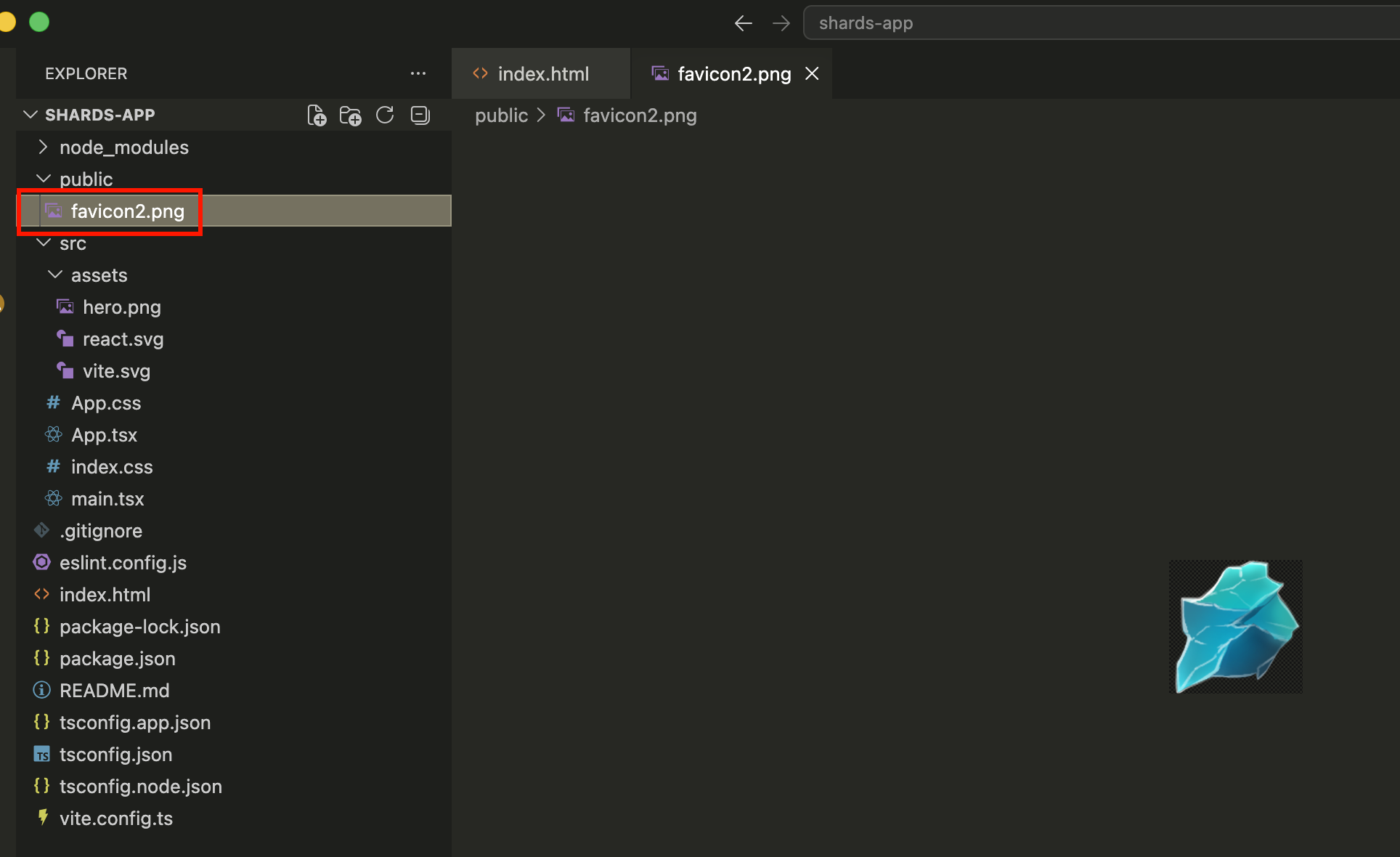 I then easily found the favicon link in index.html and replaced it with my custom favicon.
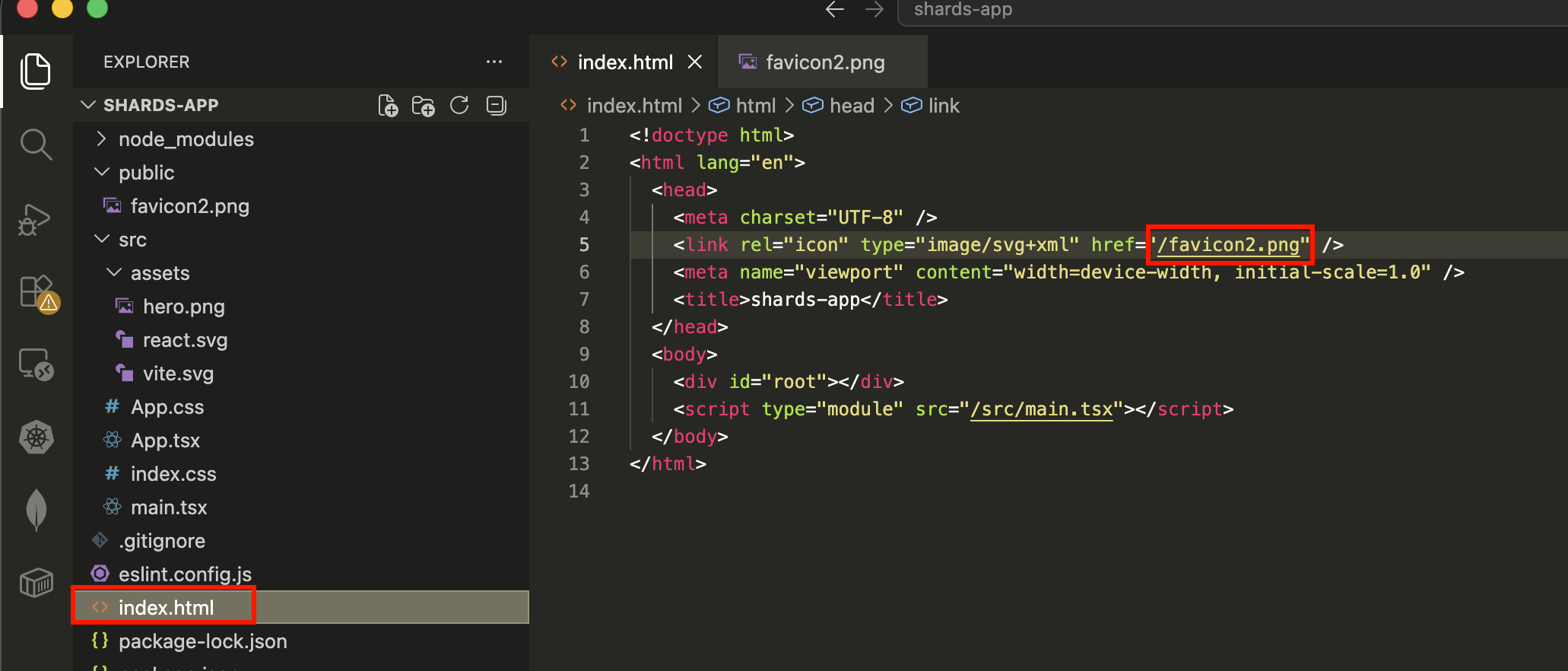 I also updated the name for the site:
 Which is also found in index.html in the
I've removed everything in app.css and am removing most of App.tsx and only keeping the bare minimum template so I can fill it with my own stuff..
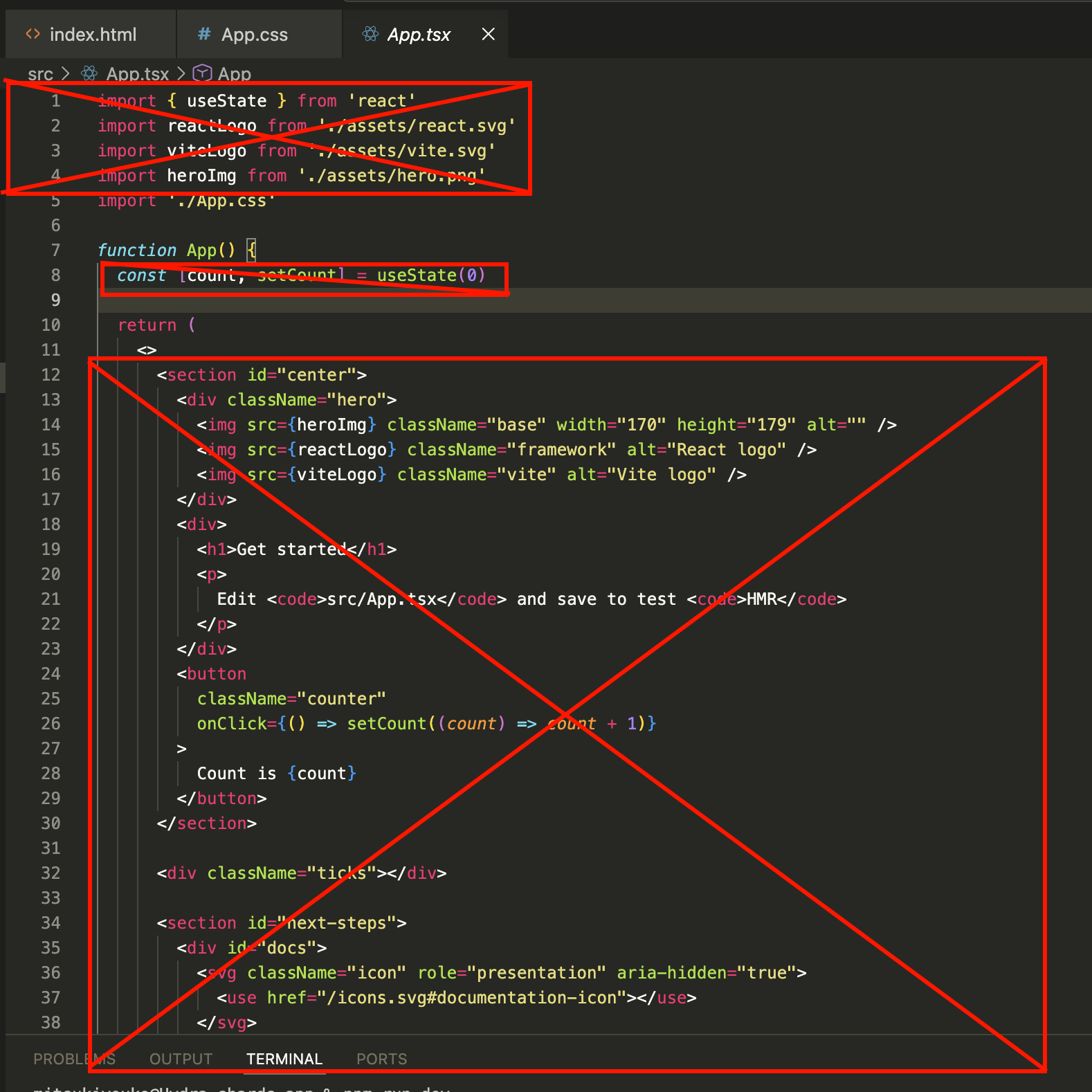 I also deleted index.css and removed any references to it in App.tsx.
Heck yea! A nice, fresh, blank website with only what I put on it 🎉
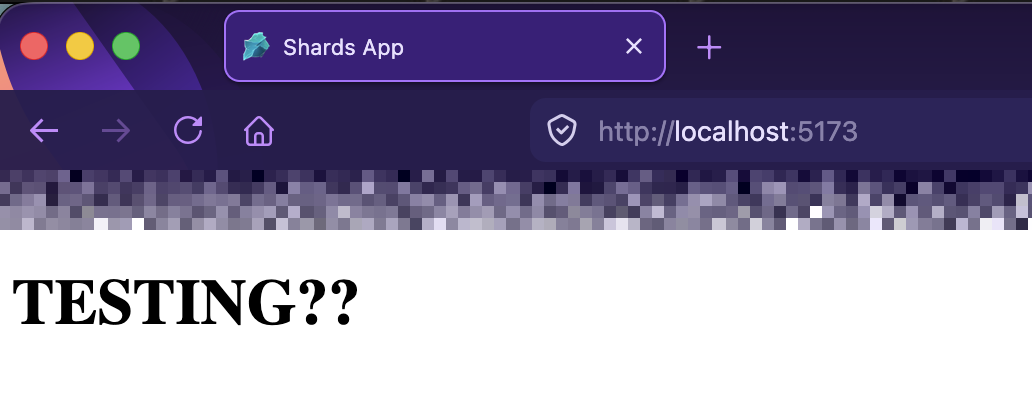 Aight, moving on, let's import some fonts :D
Oh but first, I want the text in the center...
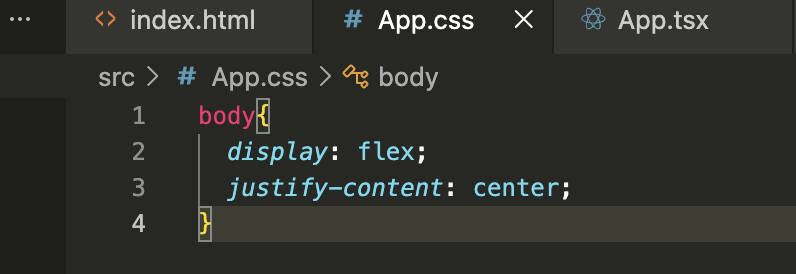 Awe yea, smack dab in the middle.. makes me feel like I kinda know what I'm doing :P
 Added more css and it's coming out nicely yay!
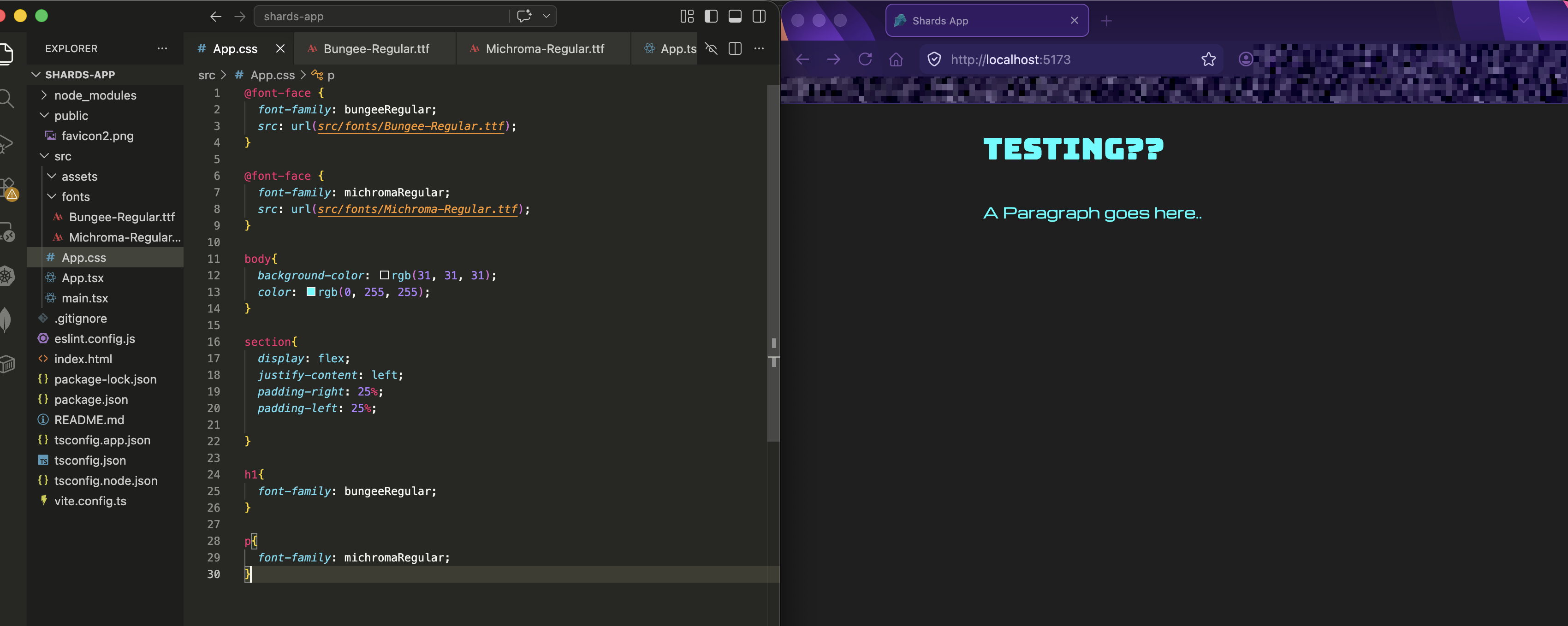 I did end up renaming it from app.css to index.css just cus I noticed that's what I did for a previous project when looking at some of it for reference for things I got a bit rusty on.
I did a bunch of basic coding without using Gemini which I skipped posting about here since I'm only doing HTML and CSS for the most part.. but got to the part where I where I need to install the react-router-dom but I got an error:
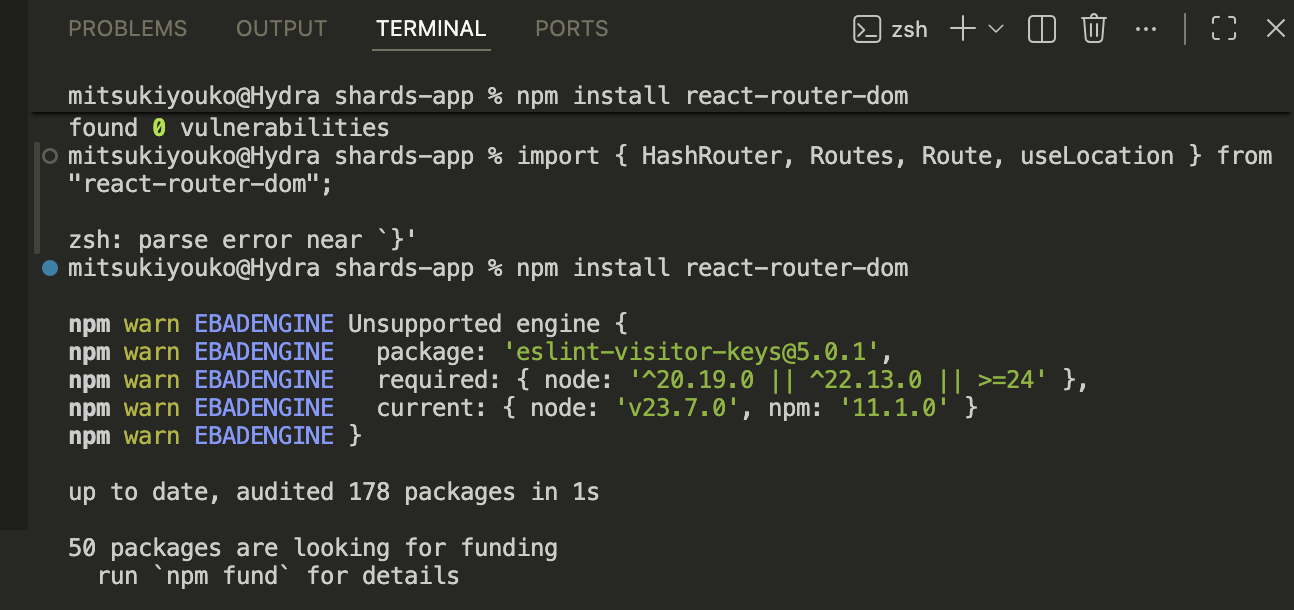 Figured it'd be faster to just ask Gemini about this - and it gave me a bunch of suggestions, but this was the one that worked:

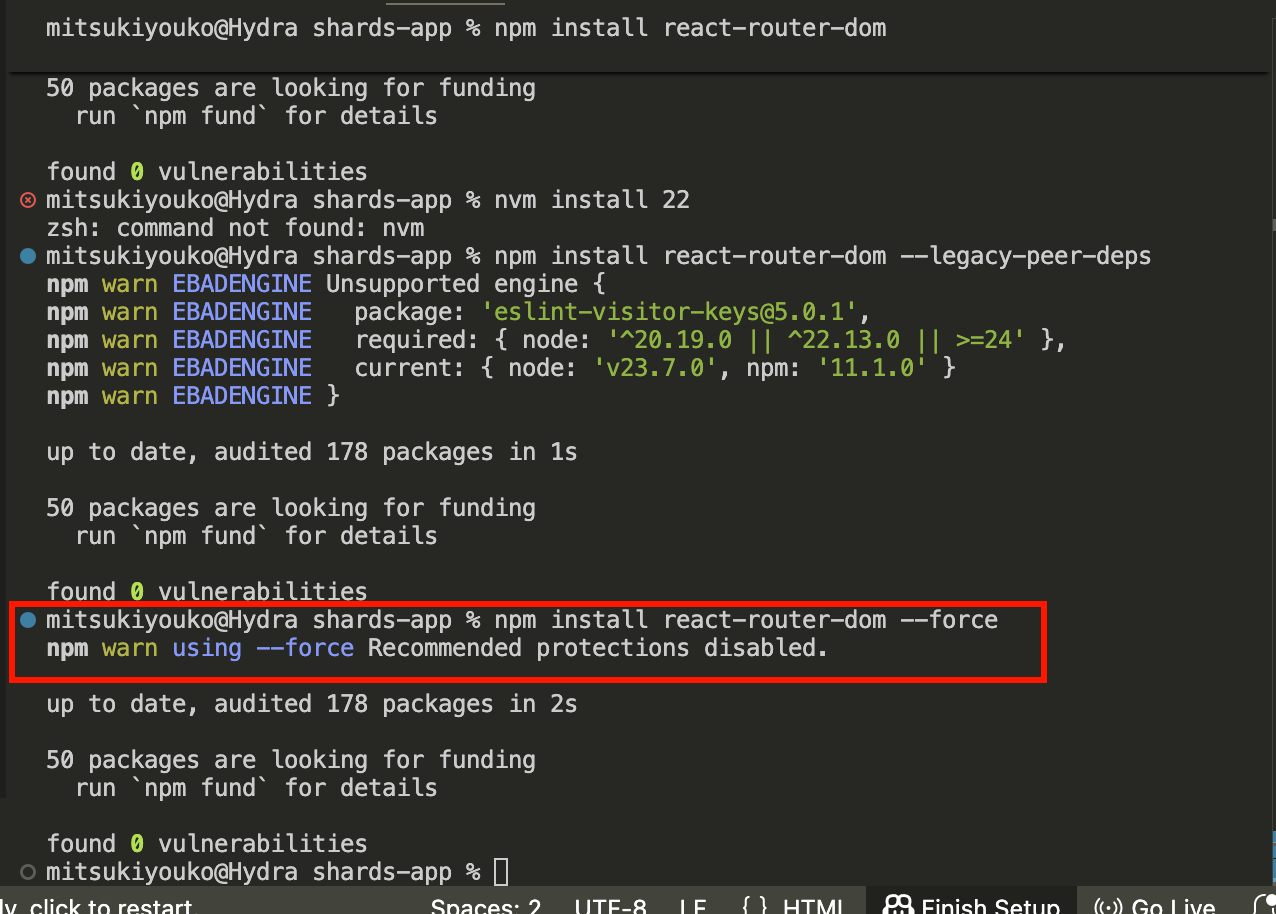 Anyways.. off to work on the Router I go 🎉
After more fiddling with the css and adding the routing for my two pages to route to (devlog and downloads), I decided to test if the routing was gonna work or if there was any issue with the code..
So now it's time to put it up on github pages so I can view it..
Of course, this step always trips me up and I can never memorize it other than the fact that I know it takes a few tries to get to work..
If I remember right, this tut was always my go to.. its always like.. 6 months to a year after I fiddled with my last React app that I need to do this and from my first experience, I remember following some tuts that just didn't work at all.. but I think this is the one that does.. Cus I remember subscribing to the guy.. and I wouldn't do that if it didn't work XD
ACTUALLY - before I watch that, let me see if I remember how to do this myself by looking at my code for my Cyanscythe and Goldenmage Blog
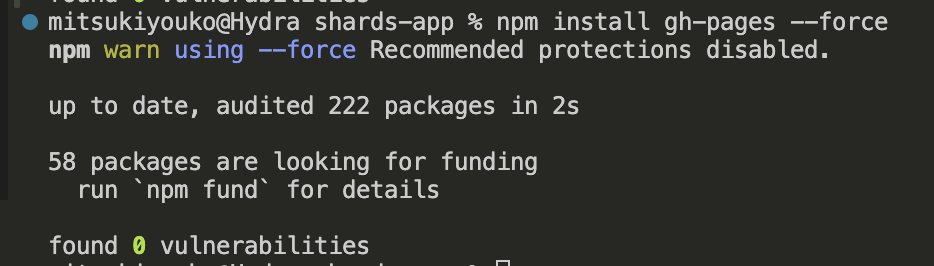
I know for a fact that I need to install gh-pages.. so let's do that:
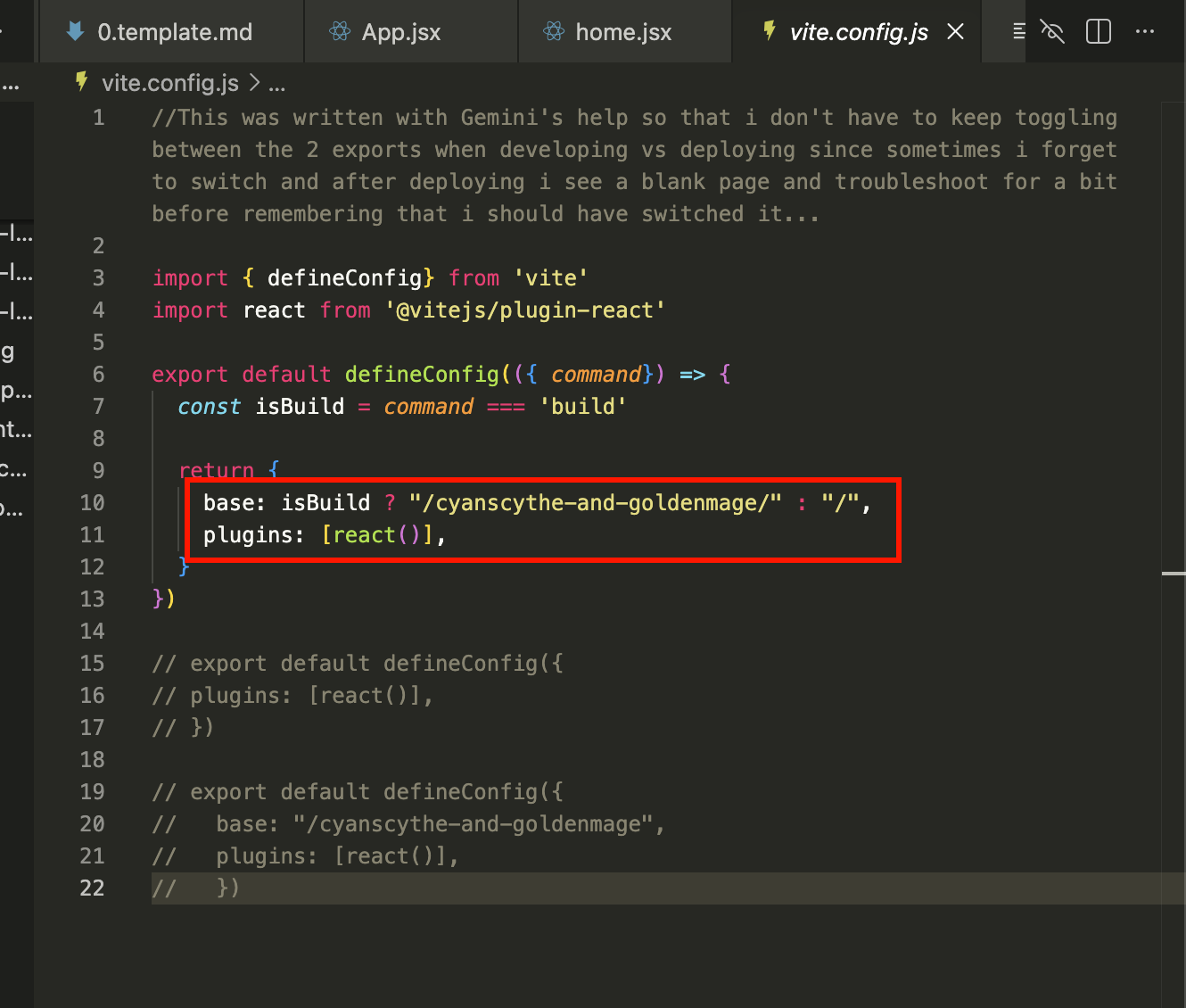
 Just looking at the files, it looks like I'd need to update vite.config.js...
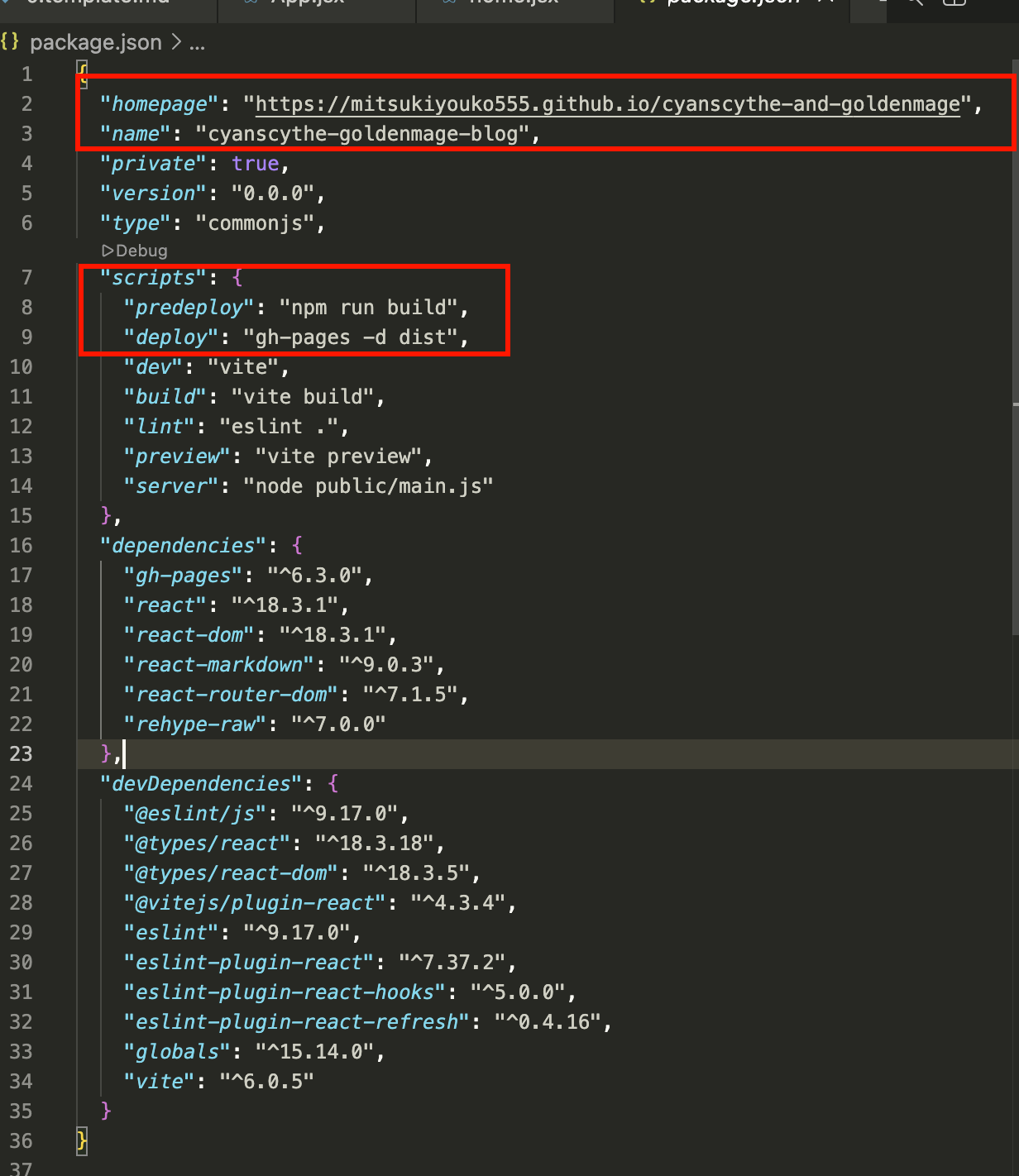
 As well as the package.json
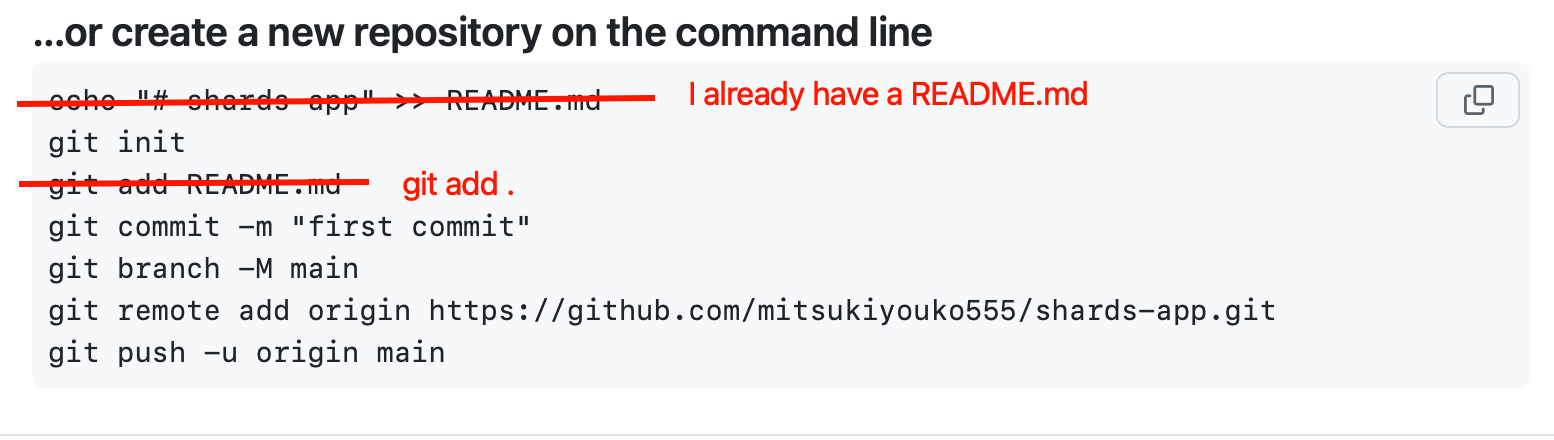
 BUT before that I need to create my github repo for my Shards WEBSITE.. (The site is just to tell people about the app..)
Made a repo and now I gotta connect my coding folder to it..
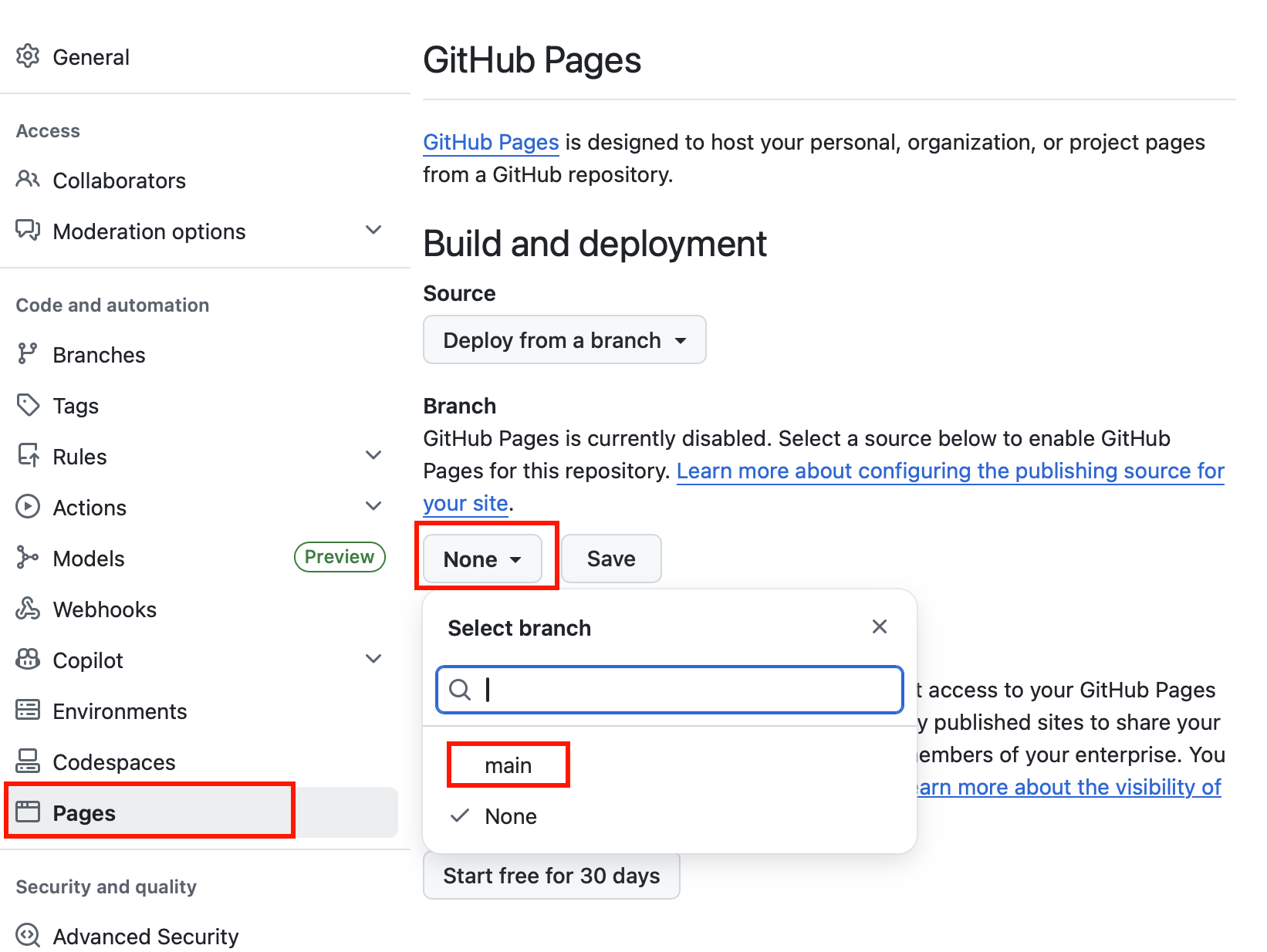
Then I need to go to my repo settings and set the branch for gh-pages. (Don't forget to click save!)
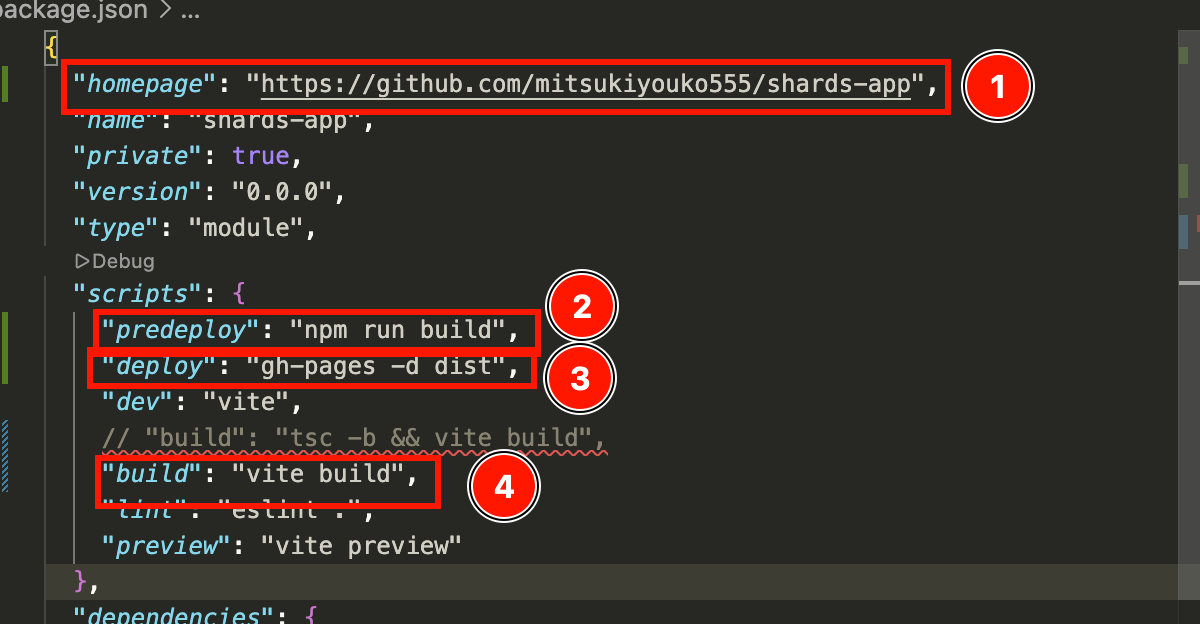
 And THEN I'll update the package.json file:
homepage = your github pages WEBSITE LINK! (NOT the repo link, this is where you'll see that I later messed up.)
predeploy = "npm run build"
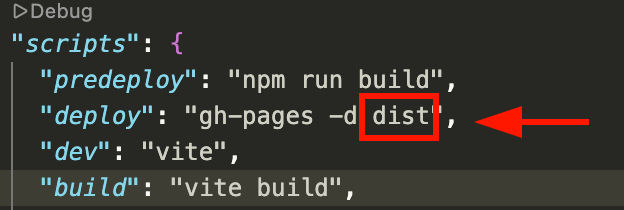
deploy = "gh-pages -d dist"
build = "vite build" (I think? Not sure if this is supposed to be like this but thats how it was in my cyanscythe and goldenmage blog..)
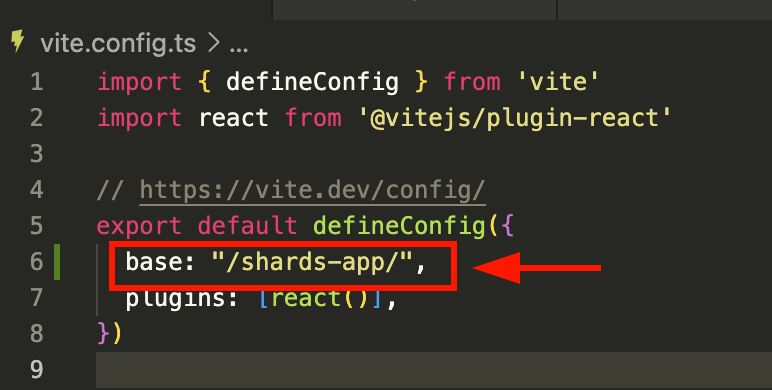
And then added the "/repo-name/" to the vite.config.js :
 Then add, commit, and push the code..
Now, let's see if that worked.
Then I ran:
npm run build
Cus if I remember right, it adds files when it builds.. so the order is:
build (actually the deploy command itself runs build so I don't have to run it manually. That was just a force of habit because for the Cyanscythe and Goldenmage Blog, I needed to do something extra with the build in dev as well.)
git add .
git commit -m "comment"
git push -u origin
and THEN npm run deploy
cus the npm run deploy will push the deployment to the dist branch (or whatever branck you specify for the deploy command in package.json)
This one here:
So let's see if it works...
 Hm.. nope page is coming up as blank :(
Watched the video.. and oh DUH!!
I put the wrong url for my website!! That's the repo url but the actual github pages would be this one:
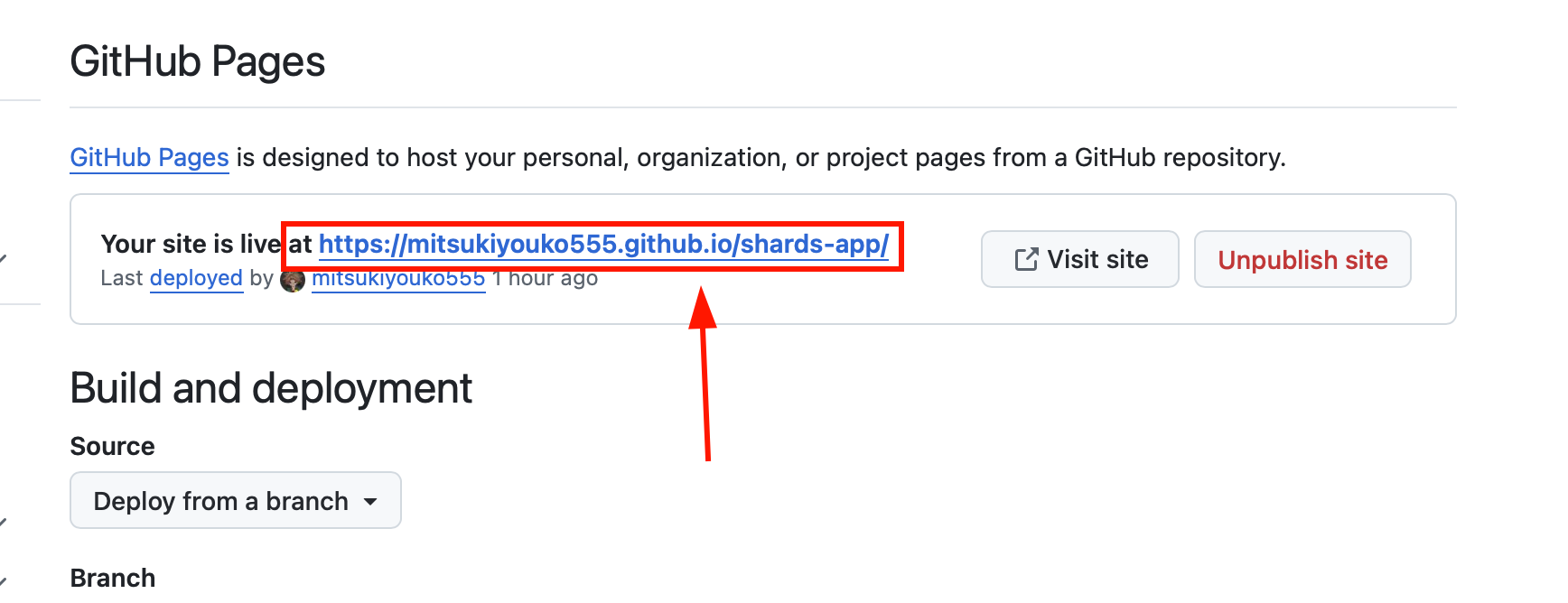
So gotta fix that...
 Here is the syntax for that:
 Still having issues with it.. but for now let's move on to another issue.. The links to the other pages aren't working..
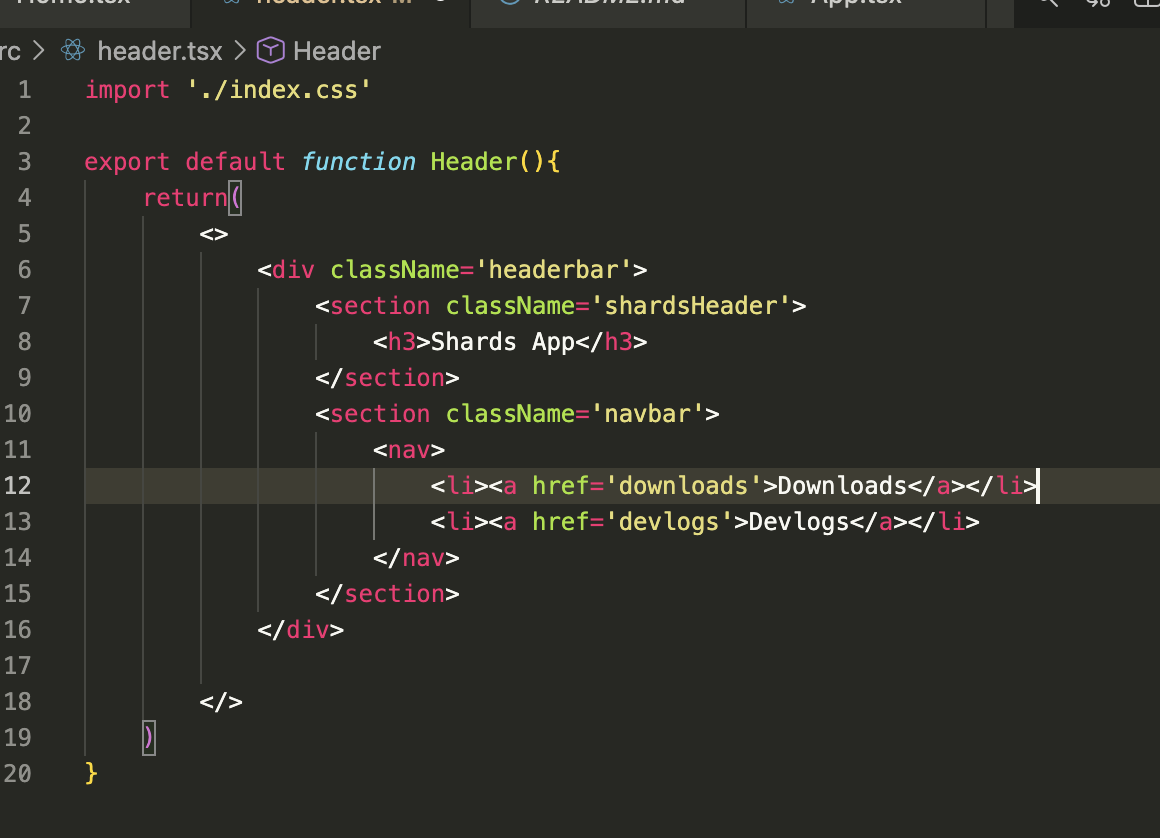 Gemini says:
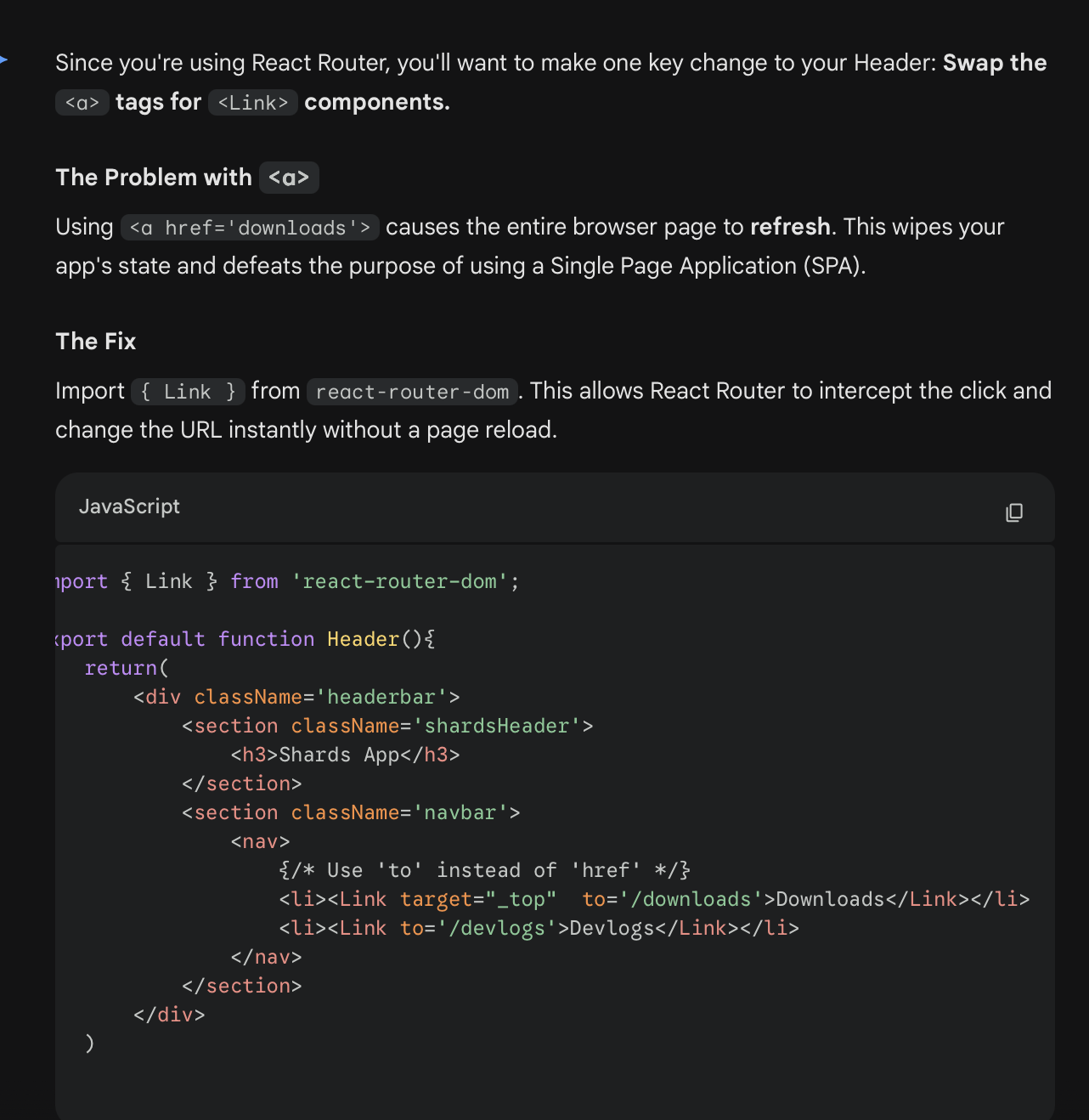 Ok got the Router part fixed..
Mulling over it some more and I cannot for the life of me, figure out why my gh pages comes up blank.. then a thought hit me.. wait.. it publishes to gh-pages but I set the page path to main :O
DUH!!
Clearly I need to deploy the page from gh-pages!
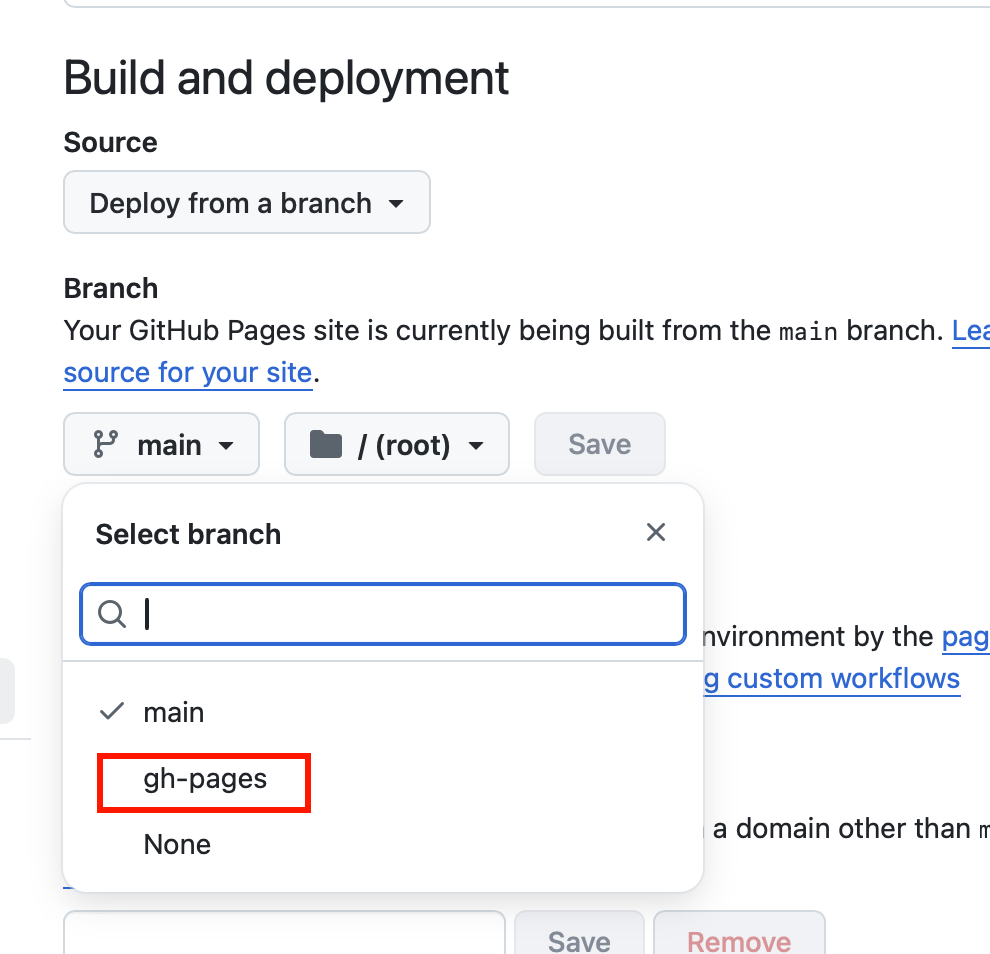
FINALLY SOMETHING HAPPENED!!! It's a good day as a coder when you move on from one bug to another XD
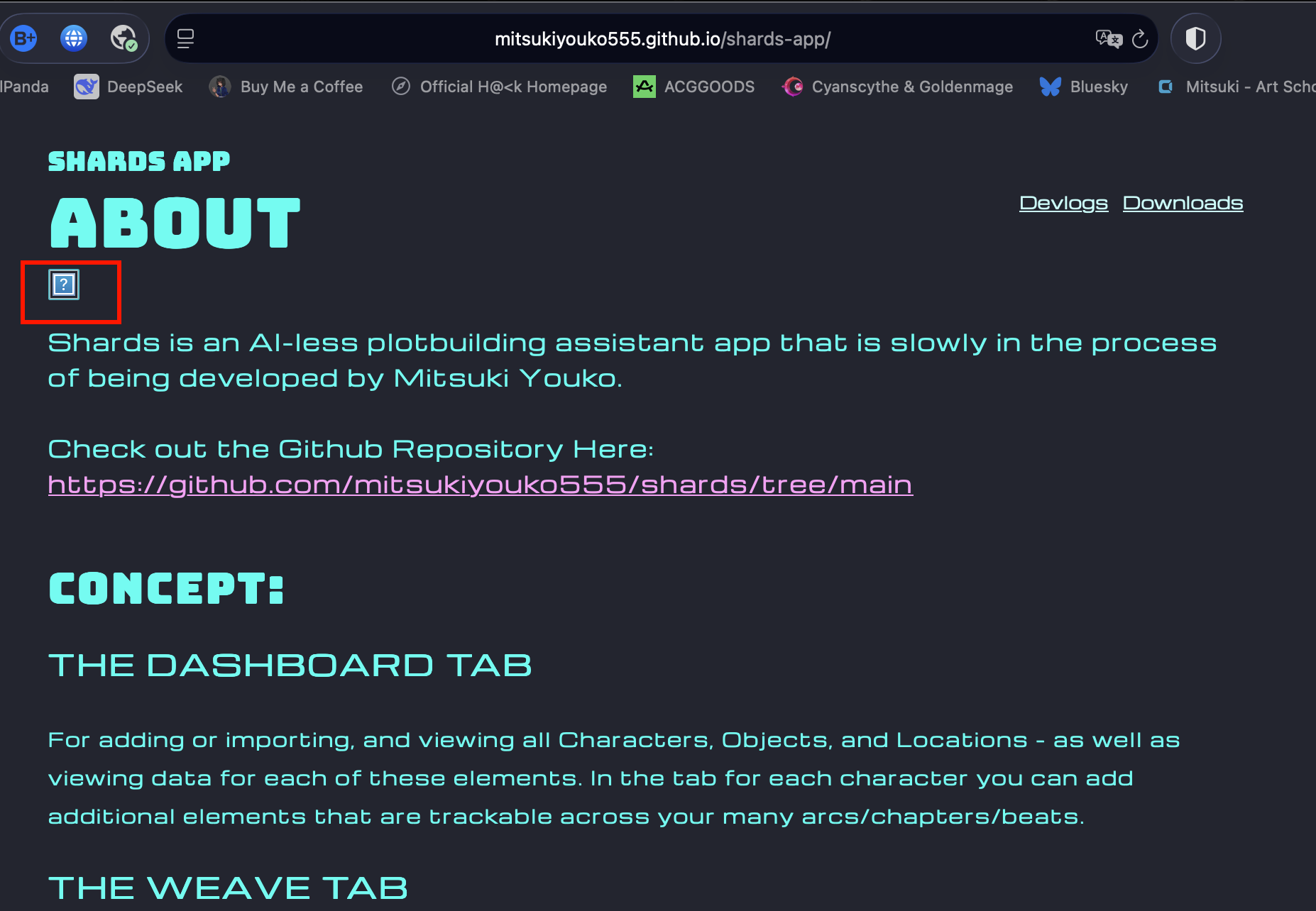
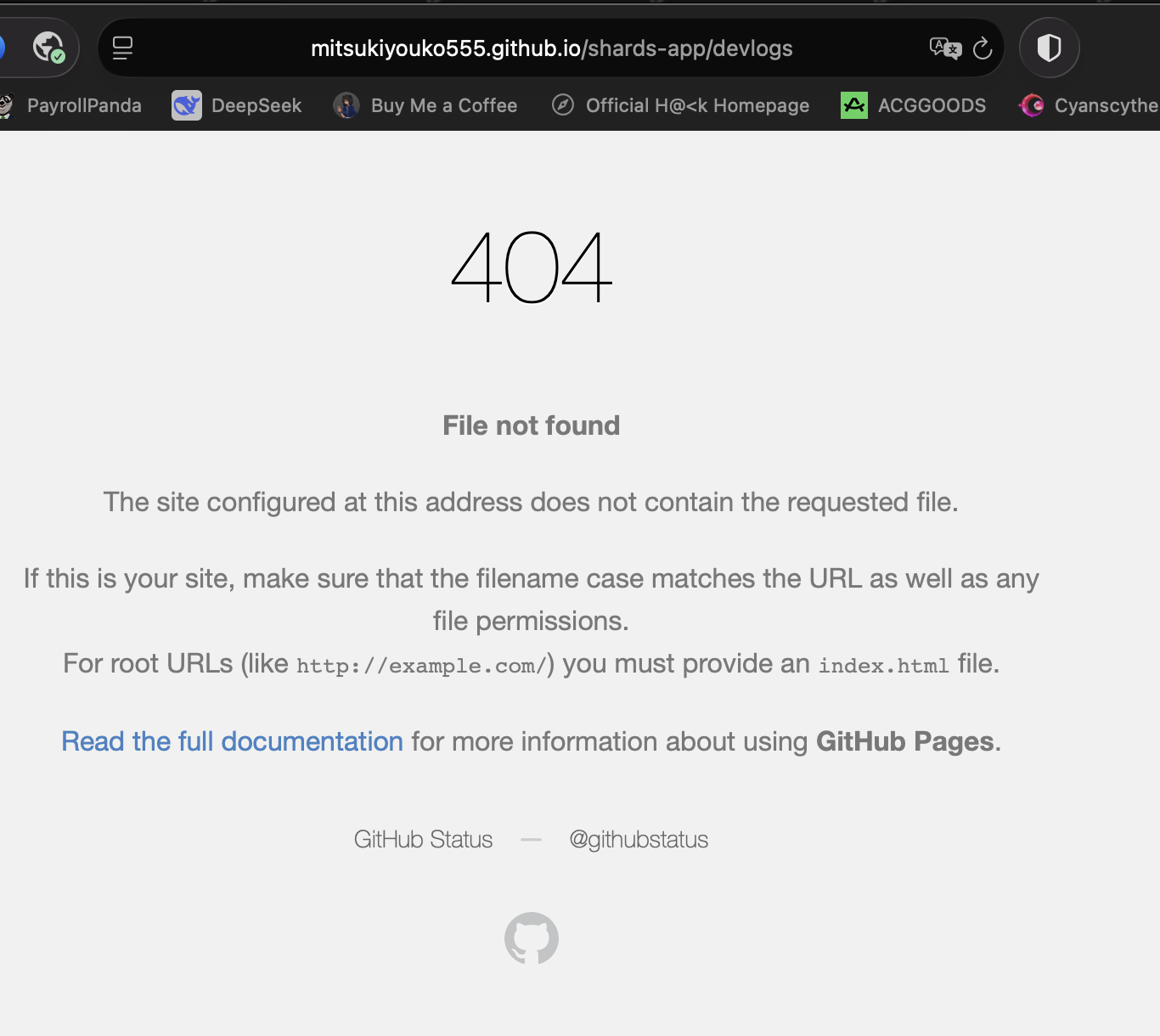
Two immediate issues:
It can't find the images.. (This has def happened before.. with some of my other pages and eventually I got it to work somehow..)
The links to the other pages aren't working. That's cus the link doesn't have a # in it because I'm using React Hash Router rather than Browser Router cus I heard Browser router doesn't work with Github pages.
This works.. (Because it has the # before the sub page.)
This does NOT...
But in dev it auto applies the #.. I wonder why it doesn't in Prod 🤔
Let's try to fix #2 first...
Let's compare my code for the Cyanscythe and Goldenmage Blog.. how did I get it to work?
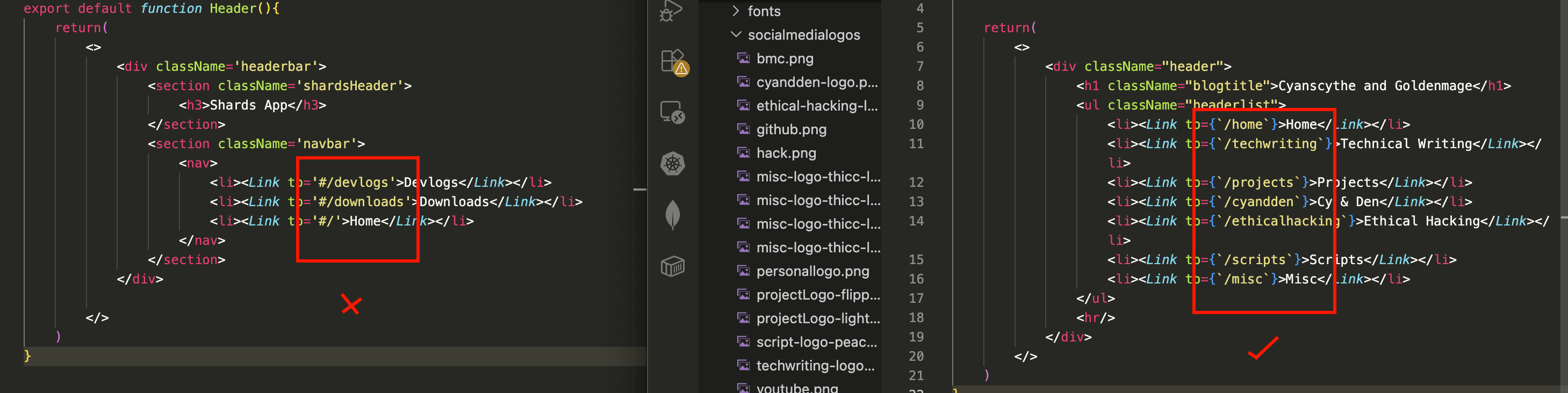 Let's see if this works (I wonder how many hours I spent troubleshooting that last time.. Thanks, past me, for giving me something to reference!):
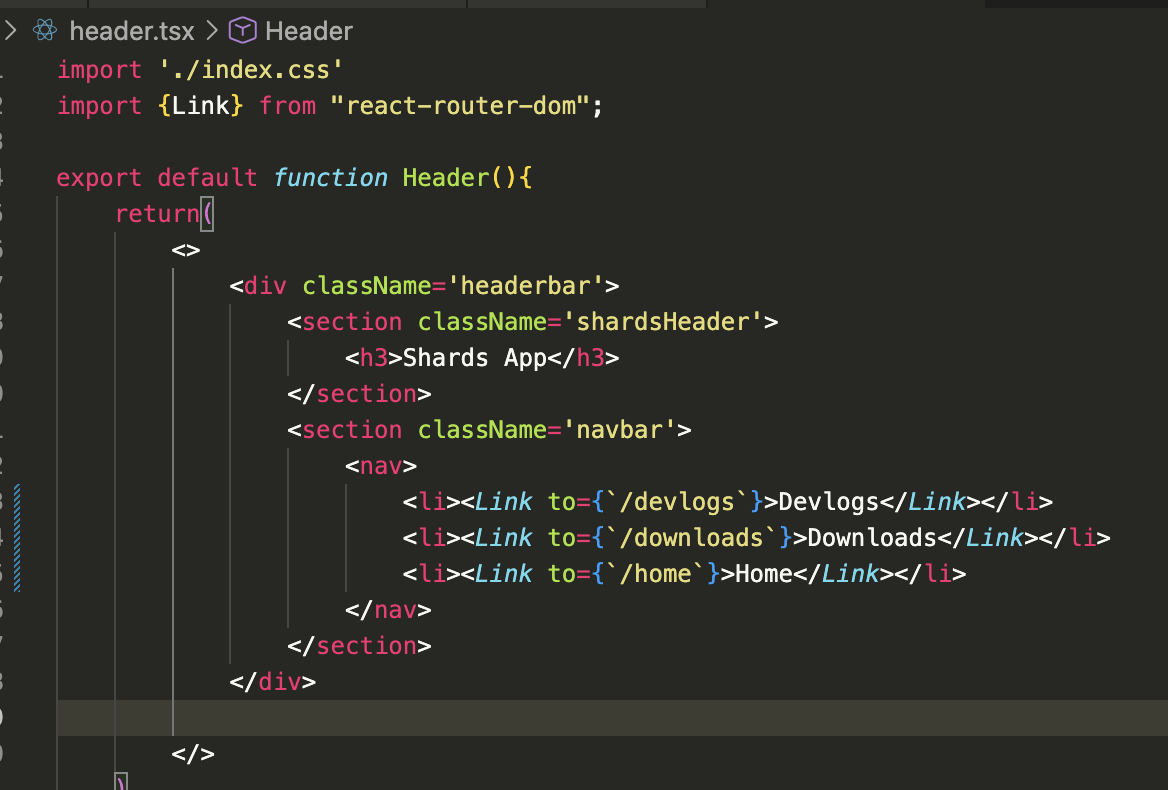 Yay! That's fixed in production!
But let's ask Gemini why this works... Ok nvm, Gemini has given me diff explainations, but it hasn't exactly explained why "/devlogs" doesn't work... It just says it should work... which well in my experience it doesn't seem to.... though I could be doing something wrong too..
Movin' on..
Regarding the images, looking back at my old code.. ok, I see why it's not seeing the image...
Here is how I linked the images in my Cyanscythe and Goldenmage Blog...
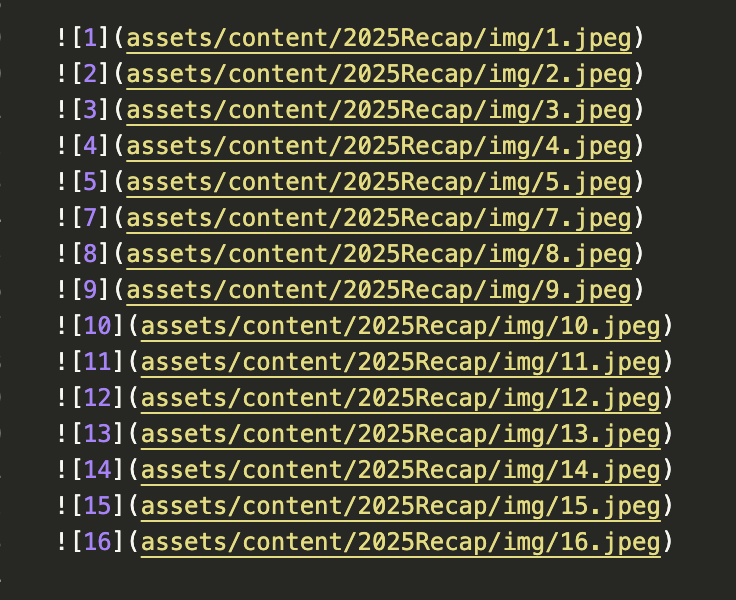 So when gh-pages does its build, it copies everything from the public folder into the dist folder so the prod ver of the site can see it..
But here, my images are in /src, not in /public
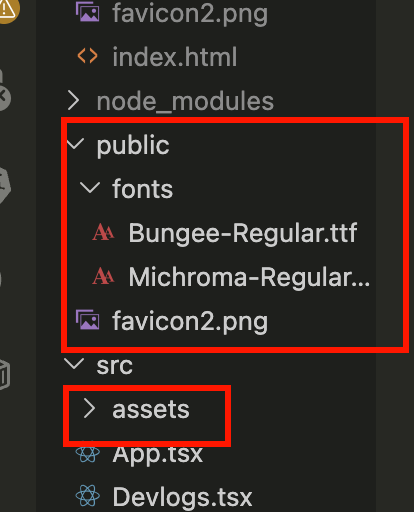 So to fix that, I need to move the assets to /public
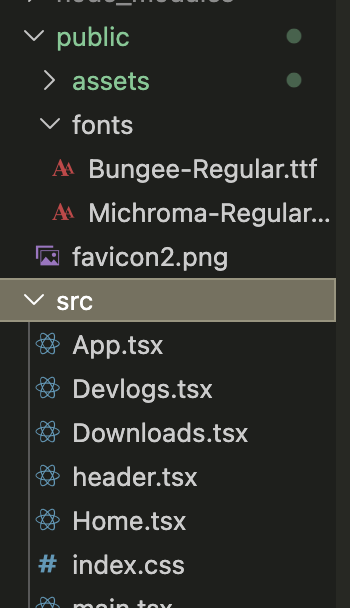 Then, I need to remove the src/ from the img src link and I think that should fix it...
 Let's deploy it and see...
BADA BING BADA BOOP!
I can fix things on my own after all XD
GORGEOUS 🤌
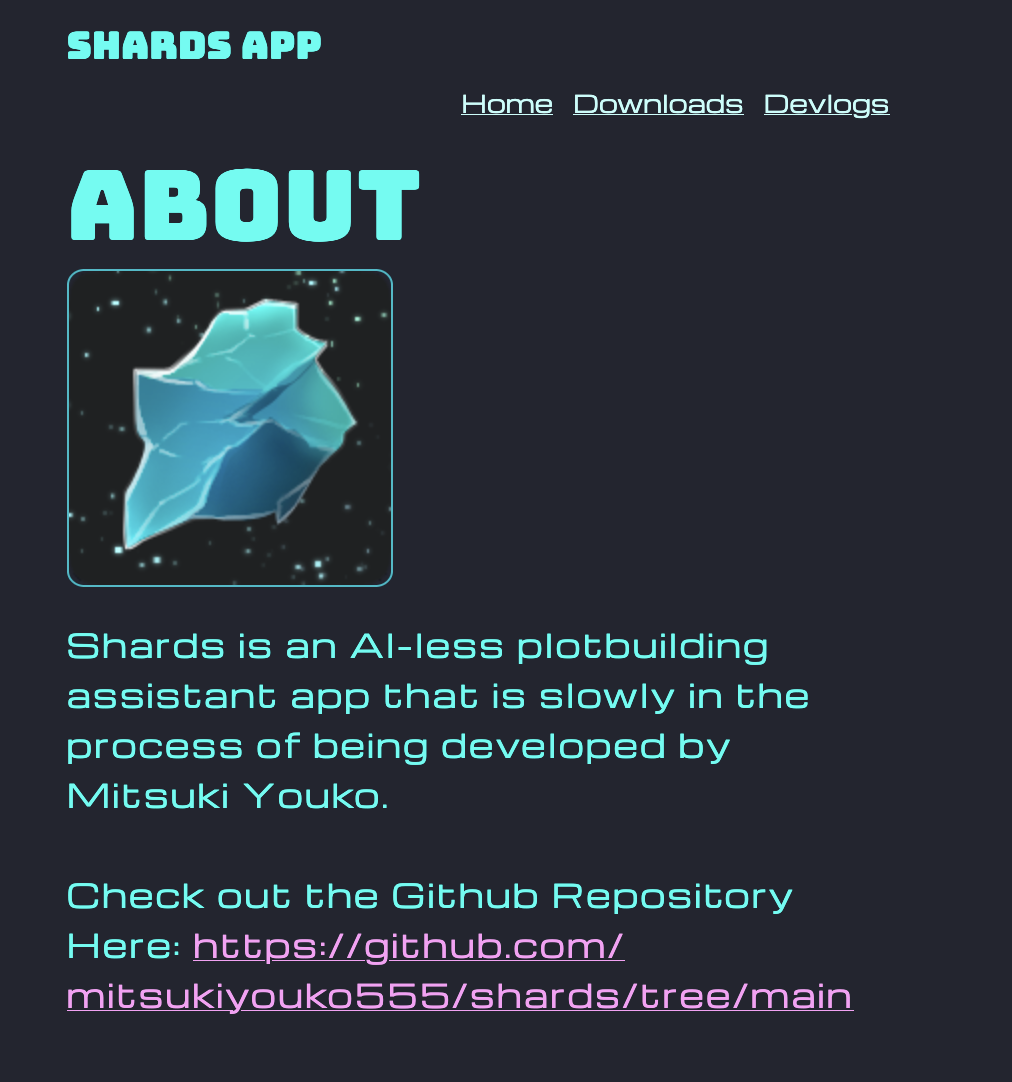 Now I just gotta finish writing the content, touch it up a bit and it's all good to go!
Getting it to show up on github pages was the hardest part!
If you want to check out the site, the link is here: https://mitsukiyouko555.github.io/shards-app/
Now that I have it all set up, once I have some demos of SHARDS to show, I can just embed it into the site :D
Every time I make a React App and publish it to gh-pages, I get better at troubleshooting it XD
It's definitely been a good experience.
In my next devlog, it's gonna be for reals.. I'll be working on the actual SHARDS APP.
No doubt there'll be tons of trials and errors, but if that intrigues you, stay tuned!
Thanks for reading!
-Mitsuki
Afterword:
Ok so, I noticed that in the mobile version, the text goes off the screen and I have to scroll.. and Gemini gave me a really good troubleshooting tip that I want to share here:
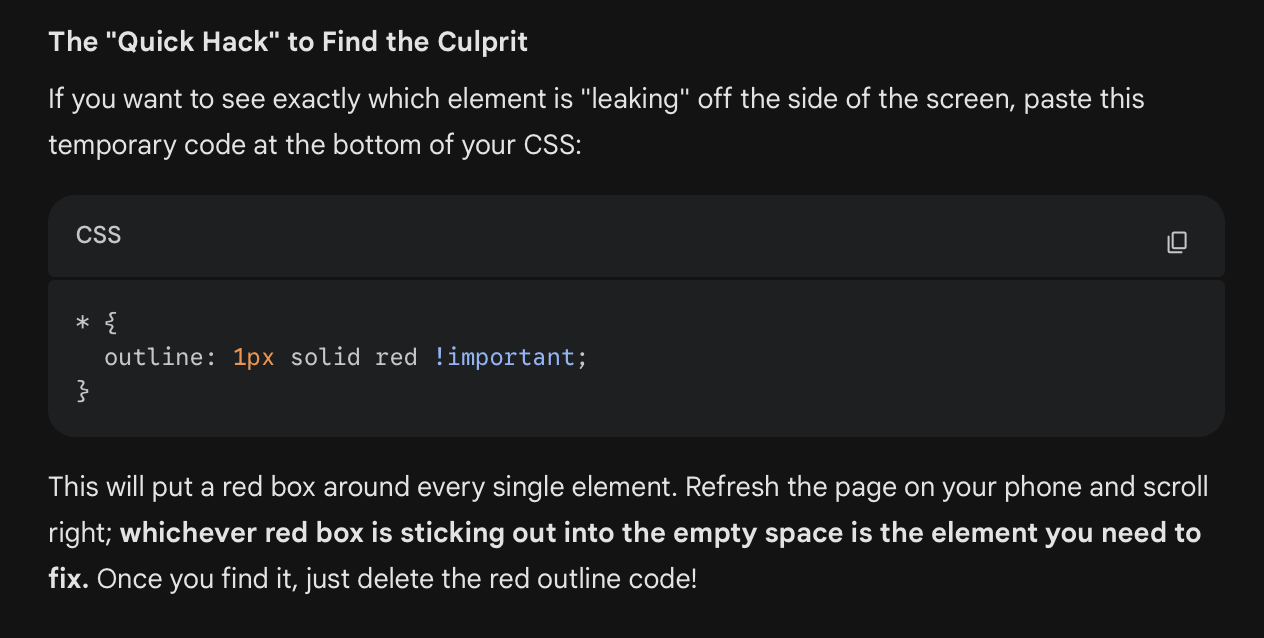
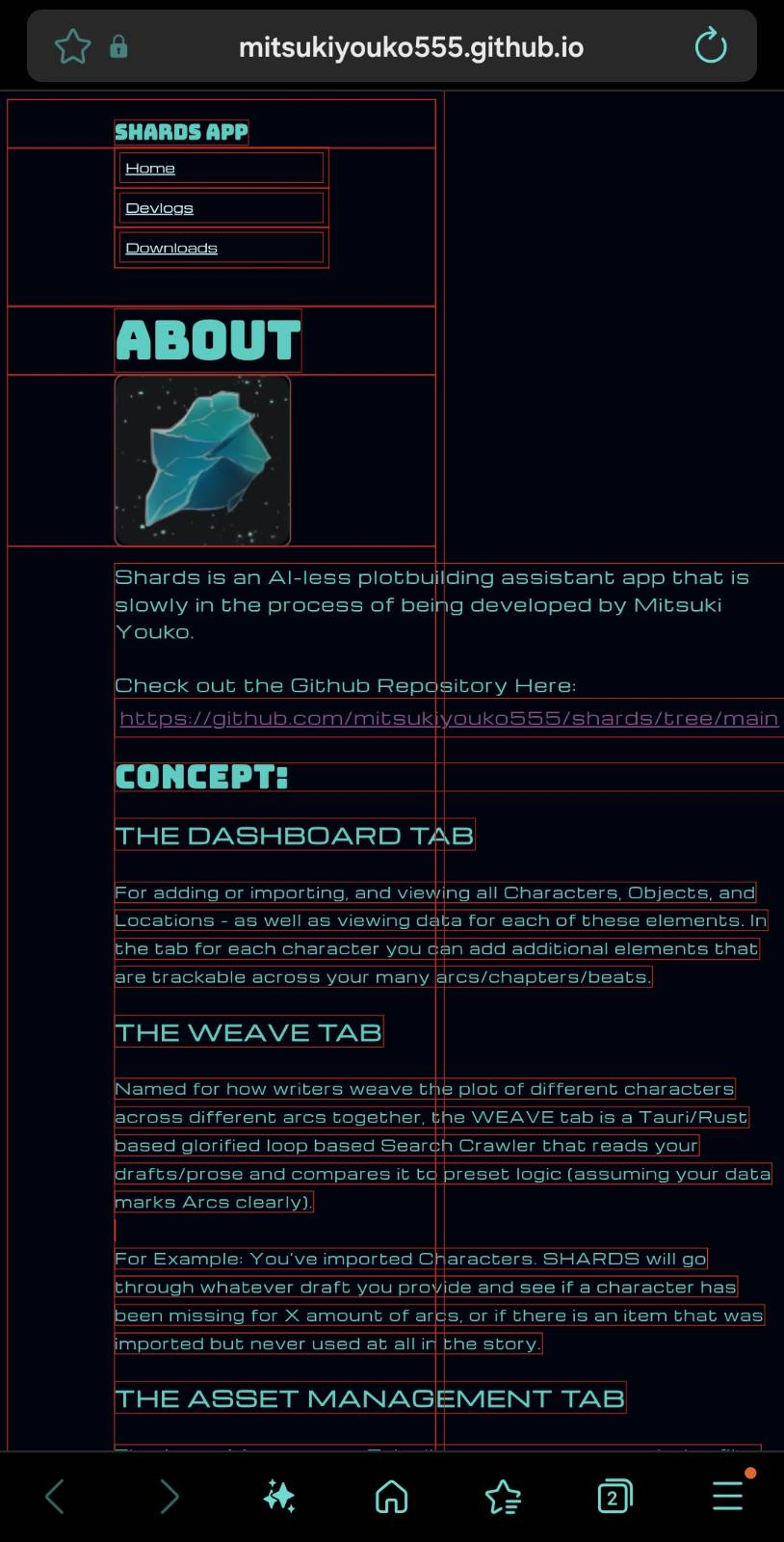 Now I know which element to target :D
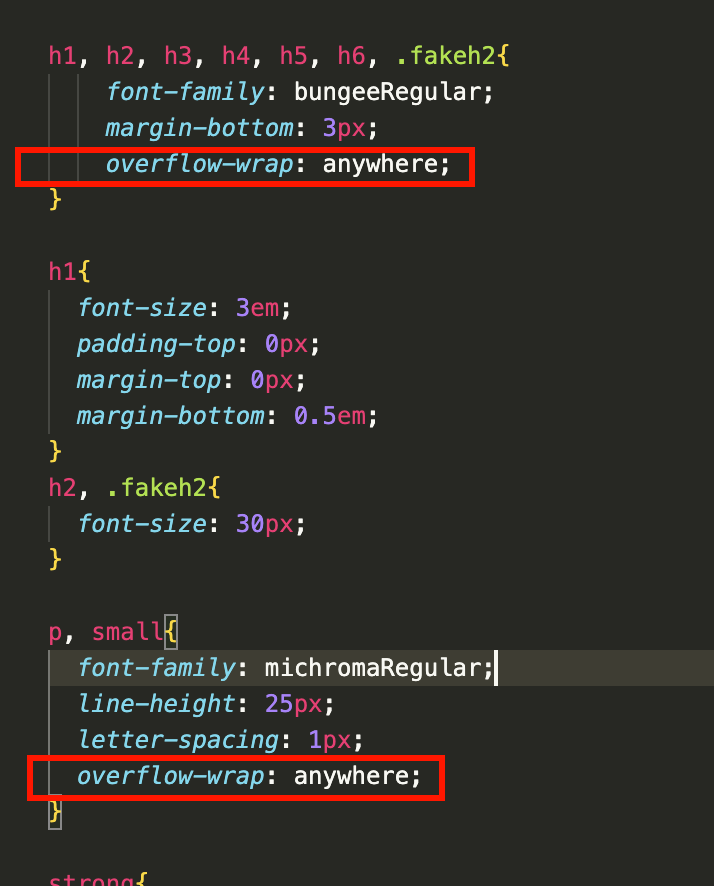
I fiddled for a while and ended up asking Gemini why it keeps not wrapping and apparently I was using the wrong kind of wrap..
It should be like this:
overflow-wrap: anywhere;
Instead of like this:
word-wrap: wrap;
 This was another suggestion from Gemini and while I'm not sure if it helped with the mobile ver, I'll still drop it here just in case:
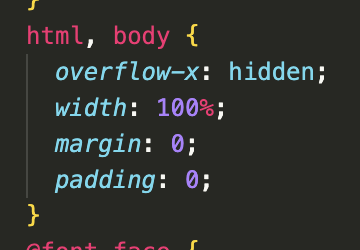 Supposedly that should keep everything within the boundaries of the device and anything outside of that should be hidden.