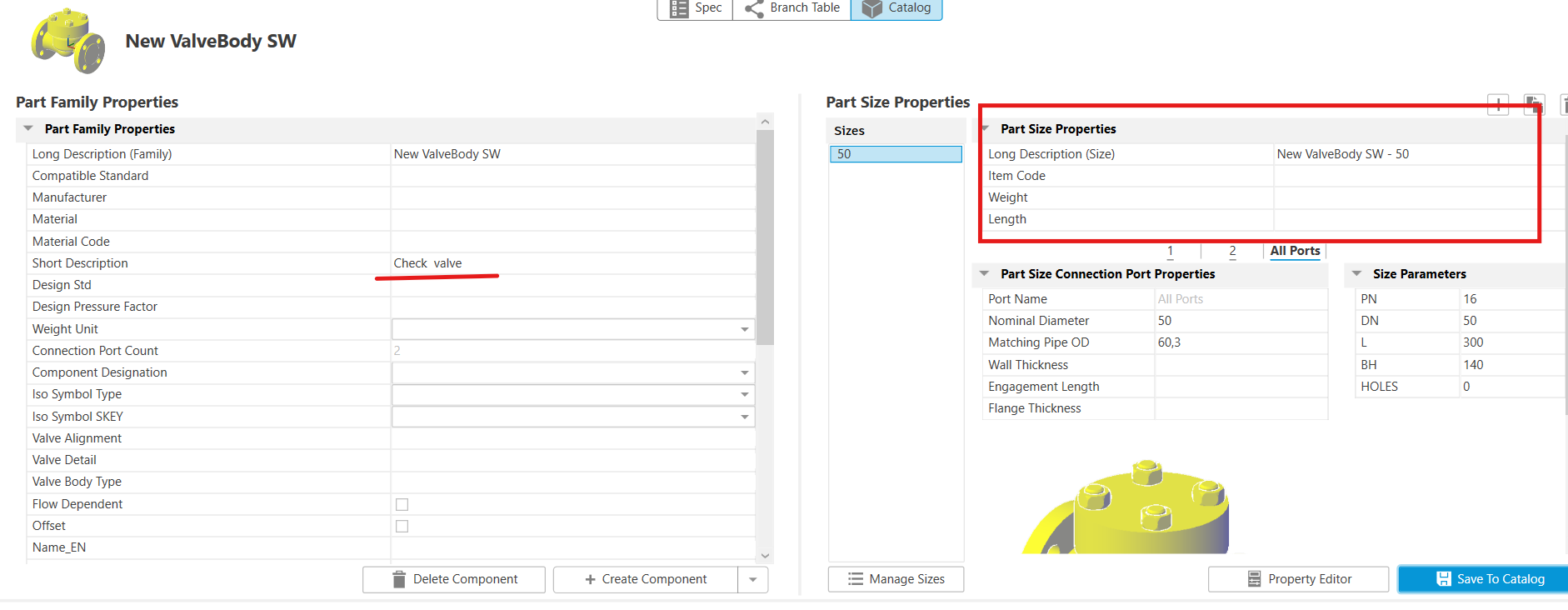

If you are creating your own Plant 3D valve scripts, this is a minimal working structure:
from varmain.var_basic import *  # type: ignore
from varmain.custom import *  # type: ignore


@activate(
    Group="ValveBody",
    TooltipShort="Check valve, flanged",
    LengthUnit="mm",
    Ports="2",
    FirstPortEndtypes="SW"
)

@group("MainDimensions")  # type: ignore

@param(PN=LENGTH, TooltipShort="Nominal pressure")  # type: ignore
@param(DN=LENGTH, TooltipShort="Nominal diameter")  # type: ignore
@param(L=LENGTH, TooltipShort="Valve face-to-face length")  # type: ignore
@param(BH=LENGTH, TooltipShort="Bonnet height")  # type: ignore
@param(
    HOLES=LENGTH,
    TooltipShort="0 = no holes, 1 = show holes"
)  # type: ignore

def CPVCheckValve(
    s,
    PN=16,
    DN=50,
    L=300,
    BH=140,
    HOLES=0,
    ID="CPVCheckValve",
    **kw
):
    ...
What each part does
varmain.var_basicProvides Plant 3D parameter types such as LENGTH
varmain.customProvides decorators such as @activate, @group, and @param
@activateRegisters the custom component
Group="ValveBody"Assigns the component to the valve-body group
FirstPortEndtypesSets the default Primary End Type
Ports="2"Defines a two-port component
TooltipShortSets the script tooltip
@groupCreates a parameter group
@paramDefines editable parameters
Important must-have notes
Start the script name with
CPVOtherwise, the Custom component designation may not work correctly in Spec Editor.
Use: CPVCheckValve
Do not use an underscore
_directly afterCPVPlant 3D appears to parse the script name and may expect a special suffix after the underscore.
In my tests, a script name such as: CPV_Check_valve crashes AutoCAD Plant 3D consistently.
Use this instead: CPVCheckValve
The exact reason is still under investigation.
Use
FirstPortEndtypesThis allows the Primary End Type filters to work when creating a new component in Spec Editor and predefines the component end type.
Example: FirstPortEndtypes="SW"
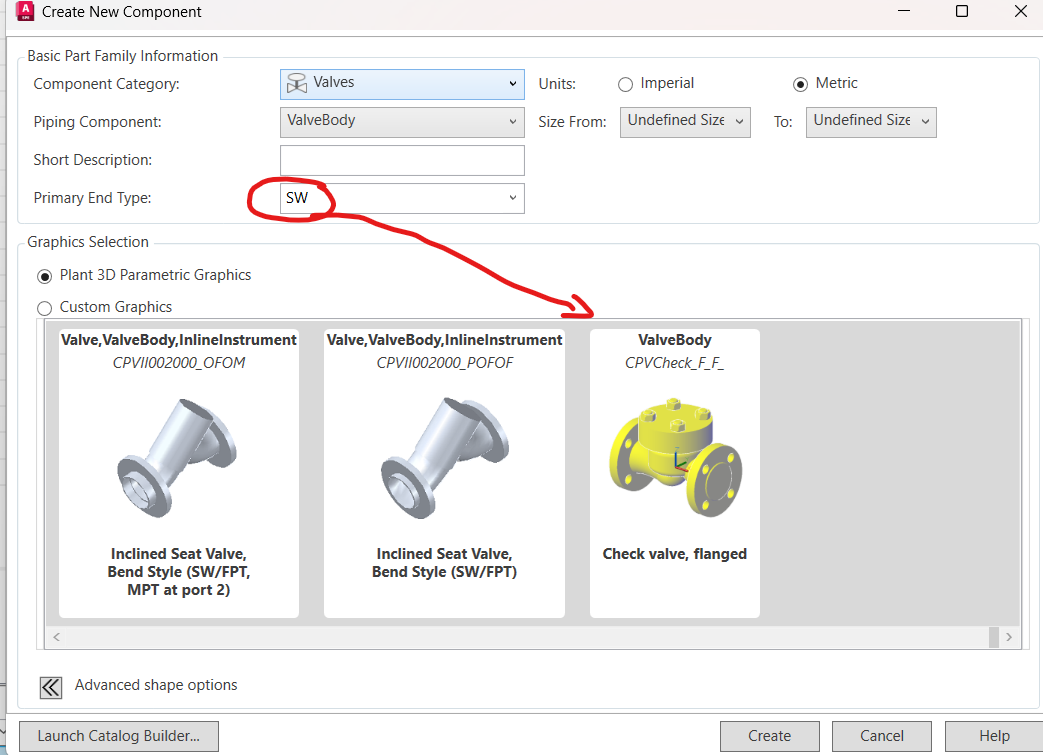
The Short Description selected in Spec Editor also affects the component behaviour
I use: Check valve as the Short Description.
With this value, the actuator assignment fields do not appear in Spec Editor. With another Short Description, actuator-related fields may appear.