

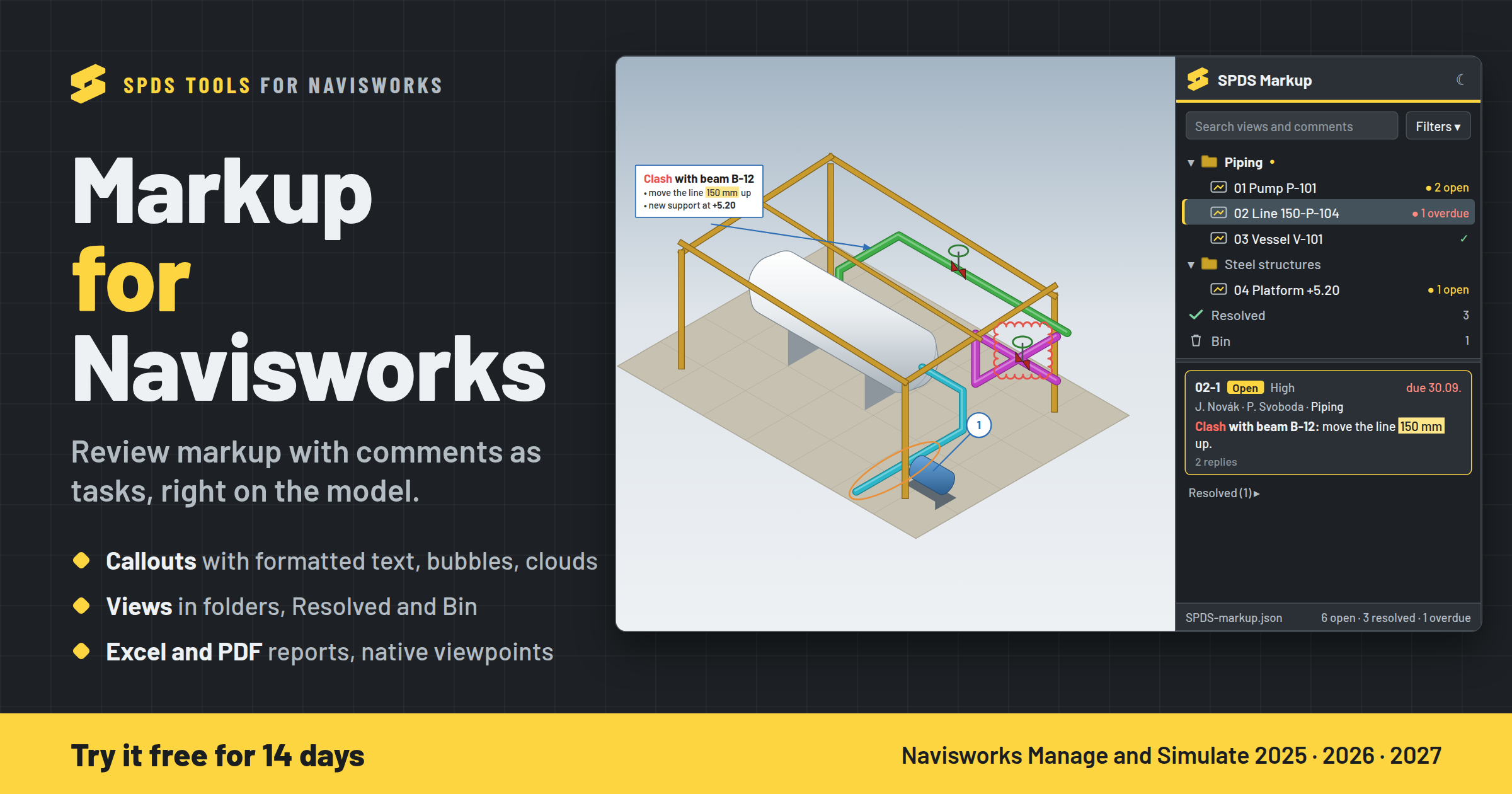
 📝 Markup for Navisworks is the first SPDS tool for Autodesk Navisworks Manage and Simulate. Draw on the model, keep the comments of every view as tasks with people and due dates, and send the report. No more screenshots in Excel and redlines lost in e-mails.
What it does
✏️ Markup on the model: callouts with formatted text (fonts, bold, colours, highlight, lists), numbered bubbles, revision clouds, lines, rectangles and ellipses. Select several, move, reshape, Undo.
🎥 Markup views like saved viewpoints: one click brings back the camera, the section planes and the markup. Views in folders; done ones go to Resolved, old ones to the Bin.
✅ Comments are the tasks: responsible people, disciplines, status, priority, due date and replies. Filters by person, company, discipline and overdue.
👥 One shared list of companies, people and disciplines for all projects (for example on a shared drive).
📊 Reports: Excel (comments, replies, views, people) and PDF (one page per view with its markup and comments).
🔁 Navisworks saved viewpoints: export with redlines and comments, readable without the plugin, and import back.
💾 Saved next to the model; changes of colleagues on the same model are merged.
How to start
1. Download the installer: https://github.com/spds-tools/spds-navisworks-releases/releases/latest/download/SPDS-Navisworks-Setup.exe
2. Close Navisworks and run the installer (no admin rights needed). Windows may say "Windows protected your PC" because the installer is not signed yet: More info → Run anyway.
3. In Navisworks: SPDS tab → My Licence → sign in with your email (a 6-digit code comes by mail).
- New here? Start the 14-day trial. No card needed.
- Member? Use the same email as here: Bronze and Silver choose Markup for Navisworks under "Your plugins" (it counts as one of your tools, like the Plant 3D tools), Gold has it included.
The quick guide (10 pages, PDF): https://github.com/spds-tools/spds-navisworks-releases/releases/download/v1.0.0/SPDS-Navisworks-Markup-Guide.pdf
Works with Navisworks Manage and Simulate 2025, 2026 and 2027. This is a prerelease: tested in 2027, new for 2025 and 2026, so tell me how it runs there.
Tell me what works, what doesn't, and what you'd like next: reply here or write to [email protected].