

 TL;DR: I created this free extension that allows you to control playback speed right from the page across websites. It's feature-rich and pretty — see features below. I like it a lot and I hope you'll like it too. Check out this demo or download it from the Chrome Web Store.
As a long-time Instagram Web user, it has always been a big question for me — why the hell isn't it possible to play videos at 2x?! A while ago I, out of curiosity, also checked TikTok Web (whose mobile app I'm an avid user of — the good old brainrot department) and it was much to my amazement that I found that it didn't have a 2x feature either… And I honestly think that it's kind of unfair — these big corporations have fried our brains to the extent that watching a 3-minute video feels like an accomplishment, yet they couldn't care enough to implement at least a simple button to play videos faster in their web apps.
Faced with this situation, I did what a normal person would do — I opened the Firefox Add-on store to look for relevant extensions, checking out the Chrome Web Store on the side too. There was a lot to pick from but I couldn't find that one extension 🥲 Most of them only featured a regular pop-up view, which I find to be a very user-hostile experience for this particular kind of extension because I have to constantly bounce between the page and the browser toolbar. Others also featured on-page controls, but they were kind of... too plain-looking? I mean I don't want to undermine anyone's work — they are great extensions as far as functionality is concerned and I appreciate all the effort that went into making these extensions, but I personally find it hard to use software that lacks aesthetic consideration.
Now faced with this situation, I did what a normal (?) developer would do — I committed to creating a whole new extension that would meet all my peculiar needs 😍 I wanted it to be user-friendly, featuring on-page controls that are functional and pretty, maybe with a fallback pop-up view. And now, after many months of development (I refrained from using gen AI), I think I've reached a state where I feel ready to share it with you! I've named it Speed Changer (yes, I have the imagination of a squirrel when it comes to naming my apps 🐿️).
Features
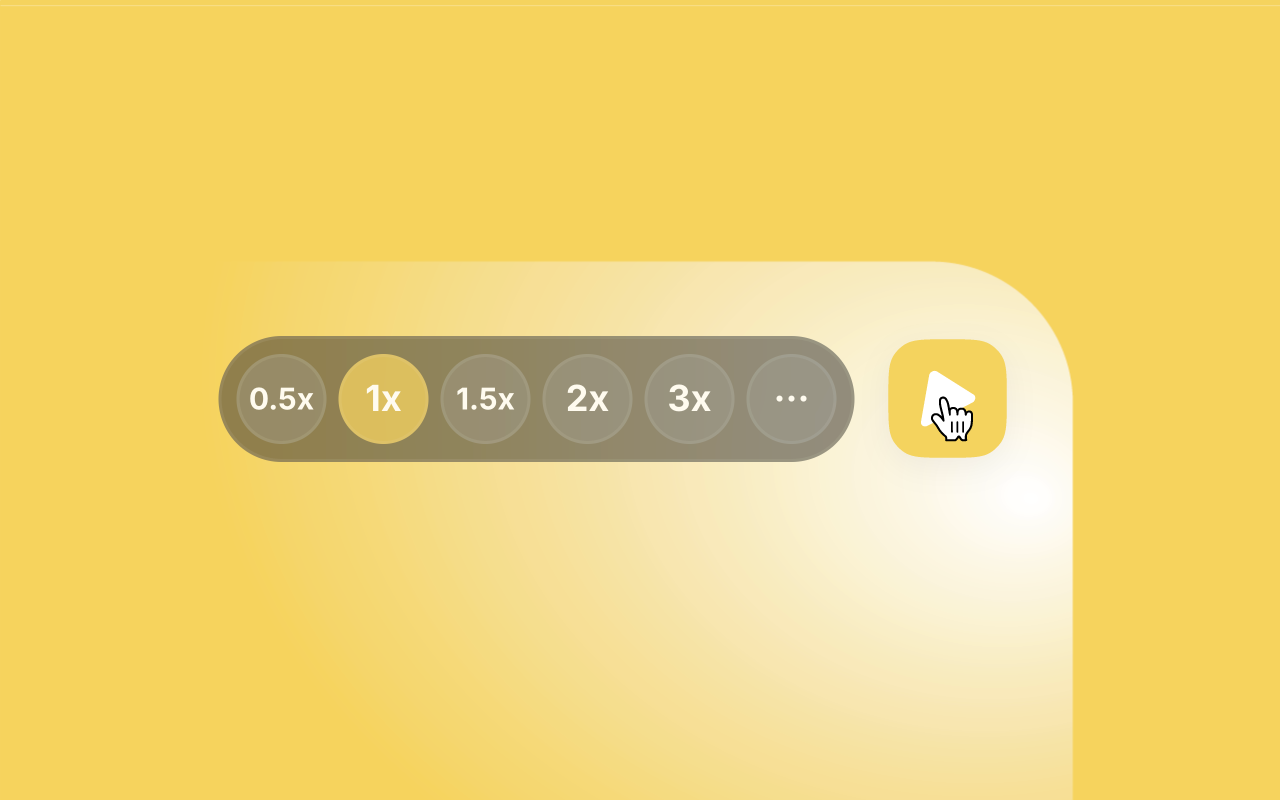
On-page controls for each video: When the extension is enabled, you will see a so-called 'floating button' over each video which, when hovered, will open up a picker menu where you can choose your desired speed for the given video (enabled by default on YouTube, Instagram and TikTok only, but they can be turned on for any website).
Into these floating buttons I have integrated one functionality that is by far my most favorite — you can press-and-hold these buttons to play the videos at 2x, and pull away while pressing to lock the speed. This pretty much brings the familiar experience that we're all used to from the popular apps (TikTok, Instagram, Facebook etc.) to your browser. On Safari, the experience is even more fun because I could make use of the force touch events and make control over speed even more granular — press-and-holding the floating button will play the video at 1.5x, and to play at 2x all you have to do is apply a bit more pressure to the touch bar.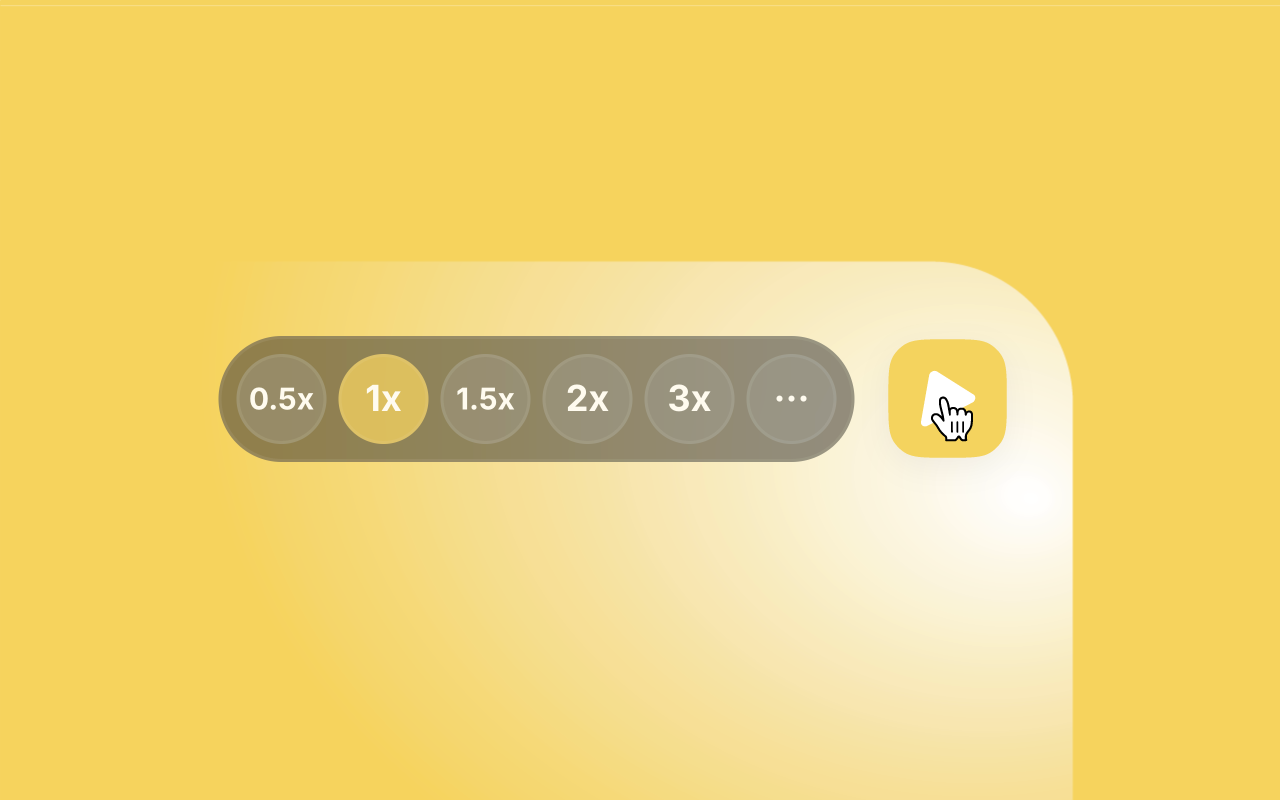
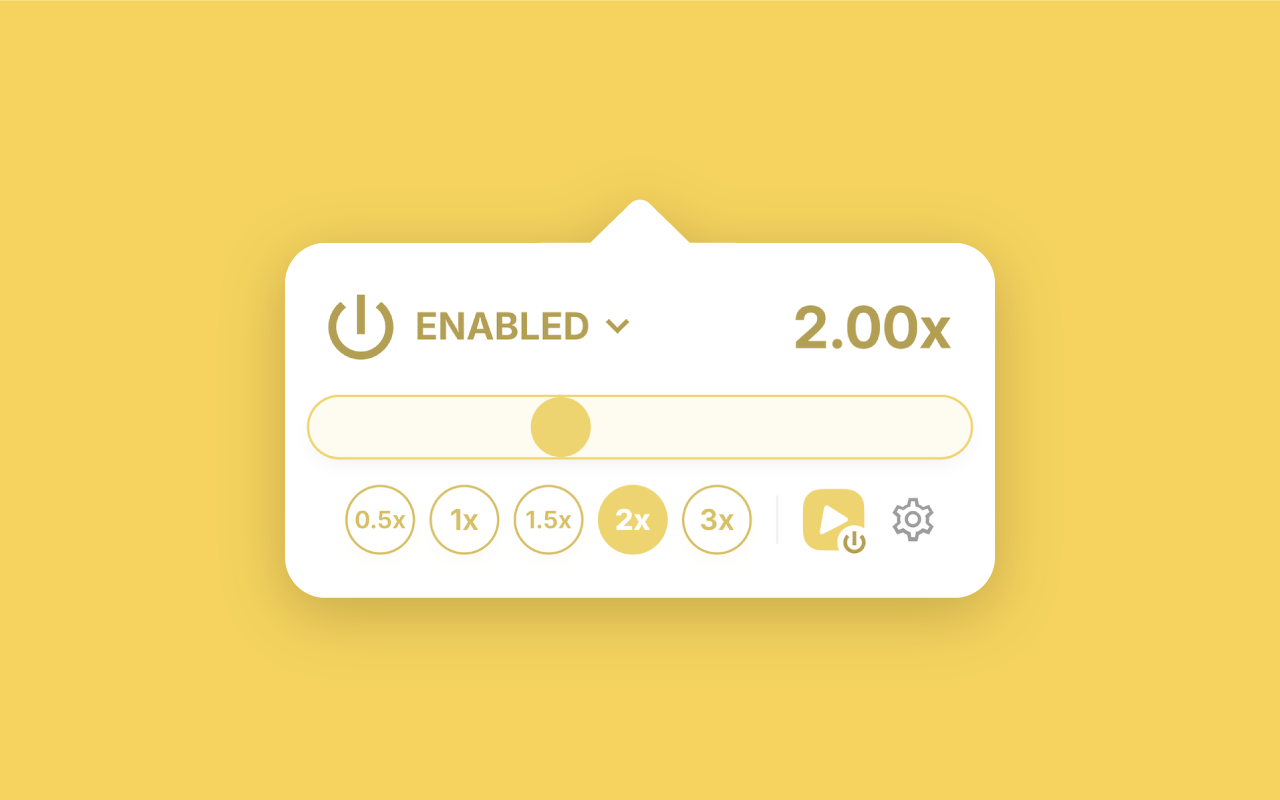
Regular pop-up experience: If you find the floating buttons to be too overwhelming on the page, or if you're simply feeling old-school, you can disable the floating buttons completely from preferences and use the regular pop-up view, available by pressing the extension icon in the browser toolbar. Here, the speed is applied on a per-website basis to all videos (unless you've changed it from preferences).
Keyboard shortcuts: Another key feature of the extension is the customizable keyboard shortcuts. The defaults are pretty easy to remember — it's Alt/⌥+[the speed you want to apply], i.e. Alt/⌥+[2] will change the speed to 2x, Alt/⌥+[1] will reset it back to 1x and so on. Alt/⌥+[-] and Alt/⌥+[+] will decrease and increase the current speed respectively, whereas Alt/⌥+[`] (usually situated to the left of the [1] key) will toggle the floating buttons on and off.
Support for audio content (podcasts, music etc.): From the beginning, I've implemented the extension in a way so that it works for audio content as well as for videos. In fact, I initially considered adding floating buttons for audio content too (hanging in the corner of the page), but I later let go of the idea because why not use the pop-up for those cases. You can use the pop-up view to play your favorite podcasts at your desired speed, or what's more fun — make sped-up versions of your favorite songs on the spot. In fact I'm considering adding an option to disable pitch preservation when changing the speed so that it's possible to achieve that Chimpunk effect lolol.
Dark mode friendly: I mean you would hope that this would be something standard in the big year of 2026 and would not need to have its separate bullet-point, but most websites and a lot of software still do not support dark mode out of the box. I've made sure that all of the interface of the extension adapts to the active color scheme of your browser so that you won't get that sudden eye strain during the night, like the ones you get when you accidentally open a website that's not dark mode friendly. (One exception here is the welcome page, which you'll be seeing only once anyway; I'll address in one of the upcoming releases.)
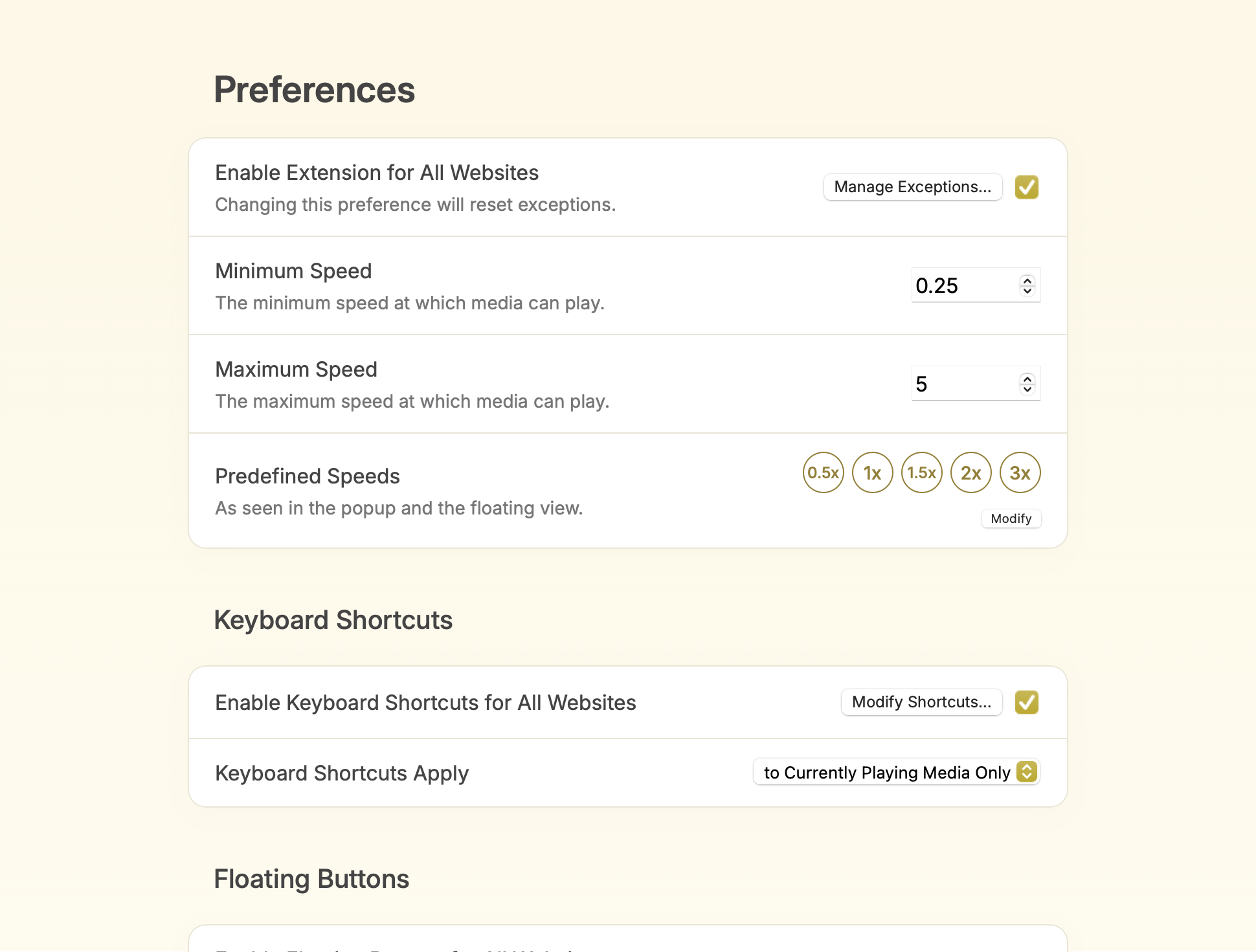
Highly customizable: When I started working on the extension, I committed to making it as customizable as I could. Admittedly, sometimes I overengineered in a lot of places with configuration options where an opinionated default would just be better (I ended up either removing these options or at least de-listing them from the preferences page). After a lot of trial and error, I ended up with a compact yet comprehensive preferences page where you can adjust the crucial parts/behaviors of the extension to your preferences.
Privacy
The extension collects telemetry information by default. This gives me an opportunity to see what the most used features are and discover what features go unnoticed so I can promote them. Admittedly, it also gives me joy to see how anonymous people from around the world are using the apps I've created in real time.
Still, being a privacy freak myself, I made sure to implement an opt-out mechanism because not all people like sharing telemetry information (me included). There is an option to opt out of telemetry collection right from the welcome page by unchecking the checkbox at the bottom. Later, you can find the same checkbox in preferences, which, when unchecked, will completely disable further telemetry collection from every part of the extension.
Supported browsers
Now this is a pain point for me because from the beginning, I made sure to develop the extension in a way so that it's compatible with all the major browser engines — Chromium (Chrome and derivatives, Edge, Brave etc.), Gecko (Firefox and derivatives) and WebKit (Safari) — I believe Manifest V3 makes it a pretty trivial task if you're starting from scratch. Every feature was tested in all browser engines during development, thanks to which I caught a lot of engine-specific quirks (usually in Safari) and addressed them in the codebase. However, the final situation ended up being something like this:
Chrome, Brave, Edge (Chromium): fully working; listed in the Chrome Web Store and Microsoft Edge Add-ons.
Firefox (Gecko): while the extension itself is working perfectly, I found out very late that Gecko's implementation of environment separation between the content page and the extension (Xray Vision) makes it impossible to plant the extension's own elements in a lot of popular websites, such as YouTube and Instagram. The reason is that these websites try to access some attributes of the planted HTML elements, which results in security errors in Xray Vision and eventually crashes the website. I do have a solution for this in mind, but that requires a lot of reorganization in the codebase which I honestly don't have enough motivation for at the moment. I guess I'll revisit this later when I feel motivated enough (for reference, Firefox being my primary browser isn't enough motivation 🥸).
Safari (WebKit): Safari requires the extension to be part of a 'host' macOS application, which I have in fact spent some time and developed (having very limited experience in development for Apple OSes, safari-web-extension-packager came in very handy and gave me good head start). While the host app is almost production ready too, I still kind of don't plan on buying an Apple Developer Program just to ship something that I'm not sure there is any demand for lol. Like Firefox, I guess I'll consider releasing a Safari version if I see there is enough interest in the extension among Chromium users.